
Omarchy Proton Mail Notifier
English | Español | Français | Deutsch | Italiano | 中文
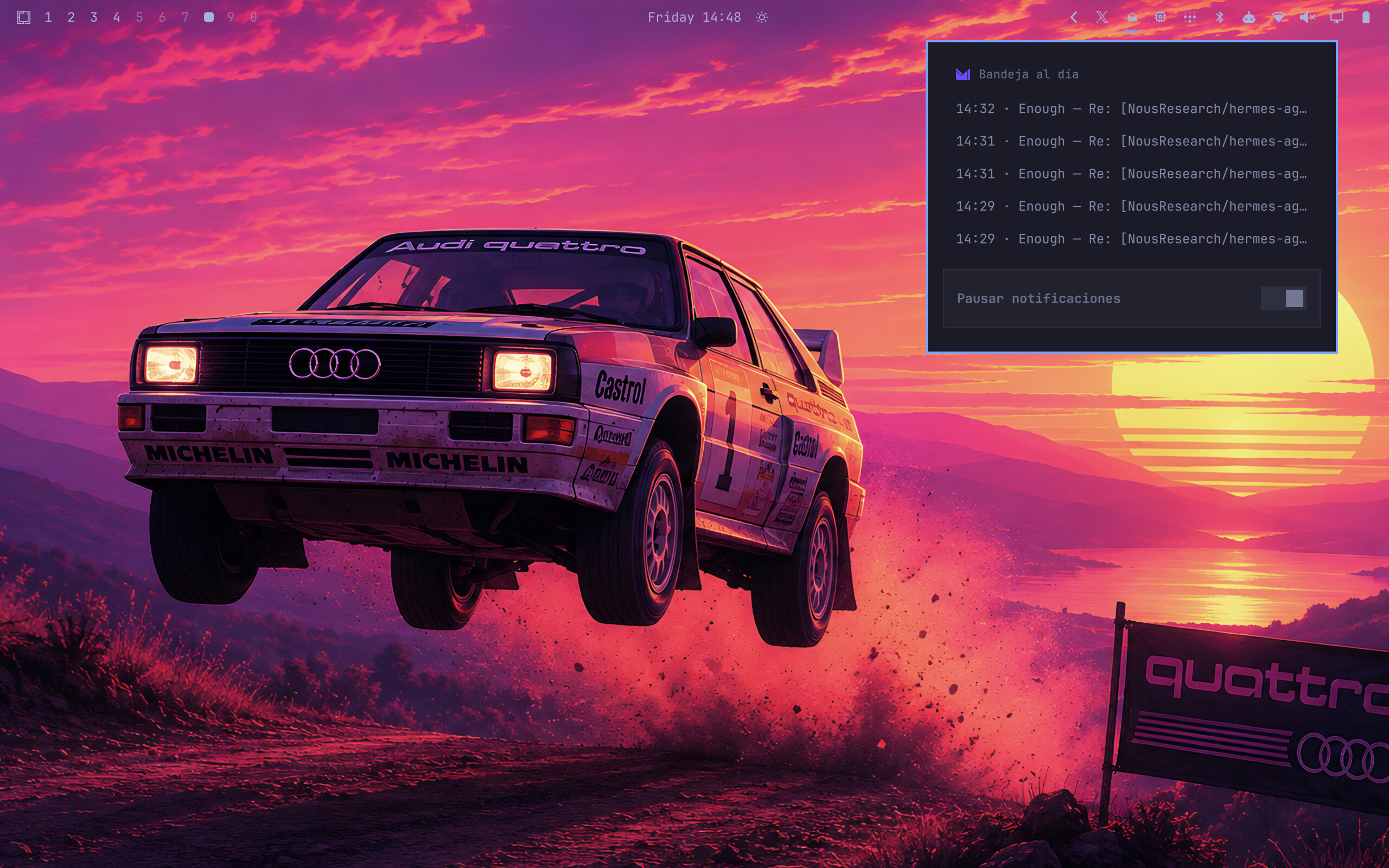
An Omarchy shell plugin that shows your unread Proton Mail count in the bar (top-right, next to the tray), drops down a list of your most recent messages when clicked, and raises a desktop notification when new mail arrives.
No browser extension, no Proton Mail Bridge — works with free and paid Proton accounts and any Chromium-based browser (Brave, Chrome, Chromium, Edge).
The widget speaks English, Español, Français, Deutsch, Italiano and 中文
(English by default), and everything — poll interval, dropdown size, header
nickname, notifications, language — is configurable live via omarchy bar set.
Screenshots

How it works
Proton Mail webapp (dedicated browser profile, --app window)
title: "(3) Inbox | … | Proton Mail"
│
├─ hyprctl clients -j ──► omarchy-protonmail-unread ──► badge N + notification
│ (window titles) (every intervalSec)
│
└─ --remote-debugging-pipe ──► omarchy-protonmail-broker ──► dropdown with last N
(CDP over inherited fds 3/4, (sole CDP client, unix- messages + external
no TCP debug port at all) socket API + tab sweep) links to default browser
- Unread count: Proton Mail puts it in the page title as
(N), and Hyprland exposes window titles viahyprctl clients -j. Works with the webapp window and any regular browser tab showing Proton Mail. - Recent messages: the webapp launches through
omarchy-protonmail-brokerwith--remote-debugging-pipe, so the browser speaks CDP over file descriptors inherited from the broker — there is no TCP debug port, fixed or random, for other processes to attack. The broker serves truncated inbox rows on a unix socket (SO_PEERCRED-authenticated) toomarchy-protonmail-recent— stdlib-only Python, nothing else to install. - External links: the broker also sweeps the tab list and forwards any tab whose host is outside the exact Proton allowlist to the default browser (your main profile, with cookies and logins), closing it in the webapp.
Install
git clone https://github.com/686f6c61/Omarchy-Proton-Mail.git
cd Omarchy-Proton-Mail
./install.sh
The installer:
- Downloads the Proton icon and creates a "Proton Mail" webapp launcher
(
omarchy webapp install) with a dedicated profile + CDP port. - Installs
omarchy-protonmail-unreadandomarchy-protonmail-recentto~/.local/share/omarchy-protonmail/. - Installs the shell plugin to
~/.config/omarchy/plugins/686f6c61.proton-mail/. - Enables the widget in the right section of the bar (backs up
~/.config/omarchy/shell.jsonfirst) and restarts the shell. - Asks for your language and an optional nickname (interactive).
Non-interactive alternative:
./install.sh --language es --nickname "My mail"
Then launch Proton Mail from the app launcher (SUPER + SPACE) and log in. The dedicated profile means you log in once, separately from your main browser.
Usage
- Left-click the widget: dropdown with the last N messages (sender, subject, time; unread ones in bold). Click a message to jump to the Proton Mail window — the existing one is focused, never duplicated.
- The dropdown header shows the Proton Mail logo, and the bottom row has a
Pause notifications switch that flips the
notifysetting live. - Links clicked inside a message open in your default browser (main profile), not in the webapp's dedicated profile.
- With
recentCount: "0"the dropdown is disabled and left-click just focuses the Proton Mail window (pure notifier mode). - Right/middle-click: refresh now.
- Clicking the notification opens/focuses Proton Mail too.
Widget states (always visible while enabled):
| State | Meaning |
|---|---|
| dimmed | Proton Mail window not open |
| normal | Open, no unread mail |
| N (accent) | N unread — notification fired |
| 99+ (accent) | More than 99 unread |
Settings
The quickest way is the omarchy bar set command (applies live, no restart):
omarchy bar set 686f6c61.proton-mail recentCount 7
omarchy bar set 686f6c61.proton-mail nickname "My mail"
omarchy bar set 686f6c61.proton-mail language es
omarchy bar set 686f6c61.proton-mail intervalSec 10
omarchy bar set 686f6c61.proton-mail notify false
You can also edit the widget entry inline in ~/.config/omarchy/shell.json:
{ "id": "686f6c61.proton-mail", "intervalSec": 5, "recentCount": "5", "notify": true, "nickname": "", "language": "en" }
intervalSec(2–60, default 5): poll interval for the unread count.recentCount(0–20, default 5): messages listed in the dropdown.0disables the dropdown (notifier only).notify(default true): desktop notification when the count goes up.nickname(default empty): custom text for the dropdown header when there is no unread mail. Empty shows the default "All caught up".language(en/es/fr/de/it/zh, defaulten): widget, dropdown and notification language (English, Español, Français, Deutsch, Italiano, 中文).
Troubleshooting
- Widget missing after install: run
omarchy restart shell(the QML loader caches failures against plugin URLs; a fresh shell clears them). - Widget not picking up QML edits while developing: same cause — the
inotify hot-reload can keep serving cached bytecode for the plugin URL.
Run
omarchy restart shellafter editing plugin files. - Dropdown shows the login row: log in inside the "Proton Mail" webapp window (the dedicated profile has its own session).
- Dropdown empty while logged in: extraction may need retuning against
your Proton version — run
~/.local/share/omarchy-protonmail/omarchy-protonmail-recent --dumpand open an issue with the output. - The unread badge depends on Proton Mail's
(N)page-title format; matching lives inbin/omarchy-protonmail-unread.
Uninstall
omarchy webapp remove "Proton Mail"
rm -rf ~/.config/omarchy/plugins/686f6c61.proton-mail ~/.local/share/omarchy-protonmail
# then remove the { "id": "686f6c61.proton-mail" } entry from ~/.config/omarchy/shell.json
# (or restore the shell.json.bak.<timestamp> backup created by install.sh)
omarchy restart shell
License
MIT © 686f6c61 github@00b.tech