
All plugins
1954 plugins1440 - Day Countdown
by Dorneles
Constantly displays the minutes remaining until the end of the day on your status bar to boost productivity and mindful time management.

1Passchy
by Rafael Santana
Read-only 1Password access from the Omarchy bar: search items, copy password, username, or TOTP without the secret ever entering the shell process.
1Password Popover
by Local
Search 1Password logins with the official SDK and securely copy a selected field.
20-20-20 Eye Breaks
by tahler
Sends a notification every 20 minutes reminder to look at an object 20 feet away for 20 seconds
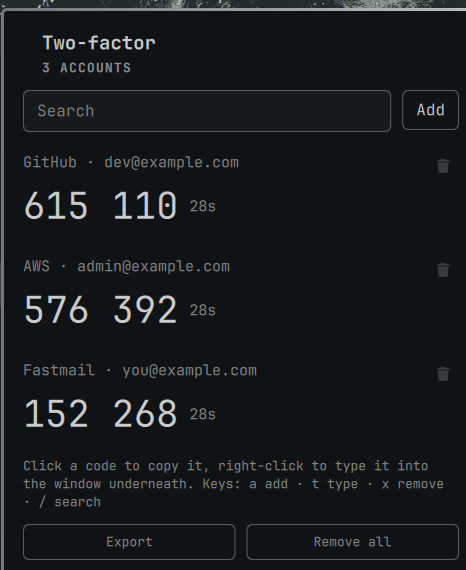
2FA
by Sasiru Ravihansa
TOTP authenticator for omarchy-shell. Live two-factor codes in the bar, secrets in your keyring, enrolment by scanning the QR code straight off the screen. Fully offline.
2FA Codes
by hamzahasann
Search pass-otp entries and copy one-time codes
5bars
by Cinco Euzebio
Per-screen bar layouts. Every monitor renders the default bar until you give it one of its own, with its own left, center and right.

60Hz Audio Spectrum
by Arron Schaar
Cava-driven audio spectrum for the Omarchy bar. Bass in the center (warm), treble at the edges (cool).
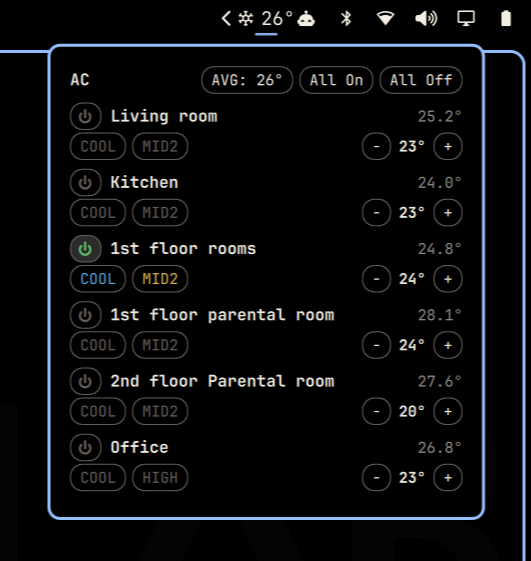
AC Control
by kader
Mitsubishi M-NET HVAC control with per-zone temperature, mode, fan, air direction, filter and fault status, and alarms

ADB Devices
by nacchofer31
List connected ADB devices and emulators, see their state, and start or stop AVDs.
ADHD Kit
by Luo Tao <luotao@hey.com>
ADHD toolkit for the Omarchy shell: a Time Timer-style visual countdown in the bar, plus an instant quick-capture inbox overlay.
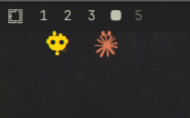
AI Avatar
by hlasensky
A little creatures that live on your screen edge: walks while its AI is actively working, stands and naps (zzz) when it's idle, and pops when it stops. Click it to jump to that AI's window; drag it to reposition or move it to any edge of the screen.