
Omahub
← All plugins
A

Loop Ring

by Abhinav Gupta

Loop-style radial snap ring with live target preview

Security review

No obvious issues detected

Deterministic scan — not a security guarantee

None
Risk level
None
Analyzed commit
5fe4e91
Scanned
1 month ago

No potentially dangerous behavior detected in the analyzed commit.

Automated analysis only — not a security guarantee.

AI advisory review

No obvious issues detected

Language-model assessment · ~deepseek/deepseek-v4-flash-latest — advisory only

None
AI risk level
None
Recommendation
install
Model
~deepseek/deepseek-v4-flash-latest
Analyzed commit
5fe4e91
Reviewed
1 month ago

The plugin implements a radial window-snapping overlay. It reads window/monitor geometry via hyprctl and dispatches window float/resize/move commands to the local Hyprland instance. No network access, no persistence, no credential handling, and no destructive operations. The only external code paths interact with the local Hyprland socket through standard hyprctl. No obfuscation or suspicious behavior was found.

How this check works

This review combines the deterministic scan (the rule-based results above) with an independent look at the plugin's code by a language model. The model reads a trimmed sample of the repository's files, the manifest, and the README, then gives a plain-language risk level and a recommendation: install (no notable danger), review (look closer first), or avoid (clearly dangerous).

It runs on the same analyzed commit as the deterministic scan and is strictly advisory — it is not a security guarantee and never blocks a plugin by itself. A human moderator still reviews plugins before they are listed.

AI advisory only — automated analysis, not a security guarantee.

Install
$ omarchy plugin add https://github.com/maybeabhinav/omarchy-loop --enable

omarchy-loop 🎡

Loop-style radial window snapping for Omarchy — hold a chord, a ring appears at your cursor, a live preview shows exactly where the window will land, release to snap.
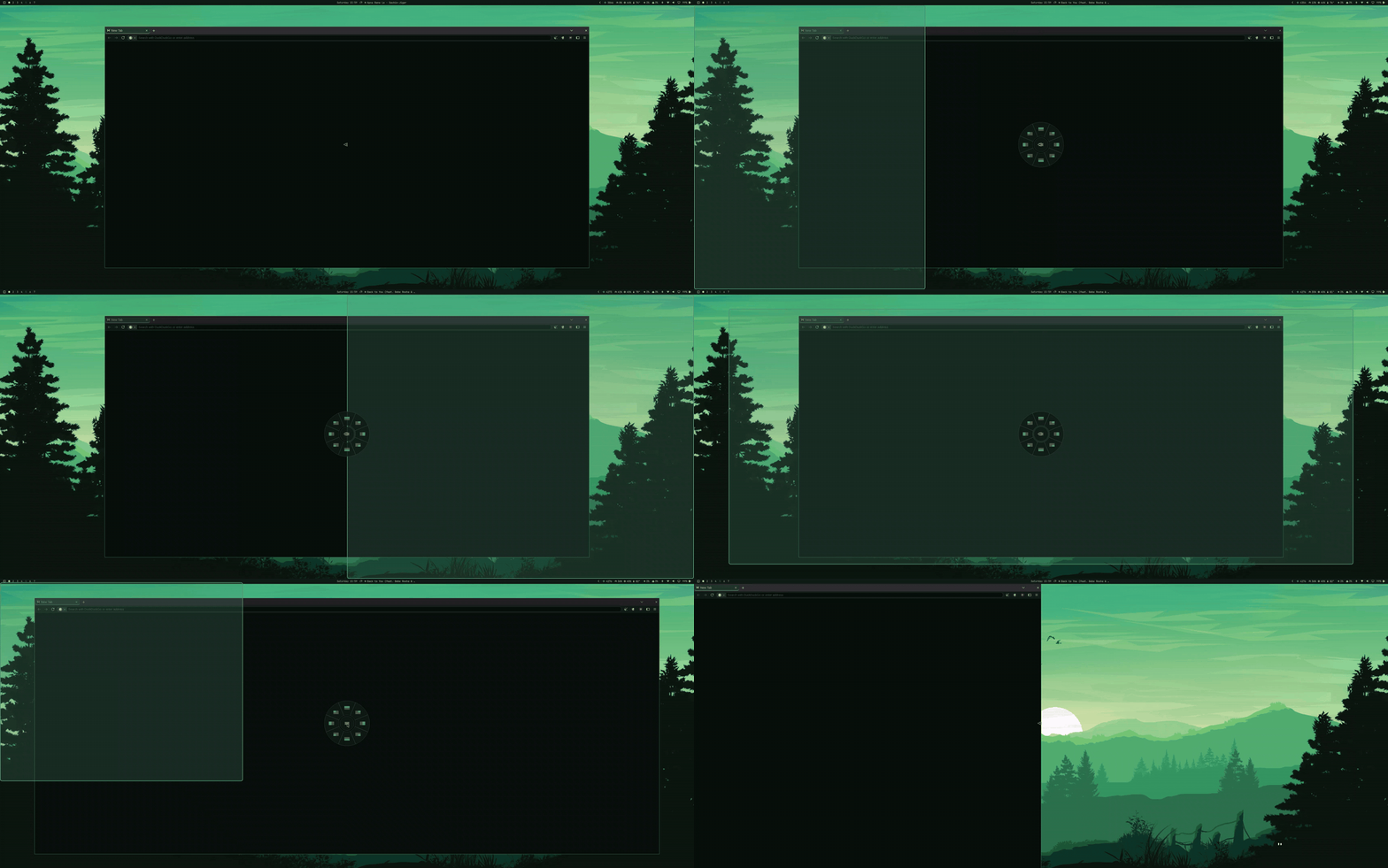
omarchy-loop demo

Built for people who prefer macOS-style floating window management over automatic tiling. No daemon, no extra process — it runs as an Omarchy shell plugin inside the Quickshell instance you already have.

What it does

  • Hold SUPER+CTRL → radial ring at the cursor with mini layout icons
  • Sweep the mouse toward a direction → segment highlights and a translucent live preview shows the exact target region, animating between choices
  • Or use the keyboard while holding the chord:
    • H / J / K / L (or arrows) — halves; press again to cycle half → third → two-thirds (great on ultrawides)
    • U / I / N / M — quarter corners
    • RETURN — cycles maximize → almost-max → center ⅔ → center ⅓
    • ESC — cancel
  • Release the chord → snap. Windows are floated and placed with exact, bar-aware geometry.
  • Theme-reactive: draws with your Omarchy theme's colors.

While the ring is open, a Hyprland submap suspends all other keybindings, so chord+letter combos can't trigger unrelated shortcuts.

Requirements

Omarchy (the Hyprland fork with the Lua hl.* config API) — tested on Omarchy with Hyprland 0.56.

Install

omarchy plugin add https://github.com/maybeabhinav/omarchy-loop --enable

Then add the contents of loop-bindings.lua to your ~/.config/hypr/bindings.lua (trigger chord + the ring submap) and run hyprctl reload.

The trigger is SUPER+CTRL (both press orders). Edit the two o.bind lines in the snippet to use a different chord.

Credits

  • Concept: Loop by MrKai77 (macOS) — the ring + live preview interaction this reimplements for Wayland.
  • The exclusive-keyboard-grab and fast-release handling adapts patterns from hyprland-alttab by Valentin Brosseau (MIT).

License

MIT