
omarchy-yt-dlp-plugin
A download queue for yt-dlp in the Omarchy bar. Paste a link, pick video or audio, and watch the queue work through it.
Glossary
Bar widget : A plugin that draws an icon in the Omarchy bar and opens a panel below it. The bar, the notifications and every panel share one Quickshell process.
Job : One link plus the choices made for it. A job carries its own state on disk and outlives a restart of the shell.
Worker
: The process that works the queue. One at a time, held by a lock, started by
add and gone once the queue runs dry.
Checkout : A git clone of the yt-dlp source, parked on the commit this plugin ships. The plugin runs yt-dlp from it when there is one, and can fetch it and move it back onto that commit.
What it does
- Reads the clipboard when the panel opens and fills the link field with it, as long as the field is still empty.
- Downloads video, or audio only. For video the height can be capped at 1080p, 720p or 480p. For audio the container can be kept as the source offers it, or set to mp3, m4a, opus, flac or wav.
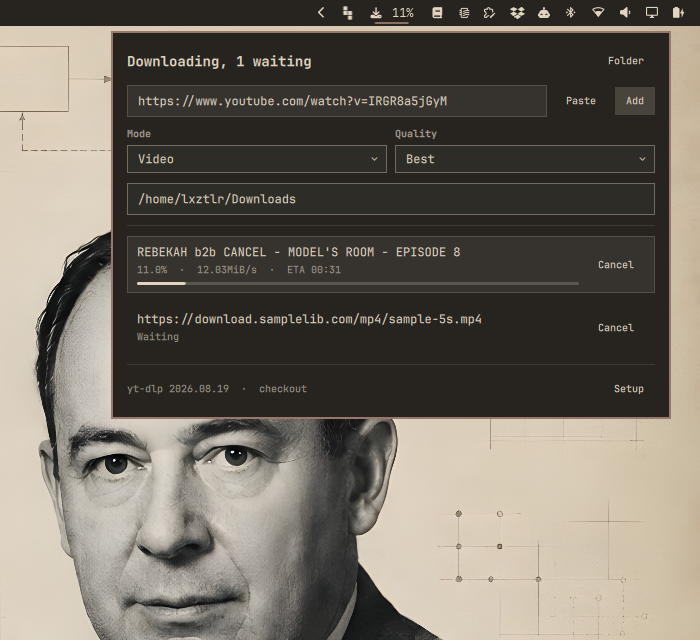
- Queues every link. One download runs, the rest wait in the order they were added.
- Shows title, percentage, speed and ETA per job, and the percentage of the running download in the bar itself.
- Cancels a running download and takes a waiting one out of the queue.
- Opens the target folder, either from the head of the panel or by clicking a finished job.
- Completes folder names while typing a path.
- Fetches and updates the yt-dlp checkout, into a folder of your choosing.
Mode, quality, audio format, target folder and checkout folder are kept in
~/.config/omarchy/shell.json, so the next link needs no setup.
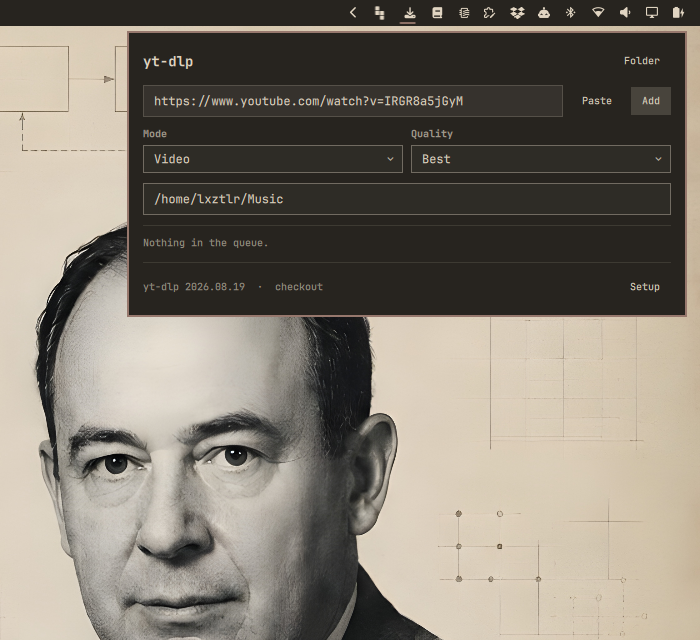
The panel picks the link up from the clipboard when it opens.
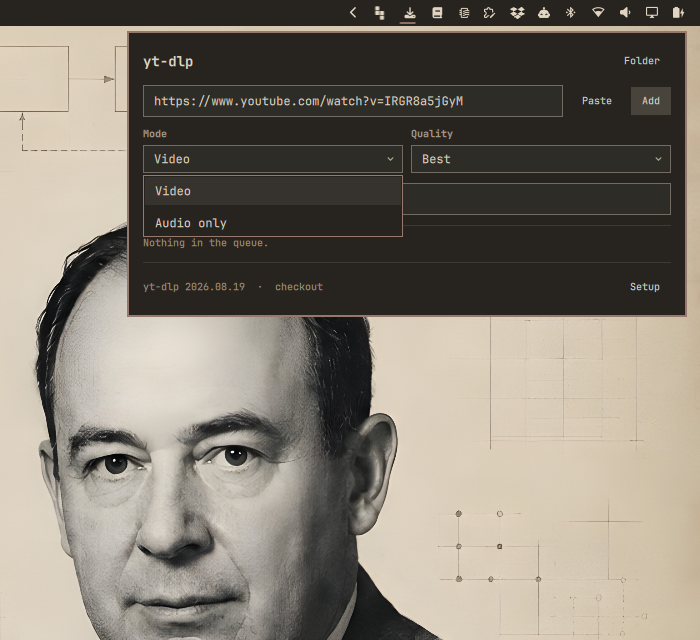
Video or audio only.
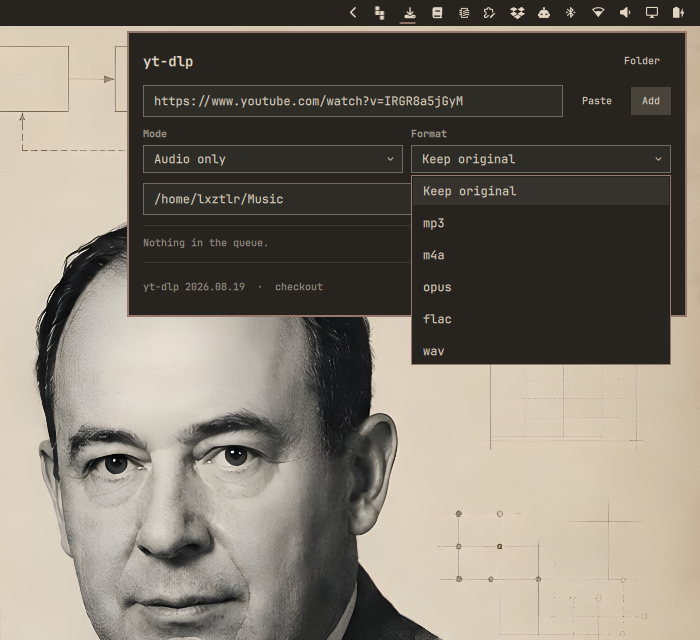
In audio mode the second column offers the container instead of a height.
Typing a path
Both path fields complete folder names:
- Tab fills in as far as the candidates agree.
- Enter takes the path and closes the suggestions.
- Escape closes the suggestions. A second Escape closes the panel.
- Clicking a suggestion takes it.
Add, Folder and Clone read what stands in the field, whether or not
Enter was pressed first.
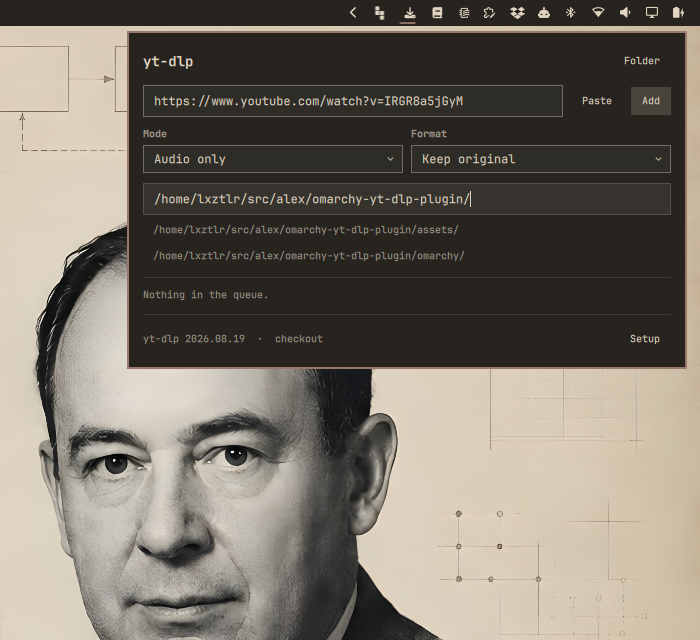
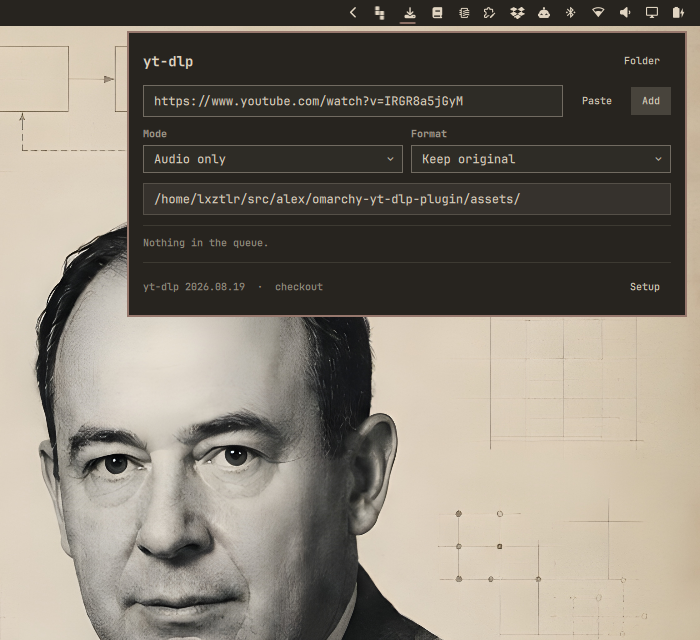
Tab filled the one candidate in and asked again for what lies below it.
Which yt-dlp runs
The checkout wins over the package at /usr/bin/yt-dlp. Arch lags weeks behind
upstream, and YouTube breaks yt-dlp often enough that those weeks decide
whether a download works or returns a 403. The package stays as the fallback,
so moving the checkout away costs convenience but not the plugin.
Where the checkout sits differs from machine to machine, so it is a setting.
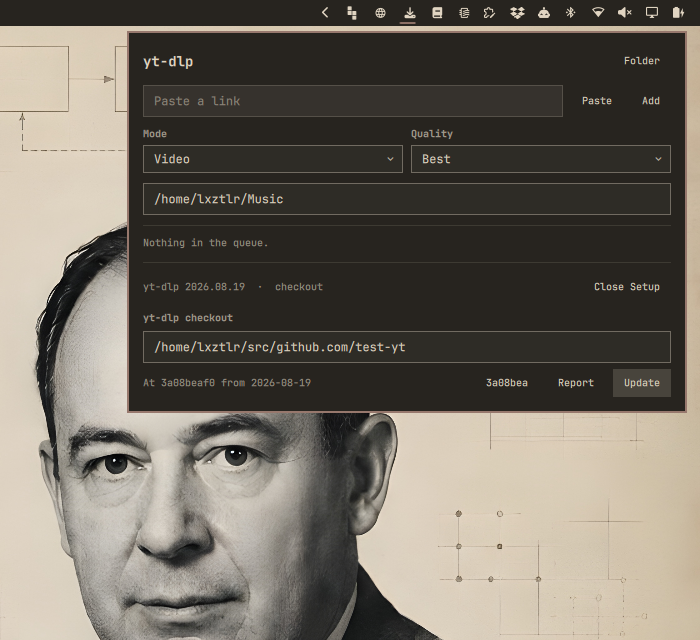
~/src/github.com/yt-dlp is only the starting value. The foot of the panel
names the version in use and where it came from; Setup opens the folder
field, the state of the checkout, and a button that clones or fetches it.
The checkout does not follow yt-dlp's master branch. It sits on one commit,
written down in omarchy/ytdlp-queue, and Clone and Update both leave it
there. So a user runs the yt-dlp source that came with this plugin, not
whatever upstream pushed since. The short hash beside the buttons names that
commit and opens yt-dlp's releases, where a newer one can be read off.
The checkout is only used while it still is that source. Before every run the
plugin asks the folder three questions: does HEAD name the commit shipped
here, does origin name yt-dlp, and did anyone edit a tracked file. Untracked
files are ignored, since a run leaves caches behind. If one answer is wrong,
the package takes over, and the foot of the panel says package instead of
checkout.
Raising the commit is a release of this plugin. Until then the checkout stays
where it is, and Update only repairs a checkout that drifted off. Report
opens a prepared issue against this repository, filled with the commit in use,
so a newer yt-dlp can be asked for without writing the report from scratch.
Cloning never touches a folder that already holds something else.
Install
omarchy plugin add https://github.com/AlexZeitler/omarchy-yt-dlp-plugin.git --enable
omarchy restart shell
The bar icon lands in the right section. Move it with
omarchy bar move alexzeitler.ytdlp --section right --before <widget>.
Remove
omarchy plugin remove alexzeitler.ytdlp
omarchy restart shell
That takes the plugin and its bar entry out. The queue keeps its own state, which is left behind on purpose so a removal does not throw away a download history. Remove it as well with:
rm -rf "${XDG_STATE_HOME:-$HOME/.local/state}/omarchy-ytdlp"
Downloaded files are never touched: they live wherever the target folder pointed.
Working on it
For development, copy the folder in place rather than installing from git:
cp -a manifest.json omarchy ~/.config/omarchy/plugins/alexzeitler.ytdlp/
omarchy restart shell
The restart is not optional. Omarchy starts Quickshell with its file watcher
off, so a changed .qml file only takes effect once the process comes back.
omarchy plugin disable and enable do not reload plugin code, and
omarchy-shell shell rescanPlugins does not either.
How the queue works
The widget never runs yt-dlp. It asks omarchy/ytdlp-queue, and that script
owns the queue. A download therefore survives a restart of the shell, which a
job owned by the QML process would not.
State lives under ${XDG_STATE_HOME:-~/.local/state}/omarchy-ytdlp/:
jobs/<id>.json        the job: link, choices, status, title, error
jobs/<id>.progress    percentage, speed and ETA of the running download
logs/<id>.log         everything yt-dlp printed that was not progress
worker.lock           held by the worker, so only one download runs
Progress lives beside the job rather than inside it. It changes many times a second, and a running download would otherwise rewrite its job file constantly.
Every job stores the checkout it was queued with, so changing the setting does not move a download that is already waiting.
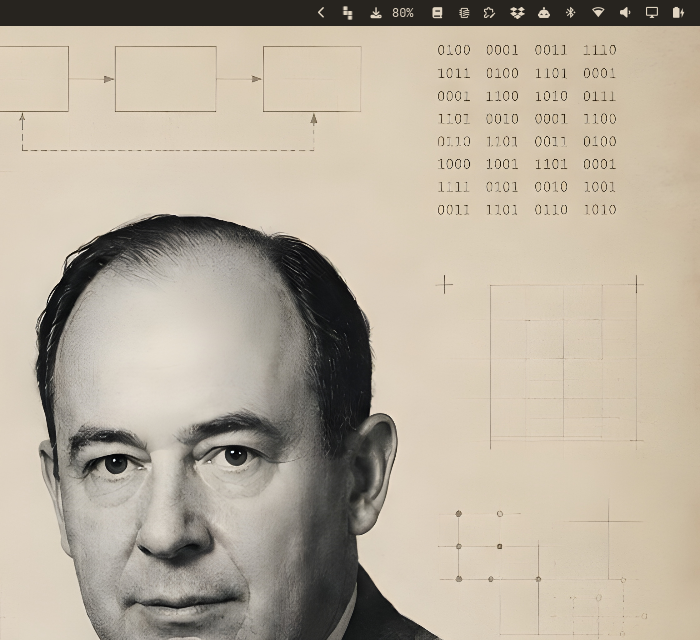
With the panel closed the bar still carries the one number worth carrying.
The script works on its own as well:
ytdlp-queue add <url> [--mode video|audio] [--quality best|<height>]
                      [--audio-format keep|<format>] [--dest <dir>]
                      [--checkout <dir>]
ytdlp-queue list                    # every job as a JSON array, oldest first
ytdlp-queue cancel <id>             # stop a running job, drop a queued one
ytdlp-queue clear                   # forget everything no longer running
ytdlp-queue default-dest            # where a job lands when no folder is given
ytdlp-queue complete-dir <prefix>   # folders that continue the prefix
ytdlp-queue checkout status [--dir <dir>]
ytdlp-queue checkout sync   [--dir <dir>]
ytdlp-queue binary [--dir <dir>]    # which yt-dlp runs, from where, version
Things worth knowing
- The bar walks backwards. For video, yt-dlp fetches the video stream and the audio stream one after the other, and each counts from zero. The panel shows what yt-dlp reports. A smoothed number would hide that a second file is still on its way.
- A playlist link downloads one video. The queue passes
--no-playlist. Without it a single link could turn into hundreds of downloads that the queue knows nothing about. - Keep original re-encodes nothing. Extraction then runs without a target
format, so a stream that already plays is left alone. Typically
.m4a. Every other format goes through ffmpeg. - A source without audio fails in audio mode. yt-dlp reports it, and the panel shows the error on the job.
Requirements
jq, git, wl-paste, xdg-user-dir, flock and ffmpeg. All of them ship
with Omarchy.