
Quick Look
macOS-style file preview for Omarchy. Select a file in Files, press Space, and it appears — rendered, not described. Press Space again to dismiss.
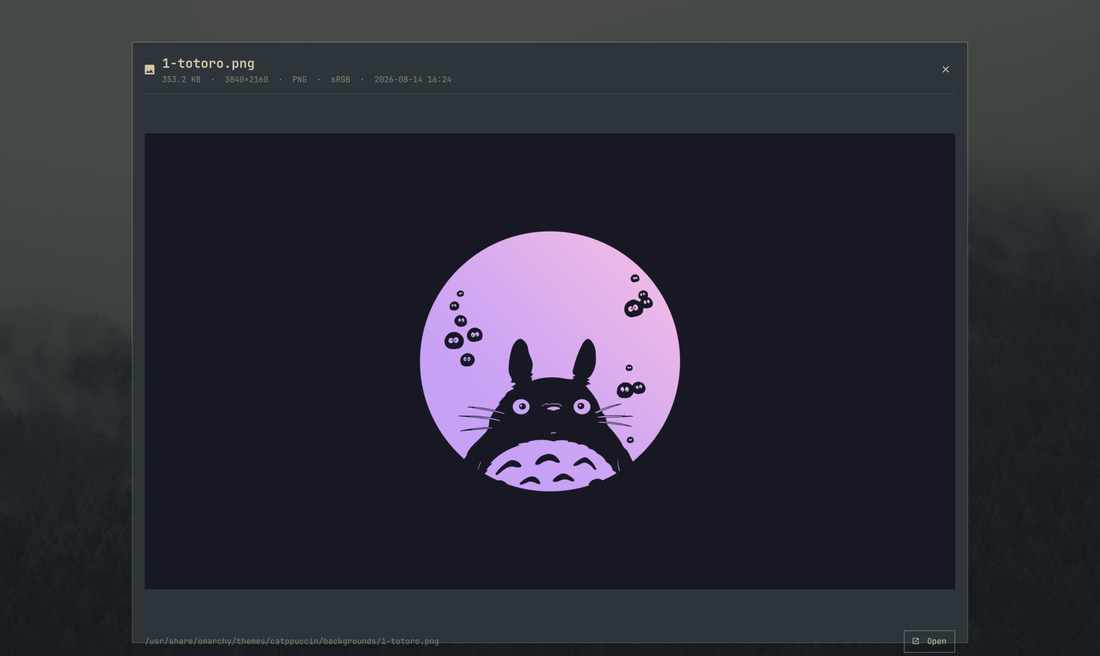
What it does
Renders a themed full-screen preview of whatever is selected:
| Kind | What you see |
|---|---|
| Images | The image, scaled to fit, with dimensions and format |
| The actual pages, rendered (first 8), with page count and size | |
| Video | A still frame, duration, resolution and codec |
| Audio | Embedded cover art, title/artist/album, duration |
| Text and code | The file contents, up to 400 lines |
| Markdown | The source, shown literally (see Notes) |
| Folders | The contents, folders first |
| Archives | The entry list |
| Anything else | Type, size and what file makes of it |
How Space works
Nautilus does not let extensions bind keys. What it does is D-Bus activate the well-known name org.gnome.NautilusPreviewer when Space is pressed on a selection. This plugin ships a small bridge that owns that name and forwards to the Omarchy overlay, which is the supported way to put your own previewer behind the Space key.
Ways in:
- Space on a selected file in Files
- Right-click → Quick Look (a Nautilus extension, for discoverability)
omarchy-shell andreconde.quick-look show /path/to/file
Inside the preview: Space, Esc or Q dismiss, Enter opens the file in its default application.
Requirements
- Omarchy 4 / Quickshell plugin support
python3with PyGObject (python-gobject) — required for the Space-key bridgefile— required; without it nothing is classified and every file falls back to "no preview"imagemagick— required for image previews. It is what measures an image before decoding it, so without it images are refused rather than shownpoppler(PDF pages),ffmpegandffmpegthumbnailer(video stills, cover art),bsdtar/libarchive (archive listings) — optional, each affects only its own file typexdg-openfor the Open button,nautilus-pythonfor the right-click entry — both optional
Install
omarchy plugin add https://github.com/andreconde21/omarchy-quick-look.git --enable --yes
Then register the Space-key bridge:
mkdir -p ~/.local/share/dbus-1/services
cat > ~/.local/share/dbus-1/services/org.gnome.NautilusPreviewer.service <<EOF
[D-BUS Service]
Name=org.gnome.NautilusPreviewer
Exec=$HOME/.config/omarchy/plugins/andreconde.quick-look/bin/quick-look-previewer
EOF
nautilus -q
Optionally add the right-click entry as well:
mkdir -p ~/.local/share/nautilus-python/extensions
cp ~/.config/omarchy/plugins/andreconde.quick-look/nautilus/quick_look.py \
   ~/.local/share/nautilus-python/extensions/
nautilus -q
To hand Space back to GNOME's own previewer (sushi), delete the .service file and run nautilus -q.
Notes
- Previews render as plain text, including Markdown. A preview shows files this shell did not author, and Qt's rich-text formats resolve image and raw-HTML references themselves inside a long-lived process; plain text cannot reference an external resource at all. That is a deliberate trade of formatting for a property that holds by construction.
- Rendered pages, stills and cover art are cached under
~/.cache/omarchy/quick-look, keyed by path and modification time, and pruned after 7 days. Reopening a file is instant; changing it re-renders. - Video is previewed as a still frame rather than played. Press Enter to open it in a real player.
- All format handling lives in
bin/quick-look-probe, which prints JSON. Run it against a file to see exactly what the overlay will draw.
Remove
omarchy plugin remove andreconde.quick-look --yes
Then hand the Space key back to GNOME's own previewer (sushi) and drop the render cache:
rm -f ~/.local/share/dbus-1/services/org.gnome.NautilusPreviewer.service
rm -f ~/.local/share/nautilus-python/extensions/quick_look.py
rm -rf ~/.cache/omarchy/quick-look
nautilus -q
License
MIT — see LICENSE.