
Omahub
← All plugins
A

Remote tmux

by André Conde

Remote tmux viewer for an SSH host: sessions, windows, and Claude Code agent status (waiting/working/ready) read from pane tails, in a bar panel.

Security review

No obvious issues detected

Deterministic scan — not a security guarantee

None
Risk level
None
Analyzed commit
76b3974
Scanned
1 month ago

No potentially dangerous behavior detected in the analyzed commit.

Automated analysis only — not a security guarantee.

AI advisory review

No obvious issues detected

Language-model assessment · ~deepseek/deepseek-v4-flash-latest — advisory only

None
AI risk level
None
Recommendation
install
Model
~deepseek/deepseek-v4-flash-latest
Analyzed commit
76b3974
Reviewed
1 month ago

The plugin is a transparent SSH-based tmux monitor that polls remote state and lets the user attach or kill windows with explicit confirmation. No obfuscation, credential theft, or destructive install-time behavior was found; the deterministic scan also reported no issues.

How this check works

This review combines the deterministic scan (the rule-based results above) with an independent look at the plugin's code by a language model. The model reads a trimmed sample of the repository's files, the manifest, and the README, then gives a plain-language risk level and a recommendation: install (no notable danger), review (look closer first), or avoid (clearly dangerous).

It runs on the same analyzed commit as the deterministic scan and is strictly advisory — it is not a security guarantee and never blocks a plugin by itself. A human moderator still reviews plugins before they are listed.

AI advisory only — automated analysis, not a security guarantee.

Install
$ omarchy plugin add https://github.com/andreconde21/omarchy-remote-tmux --enable
Developer Tools #bar #quickshell #ai

Remote tmux

Omarchy bar widget for monitoring tmux sessions on a remote machine over SSH.
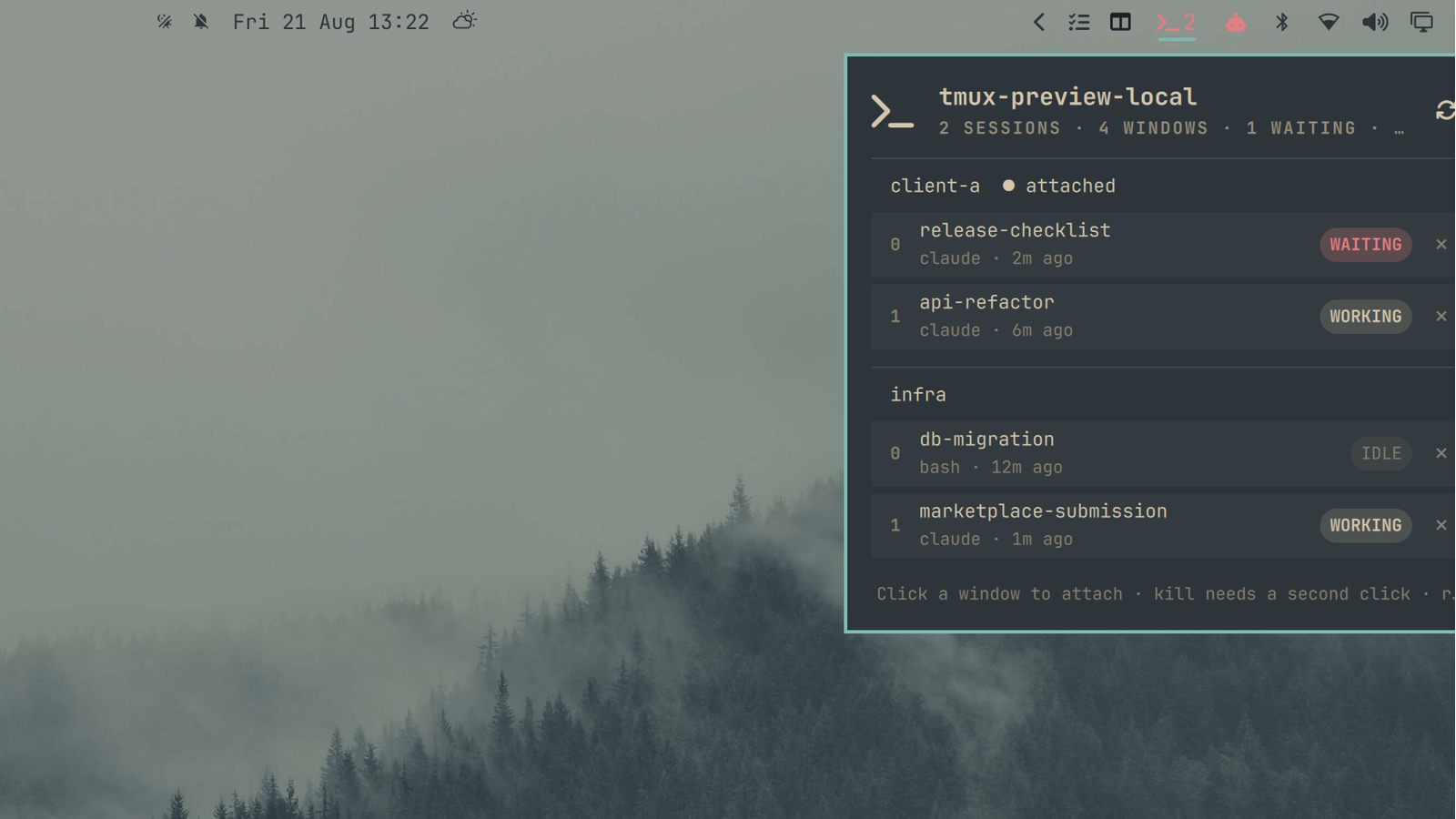
Preview

What it does

  • Polls a remote host for tmux sessions and windows
  • Shows per-window state such as waiting, working, ready, busy, done, or idle
  • Detects Claude Code waiting/working/ready states from pane tail output
  • Lets you attach to a session or window in a local terminal
  • Lets you kill a remote tmux window with a two-click confirm

Requirements

  • Omarchy / Quickshell plugin support
  • Local ssh access to the target host
  • tmux installed on the target host
  • An SSH host or alias configured in ~/.ssh/config, or a directly reachable host name

Configuration

Default settings:

{
  "host": "tmux-host",
  "refreshIntervalSec": 20,
  "recentMinutes": 10
}

Set host to your SSH alias or host name.

Privacy

This plugin does not store credentials. It shells out to ssh and reads remote tmux state and recent pane text to classify activity.

Install

omarchy plugin add <repo-url> --enable --yes

Or copy the directory into ~/.config/omarchy/plugins/andreconde.tmux/ and run:

omarchy-shell shell rescanPlugins
omarchy plugin enable andreconde.tmux

Remove

omarchy plugin remove andreconde.tmux

If you installed it by copying the directory manually, delete ~/.config/omarchy/plugins/andreconde.tmux/, then run:

omarchy-shell shell rescanPlugins