
Vaultez for Omarchy
Get your Vaultez secrets from the Omarchy menu bar, sorted by company and project.
Installation
omarchy plugin add https://github.com/nursahketene/oma-vaultez.git --enable
That's it — no separate CLI or gem to install. The plugin talks to the Vaultez
API directly over HTTPS; the only programs it ever shells out to are curl,
wl-copy, wl-paste, and sha256sum, all part of the base system.
Upgrading from an older version? Earlier releases of this plugin shelled
out to the vaultez-cli gem instead. If you have it installed, your old
session there is still valid on the server — run vaultez logout && gem uninstall vaultez-cli once, then log in again from the panel below.
Removal
omarchy plugin remove app.vaultez
This disables the plugin and removes it from ~/.config/omarchy/plugins/
(a timestamped backup is kept alongside the other plugin directories). Log
out from the panel first if you'd like your session revoked server-side —
otherwise it stays valid until it expires or you revoke it at vaultez.app.
Usage
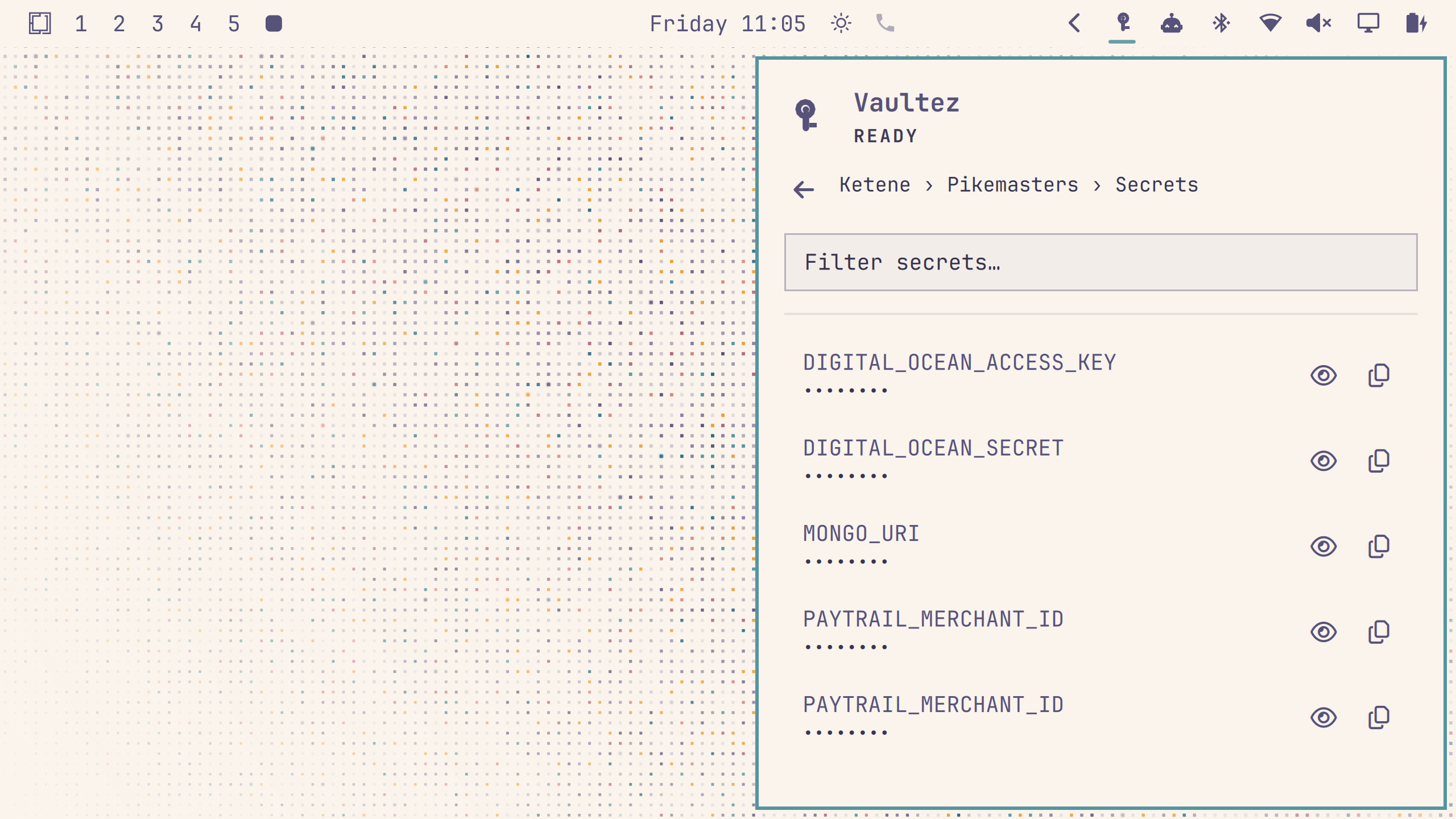
Click the key icon in the bar.
- Not logged in? Enter your email, password, and TOTP code right in the panel and click "Log In". Two-factor authentication is required on every Vaultez account. Don't have an account yet? There's a link to sign up at vaultez.app right below the form.
- Click a company, then a project, to see its secrets. Secret values are masked by default — click a secret to reveal it, or use the copy button to copy the value to your clipboard without revealing it on screen.
- Type in the filter box at any level to narrow the list.
- Click "Log out" to end your session (revoked both locally and on the server).
Where your session lives
After logging in, your bearer token is stored at
~/.local/state/oma-vaultez/session.header, created with 0600 permissions
inside a 0700 directory — never world-readable. It's consumed directly by
curl as a header file and never passed on any command line, so it never
appears in /proc/<pid>/cmdline the way a literal -H "Authorization: ..."
argument would.
How it works
The plugin calls the Vaultez API (https://vaultez.app/api/v1/...) directly
over HTTPS via curl, with no CLI or other third-party executable in between.
Login credentials and the bearer token are always sent over curl's stdin or
via a 0600 header file — never as command-line arguments. Every secret
fetch is still logged as an activity in the Vaultez web UI, same as before.
License
MIT