
Toggle Grayscale Omarchy Plugin
An Omarchy shell plugin that toggles a systemwide grayscale filter — every monitor, every window, instantly — from the bar or the command line. Implemented as a Hyprland screen shader, so there is nothing to install beyond the plugin itself.
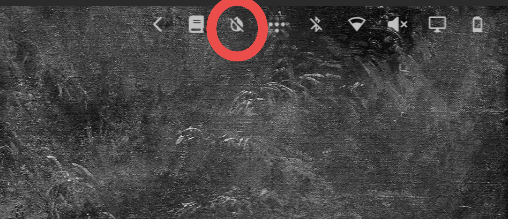
Install
omarchy plugin add https://github.com/archisman-panigrahi/Grayscale-omarchy-plugin.git --enable
This clones the plugin into ~/.config/omarchy/plugins/ and puts its toggle
button in the bar's right section. No restart needed.
Remove
# Turn the filter off first so Hyprland is not left pointing at a deleted shader
omarchy-shell grayscale disable
omarchy plugin remove archisman-panigrahi.grayscale
Usage
- Click the plugin's icon in the bar to toggle the filter on/off. The icon's tooltip shows the current state.
- Or use the CLI:
omarchy-shell grayscale toggle    # flip between on and off
omarchy-shell grayscale enable
omarchy-shell grayscale disable
omarchy-shell grayscale status    # {"enabled": true|false}
Optional keyboard shortcut
If you want one,
add this to ~/.config/hypr/bindings.lua (it survives restarts there):
o.bind("CTRL + ALT + C", "Toggle Grayscale", "omarchy-shell grayscale toggle")
How it works
Hyprland can composite the whole screen through a user-supplied GLSL fragment
shader (decoration:screen_shader). The plugin ships two shaders and flips
the option between them:
| File | Effect |
|---|---|
shaders/grayscale.glsl |
Converts each pixel to luminance using ITU-R BT.709 coefficients |
shaders/passthrough.glsl |
Identity shader — renders colors unchanged ("off") |
A few deliberate design choices:
- Two real shaders instead of none. Clearing
screen_shaderand setting a path again can silently do nothing, so the "off" state is a passthrough shader rather than an empty option. Toggling between two real files always takes effect. - Set through the Lua API. Recent Hyprland versions parse this option with
the Lua config system, so the plugin applies it with
hyprctl eval 'hl.config({decoration = {screen_shader = …}})'. - State lives in Hyprland, not in a config file. On startup the service
reads
hyprctl getoption decoration:screen_shader, so the bar button always reflects the actual filter state — even after a reboot, and even if you changed the shader outside the plugin.
External dependencies
| Dependency | Purpose | Notes |
|---|---|---|
| Hyprland ≥ 0.56 | Runs the screen shader, exposes the Lua config API | Ships with Omarchy |
hyprctl, bash |
Apply/probe the shader option | Part of Hyprland / any Linux base |
Everything else (Quickshell service, IPC, bar widget) ships inside Omarchy itself — the plugin has no packages to install.
Layout
Service.qml        non-visual: state probe, apply process, IPC handler
Button.qml         bar widget: icon button bound to the service
GrayscaleModel.js  pure: parses hyprctl getoption output into on/off
shaders/           grayscale.glsl + passthrough.glsl
License
GPL-3.0 — see LICENSE.