
Omadoro
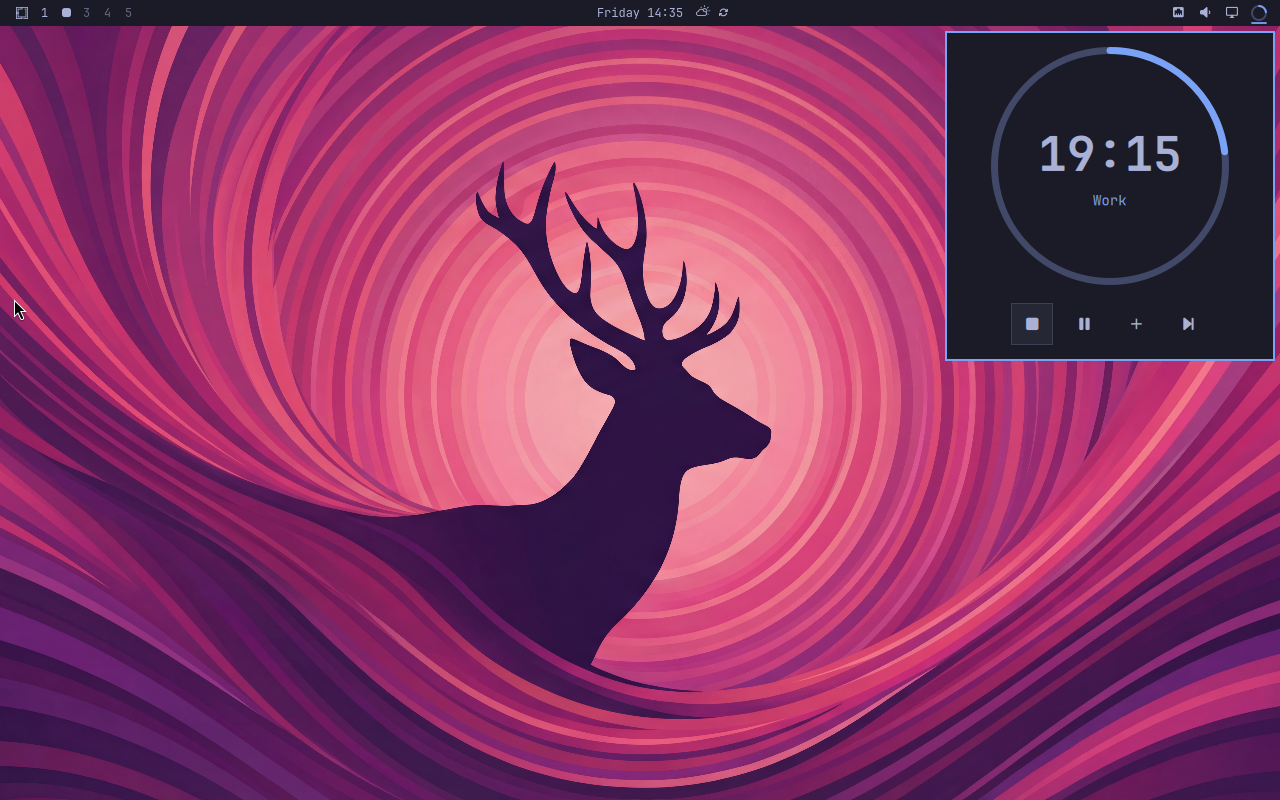
Omadoro is a Pomodoro timer for the Omarchy bar.
Install
omarchy plugin add https://github.com/brianblakely/omadoro.git --enable --yes
Use
Click the bar icon to open the timer panel.
| Button | Action |
|---|---|
/ |
Start a new cycle or stop the current one |
/ |
Pause or resume |
|
Add five minutes |
|
Skip to the next phase |
When the timer is stopped, press Play to begin a fresh cycle. Omadoro switches between work and break phases automatically and sends a notification when the next phase begins.
The default cycle is:
- 25 minutes of work
- 5-minute short breaks
- A 15-minute long break after four work phases
Keyboard controls
With the panel open:
- Use the arrow keys or
h,j,k, andlto select a button. - Press Enter or Space to activate it.
- Press Escape to close the panel.
- Press Tab or Shift+Tab to move between bar panels.
You can also control the panel from a terminal or your own keybinding:
omarchy-shell shell toggle b.omadoro
Customize
Change the phase lengths and long-break frequency through Omarchy:
omarchy bar plugin set b.omadoro workMinutes 25 --json
omarchy bar plugin set b.omadoro shortBreakMinutes 5 --json
omarchy bar plugin set b.omadoro longBreakMinutes 15 --json
omarchy bar plugin set b.omadoro workPhasesPerLongBreak 4 --json
New values apply from the next phase onward.
Update
omarchy plugin update b.omadoro
Uninstall
omarchy plugin remove b.omadoro