
Omahub
← All plugins
B

Omanote

by Brian Blakely

Omarchy-native secure scratch note for the bar

Security review

No obvious issues detected

Deterministic scan — not a security guarantee

None
Risk level
None
Analyzed commit
ebb6658
Scanned
1 month ago

No potentially dangerous behavior detected in the analyzed commit.

Automated analysis only — not a security guarantee.

AI advisory review

No obvious issues detected

Language-model assessment · ~deepseek/deepseek-v4-flash-latest — advisory only

None
AI risk level
None
Recommendation
install
Model
~deepseek/deepseek-v4-flash-latest
Analyzed commit
ebb6658
Reviewed
1 month ago

The plugin is a simple scratch note widget that stores notes via secret-tool. It uses temporary files for saving but handles them safely. No malicious code found.

How this check works

This review combines the deterministic scan (the rule-based results above) with an independent look at the plugin's code by a language model. The model reads a trimmed sample of the repository's files, the manifest, and the README, then gives a plain-language risk level and a recommendation: install (no notable danger), review (look closer first), or avoid (clearly dangerous).

It runs on the same analyzed commit as the deterministic scan and is strictly advisory — it is not a security guarantee and never blocks a plugin by itself. A human moderator still reviews plugins before they are listed.

AI advisory only — automated analysis, not a security guarantee.

Install
$ omarchy plugin add https://github.com/brianblakely/omanote --enable
Widgets #bar #system

Omanote

Omanote adds a secure multiline scratch note to the Omarchy bar and saves changes automatically.
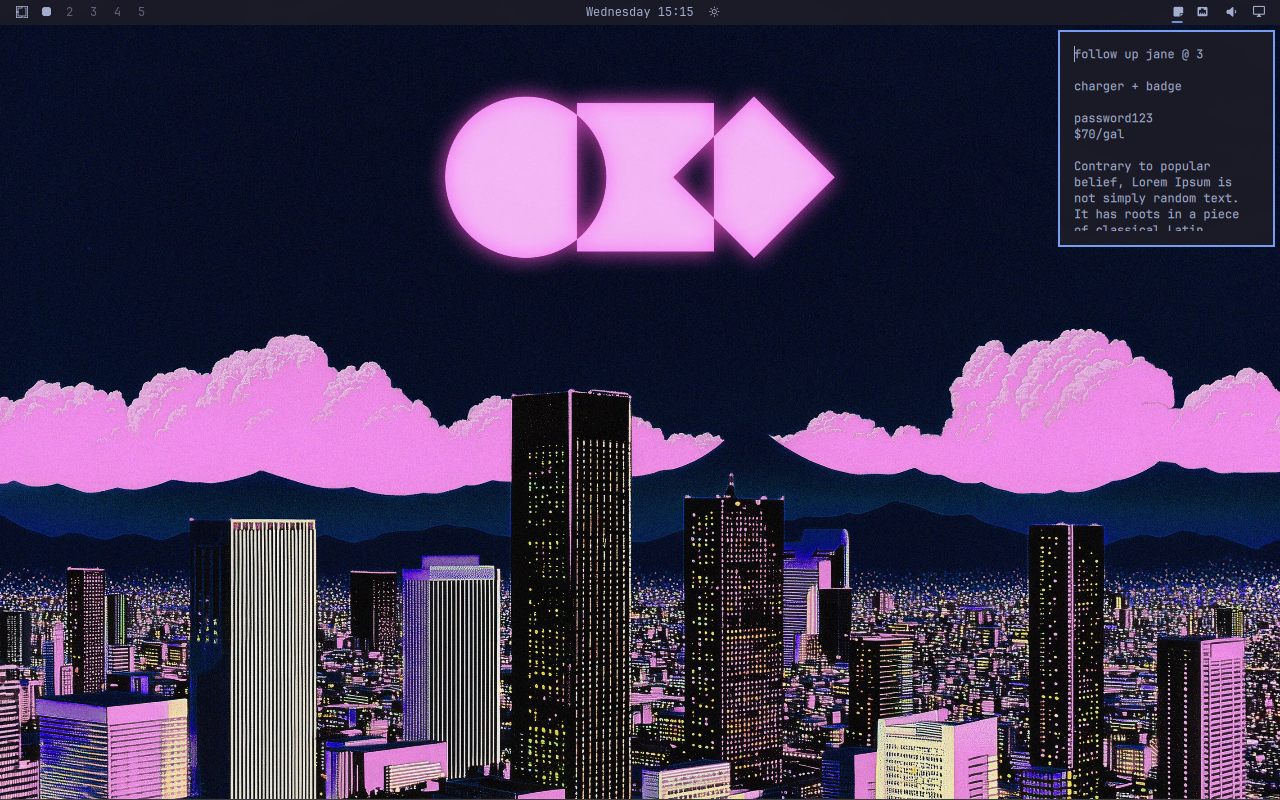
Omanote screenshot

Install

omarchy plugin add https://github.com/brianblakely/omanote.git --enable --yes

Shortcuts

o.bind("SUPER + F8", "Toggle Omanote", "omarchy-shell shell toggle b.omanote")
o.bind("SUPER + ALT + F8", "Open Omanote", "omarchy-shell shell summon b.omanote")
o.bind("SUPER + CTRL + F8", "Close Omanote", "omarchy-shell shell hide b.omanote")

Security

Notes are stored in the desktop Secret Service rather than ~/.config/omarchy/shell.json. Automatic saves use a randomly named file in the user runtime directory and delete it immediately afterward.

Update

omarchy plugin update b.omanote

Uninstall

omarchy plugin remove b.omanote