
Google Translate
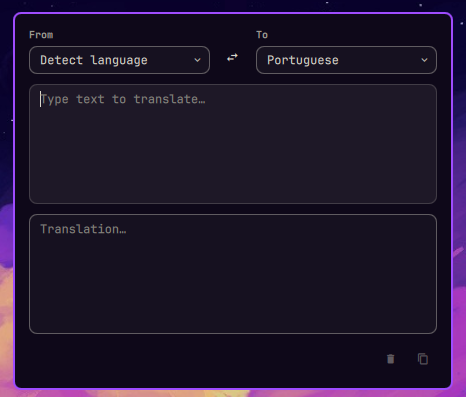
Translate text straight from the Omarchy bar. Click the translate icon, type in the panel, and get an instant translation — no browser window, no page, just a panel like the calendar.
The translation comes from Google's free translate endpoint (translate.googleapis.com/translate_a/single, client=gtx) via a small C helper, so nothing else runs in the background.
Install
omarchy plugin add https://github.com/b7s/omarchy-googletranslate.git --enable
Build
The helper binary is prebuilt for x86_64 Linux and ships with the plugin, so it works right after install. Rebuild it only if needed (e.g. another architecture):
cd ~/.config/omarchy/plugins/b7s.googletranslate
make
Dependencies: gcc, make, libcurl (development headers).
The committed bin/omarchy-googletranslate-request is built from src/translate.c in this repository with the command above. The HTTP response is untrusted input: the parser is fully bounds-checked and rejects malformed or truncated bodies instead of reading past the buffer.
Usage
- Click the translate icon in the bar to open the panel.
- Pick the source language (or Detect language) and the target language, then type.
- Translation happens automatically while you type (debounced).
- Swap button flips the language pair. Press Escape to close.
Configure
To change the default language pair, edit the sourceLang / targetLang defaults in Panel.qml (currently auto → pt).
Remove
omarchy plugin remove b7s.googletranslate