
MacBook Fans for Omarchy
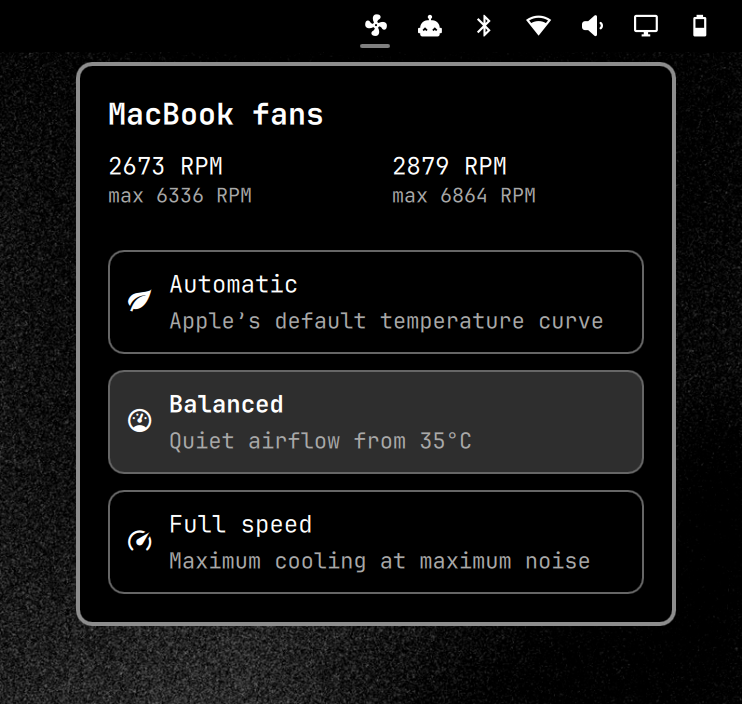
An Omarchy bar widget for controlling t2fanrd on Intel MacBooks with Apple's T2 chip. It displays both fan RPMs and offers three profiles:
- Automatic — 55–75°C linear curve.
- Balanced — quiet, proactive cooling with a 35–75°C linear curve.
- Full speed — both fans at maximum speed.
Requirements
- Omarchy with its shell running.
- An Intel T2 MacBook with one or more Apple SMC fans.
t2fanrdinstalled and enabled (systemctl status t2fanrd).
This does not support pre-T2 Intel Macs or Apple Silicon Macs. It detects the Apple SMC fan files at runtime and writes the matching FanN entries in /etc/t2fand.conf.
Install
omarchy plugin add https://github.com/benekuehn/omarchy.mac-fans.git --enable
sudo ~/.config/omarchy/plugins/benekuehn.macbook-fans/setup-system
Choose the right bar section when prompted. The one-time setup installs a root-owned helper and a narrowly scoped Polkit rule; profile changes thereafter need no password. They write the fixed profile to /etc/t2fand.conf and restart t2fanrd.
Security
Omarchy plugins run inside the long-lived shell process. Review a plugin before installing it. The installed Polkit rule grants passwordless access only to the root-owned helper, which accepts the three fixed fan profiles above.
Update or remove
omarchy plugin update benekuehn.macbook-fans
sudo ~/.config/omarchy/plugins/benekuehn.macbook-fans/setup-system
sudo ~/.config/omarchy/plugins/benekuehn.macbook-fans/teardown-system
omarchy plugin remove benekuehn.macbook-fans
Development
omarchy plugin validate .
bash -n fan-profile setup-system teardown-system system/omarchy-macbook-fans-profile