
Omarchy Shell Plugin for Readest
A beautiful Readest library search menu. Type to filter books by title or author with fuzzy ranking, and open one with Enter.
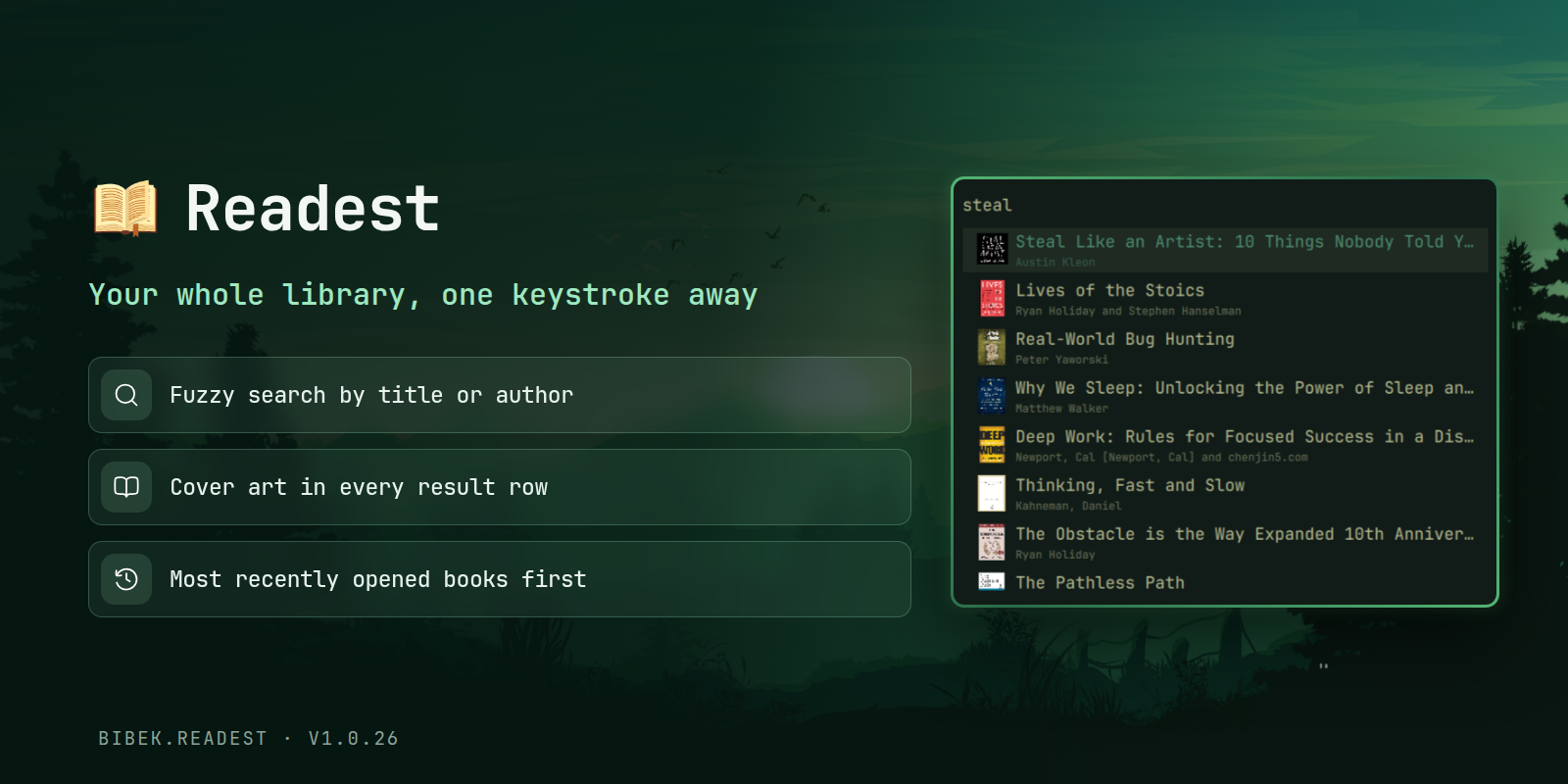
Features
- Fuzzy search across your library by title or author, ranked by relevance
- Open books directly in Readest
Requirements
- Omarchy quattro
- Readest
jq(preinstalled on Omarchy)
Install
omarchy plugin add https://github.com/BibekBhusal0/omarchy-readest.git --enable
Usage
Bind the menu to a key (~/.config/hypr/bindings.lua):
o.bind("SUPER", "R", "exec, omarchy-shell shell summon bibek.readest")
Type to filter, Enter opens the selected book in Readest, Escape closes. Move with Up/Down, Ctrl+K/Ctrl+J, or Ctrl+P/Ctrl+N, jump with PageUp/PageDown.
Configuration
The library is read from ~/.local/share/com.bilingify.readest/Readest/Books by default. Override it in ~/.config/omarchy/readest.json (watched live, so edits apply instantly):
{ "libraryPath": "/path/to/your/books" }
Uninstall
omarchy plugin remove bibek.readest
Credits
Fuzzy matching uses FuzzySearch.js, adapted from omarchy-raindrop-bookmarks by Trevor Ramey, licensed under the MIT License.
This plugin is licensed under the MIT License.
Others
Here are my other Omarchy plugins:
- Focusd - pomodoro timer with streak, history and daily goal
- Obsidian Search - fuzzy-search your Obsidian vault
- Youtube Video Downloader - video downloads with progress and history
- Better Lock - lock screen with date/time, media and power controls
- Better Media - MPRIS now-playing with playback controls
- Better Menu - fuzzy menu with app grid, calculator and web search
Please give a star if you find them useful!