
YouTube Video Downloader for Omarchy
A YouTube video downloader for the Omarchy bar.
Features
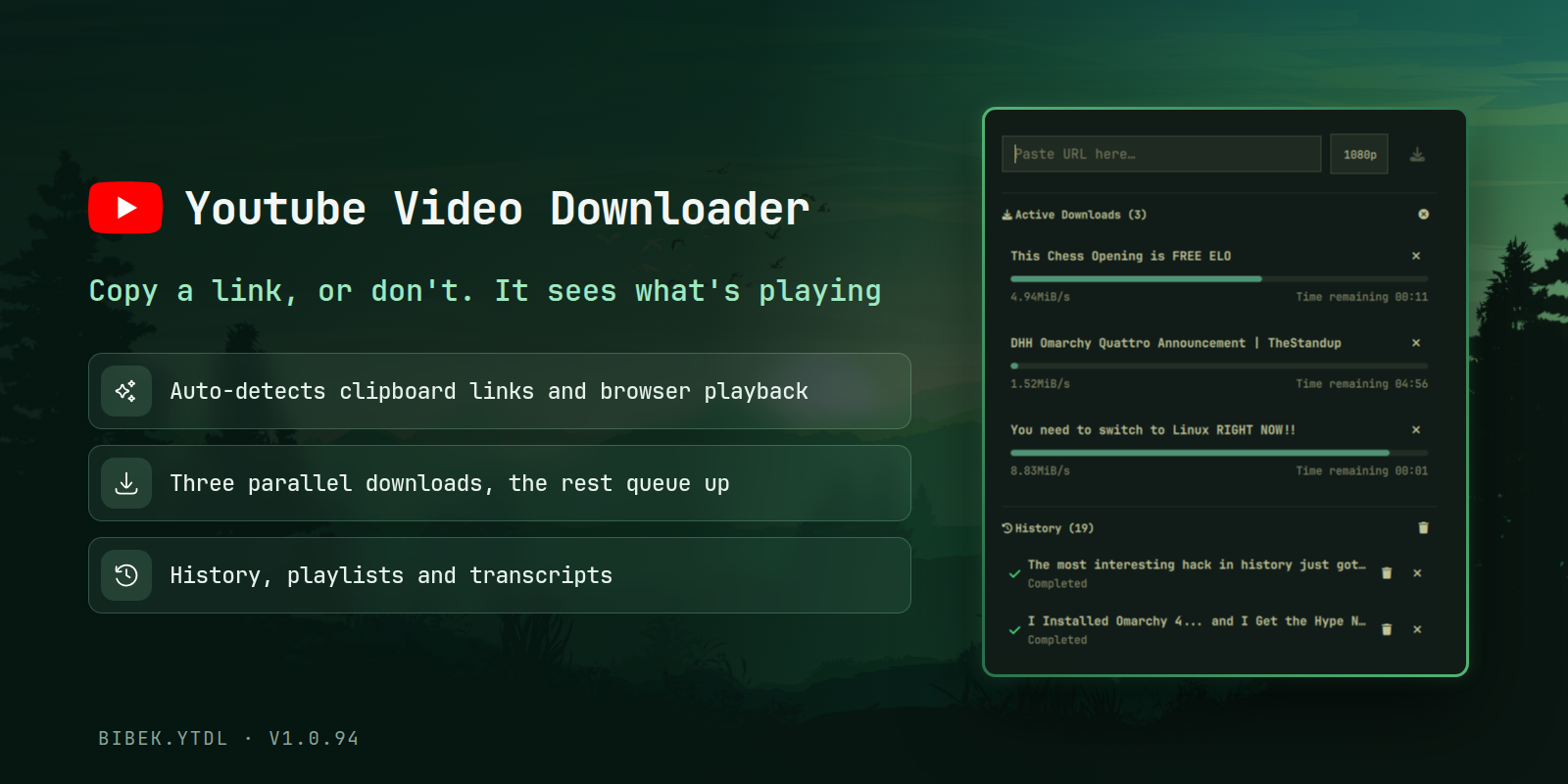
- Parallel downloads: Download up to three videos at once; extras wait in a queue
- Playlists: Paste a playlist URL and its videos download through the same slots
- Clipboard detection: Copy a YouTube link and it is detected automatically in the panel
- MPRIS auto-detection: Detects YouTube videos playing in any browser and offers a one-click download
- History: Past downloads are kept for easy replay
- Transcripts: Automatic subtitle/transcript downloading
Requirements
- Omarchy quattro
- yt-dlp (auto-installed from the panel if missing)
- wl-clipboard (preinstalled on Omarchy) for clipboard detection
- jq (preinstalled on Omarchy)
- busctl (preinstalled on Omarchy, part of systemd) for MPRIS detection
- sqlite3 (preinstalled on Omarchy), only for cookie export from Firefox-based browsers (zen, glide)
- ffmpeg (required for merging video/audio and converting audio formats)
Install
omarchy plugin add https://github.com/BibekBhusal0/omarchy-ytdl.git --enable
Demo
https://github.com/user-attachments/assets/8a63333c-689c-4793-9ed7-804d2df5b888
Usage
Click the bar widget to open the panel. Copy a YouTube link (single video or playlist) and it is pasted into the input; pick a quality and press the download button (or Enter). Up to three downloads run in parallel; any extra videos (and playlist items) wait in the queue section and start as slots free up.
If a browser is playing a YouTube video, the panel detects it automatically via MPRIS and offers a one-click download.
Bind it to a key in ~/.config/hypr/bindings.lua:
o.bind("SUPER", "Y", "exec, omarchy-shell shell summon bibek.ytdl")
Auto-download from clipboard or browser
Run the autoDownload IPC command to start a download without opening the panel:
omarchy shell ytdl autoDownload
It checks browsers via MPRIS for a playing YouTube video first, then falls back to the clipboard. When a video is found you get a notification with its title and source, and the download starts through the same queue as the panel (with progress tracking and history). If nothing is found, a notification says so.
Bind it to a key for one-key downloads:
[!NOTE] MPRIS detection works differently per browser engine. Firefox based browsers expose the exact URL via
xesam:url. Chromium-based browsers (Chrome, Helium, Edge, Brave) do not, so the script searches YouTube by title and verifies by duration match. This is best-effort and may fail sometimes.
o.bind("SUPER SHIFT", "Y", "exec, omarchy shell ytdl autoDownload")
Configuration
Options can be customized via the interactive settings panel (click the button displaying the current quality/type summary in the downloader panel) or directly in ~/.config/omarchy/ytdl.json (watched live, so edits apply instantly; the panel writes back to the same file):
{
  "downloadLocation": "~/Downloads/yt-dlp",
  "defaultQuality": "1080p",
  "defaultDownloadType": "video",
  "downloadTranscripts": false,
  "transcriptLanguages": "en",
  "playlistInSeparateFolder": true,
  "enableHistory": true,
  "cookiesBrowser": "none",
  "extraArgs": ""
}
| Setting | Default | Options |
|---|---|---|
downloadLocation |
~/Downloads/yt-dlp |
Any directory path |
defaultQuality |
1080p |
best, 1080p, 720p, 480p |
defaultDownloadType |
video |
video, audio, both |
playlistInSeparateFolder |
true |
true, false |
cookiesBrowser |
none |
none, firefox, chromium, chrome, zen, helium, glide |
extraArgs |
(empty) | Any yt-dlp flags, e.g. --cookies-from-browser chromium |
enableHistory |
true |
true, false |
downloadTranscripts |
false |
true, false |
transcriptLanguages |
en |
Comma-separated codes (e.g., en,es,fr) or 'all' |
Download Types
- Video: Downloads video and audio combined.
- Audio: Downloads only audio.
- Video & Audio (Both): Downloads video and audio separately for better quality/compatibility and splits them into two separate list items in the panel. If transcripts are enabled, they are also downloaded as a third separate item.
If yt-dlp fails with "Sign in to confirm you're not a bot", log into YouTube in your browser and set cookiesBrowser to that browser. Cookies are only exported on demand: every download first tries without cookies and only retries with --cookies-from-browser if the bot check appears.
For fine-grained control, set extraArgs directly (e.g. --cookies-from-browser chromium).
Troubleshooting
If a download fails, test yt-dlp directly in the terminal first:
yt-dlp -f "b" "https://www.youtube.com/watch?v=..."
- If the yt-dlp CLI fails, report it upstream at https://github.com/yt-dlp/yt-dlp/issues or ask on the yt-dlp Discord (https://discord.gg/H5MNcFW63r).
- If the CLI works with different arguments, set them in the
extraArgssetting above. - Only if the CLI works but the widget does not, open an issue in this repository.
Uninstall
omarchy plugin remove bibek.ytdl
Credits
Download and panel logic based on the omarchy-aria2 reference plugin (MIT).
Cookie export follows the yt-dlp docs on exporting YouTube cookies (Unlicense).
This plugin is licensed under the MIT License.
Others
Here are my other Omarchy plugins:
- Focusd - pomodoro timer with streak, history and daily goal
- Obsidian Search - fuzzy-search your Obsidian vault
- Readest - fuzzy-search your Readest library
- Better Lock - lock screen with date/time, media and power controls
- Better Media - MPRIS now-playing with playback controls
- Better Menu - fuzzy menu with app grid, calculator and web search
Please give a star if you find them useful!