
Audio Visualizer
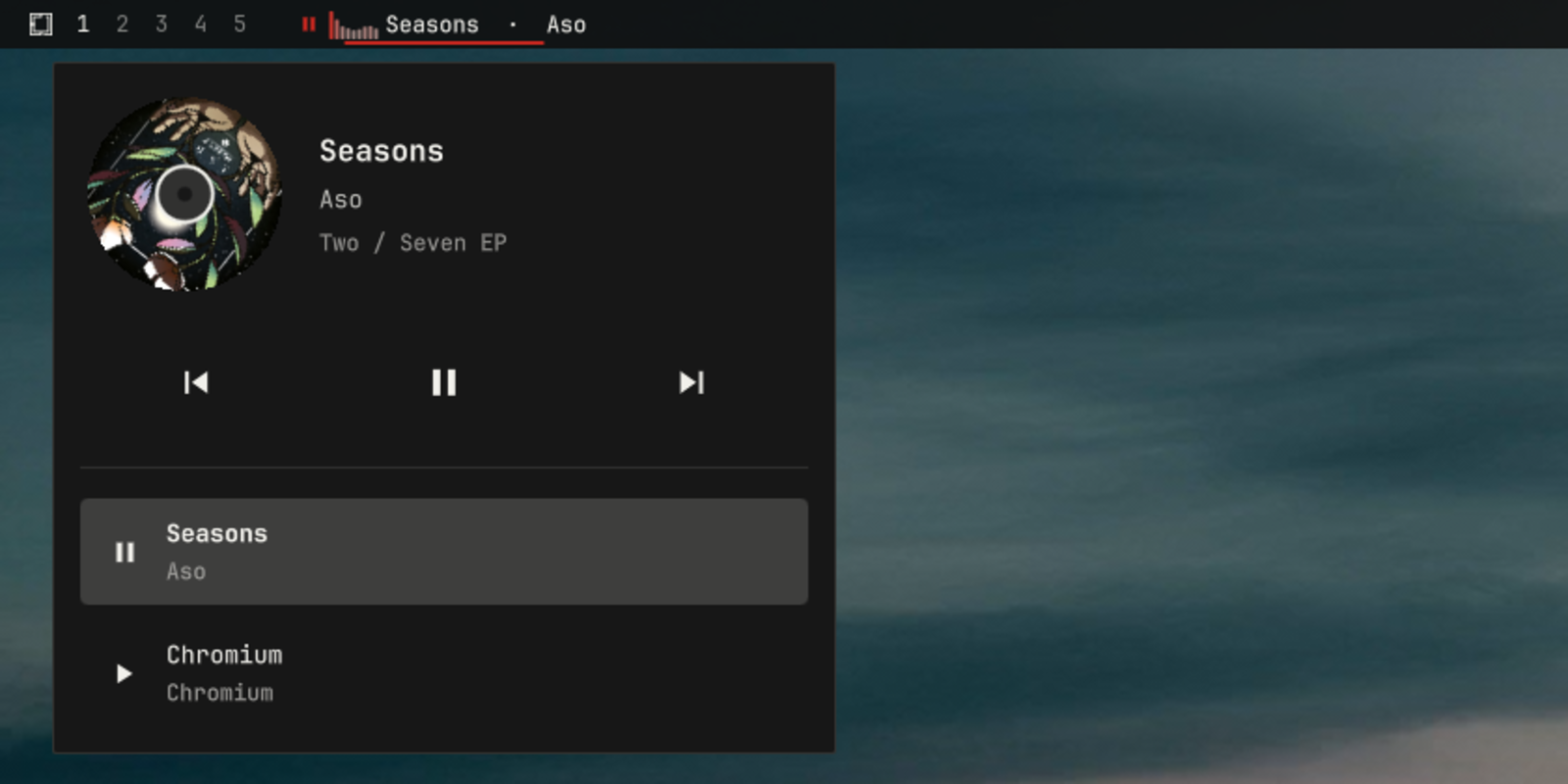
A now-playing media chip for the Omarchy bar, with playback controls, a live nine-band audio spectrum, a spacious track popup with high-legibility metadata and a perfectly circular spinning album disk, and multi-player source switching over MPRIS.
The chip is a generic MPRIS client: any MPRIS-capable player works — mpv, Firefox, Chromium, Rhythmbox, Elisa, Audacious, and friends all show up and can be controlled. There is no login, and no credentials or API keys — if your desktop can show a media overlay for it, this chip can display it.
The spectrum is computed by Cava from the default PipeWire output mix, so it responds to all audio on the default output, independent of which MPRIS source supplies metadata and controls.
Features
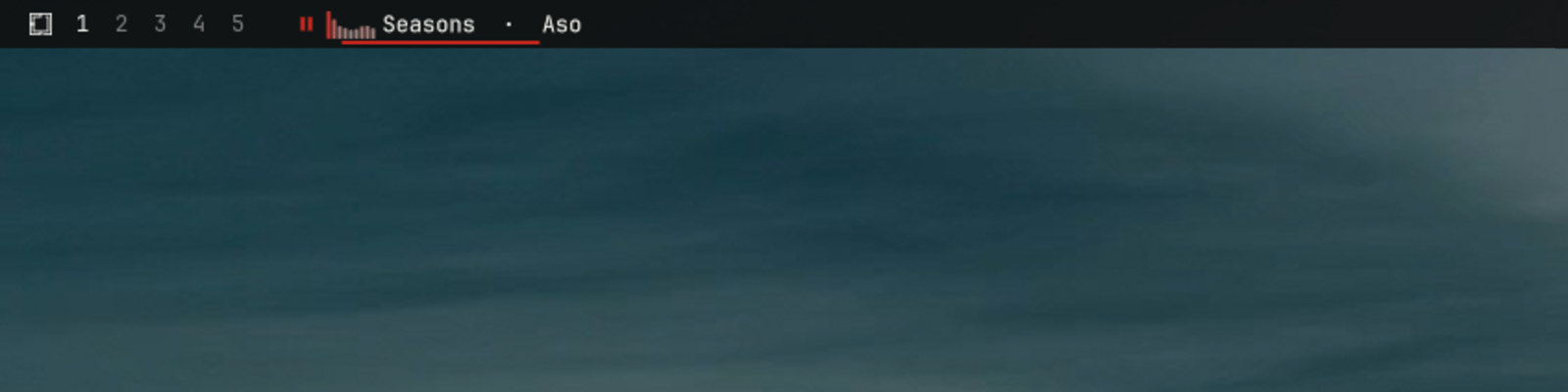
- Now-playing chip in the bar: play/pause glyph, a live nine-band spectrum while playing, and a scrolling title · artist marquee.
- Live FFT spectrum: nine low-to-high frequency bands computed by Cava from the default PipeWire output — real signal data, not a looping animation (see Spectrum).
- Quick controls from the bar without opening anything (see Controls).
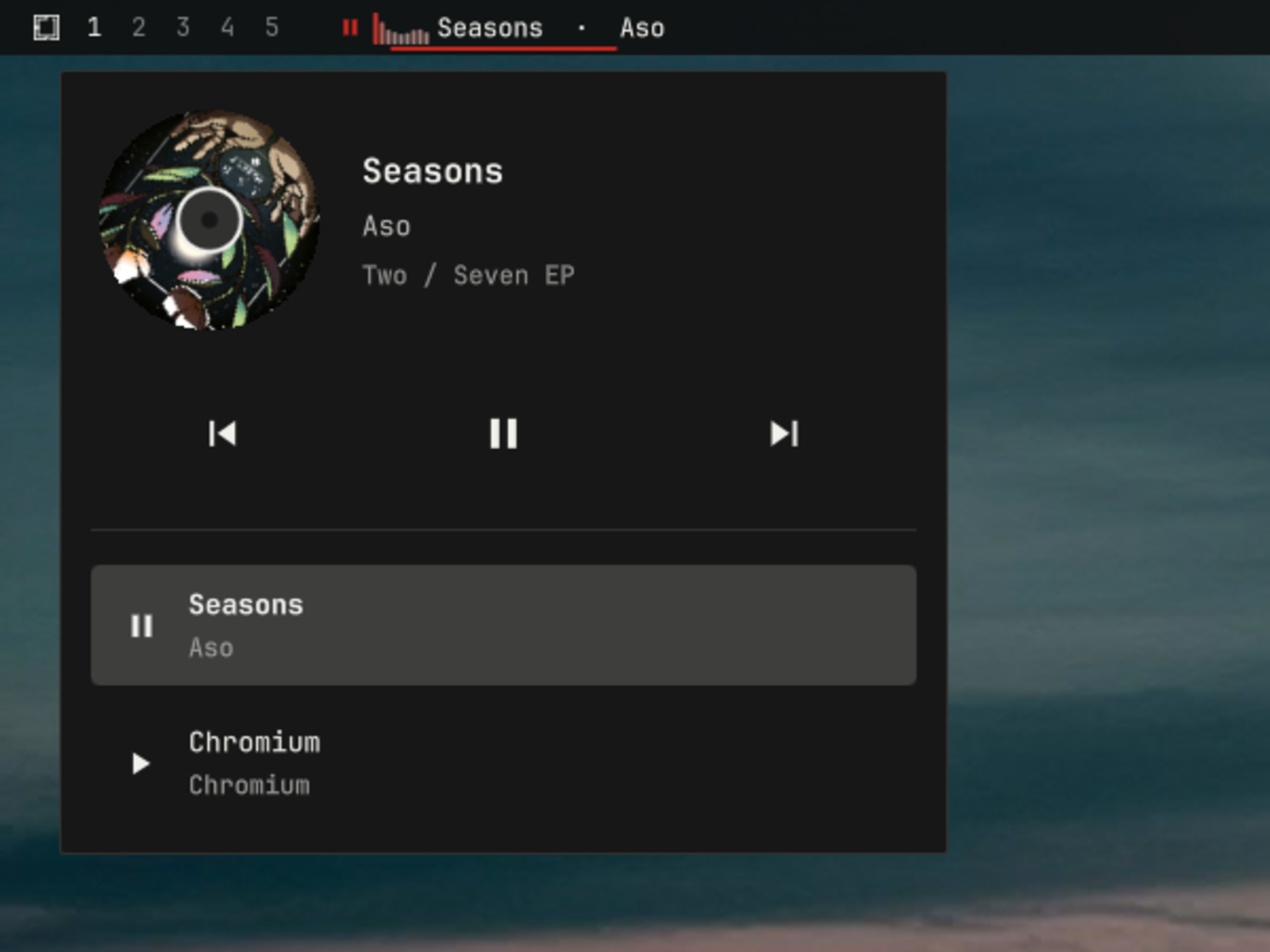
- Spacious track popup: the player's real album art fills a perfectly circular, record-style disk beside high-legibility title, artist, and album text sized to use the popup's width without clipping. A full-width transport deck carries three equal, generously sized previous / play-pause / next buttons, and the multi-player source rows span the popup with larger, clearer type. The disk spins only while the popup is open and the active player is playing; it sits still when playback is paused, the popup is closed, or no art is available.
- Hardened album art: remote cover art is fetched over HTTPS by a short-lived broker that re-encodes it to a small local PNG before display — QML never loads a remote image URL (see Album artwork).
- Multi-player source selection: when several MPRIS players are running, the popup lists them all so you can pick which one the chip follows.
- Standard media keys keep working: the service keeps Omarchy's stock
mediaIPC target, so your existing media-key bindings and scripts need no changes.
Screenshots
Live spectrum chip
Spinning album disk and media controls
Requirements
- Omarchy 4.x with
omarchy-shell. - Cava (0.10.x) computes the
spectrum from PipeWire's default output monitor. Install it with
omarchy pkg add cava. - Pillow (Arch package
python-pillow) decodes and re-encodes album artwork inside the broker, which runs under the system/usr/bin/python3 -I -B. Install it withomarchy pkg add python-pillow. - Any MPRIS-capable player: the plugin only reads and controls what the player exposes over MPRIS.
Install
From any Omarchy machine:
omarchy plugin add https://github.com/rmacy/omarchy-audio-visualizer.git --enable
The chip appears in the left bar section when media is playing
(omarchy bar move relocates it). Enabling this plugin disables the
built-in omarchy.media widget it replaces.
Manual alternative: clone or copy this folder to
~/.config/omarchy/plugins/bitr0t.spotify-menu-chip/, run
omarchy-shell shell rescanPlugins, then
omarchy plugin enable bitr0t.spotify-menu-chip.
Controls
| Action | Result |
|---|---|
| Left-click chip | Play / pause the active player |
| Middle-click chip | Next track |
| Right-click chip | Open / close the track popup |
| Scroll up on chip | Previous track |
| Scroll down on chip | Next track |
| Popup buttons | Previous / play-pause / next |
| Popup source list | Start/select that source, then pause the outgoing source after confirmation |
| Hover chip | Full "title — artist" tooltip |
Play/Pause from the chip and popup uses idempotent commands. Chromium
and other normal players receive dedicated Play and Pause, even when a
cached state is stale; repeating either command cannot invert playback.
spotify-player serializes control requests against a cached state. The
plugin sends ordered PlayPause → idempotent Play: the first request keeps
the fast 90–300 ms path, and the second guarantees Playing if the cached
toggle chose the wrong direction. If no stream confirms, the same final-Play
pair retries at 300 ms intervals within the three-second handoff bound.
Repeated Play cannot enqueue another sequence. Source handoffs pause outgoing
only after synchronized target confirmation.
The chip icon and its next click are based on confirmed synchronized state, never a pending intent. A Pause icon remains visible until the audio link actually stops, so a second click sends another idempotent Pause instead of accidentally sending Play. Pending intent remains internal to handoff selection and duplicate-toggle suppression. Calls still go directly from Quickshell to MPRIS; a Rust subprocess or daemon would add another IPC hop without fixing player state.
MPRIS is not trusted indefinitely for runtime state. Once a player has a
matching PipeWire playback stream, pulse.corked is authoritative when
available, with active-link edges as the fallback. Raw link edges are tracked
separately from confirmed state so an MPRIS Pause remains stable even when
Chromium leaves its old link object allocated as Active. External starts and
stops cannot remain hidden behind stale PlaybackStatus or a prior chip action.
Source selection
With multiple players running, right-click the chip and pick a source in
the popup. A row click is a one-click, confirmation-driven handoff: the
clicked source becomes selected immediately and receives one state-aware
Play action. The outgoing source stays audible until the clicked player's
confirmed synchronized state reports Playing; only then does it receive
Pause. A target that cannot start or disappears therefore never silences
the working source, and the selection rolls back after three seconds.
Rows are sorted by stable application identity, never by the current track or play state, so a handoff cannot move another target under the pointer. A meaningful track row stays in place through transient capability churn; while Chromium advertises neither Play nor PlayPause it is dimmed, disabled, and labelled unavailable. Stopped identity-only endpoints with no meaningful track are omitted because no valid plugin action can start them.
An already-playing target transfers immediately without another Play call. Clicking the selected paused source starts it. A newer row click supersedes an in-flight handoff and cancels the prior target request.
Sources can also be cycled through IPC: sourceNext and
sourcePrevious select without transferring playback, while
sourceSwitch and sourceSwitchPrevious use the same confirmed handoff
(for example, omarchy-shell media sourceSwitch).
Media keys
The service registers the same media IPC target as the built-in plugin,
so Omarchy's stock media-key bindings (playPause, next, previous,
play, pause, plus status and ping) continue to work unchanged
while this plugin is enabled.
Spectrum
The chip draws a compact frequency spectrum: nine bars spanning low to high frequencies (60 Hz to 12 kHz), computed by a real FFT of the default PipeWire output mix. It reflects what the audio is actually doing right now — it is not a looping decoration.
- FFT via Cava: the headless service runs one
cavaprocess driven by the bundledcava.conf— PipeWire's default output monitor, nine bands from 60 Hz to 12 kHz at 60 fps. Cava is a runtime dependency; the service looks for it at/usr/bin/cava. - One process, every bar: the Cava process lives in the headless service, and every bar instance on every monitor reads the same published levels — bars never spawn their own analyzers.
- Low-latency lifecycle: hovering the chip or opening the popup prewarms Cava. Pause clears the bars immediately but keeps that one process warm for at most five seconds, covering quick resume and a confirmed source handoff without paying Cava's startup cost again. After the window it stops completely. Cava's own sleep polling is disabled only during this bounded lifetime, so active playback cannot wait up to a second for the analyzer to wake.
- Responsive rendering: new frames arrive every 16.7 ms, bar motion settles in 16 ms, and reduced Cava temporal smoothing follows transients substantially faster than the previous 25 fps / 45 ms pipeline. Unexpected exits restart after 2 seconds.
Because the FFT taps the default PipeWire output mix rather than one player's private stream, the bands show whatever is audible — with several players running, the spectrum reflects the whole mix, not the selected player alone. Its on/off state still follows the selected source: pausing that player — or selecting a source that is still paused — stops the visualizer and clears the bars even while other audio remains audible, and it resumes only once the selected source is actually playing. Silence or pause settles every band at zero.
Each bar's height is its band's current energy, shaped by a gentle
pow(level, 0.72) curve so quiet material still reads visually.
Album artwork
The popup's spinning disk shows album art, but the plugin never loads a
remote URL into QML and never renders the bytes a player advertises.
Every remote image is fetched and sanitized by a short-lived broker
(artwork_broker.py, system Python + Pillow) before the widget sees
it: QML only ever renders a broker-produced local PNG or the art-less
placeholder. The service passes the broker one request per URL as a
single stdin JSON line of at most 4096 bytes and reads back one bounded
JSON result. Exact policy and limits:
- Scheme — only absolute
https://URLs are fetched: effective port 443, no userinfo, fragment, or zone ID, and at most 2048 UTF-8 bytes.file://,data:,http://, non-public hosts, unsupported media, and failed fetches all fall back to the placeholder — they are never opened directly. - Destination — every DNS answer of every hop must be a globally
routable unicast address; private, loopback, link-local, CGNAT,
multicast, unspecified, reserved, and documentation ranges,
IPv4-mapped IPv6, and NAT64 (
64:ff9b::/96) are rejected outright. The connection is made only to a vetted numeric IP, while the original hostname is kept for TLS SNI, certificate validation, and theHostheader. Proxy environment variables are ignored. This broker fetch is the plugin's only outbound network traffic. - Redirects — at most 3, each hop revalidated under the same rules;
redirect loops, downgrades to
http://, and non-443 targets are rejected. - Response — HTTP 200 only, identity encoding only, and a declared
image/pngorimage/jpegthat matches the actual payload. The body is streamed with a hard cap of 2 MiB encoded bytes; the reader always attempts one byte past the cap so oversized responses are rejected, never silently truncated. The exchange runs under a 10 s total deadline (3 s per connect/read slice), and the QML helper waits at most 12 s. - Decode and re-encode — Pillow decodes inside the short-lived broker process: animated or malformed files are rejected, as are images over 2048 px on either side or 4,194,304 px in total. The image is then verified and re-loaded, EXIF-transposed, converted to RGB/RGBA, thumbnailed to at most 512×512, and re-encoded as a metadata-free canonical PNG — the only image data the plugin renders.
- Local publication — the canonical PNG is content-addressed and
published atomically with
0600permissions into a0700, symlink-resistant spool at$XDG_RUNTIME_DIR/omarchy-audio-visualizer/artwork, which lives on the session's tmpfs and disappears with the session. - Cache and races — the spool is capped at 16 files / 16 MiB.
Results that arrive after the generation, player, or track has moved
on are discarded, and art clears the moment the source changes. The
service only ever publishes a verified
file://URL — or nothing — and the bar widget'sImage.sourceconsumes that alone. - No self-installation — the broker is spawned as
/usr/bin/python3 -I -B artwork_broker.py; it never invokes a package manager,pip, a shell, orcurl, and installs nothing.
Uninstall
omarchy plugin remove bitr0t.spotify-menu-chip
Because the plugin declares omarchy.clonedFrom: omarchy.media, removing
(or disabling) it restores the built-in Omarchy media widget, keeping your
bar position and media-key bindings intact.
Files
| File | Purpose |
|---|---|
manifest.json |
Plugin identity, entrypoints, widget metadata, replacement rules |
Service.qml |
Headless MPRIS service: players, actions, media IPC, Cava + artwork broker children |
BarWidget.qml |
The bar chip, spectrum, marquee, tooltip, and track/source popup |
MediaModel.js |
Pure helpers shared by the service and widget |
AudioVisualizerModel.js |
Pure spectrum-frame parser and band math for the service |
tests/*.test.js |
Exhaustive media, source, handoff, action, and spectrum matrices |
cava.conf |
Bundled Cava config: PipeWire output monitor, 9 bands, 60 fps |
artwork_broker.py |
Short-lived HTTPS artwork broker: fetch, decode, re-encode, spool |
pyproject.toml + poetry.lock |
Poetry development metadata for the broker's Python tests |
Development
Run the complete dependency-free JavaScript suite:
node --test tests/*.test.js
The registered scenario matrices cover:
- spectrum parsing, normalization, silence floors, summaries, malformed frames, delimiters, counts, ranges, and numeric boundaries;
- metadata, identity, proxy, capability, action, and PipeWire truth tables;
- source visibility, eligibility, stable ordering, and stream matching;
- MPRIS/PipeWire precedence, first-observation fallback, stream lifecycle sequences, external starts/stops, and contradictory optimistic intents;
- one-click handoff planning, confirmation, timeout, player removal, supersession, rollback, and optimistic in-flight states;
- exact Play/Pause/Next/Previous dispatch, toggle-first precedence, dedicated fallbacks, no-op guards, and stale-property rapid actions.
For focused work, the original compact suite remains directly runnable:
node tests/AudioVisualizerModel.test.js
The artwork broker has a focused Python security suite. Development
metadata is Poetry-based (poetry install once); at runtime the service
just runs system /usr/bin/python3 -I -B against Arch's
python-pillow, with no virtual environment:
poetry run python -m unittest tests/test_artwork_broker.py
Validate the complete plugin manifest and layout:
omarchy plugin validate .
Pure tests prove deterministic policy and math, not rendered pixels or an
external player's MPRIS compliance. QML changes still require a clean live
shell load, and media integration changes require a real or controlled
MPRIS handoff smoke test. Reload with
omarchy-shell shell rescanPlugins.
License
MIT. Derived from Omarchy's built-in media plugin; runtime code Copyright (c) David Heinemeier Hansson and the Omarchy project, with 2026 modifications by Ryan Macy.