
Calendar Activity
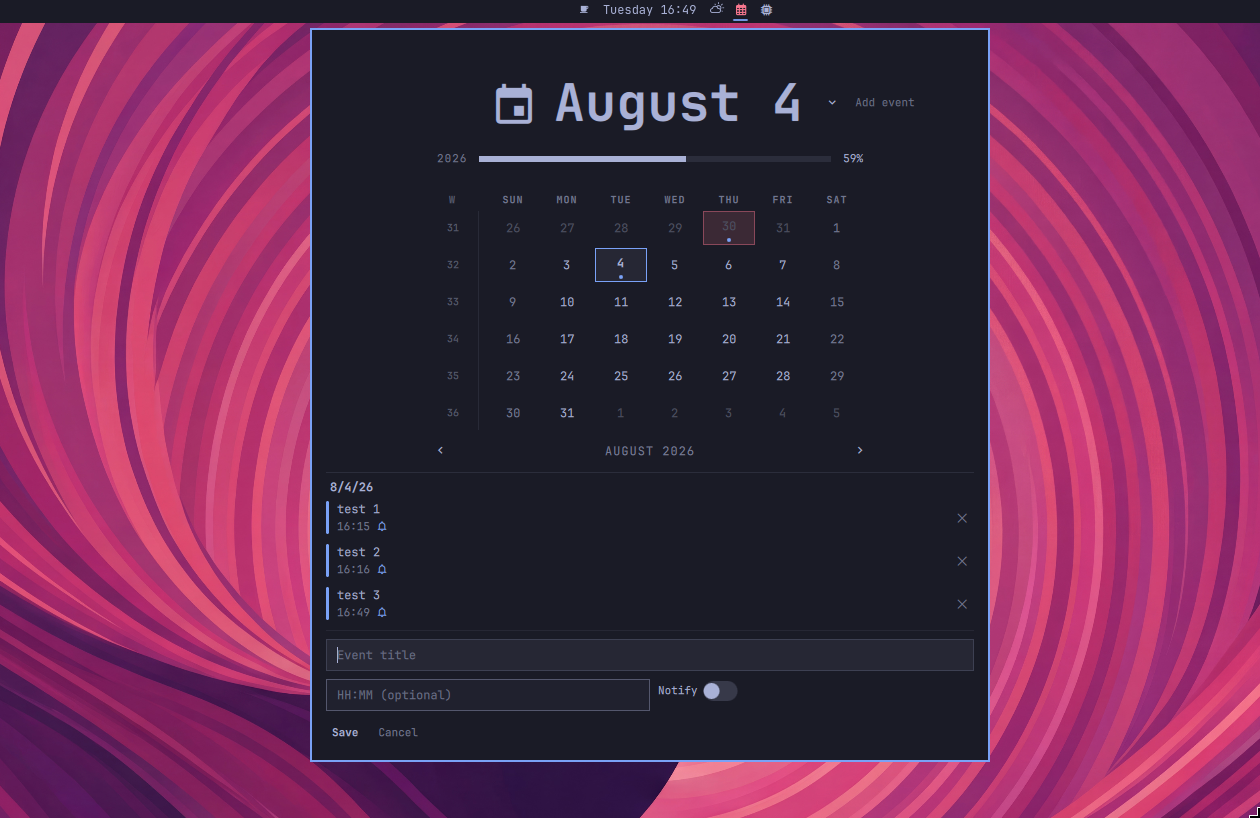
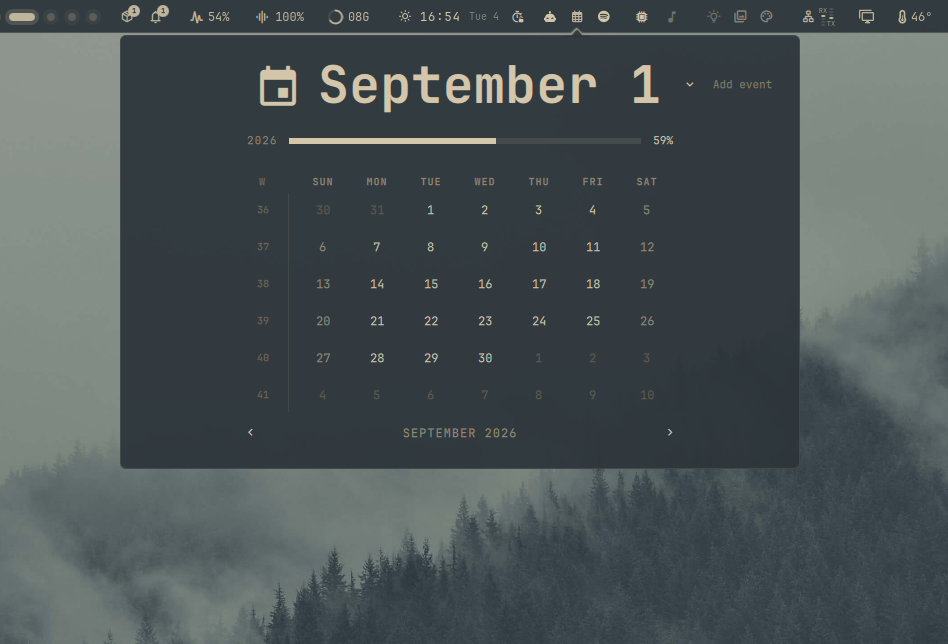
Bar widget for Omarchy that provides a month calendar with event management and notifications.
Features
- Month-by-month calendar with ISO week numbers
- Event dots on days with activities
- Add, view, and delete events per day
- Optional notification bell per event (fires
notify-sendat the event time) - Theme-aware — adapts to Omarchy's colors and fonts
- Keyboard navigation: arrow keys,
[]for months,Tfor today
Requirements
- Omarchy 4+ with Quickshell
Installation
From GitHub (recommended)
omarchy plugin add https://github.com/archlatam/omarchy-calendar-activity.git --enable
omarchy restart shell 2>&1
Manual
mkdir -p ~/.config/omarchy/plugins/calendar-activity
cp -r * ~/.config/omarchy/plugins/calendar-activity/
Then add to your ~/.config/omarchy/shell.json under bar.layout.center:
{
  "id": "calendar-activity"
}
Restart the shell:
omarchy restart shell
Usage
- Click the calendar icon in the bar to open the popup
- Navigate months with the chevrons, scroll wheel, or
[]keys - Press
Tto jump back to today - Click a day to view its events
- Press "+ Add event" to create an activity
- Fill in the title, optional time, and toggle the notification bell
- Events with the bell enabled will trigger a desktop notification
Uninstallation
omarchy plugin disable calendar-activity
omarchy plugin remove calendar-activity --yes
Or if installed manually:
rm -rf ~/.config/omarchy/plugins/calendar-activity
# Remove "calendar-activity" from ~/.config/omarchy/shell.json
omarchy restart shell
License
MIT