
Clipbasket for Omarchy
A clipboard manager that lives in your Omarchy bar. Search everything you have copied, filter by kind, paste it back — without leaving the keyboard.
Free, forever, on Omarchy. Nothing to compile, nothing to run as root.
omarchy plugin add https://github.com/clipbasket/clipbasket-omarchy --enable
That is the whole install: Omarchy clones the plugin, validates it, and enables it. The bar pill appears and clipboard capture starts with the shell â there is no separate daemon to install, and no install script to trust.
Check it over afterwards with:
~/.config/omarchy/plugins/clipbasket.clipboard/bin/clipbasket-omarchy doctor
Screenshots
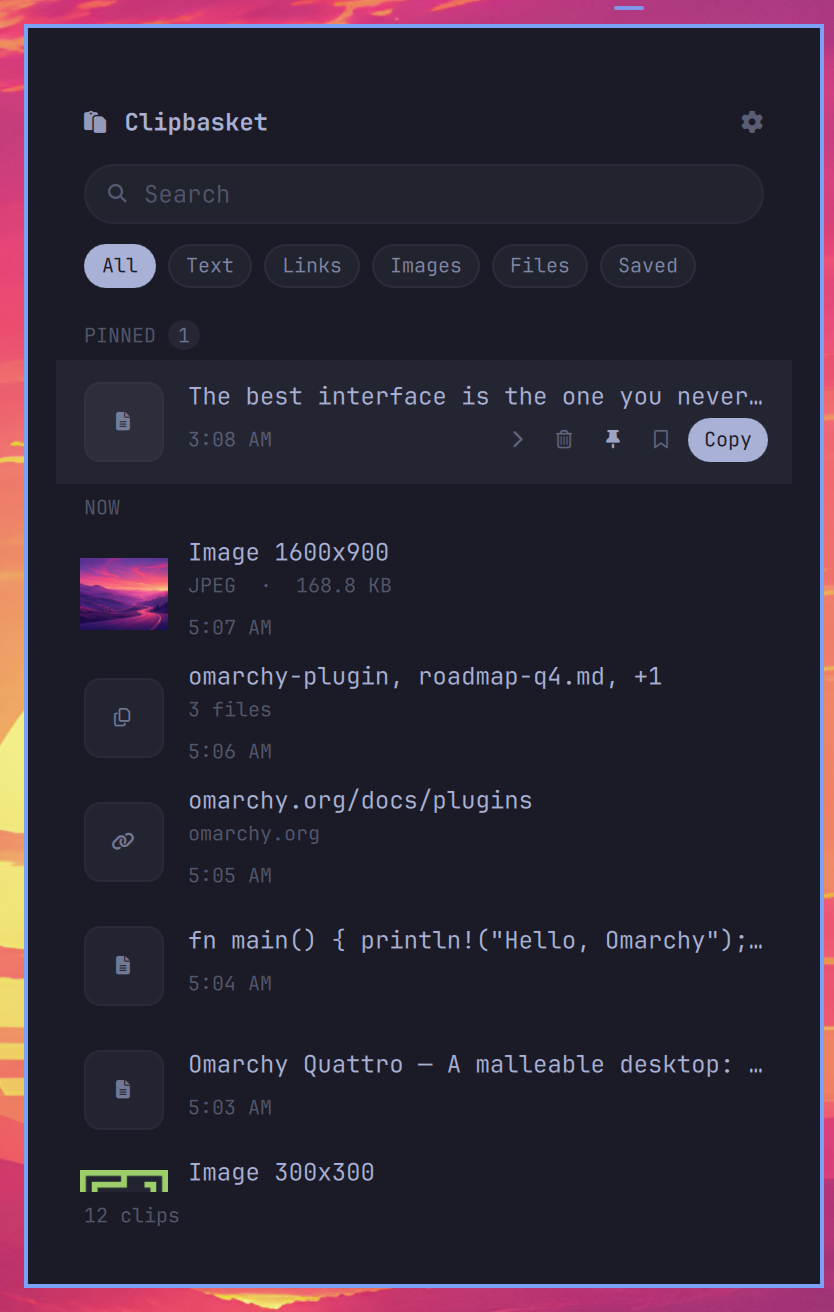
 |
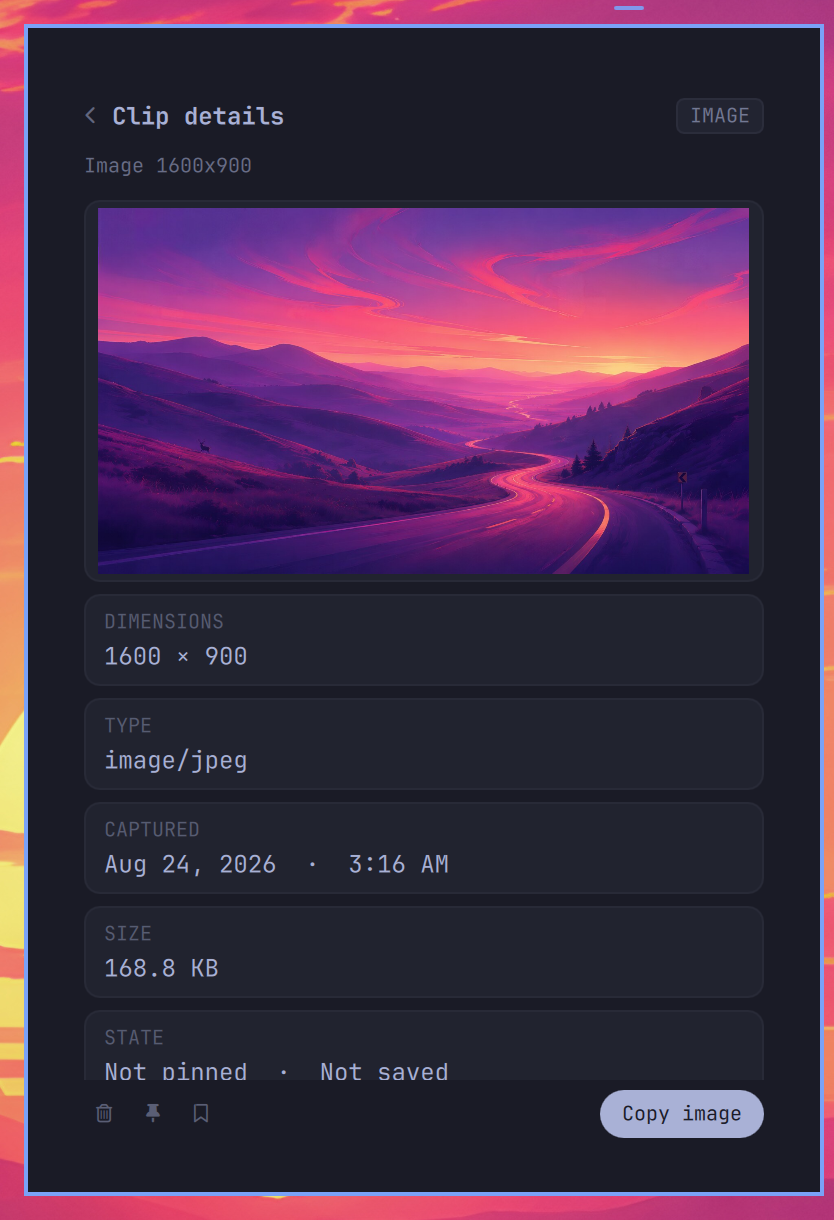 |
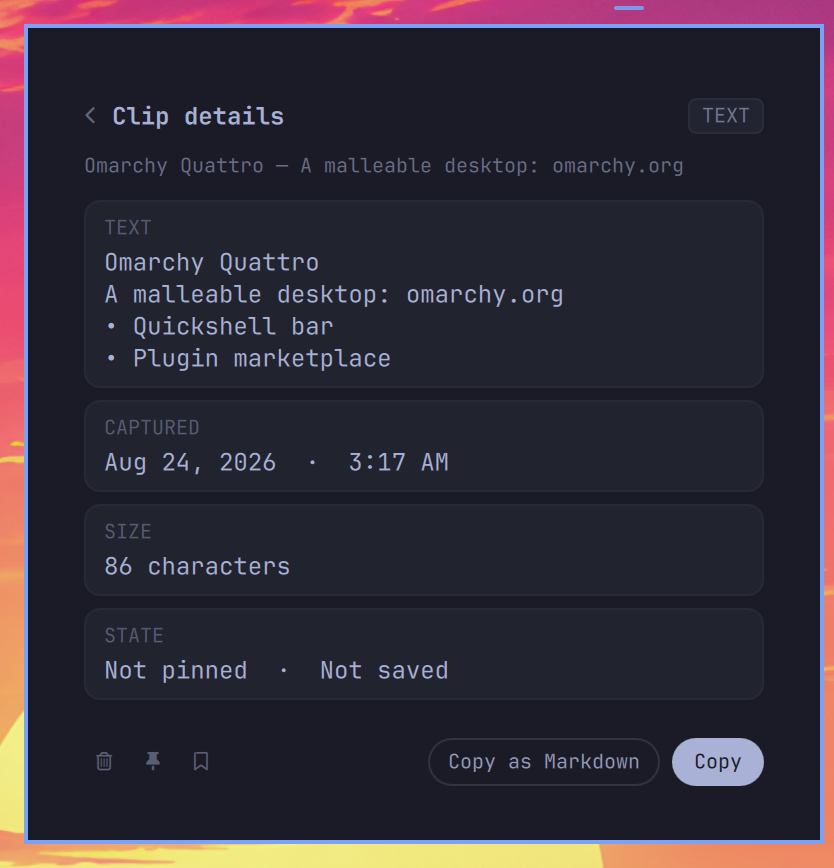
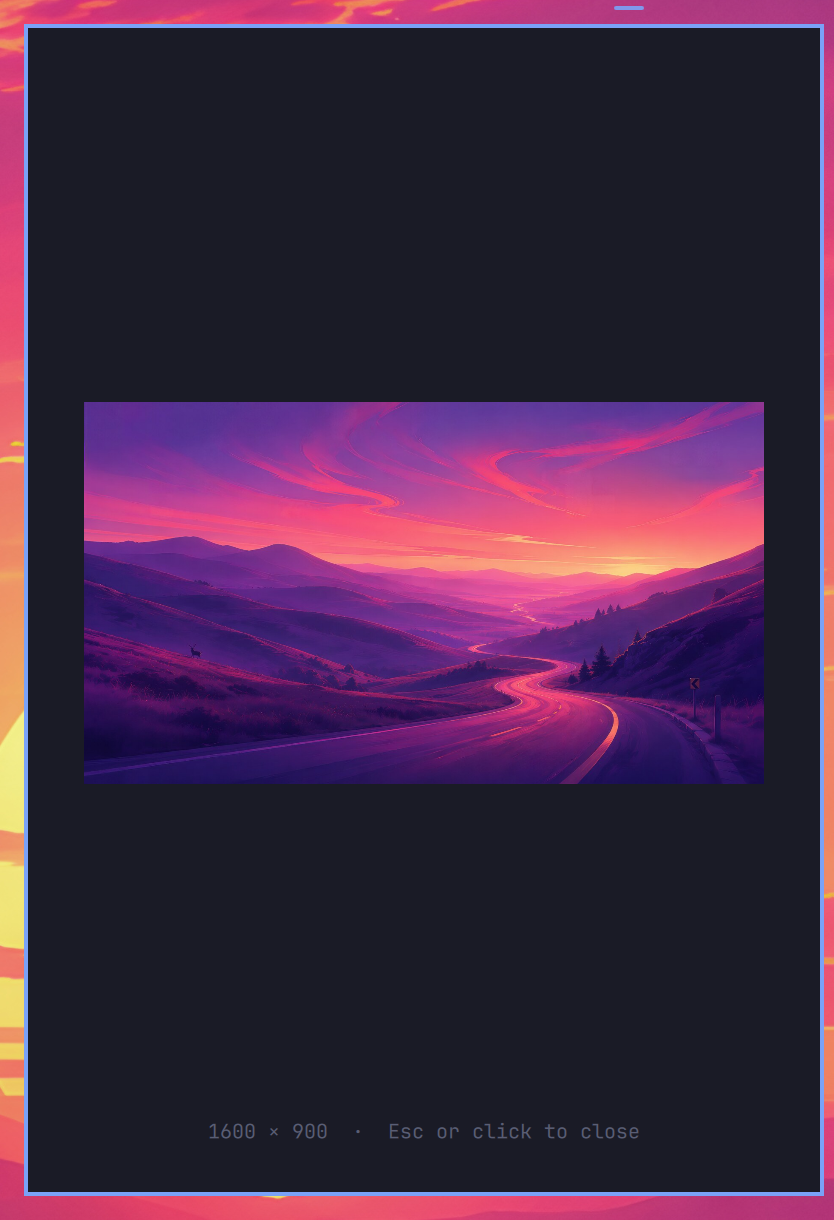
| A web copy keeps its HTML flavour, so Copy as Markdown is there when you need it | Images come with dimensions, type and size — click for a lightbox |
 |
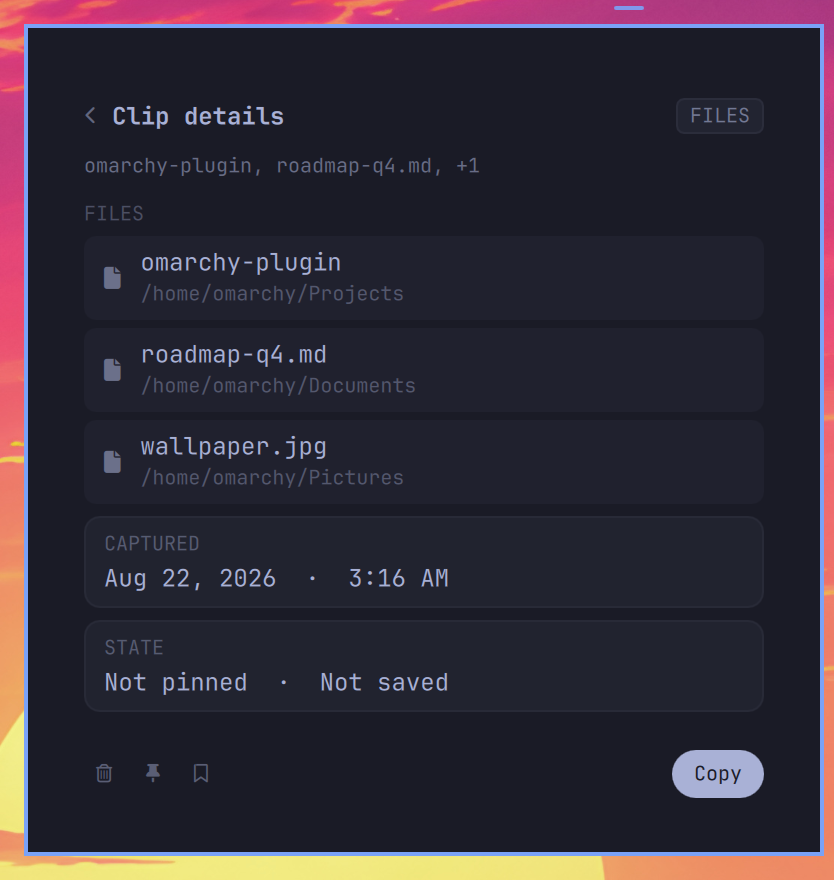 |
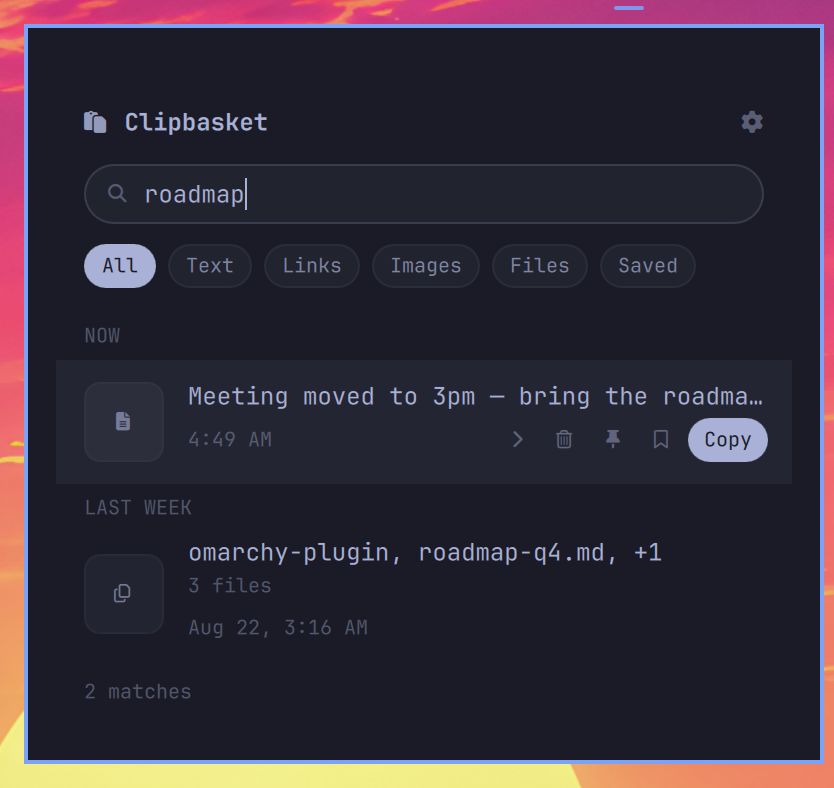
| Search as you type, grouped by when you copied it | File copies list every item with Open / Reveal / Copy path |
 |
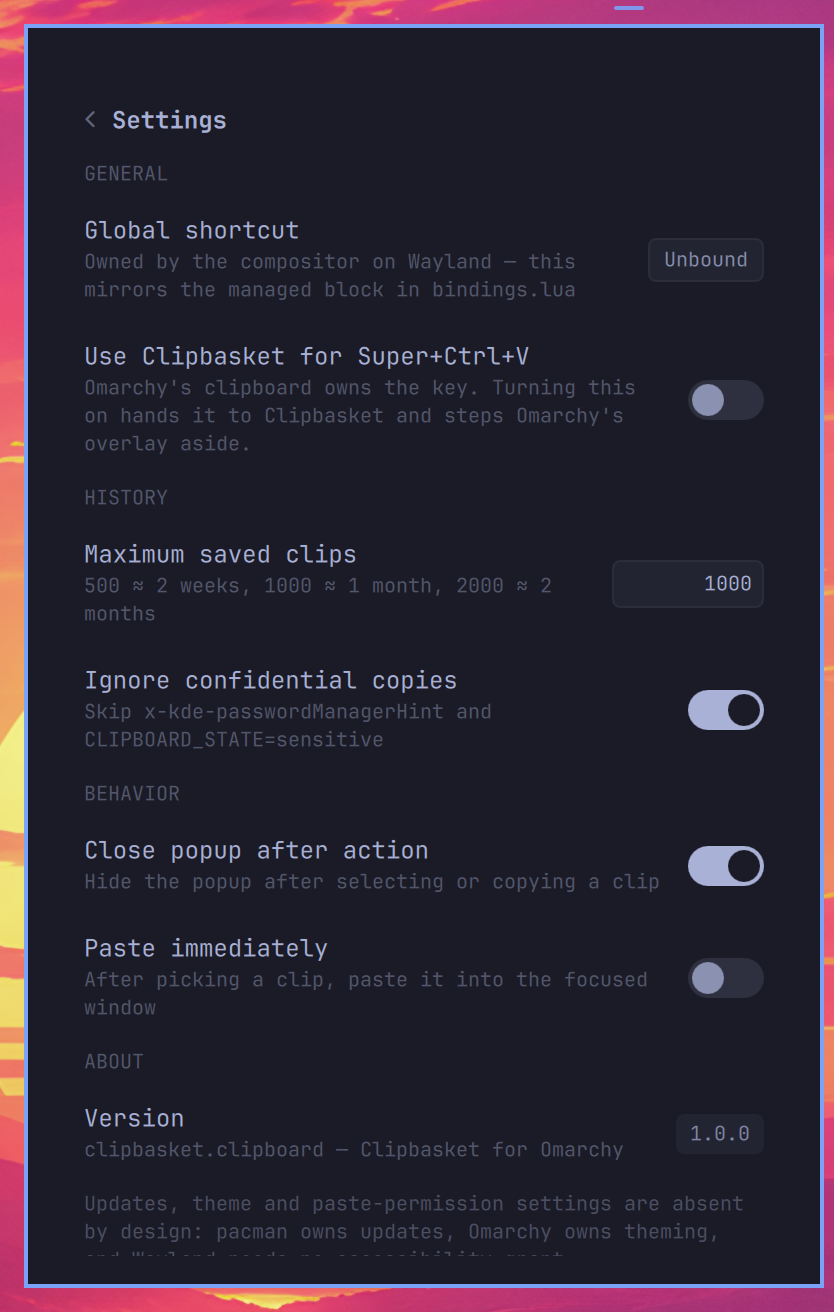 |
| The lightbox | Settings that mean something on Wayland — and nothing that doesn't |
Requirements
Everything is in the Arch repositories; Omarchy already ships most of it.
| Package | Why | Required |
|---|---|---|
sqlite |
The history database (sqlite3 CLI) |
yes |
wl-clipboard |
wl-paste watches the clipboard, wl-copy writes it |
yes |
jq |
JSON in and out of the shell scripts | yes |
python |
HTML → Markdown conversion (standard library only) | yes |
imagemagick |
Image thumbnails; without it the full image is shown | no |
wtype |
The optional "paste immediately after picking" setting | no |
pandoc |
Used for HTML → Markdown when present; the built-in converter is the fallback | no |
Nothing is downloaded, compiled, or run as root at any point.
Uninstall
# If you had switched SUPER + CTRL + V to Clipbasket, hand it back first:
~/.config/omarchy/plugins/clipbasket.clipboard/bin/clipbasket-omarchy restore-default

omarchy plugin remove clipbasket.clipboard
omarchy plugin remove stops the capture service, drops the bar pill and
deletes the plugin folder (it leaves a .clipbasket.clipboard.bak.<timestamp>
copy beside it, which is safe to delete). Your history and settings are kept so
a reinstall picks them up; to erase them too:
rm -rf ~/.local/state/clipbasket ~/.config/clipbasket
Nothing else on the system is touched: the only file the plugin ever edits
outside its own directories is ~/.config/hypr/bindings.lua, and only when you
ask it to via make-default.
What this is
Clipbasket for Omarchy is a native Quickshell plugin — a bar widget, a popup panel and a capture service written in QML, over a SQLite history.
It shares a name and a design with Clipbasket for macOS and Windows, and nothing else. There is no shared code: the desktop app is Rust and React in a Tauri shell, and this is QML talking to Omarchy's own components. Treating it as a port would mean carrying a lot of decisions that only make sense on a platform where the app owns its own window, its own theme, and its own updater. On Omarchy, the compositor owns the keybinding, Omarchy owns the theme, and the marketplace owns the updates — so this is built around that instead of fighting it.
The practical consequence: best-effort feature parity, no promises. Features land here when they make sense here. Some never will. See What's different from the macOS app.
What it does
- A monochrome bar pill built on Omarchy's own
BarIconButton, so it themes itself. - A popup panel built from Omarchy's
Panel/KeyboardPanel/PanelKeyCatcherchrome — native anchoring, animation, theming, Esc-to-close, Tab panel-switching. - Search, type filters (All / Text / Links / Images / Files / Saved), and clip rows with copy and paste actions.
- A settings page covering the options that mean something on Wayland, persisted to
~/.config/clipbasket/settings.json. - A capture service that records clipboard history to SQLite and skips anything a password manager marks confidential. It runs inside the shell and stops with it — there is no daemon of ours to install, supervise, or leave running.
Coexisting with Omarchy's clipboard
Omarchy ships its own clipboard overlay, omarchy.clipboard, on SUPER + CTRL + V.
Clipbasket does not take that binding when you install it. You get a bar pill and nothing else changes. Try both, keep the one you like.
When you decide, flip Use Clipbasket for Super+Ctrl+V in the panel's settings page — or do the same thing from a terminal:
cd ~/.config/omarchy/plugins/clipbasket.clipboard
bin/clipbasket-omarchy make-default      # SUPER + CTRL + V opens Clipbasket
bin/clipbasket-omarchy restore-default   # give it back, exactly as it was
make-default edits ~/.config/hypr/bindings.lua inside a clearly delimited
block, after backing the file up. restore-default deletes that block and
nothing else, and re-enables omarchy.clipboard only if make-default was the
thing that disabled it. Both are safe to run repeatedly. See
docs/INSTALL.md for exactly what is written where.
The CLI
Nothing links it onto your PATH — a plugin folder may not contain symlinks, and
the marketplace install runs no script that could make one elsewhere. Run it from
the plugin directory, ~/.config/omarchy/plugins/clipbasket.clipboard/bin/:
clipbasket-omarchy enable              Enable the bar widget and the capture service
clipbasket-omarchy disable             Disable both (your history is kept)
clipbasket-omarchy make-default        Take SUPER + CTRL + V
clipbasket-omarchy restore-default     Undo make-default exactly
clipbasket-omarchy status              What is installed and enabled
clipbasket-omarchy doctor              Diagnose a broken install, PASS/FAIL per check
Every command that writes to your config takes --dry-run and will show you the
exact change first.
doctor is the thing to run before asking for help. It checks the Omarchy CLIs,
sqlite3, wl-clipboard, jq, the plugin directory, whether the widget is
enabled, whether the capture watchers are running, whether the database is writable and
intact, whether your settings file is valid JSON, whether the keybinding is in
bindings.lua, and whether Hyprland has actually loaded it.
What's different from the macOS app
| macOS / Windows | Omarchy | |
|---|---|---|
| Price | Paid, licensed | Free |
| Global shortcut | Owned by the app, changed in Settings | Owned by the compositor, changed in bindings.lua |
| Theme | Light / Dark / System setting | Omarchy's theme, always |
| Updates | In-app updater, checks daily | omarchy plugin update clipbasket.clipboard |
| Accessibility grant | Required for automatic paste | None; Wayland uses wtype |
| Auto-paste | Built in | Needs wtype installed |
| Launch at login | Login item / registry Run key | Not a setting — capture runs whenever the shell does |
| Storage | App-support directory | ~/.local/state/clipbasket/clips.db |
Settings that exist on macOS and deliberately do not exist here — theme,
automatic update checks, launch-at-login, the paste-permission grant — are listed with their
reasons in settings.schema.json under
x-clipbasket.notInThisPort, so nobody has to guess whether they were forgotten.
Full setting-by-setting detail is in docs/SETTINGS.md.
Development notes
Hard-won specifics that are not documented elsewhere, discovered while building this against Omarchy 4.0.0 / Quickshell 0.3.1:
-
Editing QML requires a full shell restart.
omarchy-shell shell rescanPluginsregisters a newly added plugin, but does not reload QML already in memory, and Quickshell's file watcher does not cover~/.config/omarchy/plugins/. The dev loop is:pkill -f "quickshell -n -p" setsid systemd-cat -t omarchy-shell -- quickshell -n -p "$OMARCHY_PATH/shell" &Symptom if you forget: runtime errors citing line numbers that no longer exist.
-
bar.shellQuote()does not exist. It is documented in Omarchy'sshell/plugins/bar/README.md, but calling it throwsTypeError: Property 'shellQuote' ... is not a function. Quote locally instead. -
Export
OMARCHY_PATHwhen driving the plugin CLI outside a full desktop session, or commands fail with a misleadingfind: '/shell/plugins'error. -
Use
\uXXXXescapes for Nerd Font glyphs, not literal characters. Literal PUA codepoints get stripped by some editors and transports, and an emptytext: ""silently collapses a bar widget to zero width — an invisible widget with no error. -
Bar widgets that own a panel must expose the shape contract the bar's popout coordinator expects:
open(),close(),opened, pluspopoutSwitchClosing/closeForPopoutSwitch()forwarded from the panel.
Layout
| File | Purpose |
|---|---|
manifest.json |
Plugin declaration (kinds: ["bar-widget", "service"], entry points, bar metadata) |
BarWidget.qml |
The bar pill; owns the panel and forwards the shape contract |
Panel.qml |
The popup: clip list, clip detail and settings views |
Service.qml |
The capture service: the two wl-paste --watch processes, owned by the shell |
bin/clipbasket-omarchy |
The CLI: enable, disable, make-default, restore-default, status, doctor |
settings.schema.json |
The settings contract — names, types, defaults, and what was dropped |
docs/INSTALL.md |
Install, upgrade, uninstall, and exactly what touches your config |
docs/SETTINGS.md |
Every setting, what it does, and why the absent ones are absent |
License
MIT. See LICENSE.
The macOS and Windows apps are separate, closed-source, and paid — that is what funds this one. If you use Clipbasket on a Mac or a PC too, clipbasket.com is where to find it. Nothing in this plugin will ever ask you again.