
Fluid Pastel Clouds for Omarchy
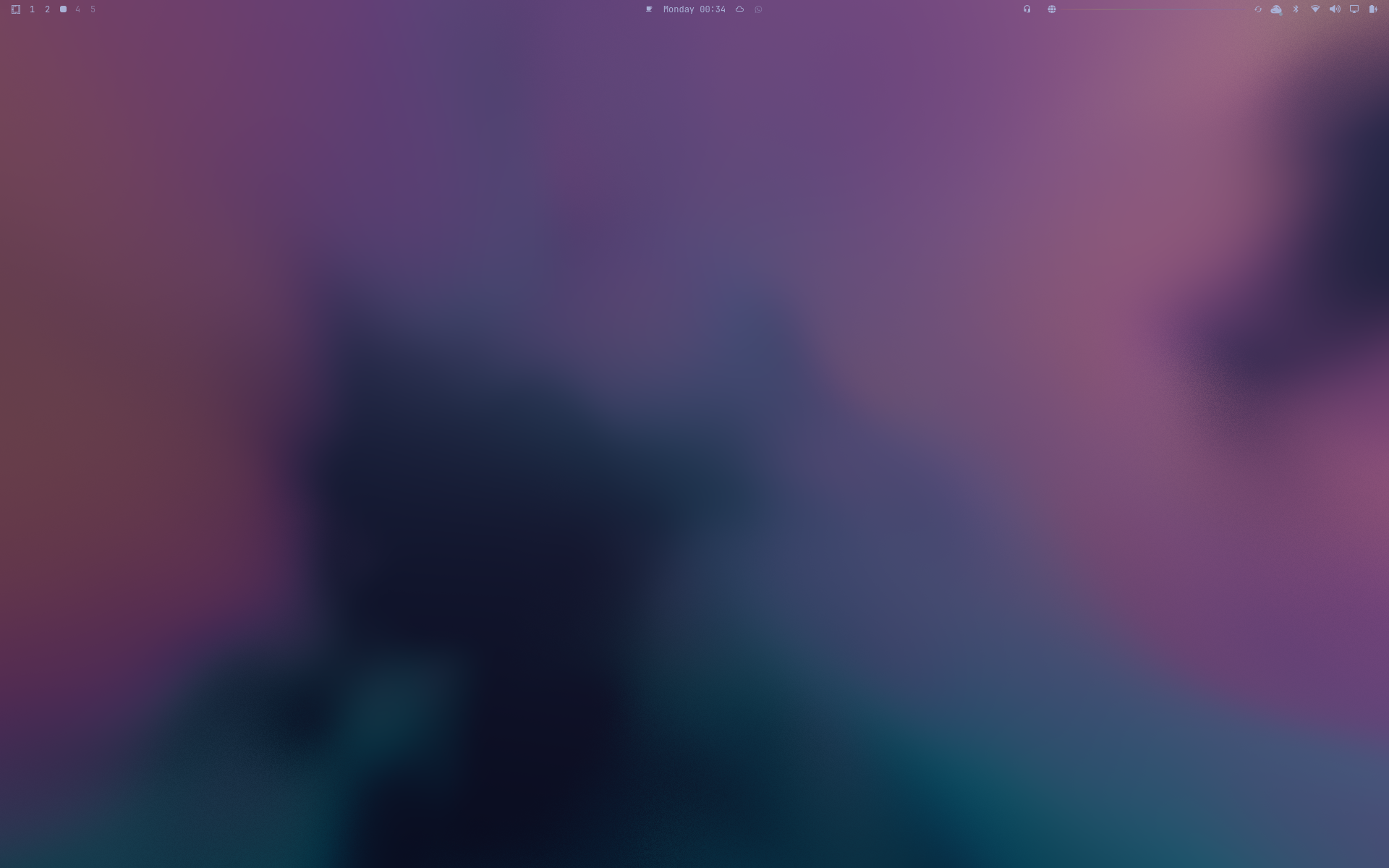
An animated desktop background rendered inside omarchy-shell: a fully procedural 3D density field, recursive domain warping, divergence-free flow, pastel palette mixing, Beer–Lambert extinction, forward scattering, soft self-shadowing, and warm internal emission.
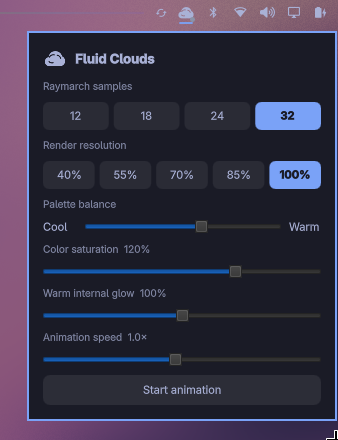
The plugin adds a pastel cloud icon to the bar. Click it for a compact control panel with raymarch sample count, 40–100% render resolution, cool/warm palette balance, saturation, glow, animation speed, and start/pause controls. Settings changed from the panel persist in ~/.config/omarchy/shell.json.
The wallpaper starts in static mode. After rendering one frame, that frame is baked to an image and the ShaderEffect is hidden, so a paused wallpaper does not continuously execute the volumetric shader. This makes 100% resolution practical for static use.
No video loop or texture assets are used. Disable the stock Omarchy background service while this plugin is active so the static wallpaper cannot cover the animated layer.
Install
omarchy plugin add https://git.cyfrowynomada.com/CyfrowyNomada/fluid-clouds.git --enable --yes
omarchy plugin disable omarchy.background
For a local checkout:
plugin_dir="$HOME/.config/omarchy/plugins/com.cyfrowynomada.fluid-clouds"
mkdir -p "$(dirname "$plugin_dir")"
ln -s "$PWD" "$plugin_dir"
omarchy-shell shell rescanPlugins
omarchy plugin enable com.cyfrowynomada.fluid-clouds
The plugin targets Omarchy Quattro and uses only Qt Quick and Quickshell components already present in Omarchy. The compiled Qt shader package is included, so users do not need shader build tools. It does not install packages, modify Hyprland configuration, or run background executables.
Controls
omarchy-shell fluid-clouds status
omarchy-shell fluid-clouds pause
omarchy-shell fluid-clouds resume
omarchy-shell fluid-clouds toggle
omarchy-shell fluid-clouds setQuality 18   # 12–32 ray samples
omarchy-shell fluid-clouds setScale 0.55  # 0.4–1.0 render scale
omarchy-shell fluid-clouds setPalette 0   # -0.25 cool to +0.25 warm
omarchy-shell fluid-clouds setSaturation 1 # 0.5–1.5
omarchy-shell fluid-clouds setGlow 1       # 0–2
omarchy-shell fluid-clouds setSpeed 1      # 0.1–2×
The defaults (18 samples at 55% scale) are safe for animation. Increase quality gradually; 32 samples at 85% is intended only for stronger GPUs. In static mode, 100% resolution incurs shader cost only while baking a new frame. Panel changes are persistent; direct IPC changes are temporary.
Disable or remove it with:
omarchy plugin disable com.cyfrowynomada.fluid-clouds
omarchy plugin enable omarchy.background
omarchy plugin remove com.cyfrowynomada.fluid-clouds --yes
Shader development
The committed .qsb is required because Qt 6 consumes precompiled shader packages. After editing shaders/fluid-clouds.frag, rebuild it with:
./scripts/build-shader
This requires qt6-shadertools (/usr/lib/qt6/bin/qsb on Arch Linux).
Notes
- A separate layer-shell surface is created for every monitor.
- The surface uses the
Bottomlayer, below normal application windows. - The shader is intentionally opaque, so desktop icons/windows compose normally.
- Animation is slow by design to resemble suspended ink rather than turbulent smoke.