
Omahub
← All plugins
D

DOOM

by deoxizn

Everything should have Doom. Click to rip and tear.

Security review

Review recommended · 2 findings

Deterministic scan — not a security guarantee

Medium
Risk level
Medium
Analyzed commit
6a5dab5
Scanned
1 month ago
  • medium sudo uninstall.sh:41

    Command runs with sudo, elevating the process beyond the plugin environment.

    sudo pacman -Rns doomretro
  • medium sudo install.sh:12

    Command runs with sudo, elevating the process beyond the plugin environment.

    sudo pacman -S --noconfirm doomretro

Automated analysis only — not a security guarantee.

AI advisory review

No obvious issues detected

Language-model assessment · ~deepseek/deepseek-v4-flash-latest — advisory only

Low
AI risk level
Low
Recommendation
install
Model
~deepseek/deepseek-v4-flash-latest
Analyzed commit
6a5dab5
Reviewed
1 month ago

The plugin is a straightforward Doom launcher widget. The install/uninstall scripts use sudo to install/remove the doomretro package, which is expected and clearly documented, and they modify the user's Hyprland config and shell config as described. No malicious or hidden behavior was found.

  • Install script uses sudo to install a package (doomretro) without explicit user confirmation beyond running the script, but this is clearly documented in the README.
  • Install script modifies ~/.config/hypr/hyprland.lua and runs hyprctl reload, which could affect the user's Hyprland configuration, but it is a documented and reversible change.
  • Uninstall script optionally removes ~/Games/doom and doomretro config, but only after explicit user confirmation.
How this check works

This review combines the deterministic scan (the rule-based results above) with an independent look at the plugin's code by a language model. The model reads a trimmed sample of the repository's files, the manifest, and the README, then gives a plain-language risk level and a recommendation: install (no notable danger), review (look closer first), or avoid (clearly dangerous).

It runs on the same analyzed commit as the deterministic scan and is strictly advisory — it is not a security guarantee and never blocks a plugin by itself. A human moderator still reviews plugins before they are listed.

AI advisory only — automated analysis, not a security guarantee.

Install
$ omarchy plugin add https://github.com/Deoxizn/omarchy-doom --enable
Widgets #games

omarchy-doom

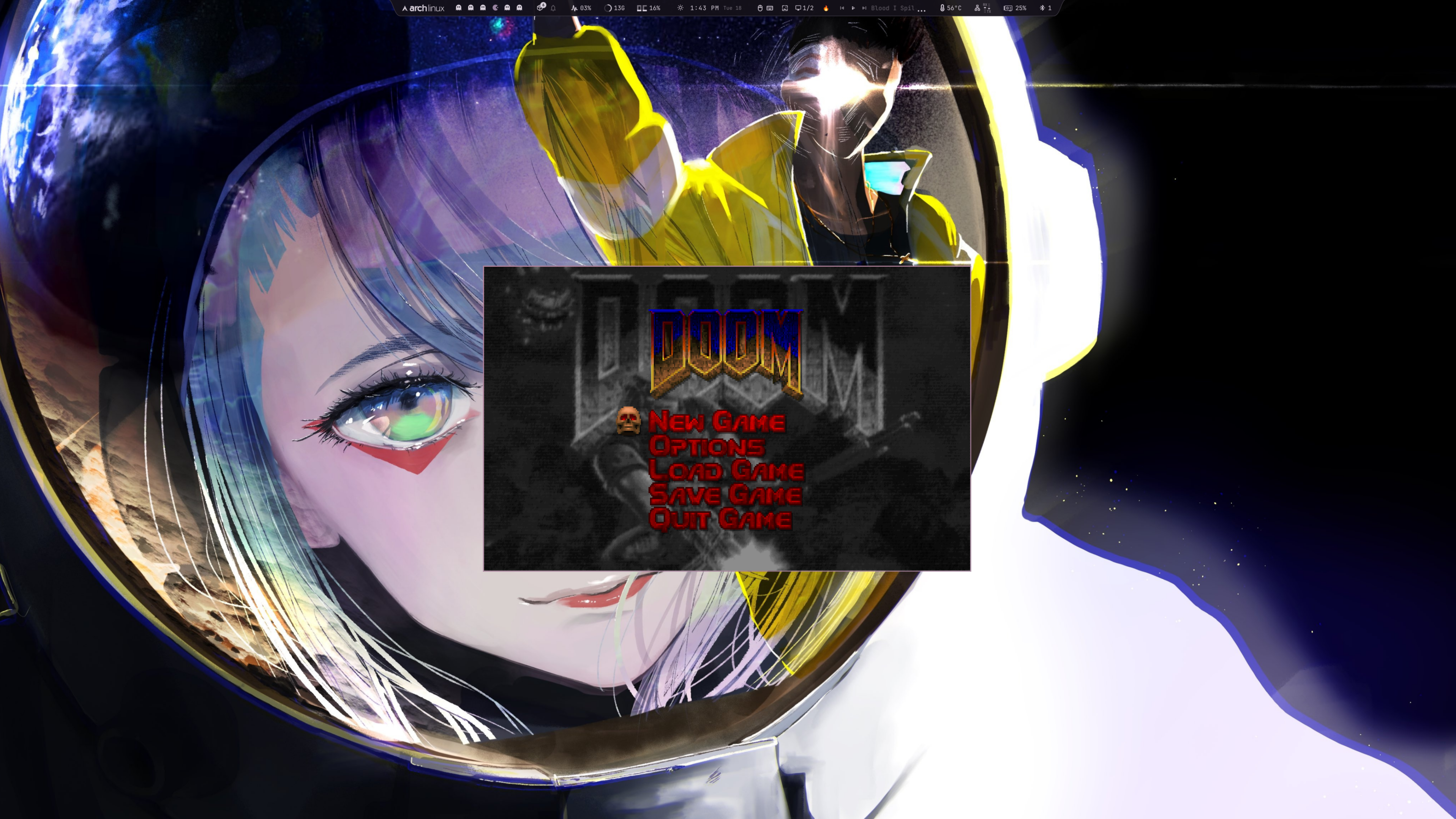
preview

Everything should have Doom.

A bar widget for Omarchy/Quickshell that launches Doom. Click the skull, rip and tear.

Install

cd ~/Work/omarchy-doom && ./install.sh

The install script handles everything:

  • Installs doomretro if not present
  • Creates ~/.config/doomretro/doomretro.cfg with windowed defaults
  • Adds a floating window rule to ~/.config/hypr/hyprland.lua
  • Copies plugin to ~/.config/omarchy/plugins/com.user.doom/

WAD Files

You need a Doom IWAD file to play. The plugin auto-scans:

  • ~/Games/doom/
  • ~/doom/
  • ~/.local/share/doom/
  • /usr/share/doom/

Where to get WAD files

  • DOOM (1993) and DOOM II - Buy on Steam or GOG
  • Shareware DOOM1.WAD - Freely available, search "DOOM1.WAD shareware download"

Place your WAD in ~/Games/doom/ or set the path in widget settings.

If you have multiple WADs, the plugin picks the first one found (alphabetically). Set a specific path in widget settings to choose a different one (e.g., DOOM2.WAD).

Controls

  • Left click the skull to launch Doom
  • Left click again while running to kill it
  • Icon changes to fire while Doom is active

Configuration

Edit shell.json or click the widget for settings:

  • binary: Doom binary path (default: doomretro)
  • wad: WAD file path (leave empty for auto-detect)
  • extraArgs: Additional arguments (e.g., -nosound)

Supported Ports

Any SDL2-based Doom source port works:

  • doomretro · woof · chocolate-doom · dsda-doom · prboom · gzdoom

Uninstall

cd ~/Work/omarchy-doom && ./uninstall.sh

Removes plugin, window rule, and optionally WADs and doomretro.