
Ember-Tray
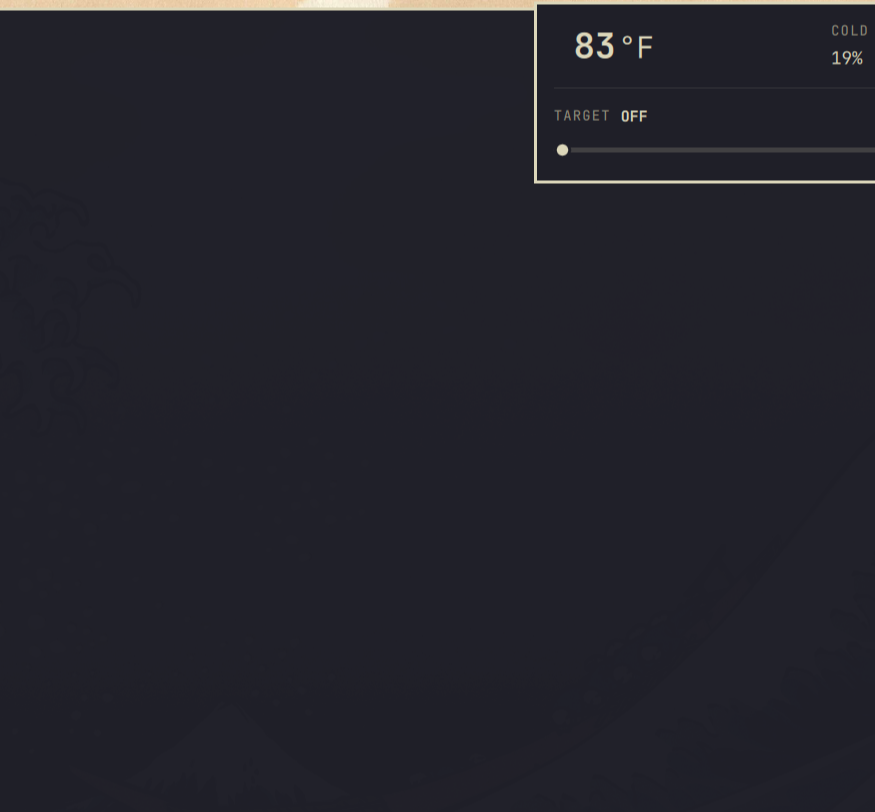
Control your Ember smart mug from the Omarchy tray — see temperature and battery, set the target.
Install
omarchy plugin add https://github.com/Confined-/Ember-Tray.git --enable
Pair
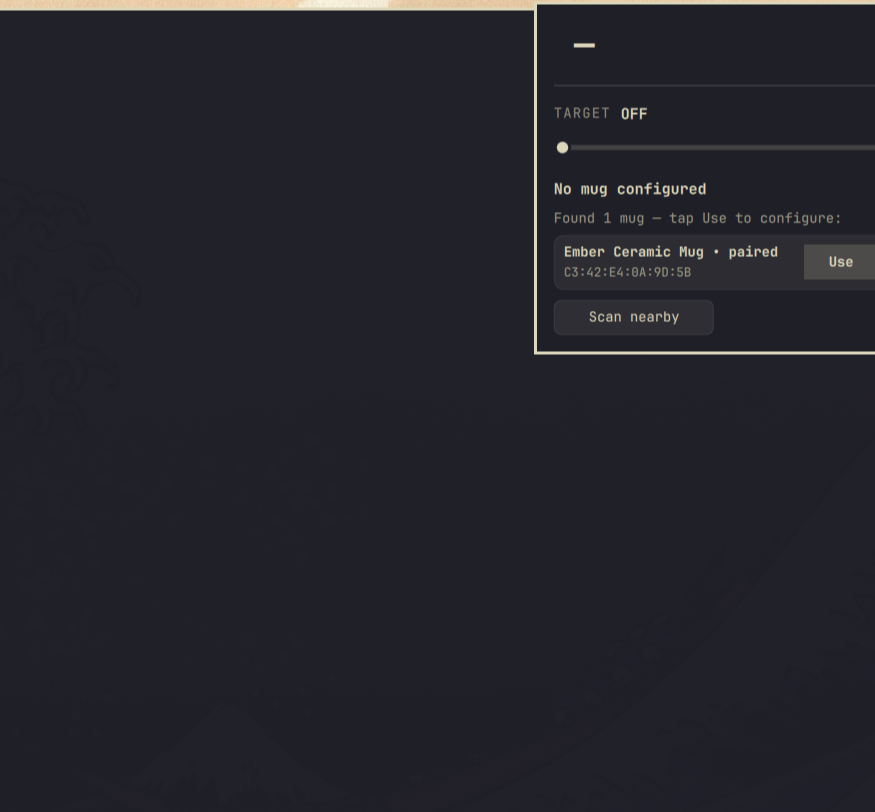
Pair via the Bluetooth tray icon, or via this panel: tap Scan nearby to discover the mug, then tap Use — it pairs automatically.
First pairing: The mug must be in pairing mode. If it was ever paired to a phone or another PC, reset it first: pick it up, hold the bottom button ~15 s until it blinks blue → yellow → red, let go, wait for white pulse. Then hold the button ~3 s until it pulses blue — pulsing blue means it’s in pairing mode and discoverable. Then hit Scan nearby.
Open the tray panel after pairing:
- One paired mug → connects automatically.
- Several mugs → tap Use on the one you want.
If the phone app is connected, disconnect it first.
If the mug still won’t appear after reset, forget Ember Ceramic Mug in Bluetooth settings, put the mug back into pairing mode (hold ~3 s → blue pulse) and try Scan nearby again — official instructions.
Pairing via the panel:
-
With no mug configured, open the panel — tap Scan nearby if nothing appears.
-
Tap Pair (or Use if already paired) on the found mug — it connects and shows the temperature.
Use
- Click the tray icon to open the panel.
- Tap the large temperature to switch °F/°C.
- Drag the slider to set the target — far left is Off.
No config files to edit. A freshly paired mug is kept off until you pick a temperature (it would otherwise default to ~135 °F).
Configure
No settings UI is provided — this is intentional. The widget is configured either automatically (open the panel → Use/Pair) or by editing ~/.config/omarchy/shell.json (bar.layout.* → confined-.ember → mac/unit/pollIntervalSec). The barWidget.defaults/schema in manifest.json documents the keys but is not validated by the current Omarchy shell.
Requires Omarchy 4 (Quattro) shell, BlueZ, and python-dbus (dbus-python). Tested on Ember Mug 2 with firmware 2.x — other models may vary (protocol by orlopau/ember-mug).
Remove
omarchy plugin remove confined-.ember
License
MIT — see LICENSE.