
Media Controls + Album Art for Omarchy
A native Quattro/Quickshell now-playing widget for the Omarchy bar, with media controls, live album art, and artist/title details:
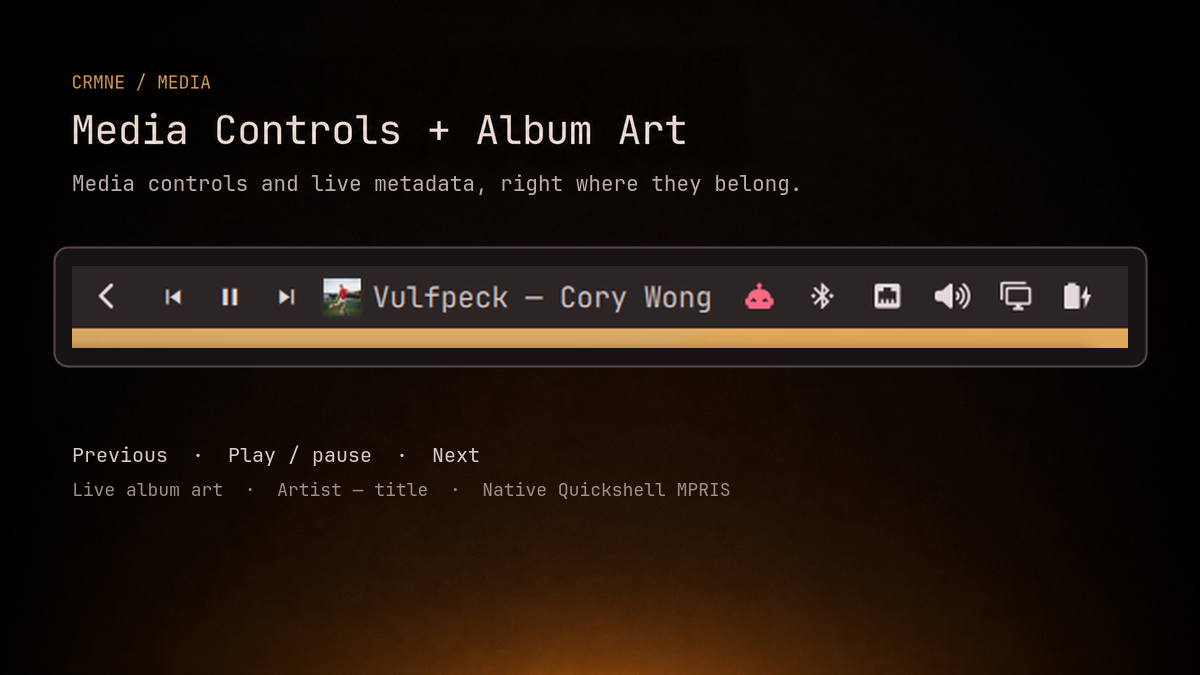
previous · play/pause · next · album art · artist — title
It works with Spotify and other Linux media players that expose the standard
MPRIS interface. The widget uses Quickshell's MPRIS service directly: it does
not poll playerctl, download cover art into /tmp, or depend on the old
Waybar scripts.
Install
omarchy plugin add https://github.com/crmne/omarchy-mpris.git --enable --yes
omarchy bar move crmne.mpris --section right --before omarchy.tray
Requirements
- Omarchy Quattro with its Quickshell-based shell.
- At least one media player exposing the standard MPRIS interface.
There are no additional packages or helper scripts. In particular, this plugin
uses Quickshell's MPRIS service directly and does not require playerctl.
Remove
omarchy plugin remove crmne.mpris --yes
For local development, put or link this repository at
~/.config/omarchy/plugins/crmne.mpris and run:
omarchy-shell shell rescanPlugins
omarchy plugin enable crmne.mpris --section right --before omarchy.tray
Click album art or the label to raise the player. Middle/right click there go to the previous/next track. Scrolling anywhere over the controls also changes track.
The Omarchy bar settings UI exposes album-art size, label width, and whether the artist is shown.