
Ultimate Guitar Tabs for Omarchy
Whatever is playing, its tab is one click away in the bar.
The widget picks up whatever you are playing, finds the best-rated tab for it on Ultimate Guitar, and renders it right in the shell: chords colored, columns aligned, with auto-scroll for when both your hands are on the guitar.
https://github.com/user-attachments/assets/5707ef71-4145-4ad7-be4e-b41d56e6759e
Music in the film: "What Child Is This? (Greensleeves)", played by Derek K. Miller, CC BY 2.5 Canada.
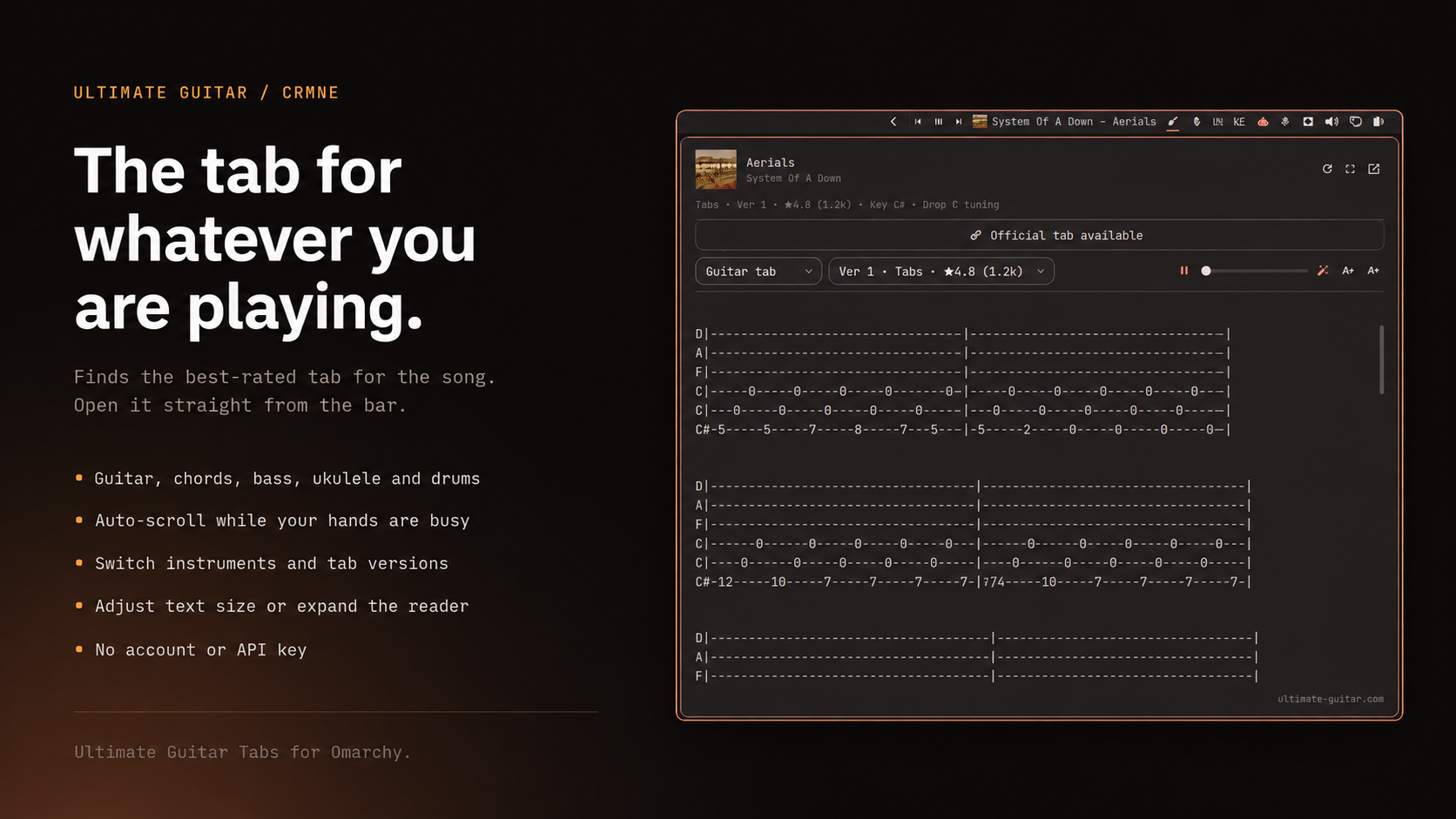
guitar icon · song + artist · instrument picker · version switcher · auto-scroll · text size
Why
I play guitar in the gaps, usually while a coding agent is off doing something. The tab for whatever is already playing should be right there in the bar, not three clicks and a browser tab away, because that gap is exactly where the looking-it-up cost stops you from picking the guitar up at all.
It earns its keep when friends come over too. Somebody puts something on, and the tab is up before anyone asks for it. That is why the version switcher and the text size sit in the panel: the person reading is not always the person at the keyboard.
Install
omarchy plugin add https://github.com/crmne/omarchy-ultimate-guitar.git --enable --yes
omarchy bar move crmne.ultimate-guitar --section right --before omarchy.tray
Requirements
- Omarchy Quattro with its Quickshell-based shell.
- Any media player that tells the desktop what it is playing (the standard MPRIS interface, which nearly all of them speak).
/usr/bin/python3for the fetch helper. No extra packages, no account.
Using it
| Action | What it does |
|---|---|
| left click | open the tab reader |
| right click | open the tab on ultimate-guitar.com |
| middle click | look the song up again, ignoring the cache |
Inside the reader: pick the instrument, pick another version, start auto-scroll
and set its speed, or step the text size up and down. Scrolling by hand stops
auto-scroll. The instrument, text size, scroll speed, and whether the reader was
expanded are remembered in
~/.local/state/omarchy/settings/ultimate-guitar.json.
The reader opens compact; the button in its header gives the tab more room. Bar settings expose the starting instrument, the expanded size, and whether the widget hides when nothing is playing.
Instruments
The picker covers everything Ultimate Guitar serves as text: guitar tab, guitar chords, bass, ukulele, and drums. Pick one and it sticks, so the next song comes up on the same instrument.
A search returns every type at once, so switching instrument costs no extra request -- it only changes which result is picked. Plenty of songs have never been tabbed for bass or drums; those fall back to guitar rather than showing an empty panel, and the header names the type you actually got.
Official tabs
Ultimate Guitar's Official tabs are not text. They are Guitar Pro-style binaries that only Ultimate Guitar's own interactive player can render, so the reader cannot show them. When a song has one, the reader shows an Official tab available button that opens it in your browser, where your Ultimate Guitar session already is. Everything else -- Chords, Tabs, Bass, Ukulele, Drums -- is plain text and renders in the shell.
IPC
omarchy-shell crmne.ultimate-guitar status     # what is playing and what was found
omarchy-shell crmne.ultimate-guitar toggle     # open or close the reader
omarchy-shell crmne.ultimate-guitar show       # open the reader
omarchy-shell crmne.ultimate-guitar hide       # close the reader
omarchy-shell crmne.ultimate-guitar refresh    # look the song up again
omarchy-shell crmne.ultimate-guitar open       # open the tab in the browser
omarchy-shell crmne.ultimate-guitar official   # open the official tab in the browser
Bind toggle to a key in ~/.config/hypr/bindings.conf to summon the reader
without reaching for the bar.
Remove
omarchy plugin remove crmne.ultimate-guitar --yes
Development
Put or link this repository at ~/.config/omarchy/plugins/crmne.ultimate-guitar
and run:
omarchy-shell shell rescanPlugins
omarchy plugin enable crmne.ultimate-guitar --section right --before omarchy.tray
Saving any file under ~/.config/omarchy/plugins/ reloads the plugin.
The fetch helper is usable on its own, which is the quickest way to see what the shell is working with:
bin/ug-tabs search "artist song"
bin/ug-tabs tab https://tabs.ultimate-guitar.com/tab/...
Matching, ranking, and rendering live in Model.js as pure functions, and the
fetch helper's URL guard has its own tests:
node --test tests/model.test.js
python3 -m unittest discover -s tests
Tab URLs and redirects come from remote page state, so they are treated as input
rather than as addresses. Only https on ultimate-guitar.com and its
subdomains is fetched, every redirect hop is re-checked, and the same guard runs
before any URL is handed to the browser, so a control labelled as an Ultimate
Guitar link cannot open somewhere else. Pages are size-limited before and after
decompression, search results, versions and tab text are capped, and the shell
collects at most 2 MiB of the helper's output.
Responses are cached under ~/.cache/omarchy/ultimate-guitar -- searches for
six hours, tabs for a week. Pass --no-cache to bypass it. The cache directory
is private to you, entries are read without following symlinks or waiting on
anything that is not a regular file, and they are written to a private
temporary file and renamed into place.
License
MIT. Tabs belong to their contributors and to Ultimate Guitar; this plugin only displays the public pages their site already serves.