
🌊 Omarchy Music Flow
A sleek, ricer-styled Music Flow widget and floating Media Controller for Omarchy Linux (Quickshell / Hyprland).
Featuring a smooth, borderless dual-harmonic sound wave visualizer on your status bar and a dedicated floating Player & Multi-Source Selector window.
📸 Screenshots
🎛️ Live Setup & Multi-Flow Mode Switcher
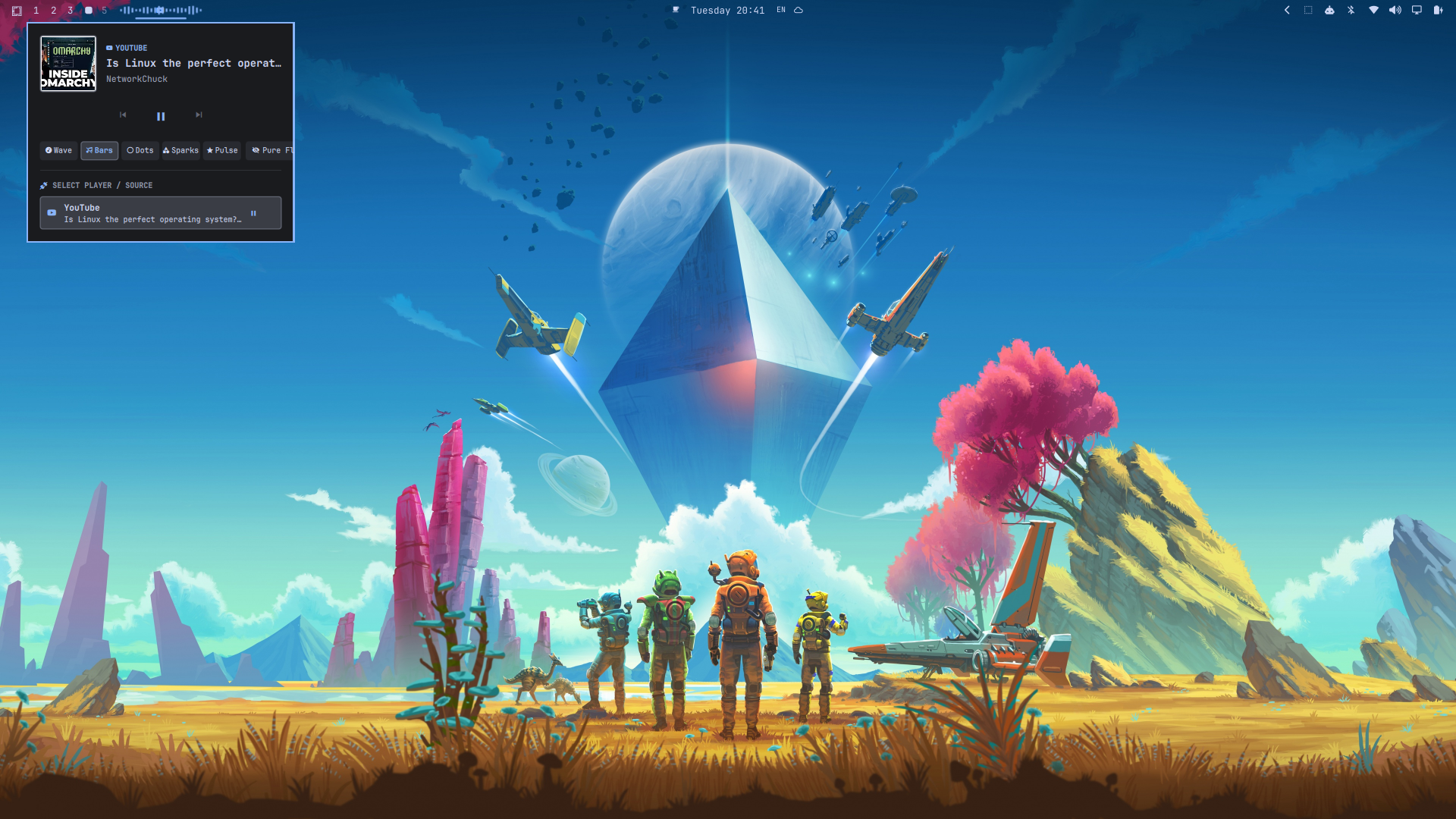
Full desktop showcase: Bar visualizer in Pure Flow mode alongside the floating player panel, 6-mode visualizer switcher, and YouTube source detection.
🎵 Status Bar Soundwave Flow
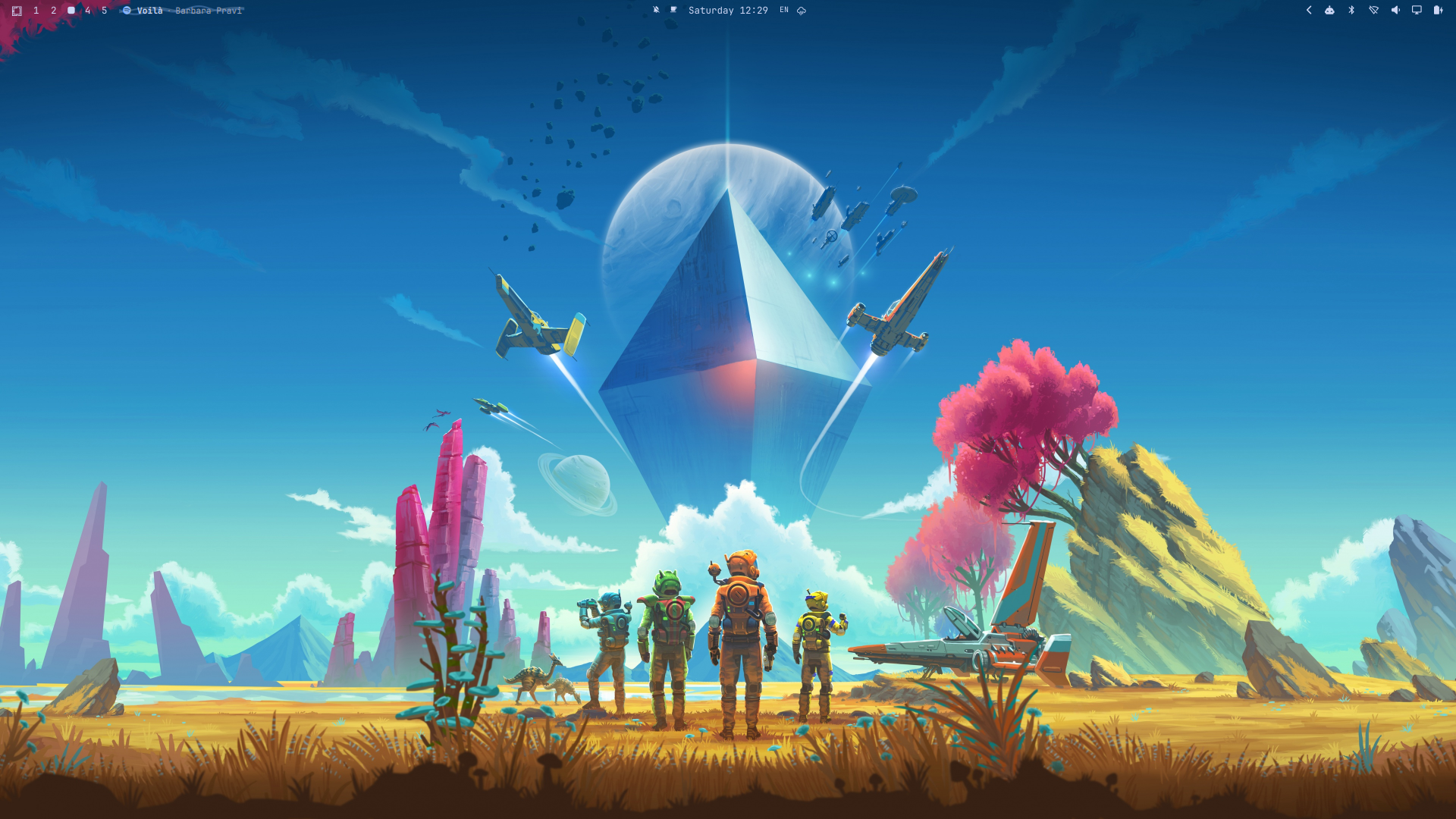
Seamless, borderless audio wave flow with marquee song title and artist on the top bar.
🎛️ Floating Player & Multi-Source Selector Panel
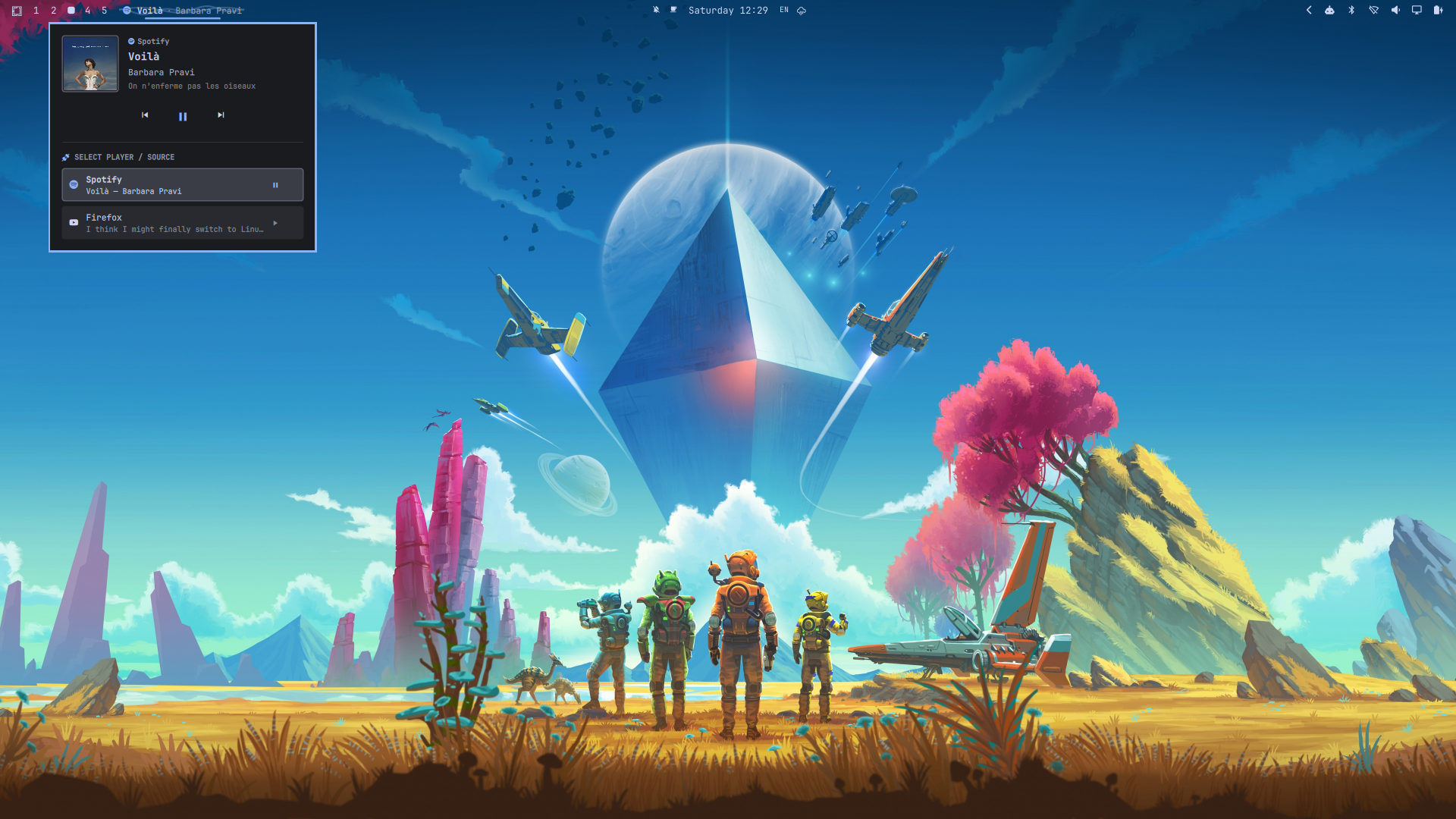
Dedicated floating media window with album artwork, playback deck, and one-click source switching (Spotify, Zen / Firefox / Chrome, MPV, etc.).
✨ Features
- 🎵 Pure Soundwave Visualizer Flow: Dual-layer harmonic wave oscillating horizontally across the status bar in real-time with your theme's accent color whenever audio is active.
- 🌐 Universal Browser & Web Audio Support: Fully picks up audio from Zen Browser, Firefox, Brave, Google Chrome, Chromium, and web services (YouTube, SoundCloud, Twitch, Bandcamp, Netflix, HTML5 media, and WebAudio).
- 🌸 Native Seanime & Anime Video Support: Seamlessly tracks Seanime (both Desktop App and Web player), MPV, VLC, and Celluloid with automatic anime filename & tag cleaning (
[SubsPlease],(1080p), etc.). - 🔊 PipeWire Direct Stream Detection: Automatically captures active audio streams even if an application does not natively implement MPRIS D-Bus.
- 🎨 Minimalist & Borderless: Clean, transparent integration that seamlessly blends with your top bar without visual clutter.
- 📜 Smooth Marquee Scroll: Track title and artist (
Title · Artist) with initial pause and smooth scrolling when names are long. - 🎛️ Dedicated Floating Media Player Panel:
- High-resolution album artwork preview / source badge.
- Track metadata (Title, Artist, Album, Source).
- Comfortable playback controls (Previous, Play / Pause, Next).
- Multi-Source Selector (
SELECT PLAYER / SOURCE): Instantly switch between running players with one click.
- 🗕 Minimizable Compact Mode: Collapses smoothly into a clean standalone status bar icon (
) matching the battery and speaker widgets. - 🖱️ Intuitive Gestures:
- Left-Click: Open/close the dedicated floating Player & Source Selector window.
- Middle-Click: Toggle Play / Pause.
- Scroll Wheel: Scroll up/down over the widget to skip backward/forward tracks.
🚀 Installation
Option 1: Native Omarchy Plugin Command (Recommended)
Install directly with the Omarchy CLI in a single command:
omarchy plugin add https://github.com/Clifford-Baidoo/omarchy-music-flow.git --enable
Option 2: Clone & Run Installer
git clone https://github.com/Clifford-Baidoo/omarchy-music-flow.git
cd omarchy-music-flow
chmod +x install.sh update.sh uninstall.sh
./install.sh
The installer will:
- Copy the plugin files to
~/.config/omarchy/plugins/custom.media/. - Automatically enable MPV MPRIS integration for video & media playback.
- Automatically configure your bar layout in
~/.config/omarchy/shell.json. - Restart
omarchy-shellto apply changes instantly.
🔄 Updating
Option 1: Native Omarchy CLI (Recommended)
omarchy plugin update custom.media
Option 2: Synchronize Local Files
cd omarchy-music-flow
./update.sh
The updater script will:
- Synchronize all plugin files to
~/.config/omarchy/plugins/custom.media/. - Clean up any deprecated legacy plugin directories.
- Validate plugin schema and verify bar layout.
- Reload
omarchy-shellwith the updated features and fixes.
🗑️ Uninstallation
To remove Music Flow and restore the default media widget:
cd omarchy-music-flow
./uninstall.sh
🕹️ Controls & Shortcuts
| Action | Bar Widget Gesture | Floating Player Window |
|---|---|---|
| Open / Close Panel | Left-Click |
Click Outside / ESC |
| Toggle Visualizer Text | Right-Click |
Flow Mode Row / Text Toggle |
| Play / Pause | Middle-Click |
Center Button ( / ) |
| Next Track | Scroll Down |
Forward Button () |
| Previous Track | Scroll Up |
Back Button () |
| Switch Player / Source | Via Floating Panel | Click any player card in list |
📂 File Structure
omarchy-music-flow/
├── assets/
│   ├── bar-flow.png      # Screenshot of bar visualizer flow
│   └── player-panel.png  # Screenshot of floating player & source switcher
├── BarWidget.qml         # Status bar music flow & floating PopupCard panel
├── Service.qml           # MPRIS audio service & multi-source coordinator
├── MediaModel.js         # DBus player detection & metadata formatting
├── manifest.json         # Omarchy shell plugin manifest
├── install.sh            # Automated installer script
├── update.sh             # Automated updater script
├── uninstall.sh          # Automated uninstaller script
└── README.md             # Documentation & screenshots
🛠️ Requirements
- Omarchy (Arch Linux + Hyprland + Quickshell)
- PipeWire / WirePlumber
- Any media source (Spotify, Zen, Firefox, Chrome, Brave, Seanime, MPV, cliamp, VLC, etc.)
📄 License
MIT License. Feel free to use, modify, and rice to your heart's content!