
IOCs Lookup & Threat Intelligence Suite for Omarchy
An instant, keyboard-driven Indicators of Compromise (IOC) analyzer, multi-IOC batch extractor, investigation notebook, and threat intelligence launcher for Omarchy.
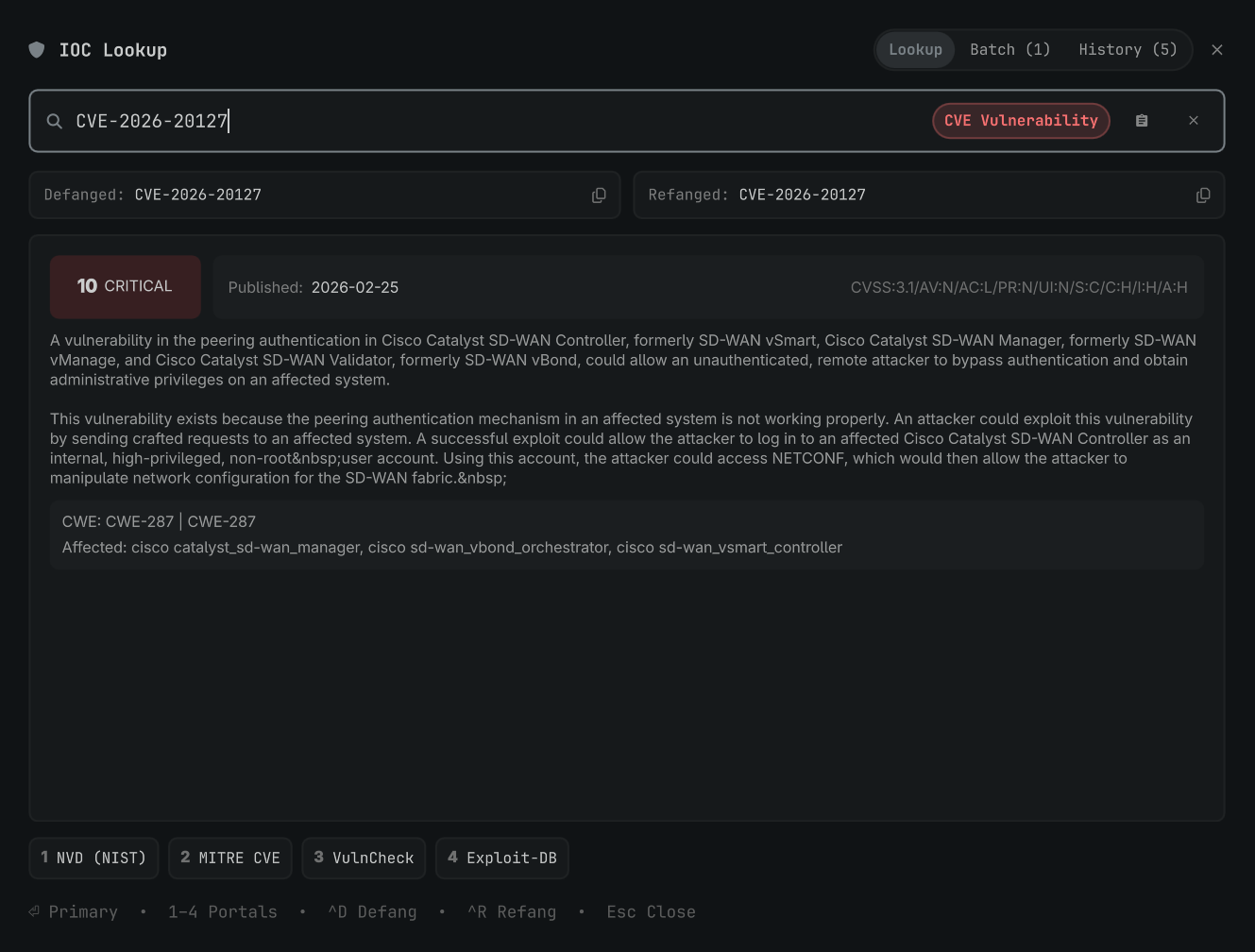
🚀 Features
-
Summonable GUI Overlay (
SUPER + ALT + I):- Auto-Clipboard Grab: Automatically detects and analyzes copied IOCs on open.
- Defang & Refang: One-click copying of defanged (
hxxps://evil[.]com,1[.]1[.]1[.]1) or refanged formats. - Live Threat Enrichment: GeoIP, ISP, ASN, reverse DNS PTR, Cloudflare DoH (A/AAAA/MX), RDAP Registrar, NIST NVD CVE scores, and optional AbuseIPDB/VirusTotal API scores.
- One-Click Launchers: Direct access to VirusTotal, AbuseIPDB, Shodan, AlienVault OTX, URLScan.io, Cisco Talos, GreyNoise, CyberChef, and NVD.
-
🔍 Multi-IOC Batch Extractor:
- Copy a messy block of text, incident ticket, or raw firewall log.
- The widget extracts and deduplicates all IPs, Domains, URLs, Hashes, and CVEs into a triage list.
- Click any item to immediately run a full analysis, or click Copy All Defanged / Copy All Refanged.
-
Investigation Notebook & Markdown Export:
- Automatically logs all looked-up IOCs and findings to
~/.local/state/omarchy/ioc-history.json. - Click 📋 Copy Markdown Report to generate a complete markdown table ready for incident tickets (Jira, GitHub, Obsidian).
- Automatically logs all looked-up IOCs and findings to
-
💻 CLI Utility (
ioc):- Run lookups and defanging directly from your terminal:
# Single lookup with colored threat card
ioc 1.1.1.1
ioc evil[.]com
ioc CVE-2021-44228

# Defang or Refang strings / pipes
ioc -d "https://bad.com/payload.exe"
cat urls.txt | ioc -d

# Extract all IOCs from logs or text
ioc -e "alert dst=1.1.1.1 domain=evil[.]com hash=9f88ac7b05813adde353cd8e2c56adc1"

# View history or export markdown report
ioc --history
ioc --export

# Open graphical overlay
ioc --ui
- Run lookups and defanging directly from your terminal:
⌨️ Keybindings & Shortcuts
| Key | Action |
|---|---|
SUPER + ALT + I |
Toggle GUI Overlay |
⏎ Enter |
Open primary portal in default browser |
1 – 8 (or click) |
Open specific threat intel service |
Ctrl + V |
Paste and analyze from clipboard |
Ctrl + D |
Copy Defanged version |
Ctrl + R |
Copy Refanged version |
Esc |
Close overlay |
🔑 Optional API Keys Configuration
Add API keys to ~/.config/omarchy/ioc-lookup.json for expanded in-widget scoring:
{
  "abuseipdb_api_key": "YOUR_ABUSEIPDB_API_KEY",
  "virustotal_api_key": "YOUR_VIRUSTOTAL_API_KEY",
  "shodan_api_key": "",
  "greynoise_api_key": ""
}