
Loxone for Omarchy
View and control your Loxone Miniserver devices from the Omarchy bar.
Quickshell plugin for Omarchy 4. Pick the devices and toggle lights, drive covers, and set a room's comfort temperature.
Not affiliated with or endorsed by Loxone Electronics GmbH. Converted from
konradk/hass, a Home Assistant version of the same panel — the UI and workflow below are unchanged; only the backend talks to a Loxone Miniserver instead.
Screenshots
| Tokyo Night | Catppuccin Latte |
|---|---|
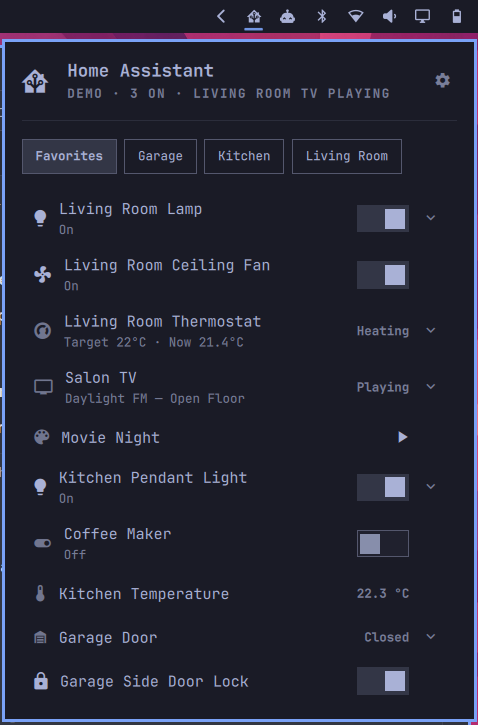 |
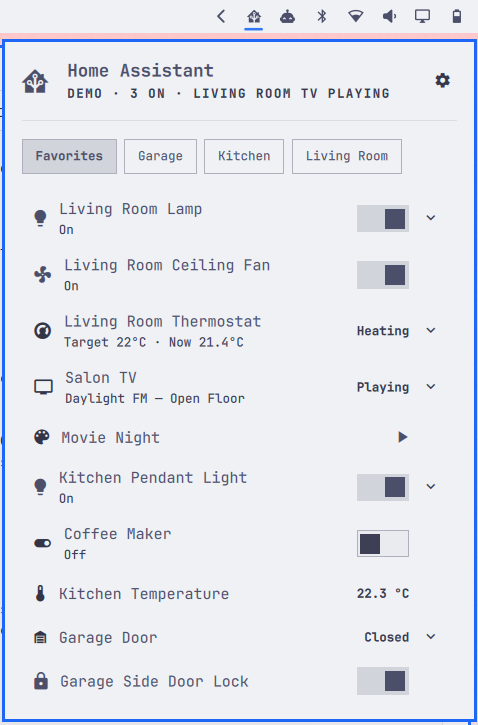 |
| Solitude | Nord |
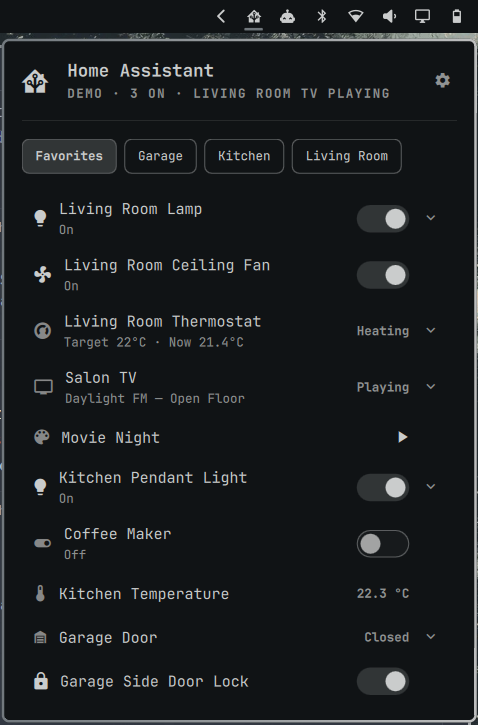 |
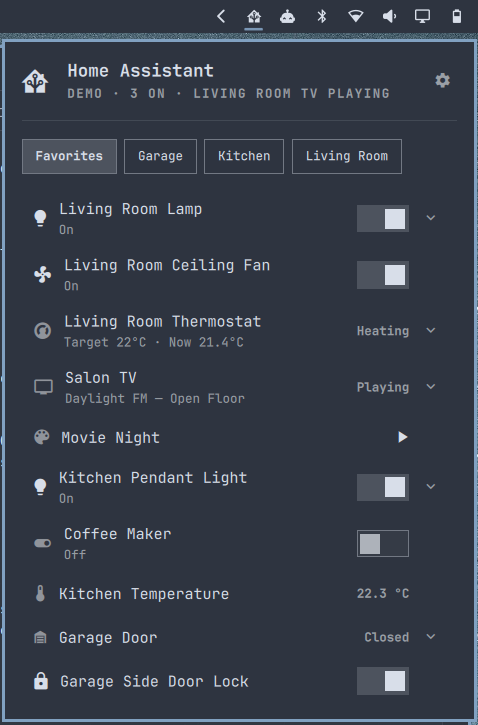 |
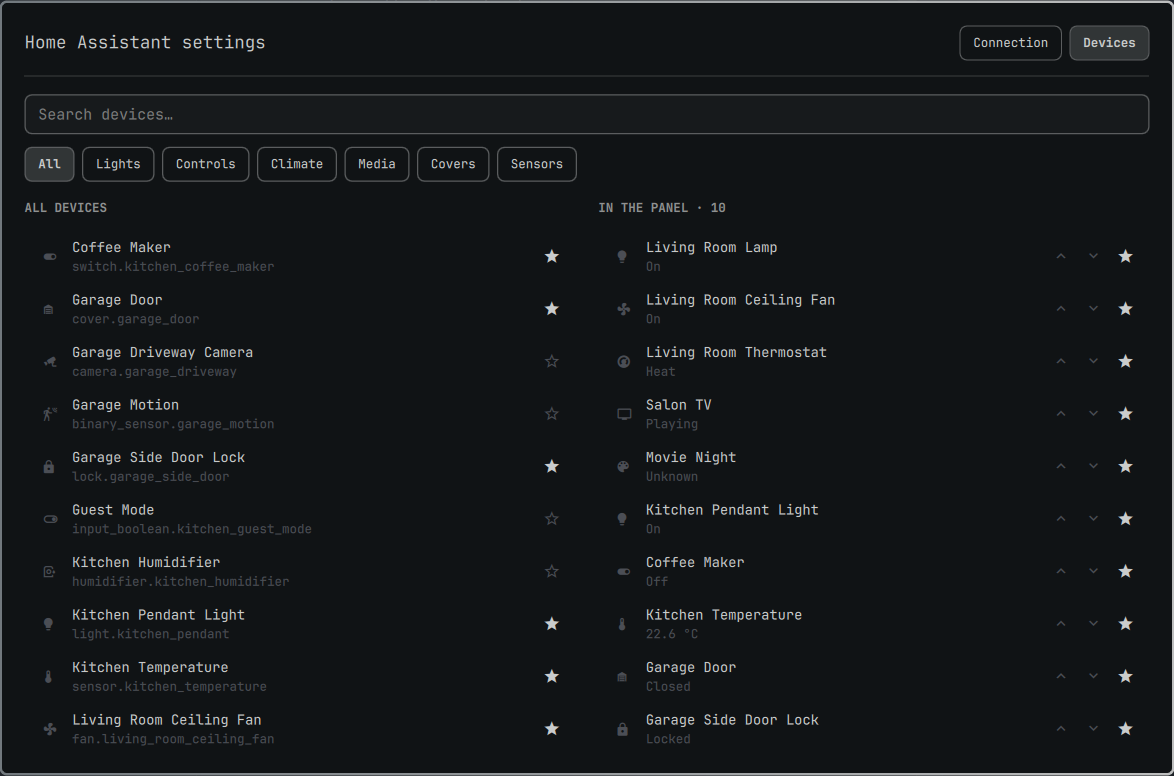
These are carried over from the Home Assistant version this plugin was converted from — the layout, panel, and settings screens are identical; only the device list behind them changed.
Keyboard
With the panel open: j/k or arrows move, ←/→ switch area tabs, enter
turns the highlighted device on or off, e expands its controls, s opens
settings, r refreshes, esc closes, tab moves to the next bar panel.
What you can control
| Loxone control | Control |
|---|---|
Dimmer, ColorPickerV2/ColorPicker |
On/off, plus a brightness slider |
LightControllerV2/LightController |
On/off |
Switch |
On/off |
| any type containing "Lock" | Lock/unlock switch |
Pushbutton |
Activate button |
Jalousie/CentralJalousie, Gate/CentralGate |
Open / stop / close |
IRoomControllerV2/IRoomController |
Comfort target temperature |
| everything else | State display only |
media_player (Loxone Music Server zones) is not implemented yet — see
AGENTS.md for why, and for how state attribute names are
derived.
Camera
The Settings → Camera tab adds a single HTTP(S) camera stream to the bottom
of the popover — independent of the Miniserver, with its own URL, username
and password. It's not tied to a Loxone control (Loxone's own camera
integration isn't part of LoxApp3.json); point it at any camera reachable
over HTTP with Basic auth, e.g. an Axis camera's own MJPEG or snapshot CGI
endpoint. Either kind of URL works — an MJPEG stream (multipart/x-mixed- replace) is read continuously, a single-image snapshot endpoint is re-polled
every second — auto-detected from the response, so there's one field to fill
in either way.
Scripting
The panel is reachable over the shell's IPC, so a device can go on a keybind:
omarchy-shell dev.ebbo.loxone toggleEntity light.1fbc668c-005c-7471-ffffed57184a04d2
omarchy-shell dev.ebbo.loxone activate scene.<uuid>            # fire a pushbutton
omarchy-shell dev.ebbo.loxone expand climate.<uuid>             # opens the panel, unfolded
omarchy-shell dev.ebbo.loxone favorite light.<uuid>              # add to / remove from the panel
omarchy-shell dev.ebbo.loxone status
omarchy-shell dev.ebbo.loxone settings             # connection settings
omarchy-shell dev.ebbo.loxone devices              # device picker
Entity ids are <domain>.<control-uuid> — find a control's UUID in the
device picker (Settings → Devices), where it's shown under its name.
Requirements
- Omarchy 4 (
schemaVersion: 1plugin API) - Python 3.11 or newer, standard library only
secret-tool(libsecret) with a running keyring daemon
No pip, virtual environment, or first-run download: bin/loxone-bridge
talks to the Miniserver mainly over its plain HTTP API (Basic auth, polling),
plus a live WebSocket push connection for one control type
(LightControllerV2) whose on/off state HTTP polling cannot read reliably —
both built on nothing but Python's standard library. See
AGENTS.md for the details and why that's possible without a
crypto dependency.
Install
omarchy plugin add https://github.com/bernhardrode/dev.ebbo.loxone.git --enable
For local development, symlink the checkout instead:
ln -sfn "$PWD" ~/.config/omarchy/plugins/dev.ebbo.loxone
omarchy restart shell
omarchy plugin enable dev.ebbo.loxone
Setup
Click the gear in the panel header, or press s with the panel open. From a
terminal: omarchy-shell dev.ebbo.loxone settings, or omarchy-shell dev.ebbo.loxone devices
to open the device picker.
Enter your Miniserver's URL (e.g. https://192.168.1.77), its username and
password, or flip on Demo mode to try the panel against a built-in fake
house with no Miniserver at all. Then switch to Devices and star the ones
you want in the panel.
Most Miniservers use a self-signed local certificate, so Verify TLS certificate (General tab) defaults off; turn it on if yours has a trusted one.
Debugging
omarchy-shell dev.ebbo.loxone status     # what the widget sees
omarchy-shell dev.ebbo.loxone toggle     # open/close the panel
omarchy plugin validate .       # check the manifest before committing
Tests
python3 tests/test_loxone_bridge.py   # bridge, against a fake Miniserver
python3 tests/test_service_contract.py
node    tests/test_connection.js      # URL/origin and generation rules
node    tests/test_config.js          # config normalization and secret exclusion
node    tests/test_store.js           # state and room projections
node    tests/test_model.js           # entity formatting and classification
node    tests/test_row_model.js       # ListModel row projection
python3 tests/test_qml_style.py       # UI house style (fonts, palette, tokens)
Security
Your Miniserver password is stored in the system keyring via secret-tool.
Use an https:// Miniserver URL whenever possible. If you explicitly use
http://, both your username and password are sent without transport
encryption; reserve that for a trusted local network where you understand the
risk.
When the checkout is symlinked for local development, runtime settings are
written to config.json in the checkout. That file is ignored because it can
contain a private Miniserver URL, room names, and display-name overrides. The
password is never stored there.
Releases
Versions and the changelog are managed by
release-please: merging a
pull request with a Conventional Commits
message (feat:, fix:, ...) into main keeps an up-to-date release PR that
bumps manifest.json's version and the changelog; merging that PR cuts the
GitHub release. There's nothing to build or publish beyond the git repo
itself — omarchy plugin add/update just clones and pulls it.
Credits
konradk/hass— the Home Assistant panel this plugin was converted from. The QML UI, keyboard handling, and overall panel/settings workflow are still substantially that project's.- Omarchy — the Linux desktop this plugin's bar widget, overlay, and IPC surface plug into.
- Quickshell — the QtQuick
desktop shell toolkit
omarchy-shelland this plugin are built on. discostu105/lox— a reference Loxone Miniserver CLI whose HTTP endpoints, command verbs, and mood-based light "off" behaviorbin/loxone-bridgefollows.- Loxone Electronics GmbH's public Miniserver HTTP/WebSocket API and
LoxApp3.jsonstructure format, which the bridge talks to. This project is not affiliated with or endorsed by Loxone.
License
MIT — see LICENSE.