
herdy for Omarchy
A quiet Omarchy Shell bar widget and configuration panel for herdy, a MIDI controller interface for herdr agent workspaces.
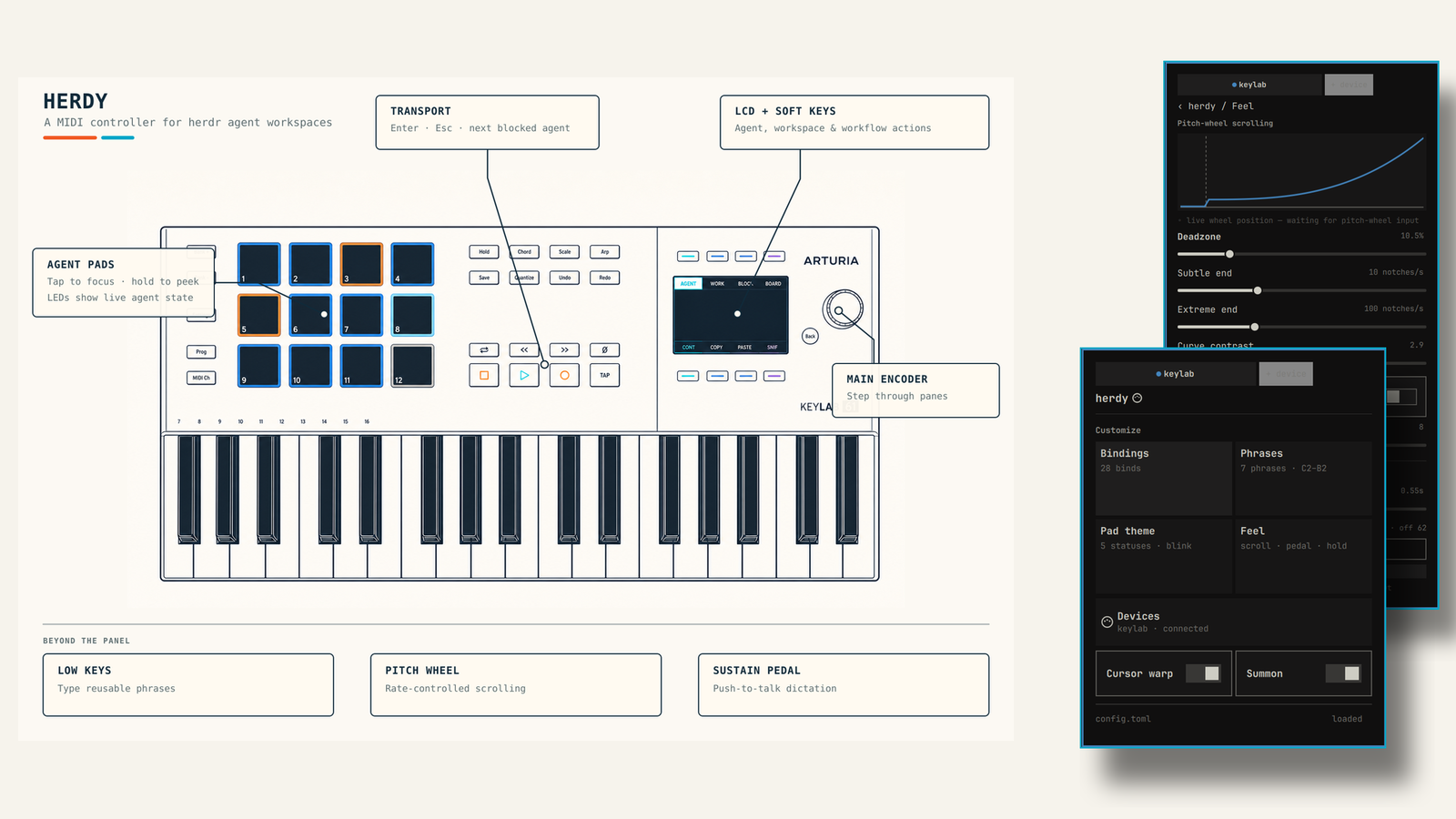
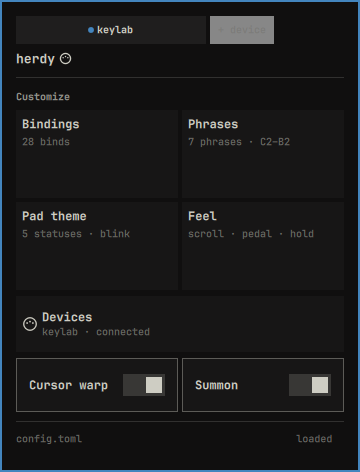
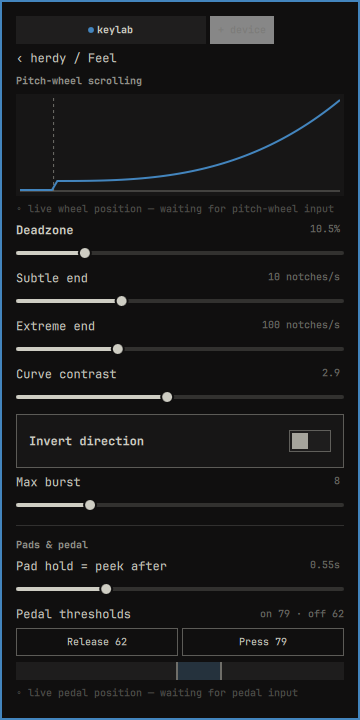
The bar uses a DIN-plug mark for MIDI health. Open it to configure Feel, Phrases, Bindings, Pad theme, and Devices through herdy's local control socket. The panel also supports MIDI Learn, keyboard phrase picking, and live pitch-wheel and sustain-pedal telemetry when the daemon advertises those capabilities.
Screenshots
| Configuration hub | Feel editor |
|---|---|
 |
 |
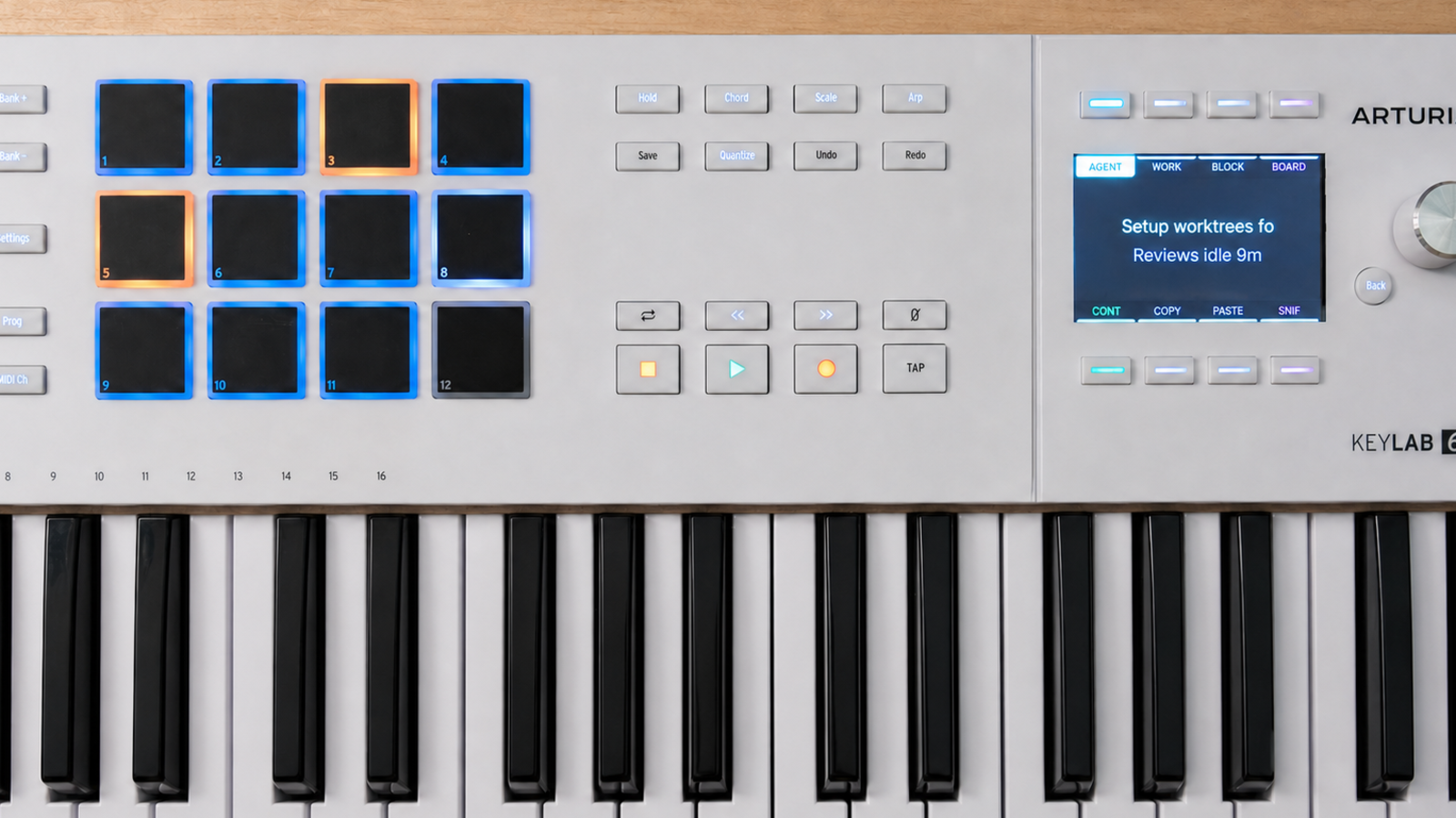
The reference hardware used for development is an Arturia KeyLab 61 mk3:
Requirements
- Omarchy with third-party shell plugin support
- herdy running locally
- Python 3 (used by the two bundled Unix-socket helpers)
The plugin remains usable as a status/error surface when the daemon or MIDI controller is unavailable. Older herdy daemons degrade by hiding controls for capabilities they do not advertise.
Install
omarchy plugin add https://github.com/dghelm/omarchy-herdy.git --enable
Plugins execute as unsandboxed user code inside Omarchy Shell. Review the source before enabling any third-party plugin.
Remove
omarchy plugin remove dghelm.herdy
Removing the plugin does not remove herdy or its configuration.
Use
Click the DIN-plug bar widget to open the panel. If hideWhenHealthy is
enabled and the widget is collapsed, summon it directly:
omarchy-shell shell summon dghelm.herdy '{}'
Inline settings:
| Setting | Meaning |
|---|---|
hideWhenHealthy |
Collapse the bar mark while MIDI is healthy |
pollIntervalMs |
Status polling interval, from 500 to 30000 ms |
socketPath |
Optional herdy socket override; empty uses HERDY_SOCKET or ~/.config/herdy/herdy.sock |
Configuration writes are serialized and reconciled against confirmed daemon snapshots. Topology changes are labeled restart-required; the panel never restarts the daemon itself.
Related work
- herdy is the daemon and hardware control surface configured by this plugin.
- Chordarchy maps chords played on a physical MIDI keyboard to Omarchy shortcuts and commands—a complementary approach for people interested in broader MIDI-driven desktop control. See its Omarchy Plugins listing.
Security and data access
The QML plugin launches only its bundled Python helpers. They exchange bounded JSON lines with the local herdy Unix socket; requests are not placed on the process command line. The plugin has no installer, does not request elevated privileges, and performs no network requests. herdy itself is a separate application with its own documented desktop and MIDI integrations.
Development
The canonical source lives in the
omarchy/dghelm.herdy
directory of the herdy repository. This standalone repository is its
installable distribution mirror.
Validate and run the hardware-free checks from a herdy checkout:
omarchy plugin validate omarchy/dghelm.herdy
uv run python test_panel.py
node omarchy/dghelm.herdy/test_model.js
Automated Quickshell runners are not used because the host-injected
quickshell-coreplugin is unavailable to qmltestrunner; the plugin has also
been exercised in a live Omarchy Shell with physical pointer and MIDI input.
License
MIT © Daniel Helm. See LICENSE.