
dizziee.auto-wallpaper
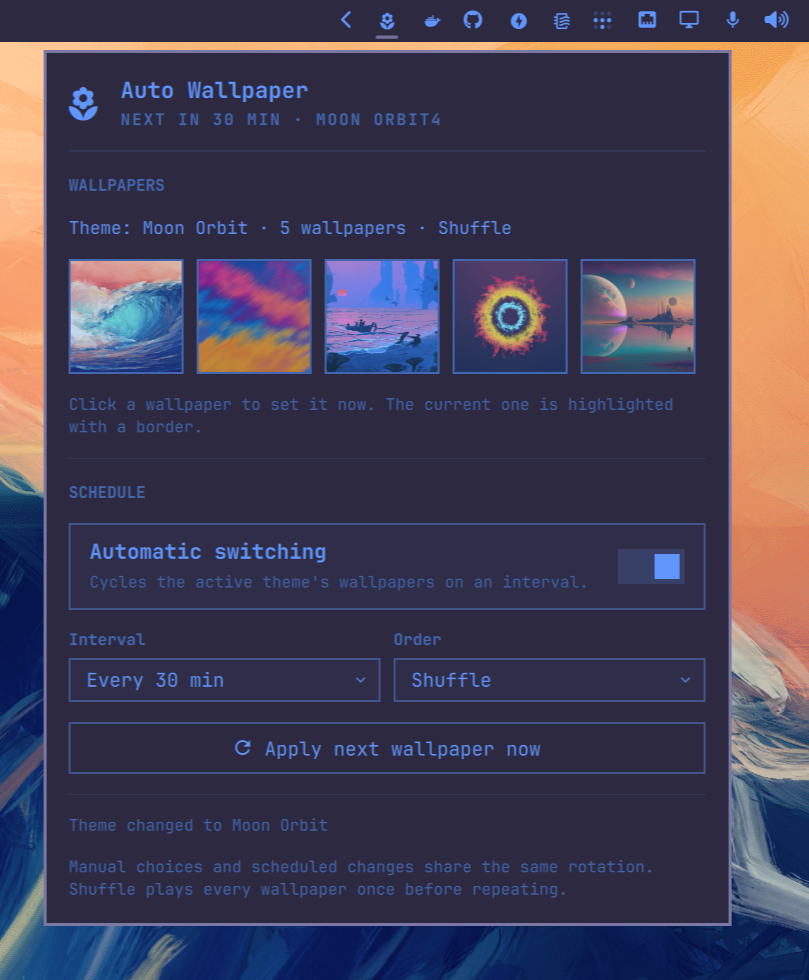
Preview and automatically cycle the active Omarchy theme's wallpapers on a schedule.
Requirements
- Omarchy 4 (Quattro) with the Quickshell bar
- A theme that ships wallpapers (under its
backgrounds/directory)
Installation
omarchy plugin add https://github.com/JJDizz1L/dizziee.auto-wallpaper.git --enable
Then place it in your bar layout with
omarchy bar plugin add dizziee.auto-wallpaper [--section <left|center|right>]
Suggested placement:
omarchy bar plugin add dizziee.auto-wallpaper --section right
You can validate the plugin at any time with:
omarchy plugin validate ~/.config/omarchy/plugins/dizziee.auto-wallpaper
Updating
To pull the latest version of the plugin:
omarchy plugin update dizziee.auto-wallpaper --yes
Configuration
Configuration lives in ~/.config/omarchy/auto-wallpaper/config.json.
| Key | Type | Default | Description |
|---|---|---|---|
enabled |
boolean | true | Automatically cycle wallpapers |
intervalMinutes |
integer | 30 | How often the wallpaper changes |
mode |
string (sequential, shuffle) |
sequential |
Rotation order |
How it works
- Sequential advances to the next wallpaper, wrapping at the end.
- Shuffle plays every wallpaper once before repeating.
- Manual picks and scheduled changes share the same rotation.
- Changing the active theme resets the rotation and waits one interval.
- Previews reuse Omarchy's own wallpaper thumbnail cache, so the panel stays light and nothing is re-cached.
Preview
Uninstall
omarchy plugin remove dizziee.auto-wallpaper
License
MIT