
dizziee.power-profiles
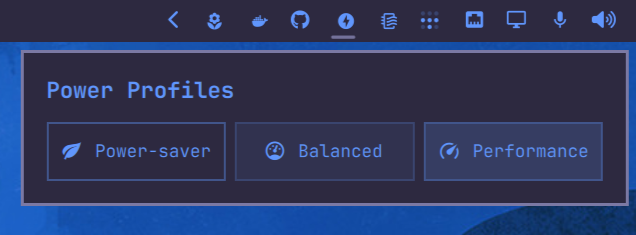
Power profile switcher for the Omarchy bar. Switch between power-saver, balanced, and performance profiles with a popup panel.
Requirements
powerprofilesctl(usually pre-installed on desktop Linux)
Installation
omarchy plugin add https://github.com/JJDizz1L/dizziee.power-profiles.git --enable
Then place it in your bar layout with
omarchy bar plugin add dizziee.power-profiles [--section <left|center|right>]</br>
Suggested placement:
omarchy bar plugin add dizziee.power-profiles --section right
You can validate the plugin at any time with:
omarchy plugin validate ~/.config/omarchy/plugins/dizziee.power-profiles
Updating
To pull the latest version of the plugin:
omarchy plugin update dizziee.power-profiles --yes
Configuration
Configuration lives in ~/.config/omarchy/shell.json.
No configurable options.
Preview
Uninstall
omarchy plugin remove dizziee.power-profiles
License
MIT