
dizziee.system-stats
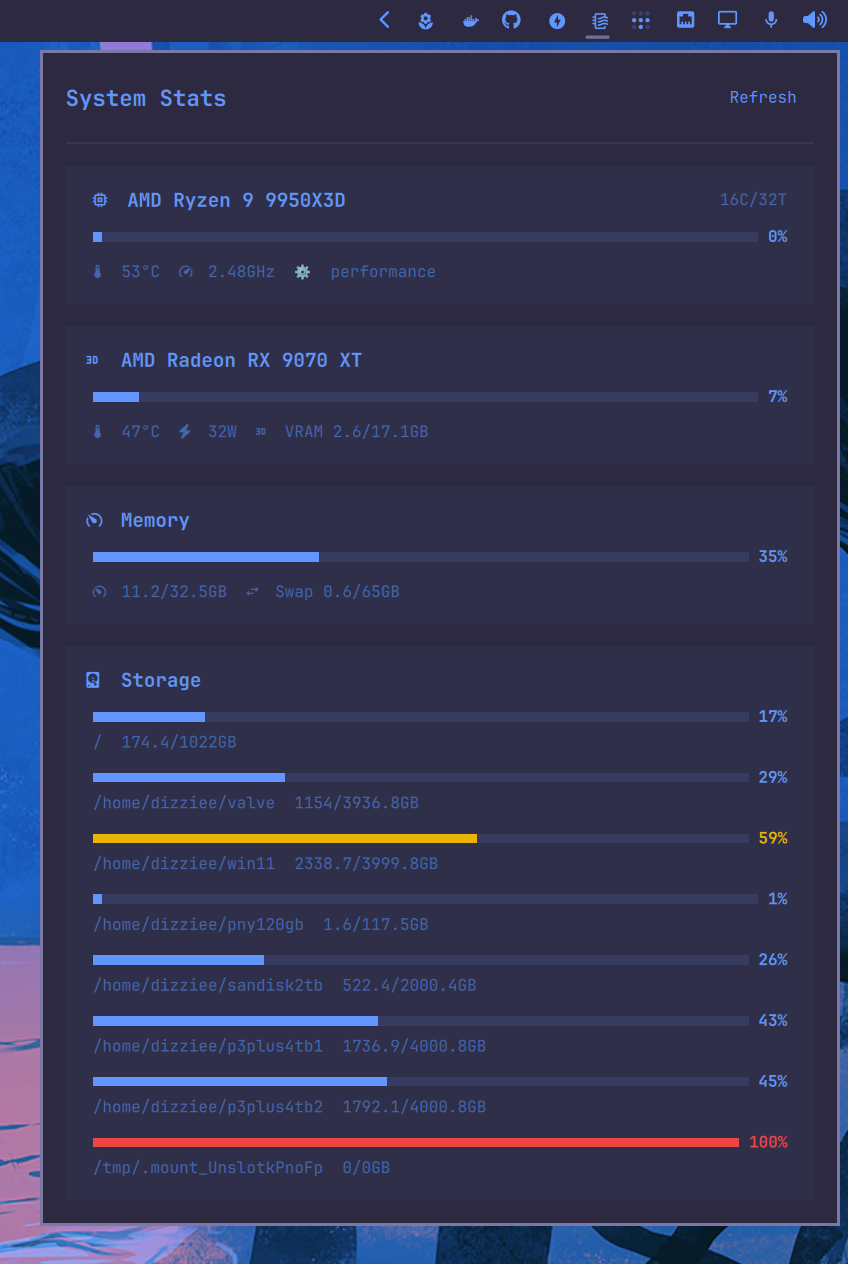
CPU, GPU, memory, and storage monitor for the Omarchy bar. Displays real-time usage with per-compartment toggles and configurable poll intervals.
Requirements
- Python 3
lspci(for GPU name detection)- NVIDIA needs
nvidia-utils
Installation
omarchy plugin add https://github.com/JJDizz1L/dizziee.system-stats.git --enable
Then place it in your bar layout with
omarchy bar plugin add dizziee.system-stats [--section <left|center|right>]</br>
Suggested placement:
omarchy bar plugin add dizziee.system-stats --section right
You can validate the plugin at any time with:
omarchy plugin validate ~/.config/omarchy/plugins/dizziee.system-stats
Configuration
Configuration lives in ~/.config/omarchy/shell.json.
| Key | Type | Default | Description |
|---|---|---|---|
compartments.cpu.enabled |
boolean | true | Show CPU usage |
compartments.cpu.showInBar |
boolean | false | Show CPU stats in the bar |
compartments.cpu.barDisplay |
string (usage, temp, both) |
usage |
CPU metric to show in the bar |
compartments.cpu.pollIntervalSec |
integer | 30 | CPU poll interval |
compartments.gpu.enabled |
boolean | false | Show GPU usage |
compartments.gpu.showInBar |
boolean | false | Show GPU stats in the bar |
compartments.gpu.barDisplay |
string (usage, temp, both) |
usage |
GPU metric to show in the bar |
compartments.gpu.pollIntervalSec |
integer | 30 | GPU poll interval |
compartments.memory.enabled |
boolean | true | Show memory usage |
compartments.memory.showInBar |
boolean | false | Show memory stats in the bar |
compartments.memory.pollIntervalSec |
integer | 30 | Memory poll interval |
compartments.storage.enabled |
boolean | true | Show storage usage |
compartments.storage.showInBar |
boolean | false | Show storage stats in the bar |
compartments.storage.pollIntervalSec |
integer | 30 | Storage poll interval |
Show stats in the bar
Right-click the widget and enable "Show in bar" per compartment in the
settings. Compartments shown in the bar keep polling while the panel is closed.
For CPU and GPU you can also pick the metric shown (usage, temp, or both).
Preview
Uninstall
omarchy plugin remove dizziee.system-stats
License
MIT