
Nvim Screensaver
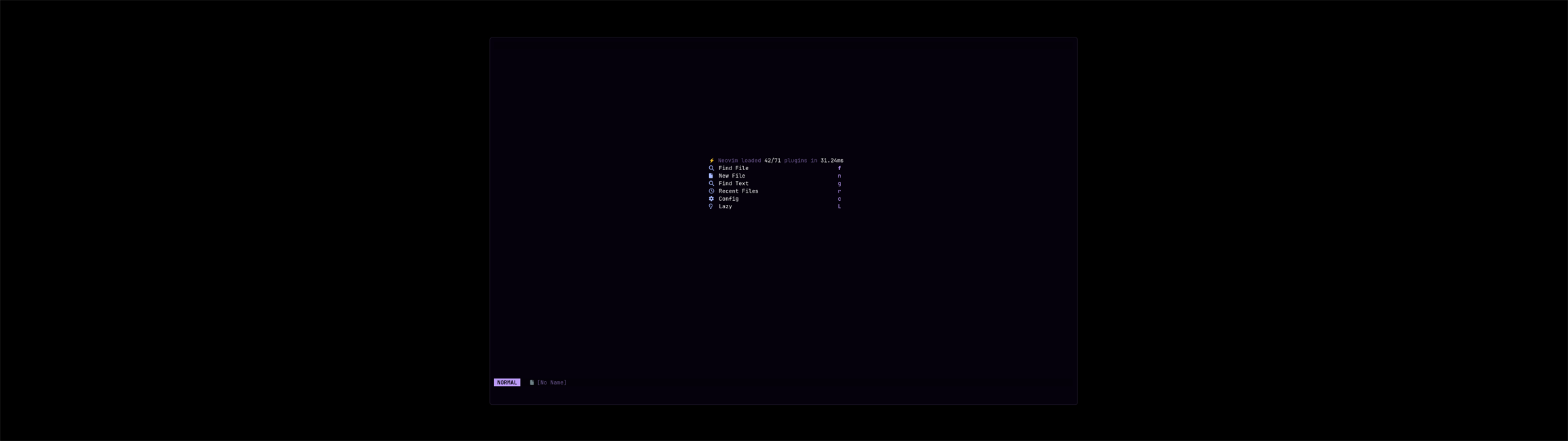
A screensaver for Omarchy that replays your own recent git commits as a live Neovim editing session. When your machine goes idle it fills the screen (black background, centered editor window) and "works": it fuzzy-finds a file with Telescope, jumps to the change, edits just the diff of a real commit, saves, and commits — then moves on. Any key or mouse movement dismisses it instantly.
Syntax highlighting and the statusline follow your current Omarchy theme, and the fake editor mirrors a typical Neovim setup (line numbers, gitsigns gutter, bufferline, lualine). It is a self-contained QML renderer — it does not launch a real Neovim, so it needs no editor config.
Install
omarchy plugin add https://github.com/osszoi/omarchy-nvim-screensaver.git --enable
Local checkout (symlink, so edits reload without copying):
git clone https://github.com/osszoi/omarchy-nvim-screensaver.git
cd omarchy-nvim-screensaver && ./install.sh
On load it disables Omarchy's built-in ttfx screensaver (via the native screensaver-off
toggle) so the two don't both fire. Set disableBuiltinScreensaver: false in config.json to
opt out.
Timing
The idle timeout is taken from your system config — it respects whatever you set in
~/.config/omarchy/shell.json:
"idle": {
  "lock": 600,
  "screensaver": 300   // ← the screensaver appears after this many idle seconds
}
Edit it there and it applies live. (An optional idleSeconds in config.json overrides it.)
The screensaver yields to the lock: Omarchy's session-lock draws over it at idle.lock.
Configure — config.json
| key | default | meaning |
|---|---|---|
roots |
common dev dirs | folders scanned for git repos to replay (set this to your code folder) |
excludeRepos |
[] |
repo names/paths to skip (e.g. private ones) |
windowWidth / windowHeight |
1920 / 1200 |
editor window size in px; 0,0 = fullscreen |
surround |
#000000 |
color around the window |
fontPx |
18 |
editor font size |
speed |
1.0 |
typing speed multiplier |
budgetSeconds |
300 |
max typing time per commit before moving on |
respectInhibitors |
true |
don't appear while something holds an idle-inhibitor (e.g. video) |
disableBuiltinScreensaver |
true |
disable Omarchy's ttfx screensaver on load |
maxFps |
24 |
render cap |
After editing, run omarchy-shell nvim-screensaver reload.
Controls
omarchy-shell nvim-screensaver test 20   # preview it now for 20s
omarchy-shell nvim-screensaver status    # show state
omarchy-shell nvim-screensaver hide|show|enable|disable|reload
Uninstall
omarchy plugin remove eduardo.nvim-screensaver     # or: ./uninstall.sh
omarchy-toggle screensaver-off off                 # re-enable the built-in screensaver
Requirements
- Omarchy 4 (Quickshell shell) and a Nerd Font (the default Omarchy monospace) for the icons.
git,jq,base64,awk,timeout,dd(all standard on Omarchy).
Privacy
It reads commits and file contents from the git repos under roots and shows that code
full-screen while idle. Point roots only at repos you're comfortable displaying, and use
excludeRepos to skip sensitive ones. Nothing leaves your machine — it only reads local git.
Lock files, binaries/media, archives, .env*, keys/certificates and build output are never
opened, listed in Telescope, or counted in the simulated commit.
Safety limits
Every git command runs with a fixed, read-only boundary: --no-ext-diff --no-textconv, no
pager, hooks and fsmonitor disabled, core.bigFileThreshold=1m (git treats anything larger as
binary and never loads it), and the user/system gitconfig ignored — so a repository's own git
configuration can't run helper programs. Blobs are size-checked (cat-file -s, ≤ 256 KiB) before
anything is diffed or streamed, and only the files about to be replayed are diffed at all. Every
stream goes through a raw head -c byte ceiling before any line-oriented stage (diff 1 MiB, file
list 512 KiB, body 4 KiB, blame 512 KiB, 3 MiB per step), so a single multi-megabyte line can't be
buffered anywhere. Commits touching more than 100 files or 10k lines are skipped, and every step
has a hard deadline (timeout) plus an in-shell watchdog. Plugin config and theme files are read
with bounded no-follow/nonblocking reads (dd), never cat. bash test/adversarial.sh builds a
hostile repo (helper-running git config, multi-megabyte single-line body/blob/diff/blame, hung
git, FIFO/symlink config) and asserts all of this, including peak RSS.
How it works
A Quickshell IdleMonitor (created fresh with the current timeout) triggers a fullscreen
layer-shell overlay that runs a pure-QML Neovim renderer. Commits are picked from git log
(merges, version bumps, lockfiles and binary/new files are skipped — it only edits existing
files' diffs), parsed, and "typed" with human-like pacing. Rendering is coalesced and cached so
it stays light (single-digit CPU).
License
MIT — see LICENSE.