
Flappy Pipes
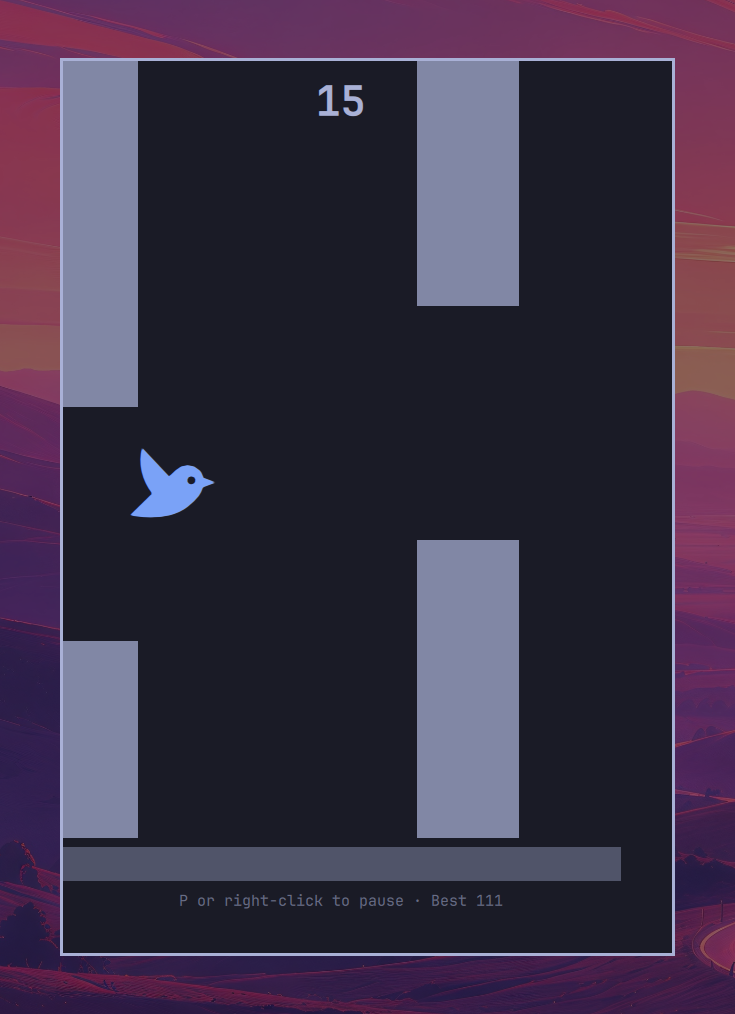
A Flappy Bird-style game for Omarchy Quattro. A bird falls, each flap sets it climbing, and you thread it through the gaps between pipes. It lives in a panel summoned from the bar.
Everything is drawn from your current theme, so the game recolours with the rest of the desktop rather than sitting in it as a foreign object. The bird is your accent, the pipes and ground your foreground held back; the original's yellow and green are deliberately not preserved.
Install
omarchy plugin add https://github.com/eduardodallecort/omarchy-flappy-pipes.git --enable
The bird appears in the right-hand section of the bar. Move it with
omarchy bar move eduardodallecort.flappy-pipes <section>.
Update
omarchy plugin update eduardodallecort.flappy-pipes
omarchy restart shell
The restart is not optional. Updating fast-forwards the checkout, but the shell compiles QML once at startup and does not hot-reload it, so until you restart you are still playing the old version.
Remove
omarchy plugin remove eduardodallecort.flappy-pipes
omarchy restart shell
That deletes the plugin directory and unloads it from the shell. It does not
delete your bar entry: removal marks the plugin disabled and deletes its files,
and never touches bar.layout. So this stays behind in
~/.config/omarchy/shell.json:
{ "id": "eduardodallecort.flappy-pipes", "bestScore": 111 }
Which is usually what you want — reinstall and your best score is still there. To erase it, delete that object from the layout by hand.
If you added a menu entry, remove that too; nothing does it for you. See below.
Nothing else on the system is touched. The plugin creates no files of its own
and writes only to its own entry in shell.json.
Playing
Click the bird in the bar to open the panel.
| Key | Does |
|---|---|
Space, Up, W, Return |
Flap |
| Left-click inside the playfield | Flap |
P, or right-click |
Pause and resume |
Space or left-click after a crash |
Play again |
Esc, or click outside the panel |
Close |
There is a short pause before a crash accepts a restart, so the keypress that killed you cannot start the next run before you have read your score.
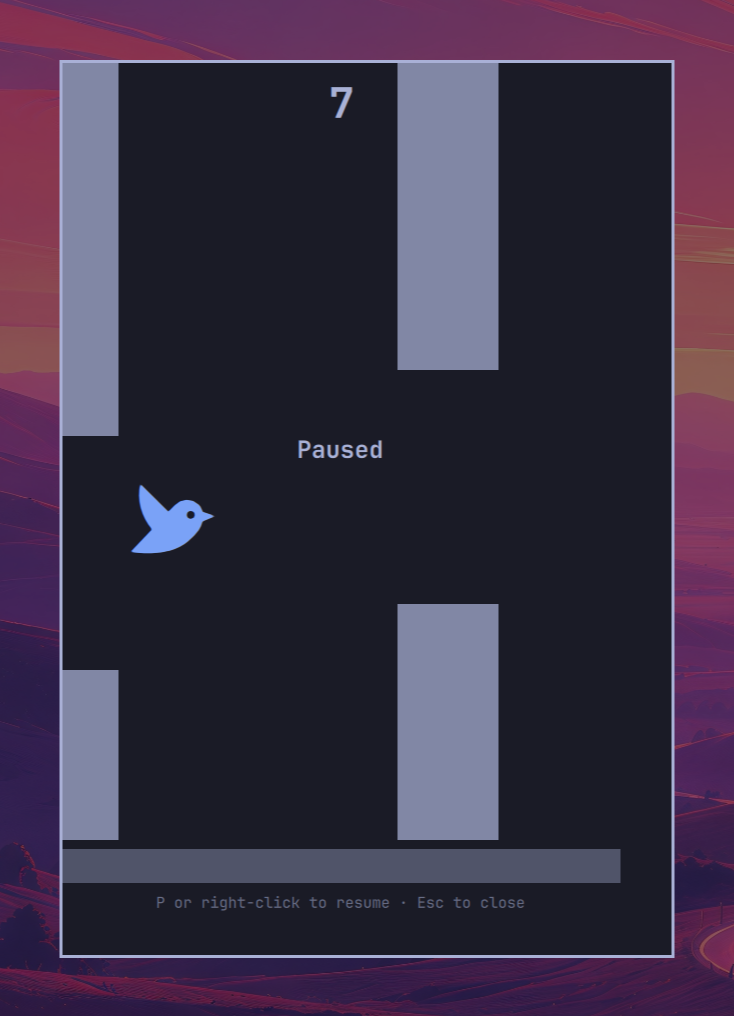
Resuming from a pause puts the bird back exactly where it was, at exactly the
speed it had. There is no grace beat on purpose: your best score is kept
between sessions, and a pause you could use to step out of a dive would turn
that record into a measure of how well you can reach for P.
Opening it without the bar
The panel answers to the shell directly, so anything that can run a command can open it:
omarchy-shell shell toggle eduardodallecort.flappy-pipes
The place worth putting it is the Omarchy menu, which Super + Space opens
and which is searchable. Add this to
~/.config/omarchy/extensions/omarchy-menu.jsonc and it is reachable by typing
"flappy", with no restart, since the shell watches that file:
"trigger.flappy": {
"icon": "",
"label": "Flappy Pipes",
"description": "Thread a bird through the pipes",
"action": "omarchy-shell shell toggle eduardodallecort.flappy-pipes"
}
trigger is where the things you invoke already live — the emoji picker and
the reminder flow are trigger.emoji and trigger.reminder. The menu searches
every row regardless of depth, so sitting in a submenu costs nothing, and
description is searched too, so "bird" and "pipes" find it as well as the
name does.
To write it from a terminal instead, run this. It is safe to run twice — it replaces any entry it already put there rather than adding a second:
python3 - <<'EOF'
import pathlib
f = pathlib.Path.home() / ".config/omarchy/extensions/omarchy-menu.jsonc"
row = '  "trigger.flappy": {"icon":"\U000F15C6","label":"Flappy Pipes",'
row += '"description":"Thread a bird through the pipes",'
row += '"action":"omarchy-shell shell toggle eduardodallecort.flappy-pipes"},'
lines = [l for l in f.read_text().splitlines() if '"trigger.flappy"' not in l]
lines.insert(len(lines) - 1, row)
f.write_text("\n".join(lines) + "\n")
EOF
No restart: the shell watches that file, so the row appears at once.
The icon is written as the escape \U000F15C6 rather than as the glyph itself,
so the command survives being copied through anything that does not have the
font. It is the same character either way.
It is not installed for you. That file is yours, and a plugin that edits your menu on its own is doing something you did not ask for — the marketplace makes that a condition of listing, and it is the right rule regardless.
Taking it back out
The same rule applies in reverse: removing the plugin does not remove what you
added, because the plugin never put it there. Delete the trigger.flappy object
from ~/.config/omarchy/extensions/omarchy-menu.jsonc, or:
python3 - <<'EOF'
import pathlib
f = pathlib.Path.home() / ".config/omarchy/extensions/omarchy-menu.jsonc"
lines = [l for l in f.read_text().splitlines() if '"trigger.flappy"' not in l]
f.write_text("\n".join(lines) + "\n")
EOF
The file is watched, so it takes effect immediately.
Left behind, a stale entry fails quietly rather than loudly. The row stays in the menu, selecting it does nothing at all, and the command still reports success — the only trace is a line in the journal:
WARN qml: summon: unknown plugin eduardodallecort.flappy-pipes
Your best score
The panel shows your best run on the game-over screen and under the playfield
while you play; the bar shows it on hover. It is kept in the plugin's own entry
in ~/.config/omarchy/shell.json:
{ "id": "eduardodallecort.flappy-pipes", "bestScore": 111 }
It survives the plugin being removed and reinstalled, which is usually what you want. To reset it:
omarchy bar set eduardodallecort.flappy-pipes bestScore 0 --json
--json matters: without it the value is stored as the string "0" instead of
the number, and the command still reports success.
The plugin has no settings.
The physics are the original's, not an approximation
The constants are transcribed from two independent faithful recreations, FlapPyBird and the PyGame Learning Environment, which agree exactly on the bird's motion: gravity 1 px/frame², a flap that assigns -9 px/frame rather than adding to it, terminal velocity 10 px/frame, pipes at 5 px/frame with a 120 px gap, all on a 30 Hz step.
Two details there are easy to get wrong and change how the game feels:
- The original skips gravity entirely on the frame a flap happens. A flap
therefore climbs 45 px. Applying gravity every frame gives 36 px and a
noticeably heavier bird; the continuous closed form
v²/2gpredicts 40.5 and describes neither. - It is a fixed-rate simulation, not a continuous one. Here it runs on an accumulator at 30 Hz regardless of your display, so a 144 Hz monitor does not play a different game from a 60 Hz one.
Lengths are normalised to the playfield height, and the playfield keeps the original's portrait proportions instead of stretching to fill the panel. On a wide screen a stretched field would show pipes coming from far enough away to remove most of the difficulty.
Run the tests with:
node --test
They pin the constants against the reference implementations, the flap trajectory, scoring, collisions, and the handling of a stalled frame or a clock that jumps backwards. No dependencies beyond Node's built-in test runner.
Notes
- The game is a
panelkind, so the shell mounts it once per session rather than once per monitor, and a single simulation drives it. - The loop is a
FrameAnimationthat runs only while the panel is open, play is under way and the game is not paused. Any other time it does no work. - A closed panel is destroyed, not hidden: its layer-shell surface disappears
from
hyprctl layersentirely. - No network access, no external services, no dependencies at runtime.
License
MIT — see LICENSE.