
Spotify Album Wallpaper
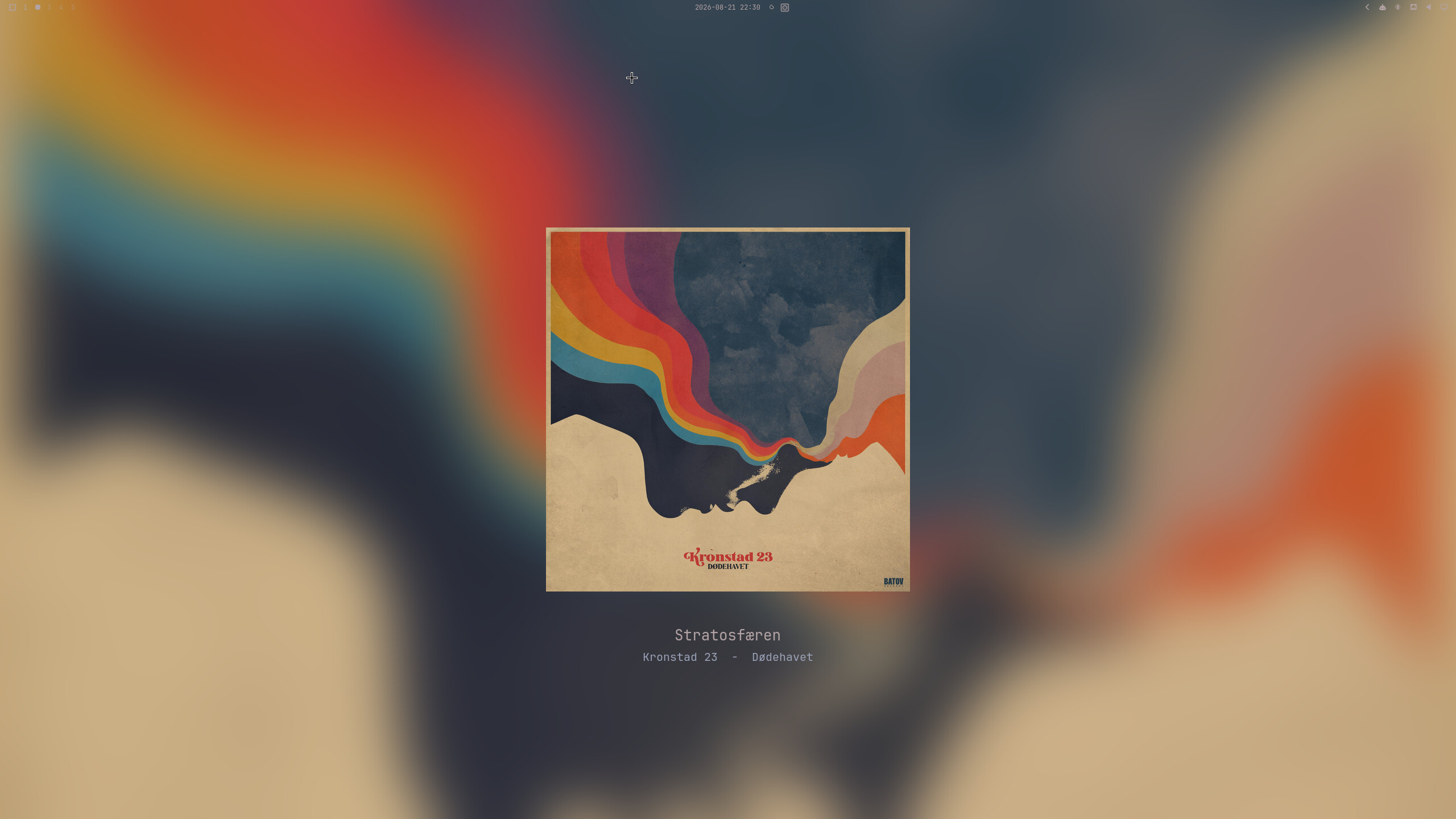
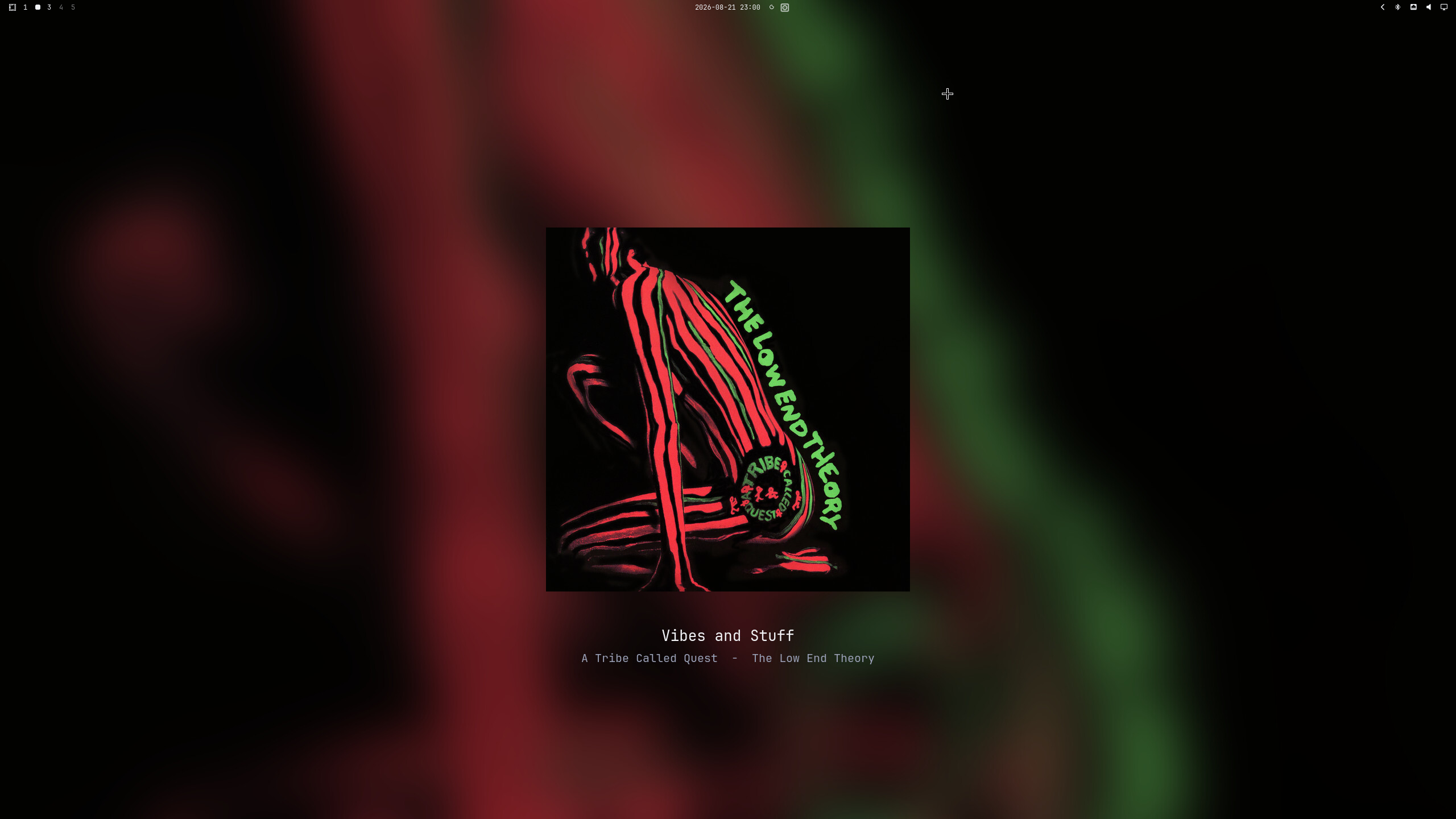
Shows the currently playing Spotify album art on the monitor you choose while leaving Omarchy's normal theme wallpaper visible everywhere else. The album-art layer is removed when playback stops or Spotify closes.
Works with both the official Spotify client and Omarchy Spotify — any MPRIS player with "spotify" in its name is detected automatically. Thanks to Spotify Connect it even works while playing and switching tracks on another device.
Features
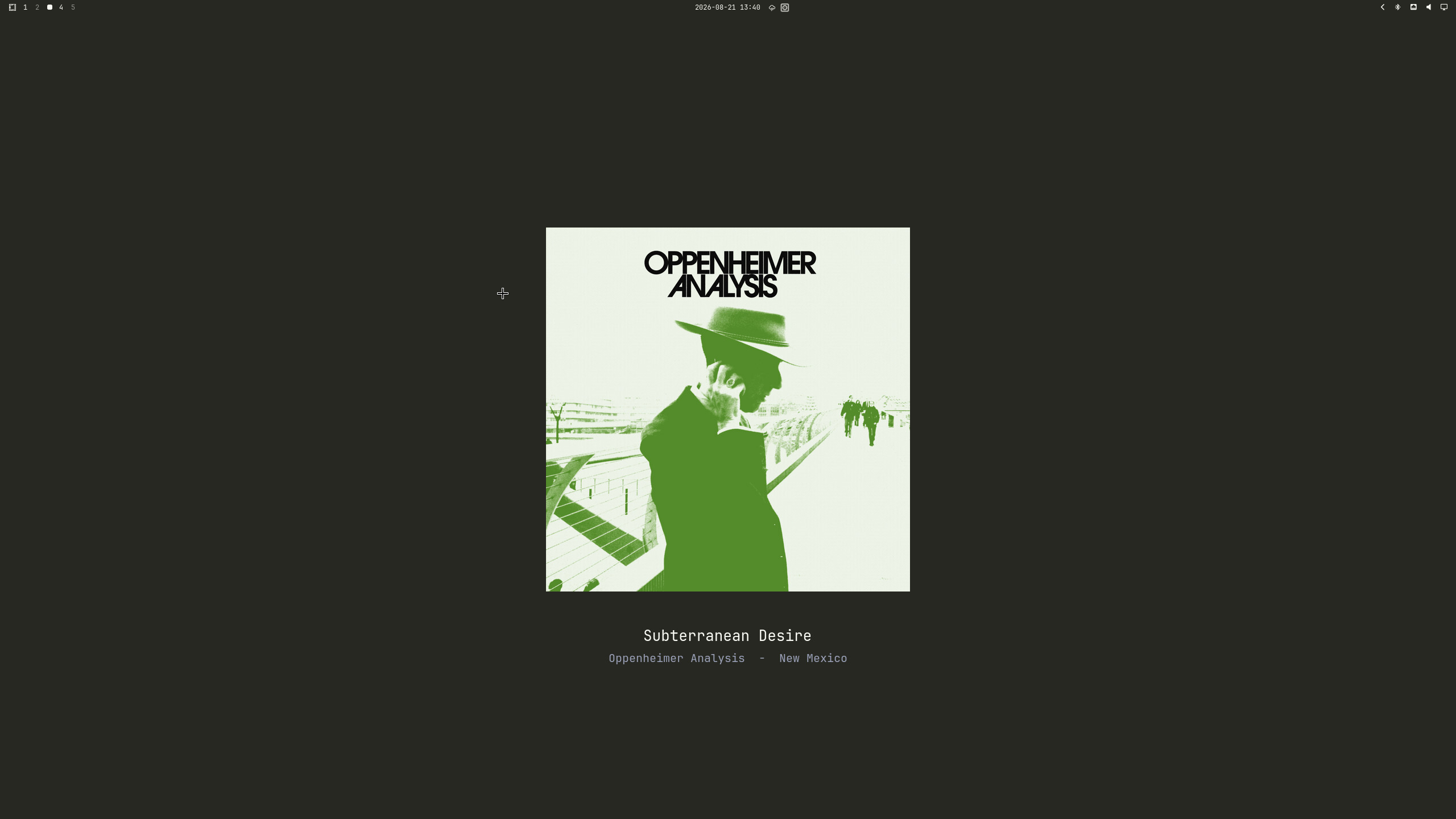
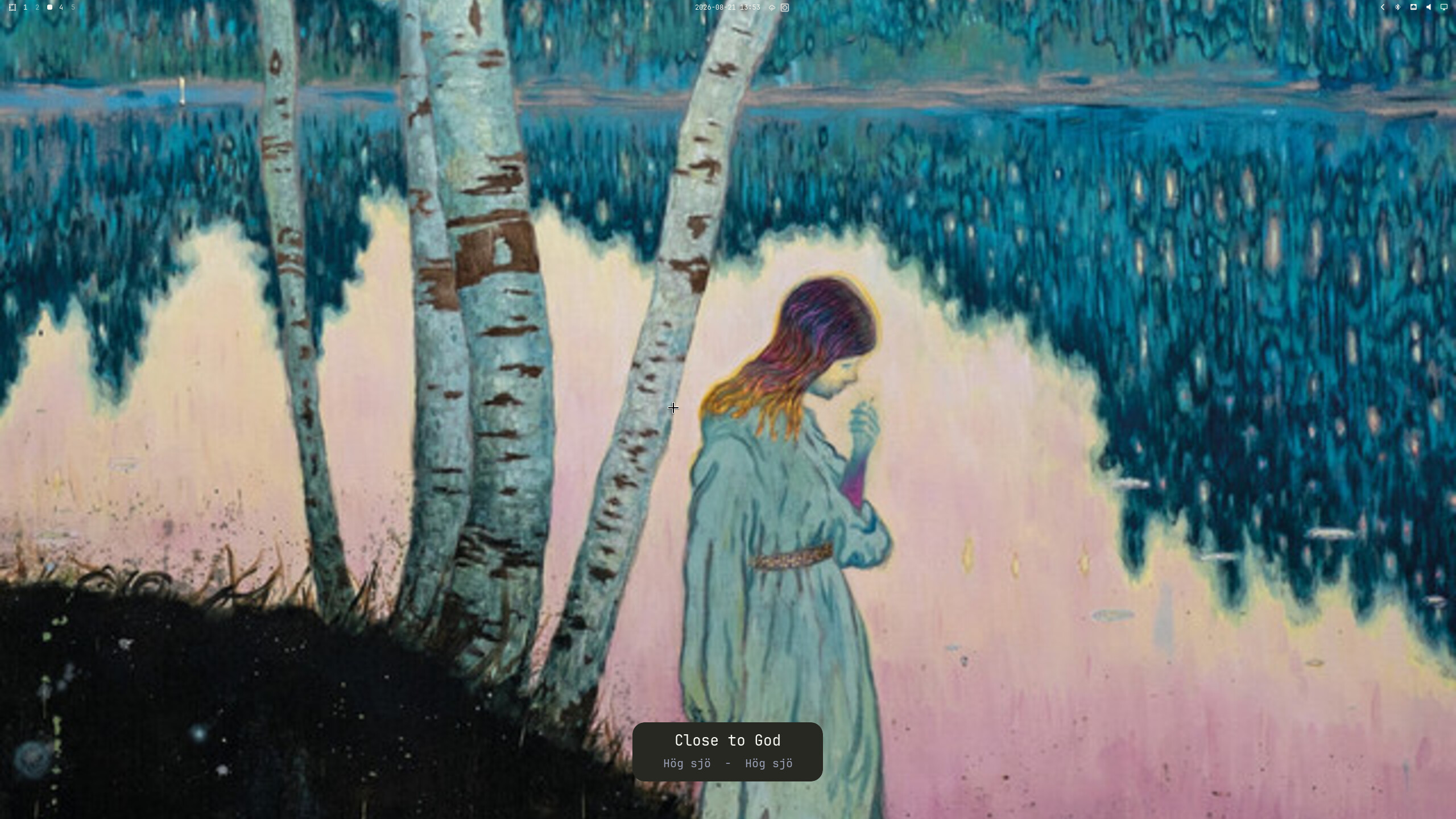
- Album art becomes the desktop wallpaper while music plays
- Icon placement can be switched between the left, centre, and right Omarchy bar sections; left is the default
- Multi-monitor targeting from the settings panel:
- Auto resolves to the focused monitor whenever album art is generated and keeps that resolved output stable until the next wallpaper update
- All displays album art on every connected monitor
- Named output (for example,
DP-1orDP-2) pins album art to that specific Hyprland output while other monitors retain the Omarchy wallpaper
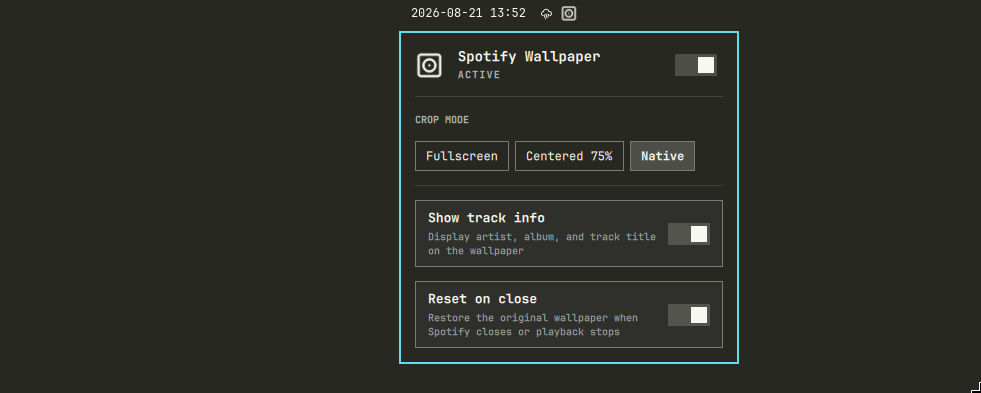
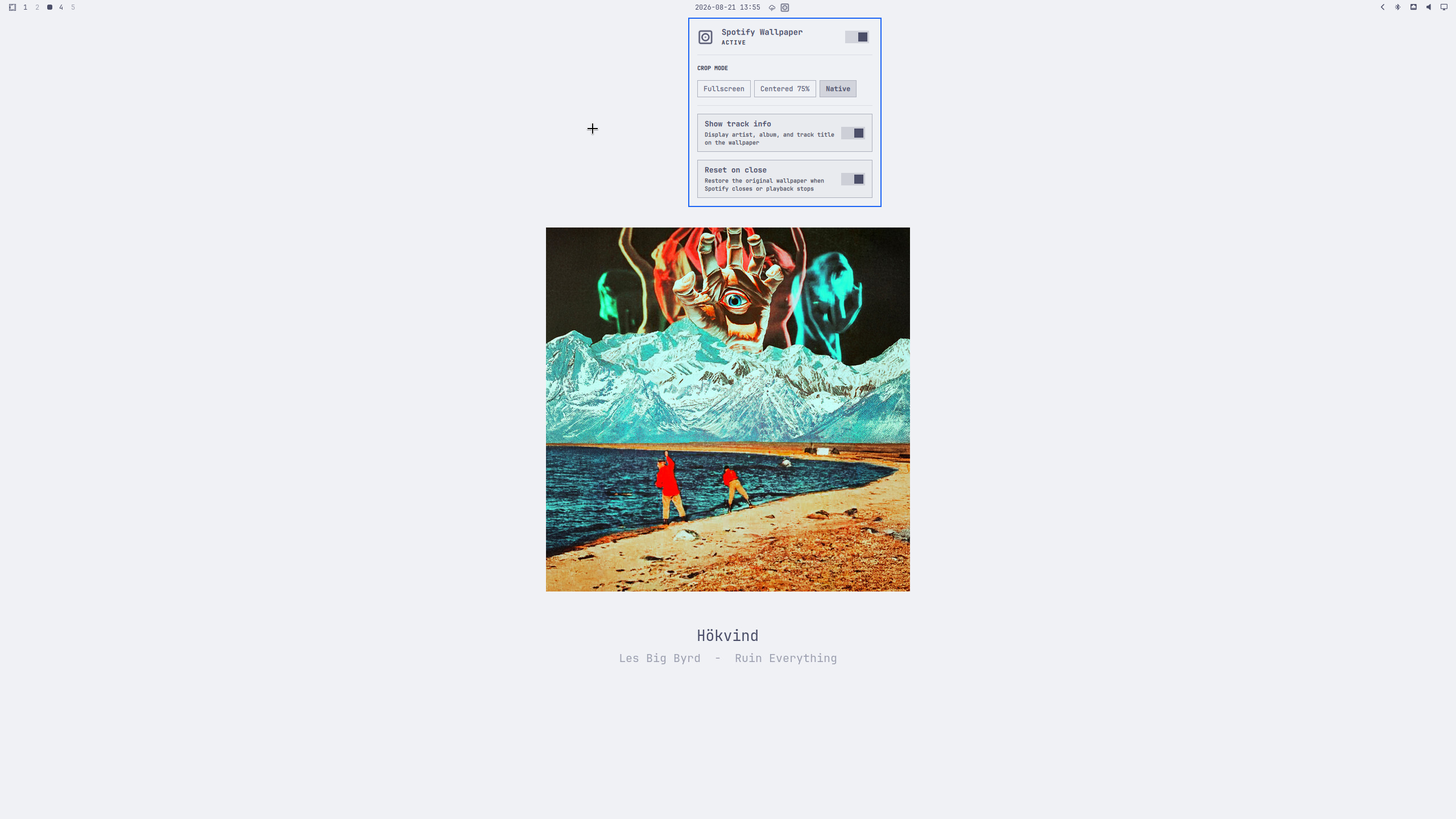
- Three crop modes: Fullscreen, Centered 75%, Native resolution
- Optional blur effect — blurs the fullscreen art, or uses a blurred backdrop behind the art in centered modes
- Optional track info overlay (artist – album – title) rendered in the current theme's colors — pill-style card on fullscreen, below the art on centered modes
- Re-renders automatically on theme switches so colors always match
- Restores your theme wallpaper on pause, stop, or app close (toggleable)
- Settings panel in the Omarchy bar with native panel UI
Screenshots
Appearance
Requirements
- Omarchy (Quattro shell)
- Hyprland (provided by Omarchy)
playerctl,jq,imagemagick,curl
Fresh install
omarchy plugin add https://github.com/emilsall/omarchy-spotify-wallpaper.git --enable
Omarchy clones and validates the plugin, enables its bar widget, and stores it
at ~/.config/omarchy/plugins/emilsall.spotify-wallpaper.
When the widget first loads, it runs the bundled installer if the user service
is missing. The installer enables omarchy-spotify-wallpaper.service and
installs the Omarchy theme-set hook. If any required packages
(playerctl, jq, imagemagick, curl) are missing, the settings panel
shows a DEPENDENCIES REQUIRED section with an install button — clicking it
prompts for your password through Omarchy's polkit agent and installs the
packages, then completes the service setup. No manual omarchy pkg add needed.
Manual setup or repair:
~/.config/omarchy/plugins/emilsall.spotify-wallpaper/install.sh --install-deps
Upgrade
Update a Git-managed installation with:
omarchy plugin update emilsall.spotify-wallpaper --yes &&
~/.config/omarchy/plugins/emilsall.spotify-wallpaper/install.sh --install-deps &&
omarchy restart shell
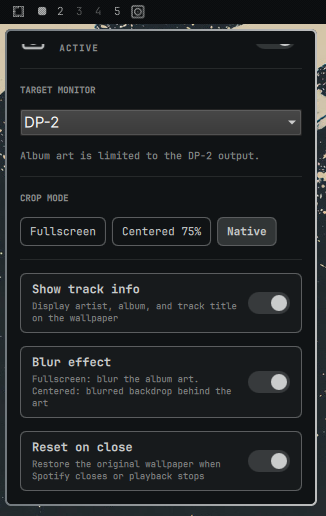
Click the disc-album icon in the bar to open the settings panel. Right-click the icon to quickly toggle the plugin on/off.
| Setting | Description |
|---|---|
| Enabled | Master on/off. Turning it off removes the album-art layer and reveals the normal Omarchy wallpaper. |
| Bar placement | Moves the icon to the left, centre, or right section of the Omarchy bar. Left is the default. |
| Target monitor | The dropdown lists auto, all, and every currently connected Hyprland output. auto resolves to the focused monitor whenever album art is generated; all displays it on every monitor; choosing a named output such as DP-1 or DP-2 pins it there while other monitors retain their normal Omarchy wallpaper. If a pinned output is unavailable, the next update falls back to the focused output without overwriting the saved selection. |
| Crop mode | Fullscreen (center-crop fill), Centered 75% (75% of shortest screen dimension), or Native (original art size) — centered modes letterbox on the theme background color. |
| Show track info | Overlay artist, album, and track title using theme colors and the current Omarchy font. |
| Reset on close | Remove the album-art layer when Spotify closes or playback stops. When off, the last album art remains visible. |
| Blur effect | Fullscreen: blur the album art itself. Centered modes: use a blurred, screen-filling copy of the art (dimmed with 30% black) as the backdrop instead of the theme background color. |
Monitor names come directly from hyprctl monitors -j. Open the panel again
after connecting or disconnecting a display to refresh the dropdown.
Removing the widget from the bar (or running omarchy plugin disable) disables
both the bar widget and the plugin-owned background layer. The systemd polling
service remains installed but treats the missing bar entry as disabled.
Troubleshooting
The widget does not appear
Confirm that Omarchy discovered and enabled it:
omarchy plugin list | grep emilsall.spotify-wallpaper
omarchy plugin enable emilsall.spotify-wallpaper --section left
omarchy restart shell
The widget appears but album art does not
Check the dependencies and user service:
command -v playerctl jq magick curl
systemctl --user status omarchy-spotify-wallpaper.service --no-pager
journalctl --user -u omarchy-spotify-wallpaper.service -n 100 --no-pager
Run the manual installer again if the service is missing.
A monitor is missing from the dropdown
Verify that Hyprland sees it, then close and reopen the settings panel:
hyprctl monitors all
Uninstall
cd ~/.config/omarchy/plugins/emilsall.spotify-wallpaper
./uninstall.sh
omarchy plugin remove emilsall.spotify-wallpaper
The uninstall script removes the album-art layer, stops and removes the systemd user service, removes the theme hook, and clears plugin state and cached art. It does not modify your Hyprland monitor configuration or Omarchy's packaged files.
How it works
A small systemd user service polls MPRIS every two seconds through playerctl.
It accepts any MPRIS player whose name contains spotify, preferring one that
is actively playing. The service downloads album art and uses ImageMagick to
render the selected crop, blur, and track information at the target output's
physical dimensions.
The service writes the rendered image path and resolved output to
active-wallpaper.json. The plugin's Service.qml creates one background-layer
surface per connected screen and shows album art only where that state says it
should, cross-fading new art over the old with the same 420 ms easing as the
Omarchy background switcher. While album art is displayed the service points
Omarchy's background symlink at the rendered art, so the transparent bar picks
dark or light text by sampling the art exactly as it does for normal
wallpapers; the global background layer itself stays on the theme wallpaper so
unselected monitors are untouched. When playback stops (or the plugin is
disabled) the restore goes through omarchy theme bg set, which plays the
shell's reveal animation and hands the bar text color back to the theme
wallpaper.
The selected output is stored in Omarchy's normal per-widget settings inside
~/.config/omarchy/shell.json, so it survives plugin and Omarchy updates. If a
pinned output is disconnected, the plugin falls back to the currently focused
output the next time album art is applied.
Files it manages:
~/.local/state/omarchy/spotify-wallpaper/— current layer target, original/theme references, and change-detection state~/.cache/omarchy/spotify-wallpaper/— downloaded and processed album art~/.config/systemd/user/omarchy-spotify-wallpaper.service— installed user service~/.config/omarchy/hooks/theme-set.d/spotify-wallpaper-theme-hook.sh— theme hook installed through Omarchy
The monitor choice and preferred bar section are stored on the widget entry in
~/.config/omarchy/shell.json, using Omarchy's supported user configuration.
No files under /usr/share/omarchy are changed.
Development
Editing files under ~/.config/omarchy/plugins/<id>/ triggers Omarchy's
plugin hot-reload, but bar widget components are not reliably rebuilt in
place — after changing BarWidget.qml or Panel.qml, run
omarchy restart shell to be sure the bar is running your latest code.
The bash service only needs systemctl --user restart omarchy-spotify-wallpaper
after editing spotify-wallpaper.sh.
Before committing changes:
omarchy plugin validate .
bash -n spotify-wallpaper.sh install.sh uninstall.sh spotify-wallpaper-theme-hook.sh
git diff --check
Changelog
v1.0.0 - first release
v1.1.0 - added blur effect
v1.2.0 - added selectable multi-monitor targeting
v1.3.0 - added selectable left, centre, or right bar placement
v1.4.0 - improved post-install flow: auto-install missing dependencies via polkit password prompt
v1.4.1 - album art changes cross-fade like the Omarchy background switcher, and the transparent bar text adapts to the album art; reset plays the shell's reveal animation again
v1.4.2 - no more theme-wallpaper flash between tracks (1 s playback-stop debounce, crossfade loads new art while covered); re-enabling the plugin applies the current album art immediately
v1.4.3 - fix album art lagging one track behind: metadata is read as a single atomic playerctl snapshot, and a track change waits briefly for Spotify's artUrl to settle before rendering
v1.4.4 - fix the crossfade never starting: the image status handlers that trigger the reveal were missing, so the wallpaper stayed one track behind
Contributors
- Emil Sall — original plugin, blur effect, post-install self-setup
- c8h10n4o2-b — multi-monitor targeting, configurable bar placement
If you like this plugin, consider buying me a coffee: https://buymeacoffee.com/emilsall
License
MIT