
Omarchy Floating Window Overrides
An Omarchy Quickshell service plugin that overrides selected Omarchy floating window rules so utility and application windows open tiled instead.
[!IMPORTANT] This plugin is for Omarchy 4 (Quattro), where the desktop shell and bar use Quickshell. It requires the Hyprland Lua configuration interface used by current Quattro releases.
Why
Omarchy intentionally opens utilities such as the update terminal, About, and
btop as floating windows. That is useful for a popup-oriented workflow, but
floating windows are intentionally ignored by the one-app-per-workspace logic.
They can therefore remain on the current workspace instead of joining the
normal tiled-window flow.
This plugin opts selected utilities and applications into tiling while leaving
Omarchy's defaults untouched. It is especially useful in combination with the
ericvrp.one-app-per-workspace
plugin, so those windows can be moved to their own empty workspaces as well.
Behavior
- Tiles Omarchy's presentation terminal used by
omarchy updateand similar commands (org.omarchy.terminal). - Tiles
org.omarchy.bashandorg.omarchy.btop. - Tiles Steam, Omarchy About, Tensaku, and
mpv. - Registers named rules that override Omarchy's default rules through
hyprctl repl. - Reinstalls its rules after a Hyprland configuration reload.
- Removes its named rules when the service is disabled or destroyed, restoring Omarchy's default floating behavior.
- Runs inside the existing
omarchy-shellprocess without a helper daemon.
The plugin replaces the app-specific rules previously kept in
~/.config/hypr/hyprland.lua. It does not change the separate global opacity
override in that file.
Screenshots
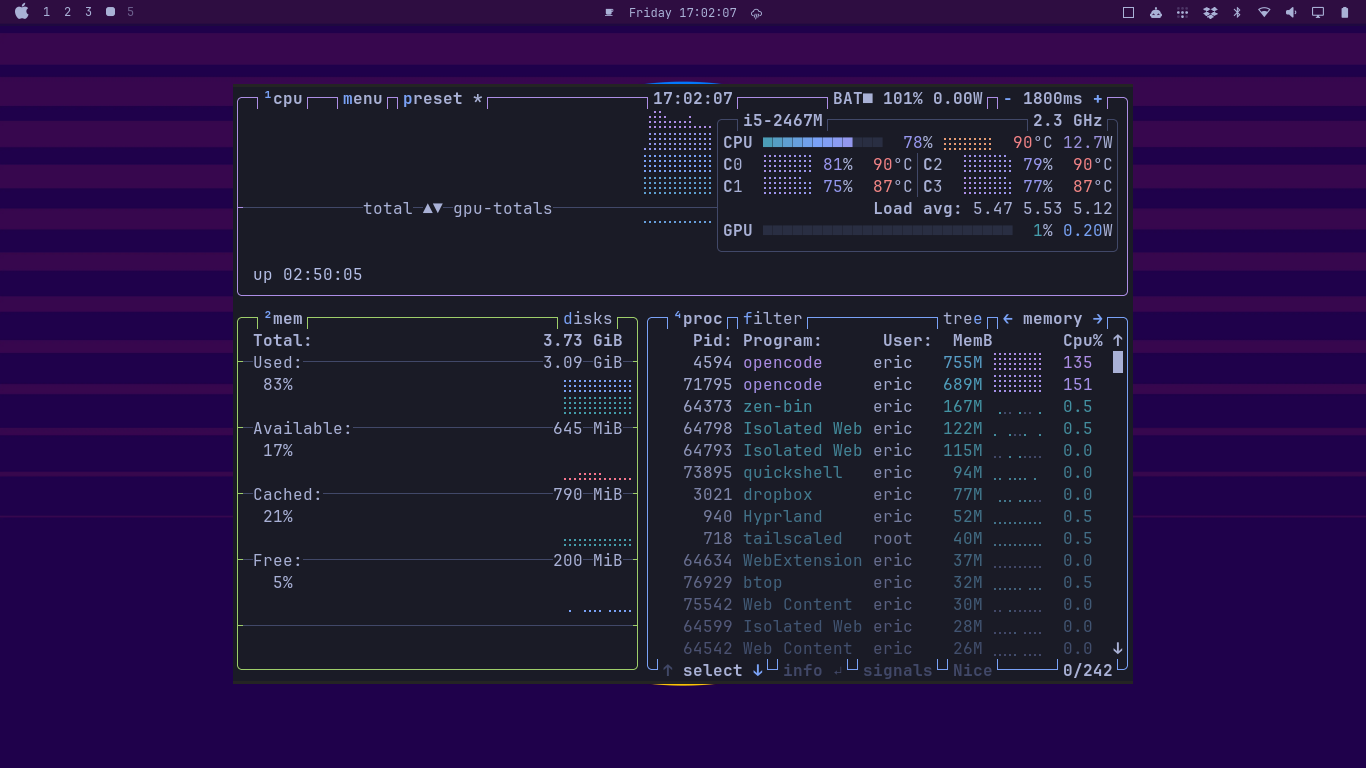
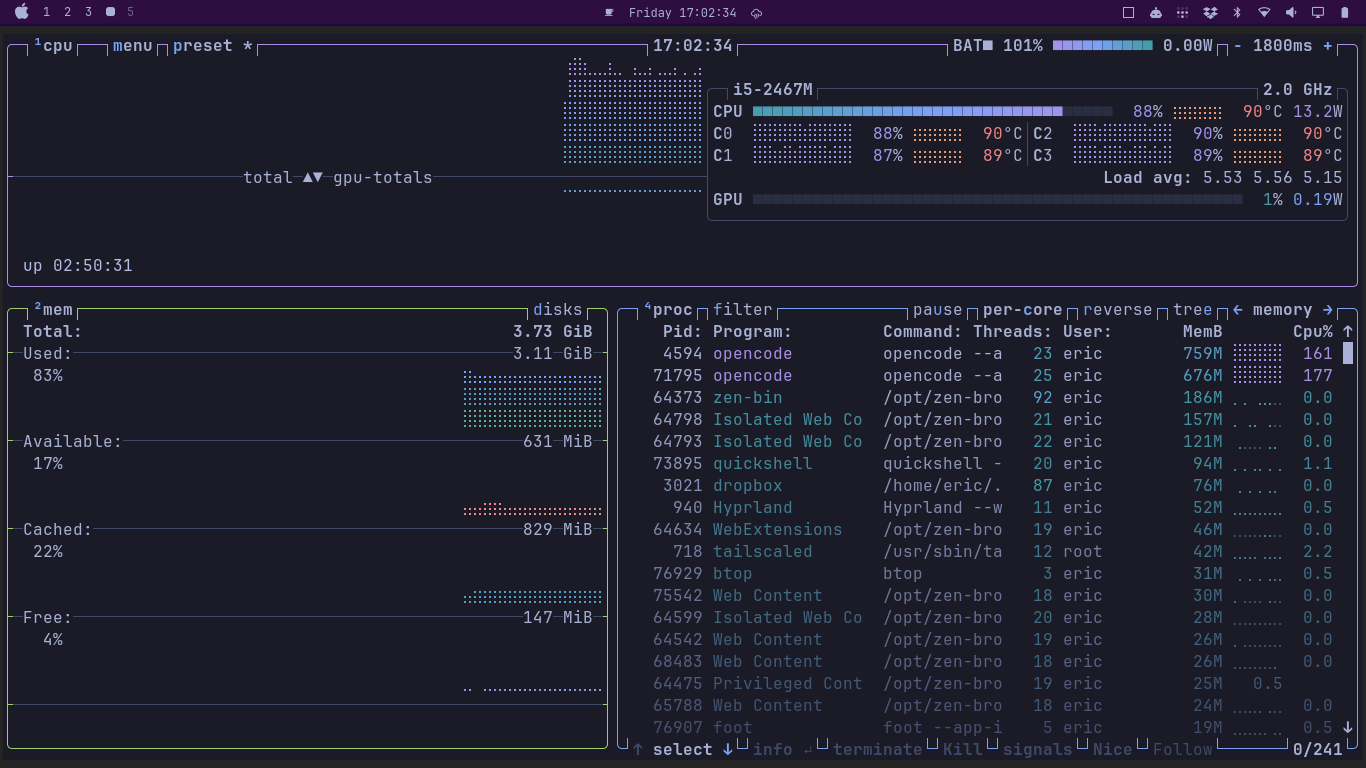
The same btop window can be shown in its normal tiled state or toggled to a
centered floating window:
| Floating mode | Tiling mode |
|---|---|
 |
 |
Install
omarchy plugin add https://github.com/ericvrp/omarchy-floating-window-overrides.git --enable
The plugin manager installs the service in
~/.config/omarchy/plugins/ericvrp.floating-window-overrides and enables it in the
shell configuration.
Update
omarchy plugin update ericvrp.floating-window-overrides
Disable Or Remove
Disable the service and restore Omarchy's floating rules:
omarchy plugin disable ericvrp.floating-window-overrides
Remove it completely with:
omarchy plugin remove ericvrp.floating-window-overrides
Development
Run the checks from the repository root:
omarchy plugin validate .
./test/floating-window-overrides-test.sh
qmllint -I "$OMARCHY_PATH/shell" Service.qml
Install the current working tree as a local plugin build:
./scripts/dev-install.sh
Use ./scripts/dev-install.sh --no-restart to update the installed files and
shell configuration without restarting the shell. Remove the local build with:
./scripts/dev-uninstall.sh
License
Licensed under the MIT License.