
Lofi Radio for Omarchy
Continuous Lofi Hip Hop and Synthwave radio in the Omarchy Quattro bar, with headless playback and a live, theme-aware equalizer.
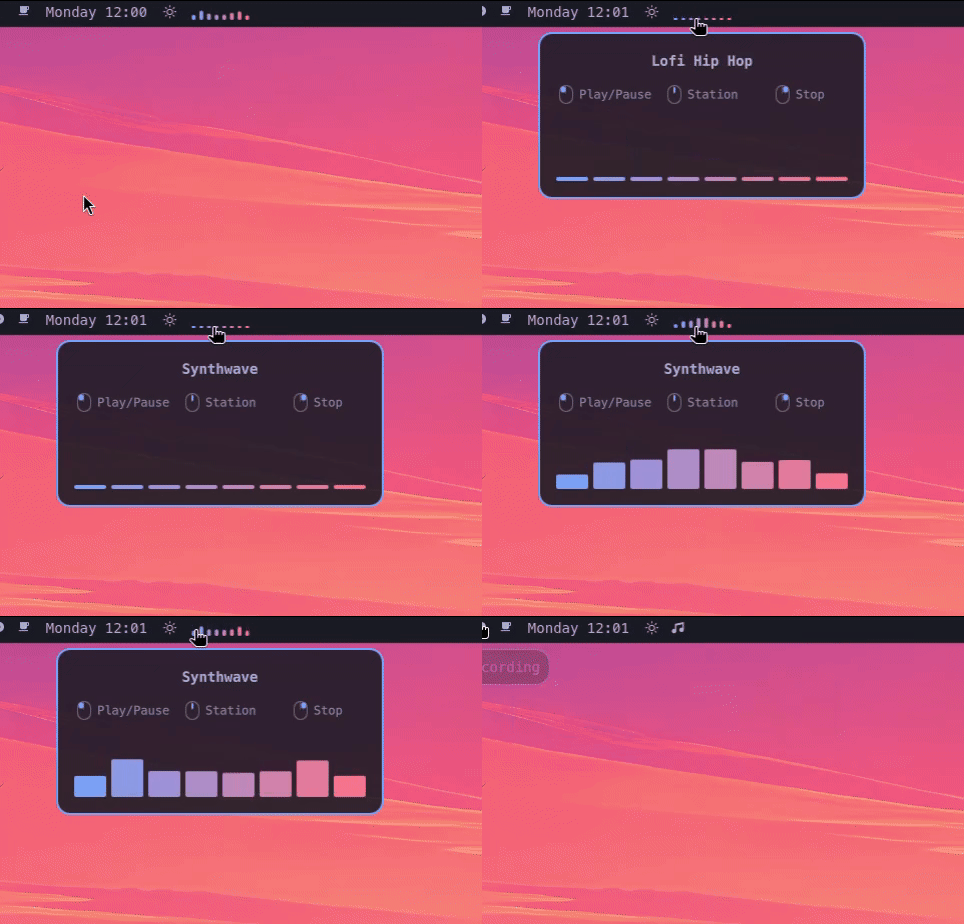
| Ready | Playing in the bar |
|---|---|
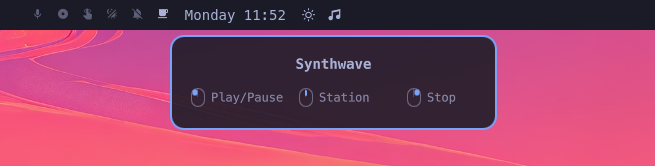 |
 |
This project is unofficial and is not affiliated with Omarchy, YouTube, or Lofi Girl. Stream availability and rights remain with their respective owners.
Features
- Audio-only playback with no video window
- Clear playing, paused, idle, and error states in the bar
- Inline and hover equalizers driven by the actual PipeWire output
- Configurable 15–120 FPS visualizer (60 FPS by default)
- Play/pause, station switching, and stop controls
- Single-player locking and private per-user runtime files
- Continuous playback through YouTube's official player in headless Chromium
- YouTube Premium support through a dedicated, persistent Chromium profile
- Desktop notifications for invalid settings and missing dependencies
- Runtime diagnostics in
$XDG_RUNTIME_DIR/espi-lofi-radio-$UID/chromium.log
Requirements
- Omarchy Quattro
chromiumcavaflockandinstallfrom standard Arch packages (util-linux,coreutils)
The plugin never requests elevated privileges or installs packages itself.
Install the required packages if they are not already present:
omarchy pkg add chromium cava
YouTube Premium
Sign in once using the plugin's isolated Chromium profile:
~/.config/omarchy/plugins/espi.lofi-radio/control.sh login
Complete the YouTube sign-in in the window that opens, then close that window. Future headless playback uses the same profile, so your Premium membership is recognized without sharing your normal browser profile with the plugin.
Install
omarchy plugin add https://github.com/JovannyEspinal/omarchy-lofi-radio.git --enable
Controls
- Left click: start or play/pause
- Middle click: switch between Lofi Hip Hop and Synthwave
- Right click: stop playback
Playback uses YouTube's official Chromium player with the dedicated profile.
Optional keybindings
The plugin does not install or overwrite keybindings. If these shortcuts are
free on your system, add them to ~/.config/hypr/bindings.lua:
local lofi_control =
  os.getenv("HOME") .. "/.config/omarchy/plugins/espi.lofi-radio/control.sh"

o.bind("SUPER + ALT + M", "Lofi Radio: Play/pause", lofi_control .. " toggle")
o.bind("SUPER + ALT + N", "Lofi Radio: Next station", lofi_control .. " switch")
o.bind("SUPER + ALT + X", "Lofi Radio: Stop", lofi_control .. " stop")
Check for conflicts before adding them:
omarchy menu keybindings --print
Hyprland normally reloads the file automatically. Run hyprctl reload if the
new shortcuts do not appear immediately. Any other unbound key combinations
can be used instead.
Validate
omarchy plugin validate .
qmllint -I "$OMARCHY_PATH/shell" BarWidget.qml
bash -n control.sh
shellcheck control.sh
Remove
omarchy plugin remove espi.lofi-radio
Stopping the plugin before removal is recommended. Runtime files live under
$XDG_RUNTIME_DIR and disappear automatically at logout or reboot. The
isolated YouTube login remains in $XDG_STATE_HOME/espi-lofi-radio (or
~/.local/state/espi-lofi-radio) until you remove it manually.
License
MIT. See LICENSE.