
Media Plus
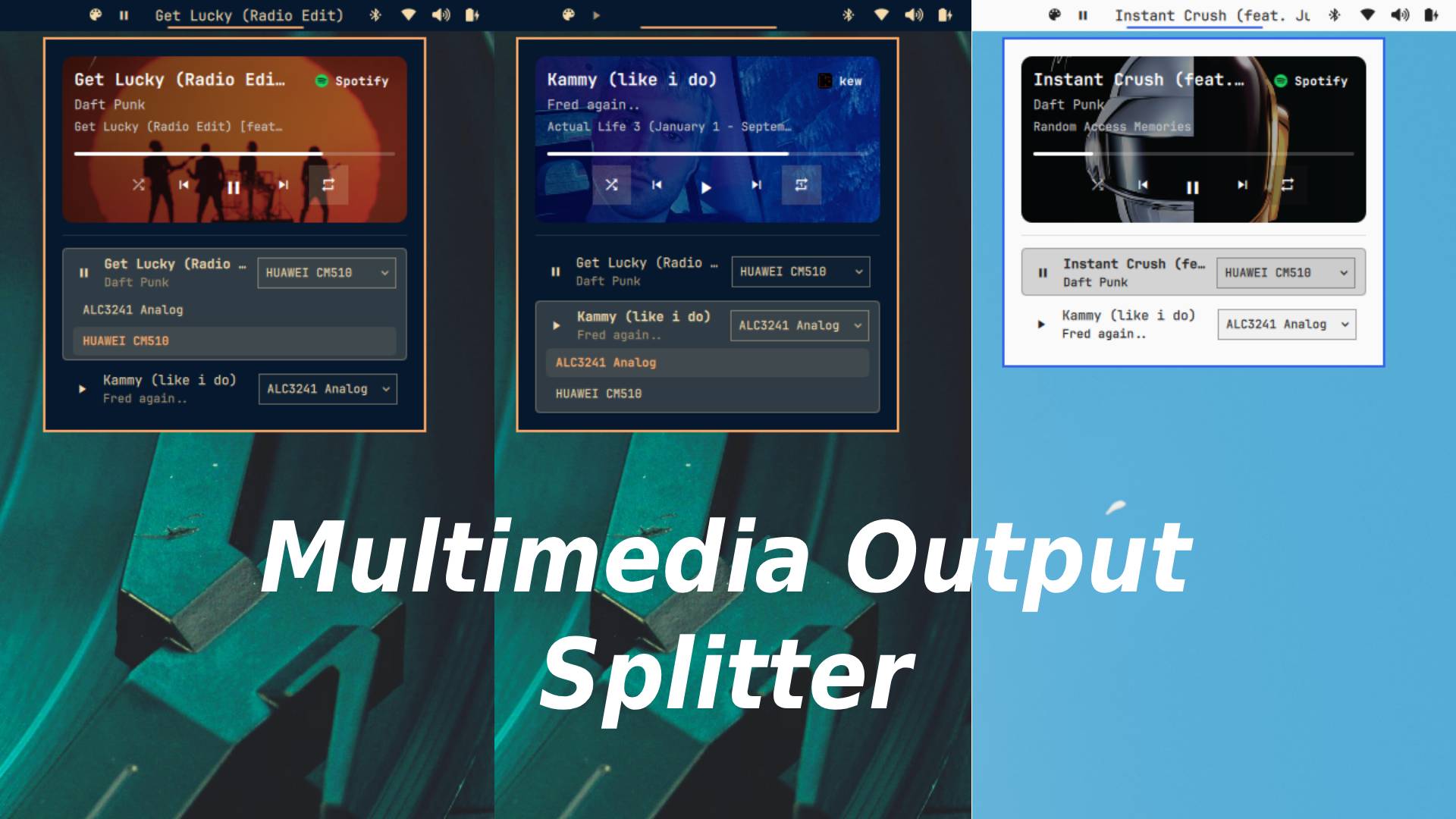
Bar widget for Omarchy — a fork of omarchy.media with visual modifications and functionality enhancements: the classic MPRIS now-playing widget plus per-source audio routing and a source badge that shows which app the audio comes from and can jump straight to it.
Features
- Media Output: choose a specific audio output for each media source independently. In the popup, every source row shows its current output and provides a menu to route that source to any available PipeWire sink without changing the other sources.
- Now playing: shows the current track title + artist in the bar, with a scrolling label for long titles.
- Playback controls: click to play/pause, middle-click (or scroll down) for next track, scroll up for previous track.
- Popup card (right-click): album art with rounded mask and gradient overlay, track title/artist/album, progress bar, and previous/play-pause/next buttons.
- Multiple sources: when several MPRIS players are around, the popup lists them with the active one highlighted; click a row to select it.
- Source badge: a pill in the popup's top-right corner showing the name of the audio source (e.g.
Spotify,kew,Chromium) in white, with the app's logo next to it when the icon theme provides one. Clicking the badge focuses the window that is producing the audio. - The badge always follows the media service's active player selection — paused players included — so it never disagrees with the highlighted source in the list. PipeWire playback streams are only used as a fallback when no MPRIS player exists (e.g. browser audio).
Install
install in the bar:
omarchy plugin add https://github.com/MEPPERDONAS/omamedia-plus --enable
Move it if you want:
omarchy bar move famas.media-plus --section right
You can also validate it with:
omarchy plugin validate famas.media-plus
Removing it
omarchy plugin remove famas.media-plus
That removes the plugin and its bar entry.
Usage
- Left click — play/pause.
- Right click — open/close the popup card.
- Middle click / scroll down — next track.
- Scroll up — previous track.
- Media Output — in the popup, open the output selector on a source row and choose the sink that should receive that source's audio. The selector is available when multiple outputs are detected.
- Popup top-right pill — shows the audio source; click it to focus the source app's window (via
omarchy-hyprland-focus-app, matching the Hyprland window class case-insensitively).
Requirements
- Omarchy (shell
quickshell). - PipeWire sinks exposed through Quickshell for per-source audio routing.
- Font with Nerd Fonts icons for the playback glyphs.
- The
omarchy-hyprland-focus-appcommand (included in Omarchy) for the source badge focus action.
Customization
- Source detection and icon resolution live in
BarWidget.qml: theiconCandidates()alias map (e.g.spotify→spotify-client) andfocusSource()are the knobs for which icon name / window class is used. - The badge style (colors, size, font) is the
sourceBadgeitem inside the popup card.
License
This project is licensed under the MIT License. See LICENSE for details.