
Emojis & Nerd Fonts for Omarchy
An emoji, kaomoji, and Nerd Font glyph picker for Omarchy — a drop-in replacement for the built-in emoji picker. SUPER+CTRL+E keeps working; it just opens this picker instead.
Acknowledgment: this plugin was heavily developed with AI assistance (GLM-5.3). All code has been reviewed and tested by the repository owner.
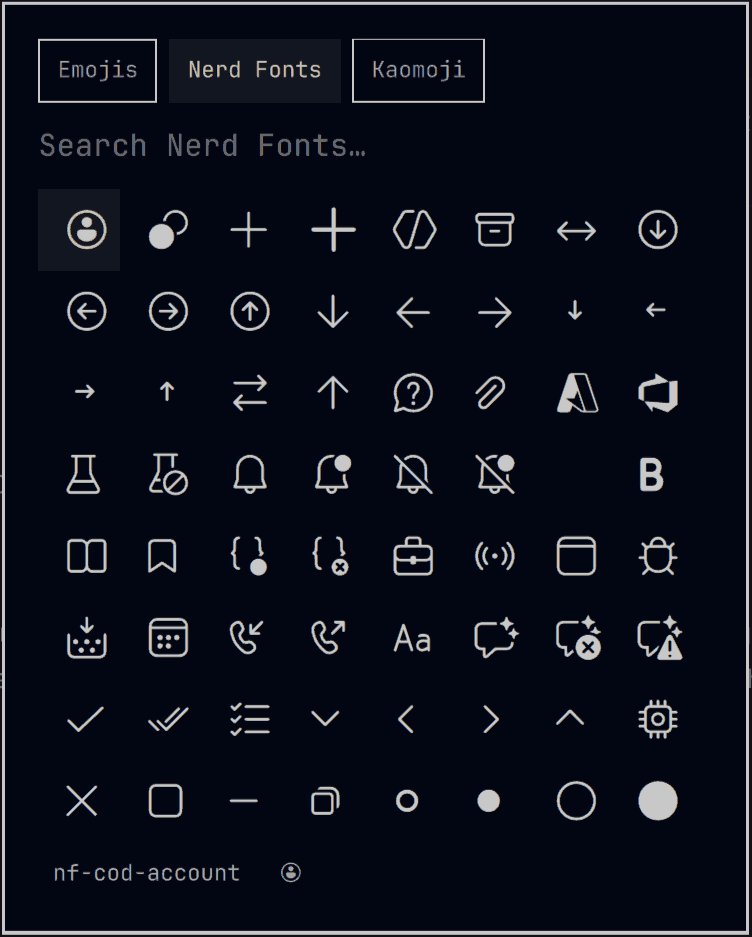
Features
- Three datasets, one popup — 1,800+ emojis, 10,600+ Nerd Font glyphs, and 1,500+ kaomoji (Japanese emoticons)
!houseflips to Nerd Fonts instantly — the leading!is a sticky mode switch; Tab or the header tabs cycle emoji → Nerd Fonts → kaomoji- Multi-word search — every word must match, so
md homefindsnf-md-home, and kaomoji tags combine:table fliporhappy wave - Named glyphs — in Nerd Fonts mode the footer shows the selected
glyph's official name (
nf-md-home), handy for configs and prompts; kaomoji show their tags next to each entry - Type or copy — Enter or left-click types the glyph into the focused app; Ctrl+Enter or right-click copies it to the clipboard (it stays pasteable and enters the clipboard history)
- Full keyboard navigation — arrows, PageUp/PageDown, Escape
- Theme-aware — follows your Omarchy theme, light or dark
- Light footprint — the kaomoji dataset loads on first use of its tab, and Nerd Font search streams from disk, so startup stays as fast as the built-in picker
How it replaces the built-in picker
The manifest declares "omarchy": { "clonedFrom": "omarchy.emojis" }. When
enabled, the Omarchy shell routes every omarchy.emojis call — the
SUPER+CTRL+E binding and omarchy menu emoji — to this plugin and disables
the built-in picker. Disabling or removing the plugin restores the built-in
picker automatically. No user configuration is overwritten.
Typing vs. copying
The default actions deliberately keep the original omarchy.emojis picker's
behavior, for as much compatibility as possible:
- Enter / left-click types the glyph, exactly like the built-in picker: an ephemeral, paste-only clipboard grab plus a paste keystroke inserts it into the focused app and leaves no copy in your clipboard or its history.
- Ctrl+Enter / right-click copies the glyph for the cases where you do
want a copy: a regular
wl-copythat keeps the glyph on the clipboard — pasteable anywhere, repeatedly, and visible in the clipboard manager.
Requirements
- Omarchy with shell plugin support
- Everything else already ships with Omarchy: wl-clipboard, wtype, and a Nerd Font
Rendering note: emojis render in any app. Nerd Font glyphs render correctly in apps that use a Nerd Font — Omarchy's terminal and bar fonts do. Apps without one substitute a different character for those codepoints.
Install
omarchy plugin add https://github.com/farangkao/omarchy-emojis-nerd.git --enable
SUPER+CTRL+E now opens this picker.
Update
omarchy plugin update farangkao.emojis-nerd
Remove
omarchy plugin remove farangkao.emojis-nerd
Removal re-enables the built-in emoji picker.
Controls
| Input | Action |
|---|---|
| Type text | Search the active dataset (kaomoji search matches tags) |
! + text |
Switch to Nerd Fonts and search (!house) |
| Tab | Cycle emojis → Nerd Fonts → kaomoji (the filter is kept) |
| Header tabs | Switch modes with the mouse |
| Arrow keys / PageUp / PageDown | Move the cursor |
| Enter | Type the selected glyph into the focused app |
| Ctrl+Enter | Copy the selected glyph to the clipboard |
| Left click | Type the glyph |
| Right click | Copy the glyph |
| Escape | Clear the filter, then close |
Development
Tasks live in mise.toml (mise):
mise run test               # search-logic + dataset tests
mise run validate           # omarchy plugin validate
mise run install-local      # sync into ~/.config/omarchy/plugins + restart shell
mise run check-dataset      # check for a new Nerd Fonts release, preview glyph changes
mise run regenerate-dataset # rebuild nerdfonts.tsv from the pinned Nerd Fonts release
mise run submission-body    # preview the marketplace submission issue
mise run publish            # submit to the Omarchy plugin marketplace
Without mise everything is a plain file: run tests/*.sh directly,
omarchy plugin validate ., and python3 tools/convert_nerd.py --help.
Local dev loop: edit → mise run install-local → SUPER+CTRL+E.
Dataset
nerdfonts.tsv is generated from Nerd Fonts glyphnames.json (name →
codepoint mapping only; no font data), pinned to v3.5.0. One line per
glyph: keywords, name, hex codepoint. Alias names sharing a codepoint are
merged, and keywords are source-derived only — the name in its nf-, raw,
and dashed forms plus its words. Set labels ("material", "fontawesome",
…) are deliberately left out so they don't match thousands of glyphs at
once; narrow by prefix instead (md home).
Nerd Font search streams the file through grep instead of loading it
into memory: only the visible page of results is ever resident, and a
regenerated dataset applies on the next search with no shell restart.
Emojis (108 KB) stay in memory for instant as-you-type filtering.
Kaomoji
kaomoji.tsv is generated from
w33ble/emoticon-data
(emoticons.json; ids dropped, one kaomoji per line: tags, string). The
file parses on the first activation of the kaomoji tab — never at shell
startup — into ~1,500 rows held in memory, searched with the same
token-AND semantics (tags only), so table flip finds table-flips and
happy love narrows to kaomoji tagged with both. Rebuild it (rarely
needed; upstream is dormant) with python3 tools/convert_kaomoji.py.
License
MIT — with notices for Omarchy, Nerd Fonts, and emoticon-data in THIRD_PARTY_NOTICES.md.