
Snapman
Snapman brings Snapper snapshot management to the Omarchy shell bar. It keeps recovery points visible and cleanup easy to manage without requiring Snapper commands for everyday tasks. View, diff, create, restore, boot into, and delete snapshots from a compact, keyboard-first panel.
Features
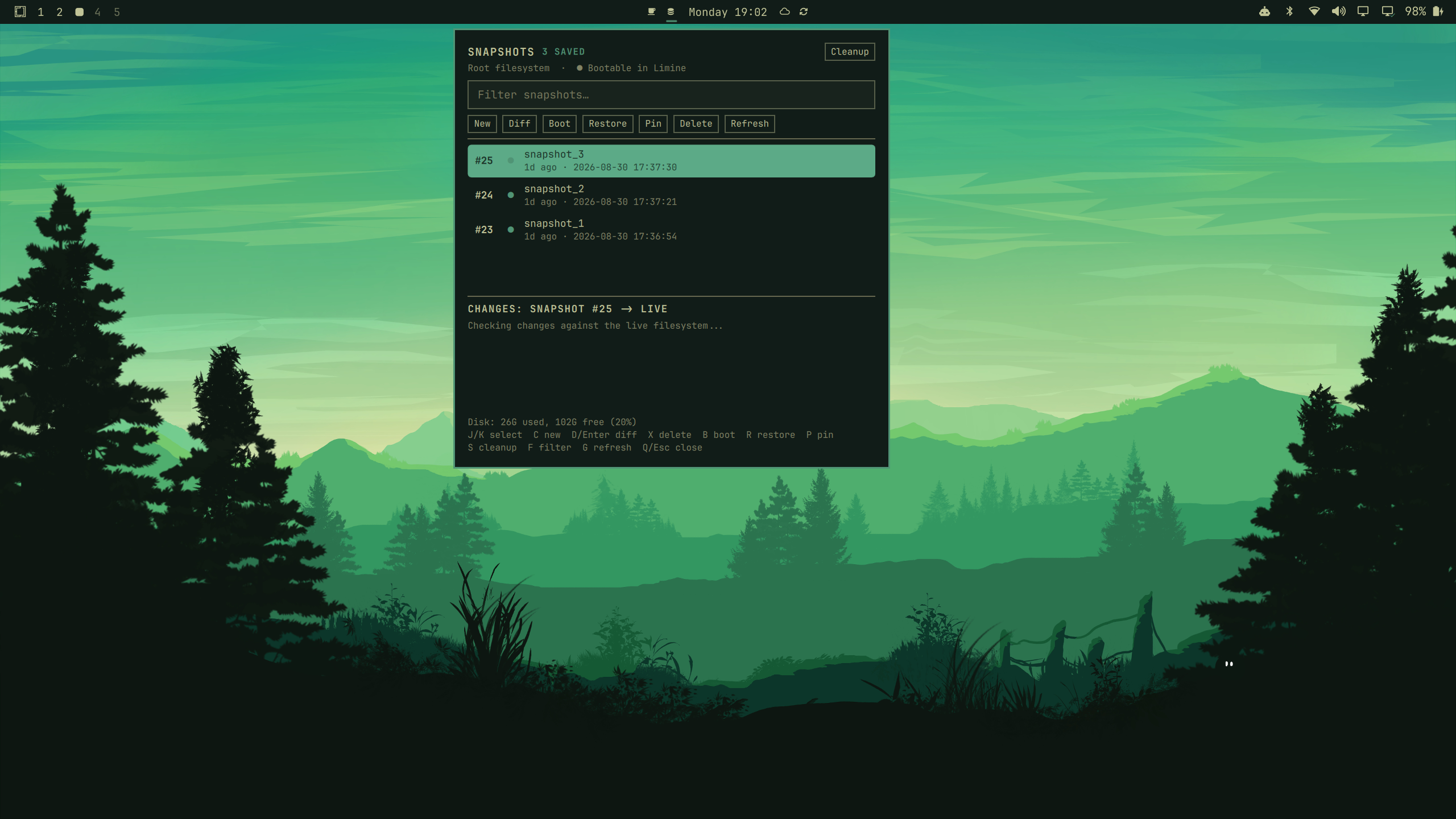
Browse and inspect
A compact, filterable list of every stored snapshot with its age, used space,
and Limine bootable marker. Selecting a snapshot previews the changed paths
against the live filesystem, and F filters the list.
Retention policy & bulk cleanup
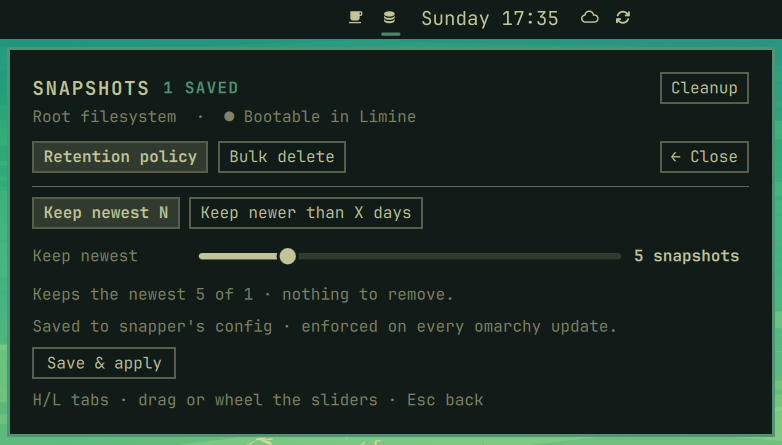
Press S, or the header Cleanup button, to open the cleanup view. Set a
persistent retention policy — keep the newest N snapshots (written to snapper's
config and enforced on every omarchy update), or keep snapshots newer than X
days (trimmed by a daily background timer). The same view runs one-shot bulk
deletes, with a live count and a confirmation dialog before anything is removed.
Per-snapshot actions
Create, full diff, boot next, restore, and delete any snapshot directly from
the panel, with vim bindings throughout — including H/L to switch the choice
on confirmation dialogs. A standalone TUI (omarchy-snapman-tui, requires fzf
less) is included as a bonus.
Pinned snapshots
Pin a snapshot (P, or the Pin button) to protect it from retention
cleanup. Snapper marks it important, so it survives the count-based policy
and the daily age-based timer skips it. Unpin to let it age out normally.
Update awareness
Snapman offers Diff, Update, and Store only when the fetched commit exactly matches the marketplace's verified snapshot. Updates without that verification are not offered from the panel, and the check is repeated just before an update starts.
Requirements
snapperwith arootconfig, and your user inALLOW_USERS(so deletes and creates run without a password — see the setup below).limine-snapper-syncfor the bootable marker and boot-to-snapshot.jq(used by the retention timer).omarchy-launch-floating-terminal-with-presentation(ships with Omarchy).
Retention config writes run through sudo and prompt for your password once.
Install
omarchy plugin add https://github.com/Grenco/omarchy-snapman.git --enable
The plugin id is grenco.snapman. Enable it later with
omarchy plugin enable grenco.snapman.
Snapper user access (one-time, with sudo)
Snapman performs create/delete/bulk operations without a password, but snapper
only grants that to users listed in the root config's ALLOW_USERS. This is
broad access to snapshots for the root config, including creating, deleting,
and changing snapshots. Add only trusted local accounts. SYNC_ACL="yes"
propagates that access to snapshots; it is not a substitute for restricting who
can use the machine.
Snapman never changes ALLOW_USERS, sudoers, Polkit, or PAM. Omarchy does not
add this access by default, so choose and run this one-time setup yourself:
sudo snapper -c root create-config /          # only if /etc/snapper/configs/root is missing
sudo snapper -c root set-config ALLOW_USERS="$(whoami)"
sudo snapper -c root set-config SYNC_ACL="yes"
snapperd is D-Bus-activated and starts on demand — there is nothing to enable.
If this step is skipped, snapshot actions can fail or prompt for authorization.
Editing the retention policy still prompts for sudo, because it rewrites
/etc/snapper/configs/root.
Removal
omarchy plugin remove grenco.snapman
The retention timer and helper scripts are user-owned, so the plugin command does not remove them. To clean those up as well:
systemctl --user disable --now snapman-retention.timer
rm -f ~/.local/bin/omarchy-snapman-tui \
       ~/.config/systemd/user/snapman-retention.service \
      ~/.config/systemd/user/snapman-retention.timer
rm -f ~/.config/omarchy/snapman.conf   # saved retention policy (optional)
systemctl --user daemon-reload
Keys
J/K select   C new   D/Enter diff   X delete   B boot   R restore
S cleanup   F filter   G refresh   Q/Esc close
In the Cleanup view: H/L switch tabs, Esc or ← Close goes back.
Notes
- Applying age-based retention installs a small user systemd timer
(
snapman-retention.timer, daily at 06:00). Its unit executes the retention script from the installed plugin, so plugin updates take effect without a stale copied helper. Count mode disables the timer. - Policy state is kept in
~/.config/omarchy/snapman.conf. - Run
tests/security-regression.shto exercise the verified-update gate and retention input bounds.
License
MIT — see LICENSE.