
Keyboard Indicator
0.4.4
- Fixed keyboard-panel option text overlapping the right-side toggles at narrow widths and larger font sizes.
- Adapted the settings panel text, dropdowns, and controls to Omarchy popup theme tokens so light and dark themes keep readable contrast.
Keyboard Indicator is an Omarchy experience-enhancement plugin for keyboard remapping, independent per-key Voxtype dictation, Fcitx5 input methods, and XKB keyboard layouts.
Marketplace
Keyboard Indicator has been approved and verified in the Omarchy plugin marketplace: open the published marketplace page.
Features
- Native Omarchy top-bar widget and settings panel.
- Independent toggles for the CapsLock/Left Ctrl swap and separate CapsLock, Left Ctrl, and Right Ctrl Voxtype dictation.
- Applies to graphical applications, terminals, tmux, SSH sessions, and Hyprland global shortcuts because keyd remaps the input before they receive it.
- Uses keyd and a small system configuration managed through an explicit
pkexecauthentication prompt. - If keyd is missing, the plugin fetches one pinned upstream commit, verifies it, and builds it as the user. The privileged step receives only the resulting binaries and installs them; it never executes the downloaded Makefile.
- Remembers the enabled state; keyd continues to run as a system service after shell or Hyprland restarts.
- Keeps the UI and state management in the user session; privileged work is limited to installing/removing the keyd config.
Installation
omarchy plugin add https://github.com/iamcheyan/omarchy-keyboard-indicator.git --enable
Open the Keyboard Indicator keyboard icon in the top bar. The panel follows Omarchy's native theme and uses the shell's KeyboardPanel, ToggleSwitch, and themed selector patterns.
The plugin automatically reapplies the selected state when the Omarchy shell starts. Disable or remove the plugin to restore the normal mapping and stop the plugin's runtime integration.
Interface
The default panel puts the active input method and keyboard layout first, followed by the optional keyboard remap and three independent dictation switches.
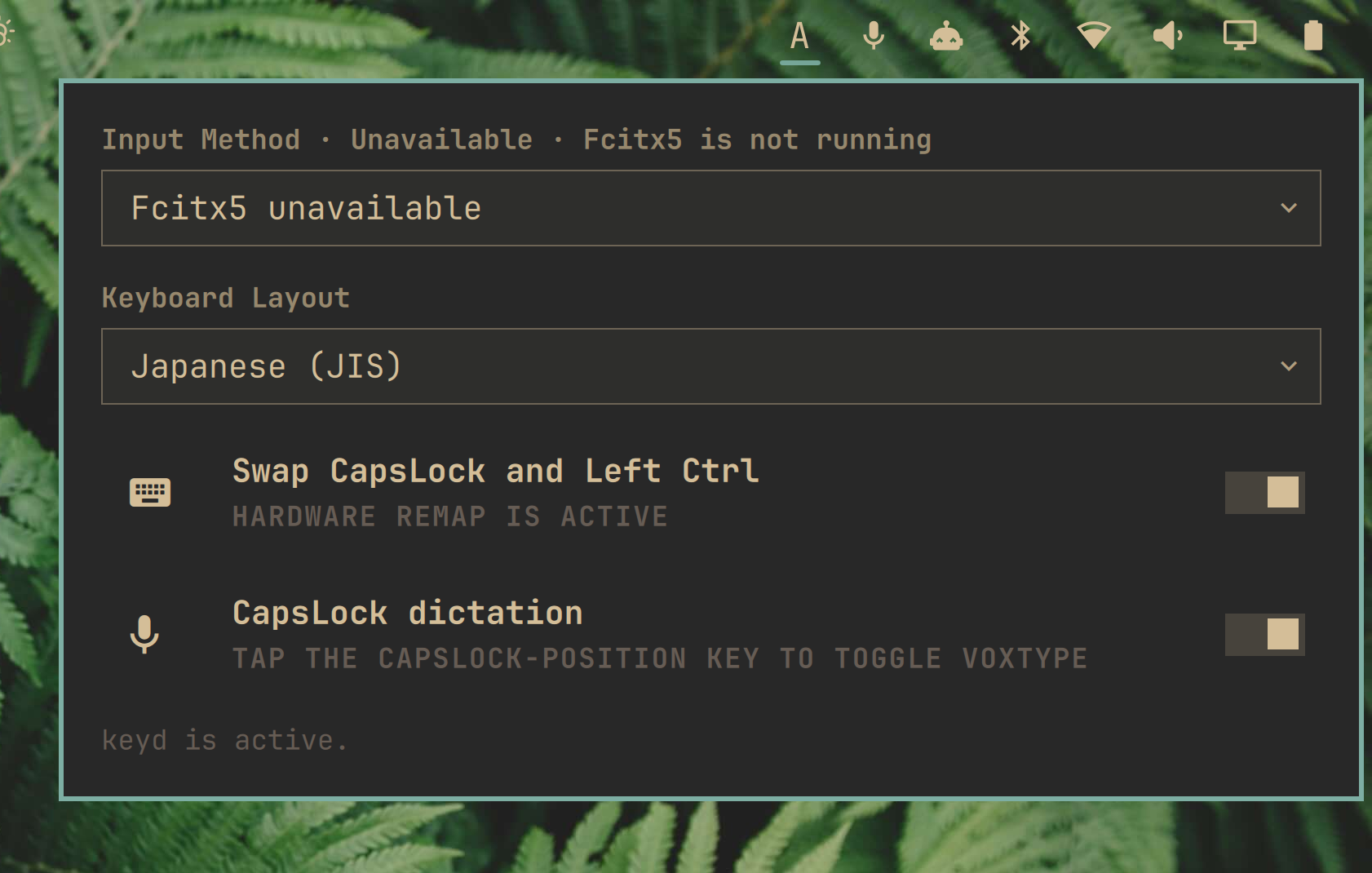
Default panel with the current input method and keyboard layout.
Both selectors use compact dropdown menus so the available input schemes and layouts stay out of the way until needed.
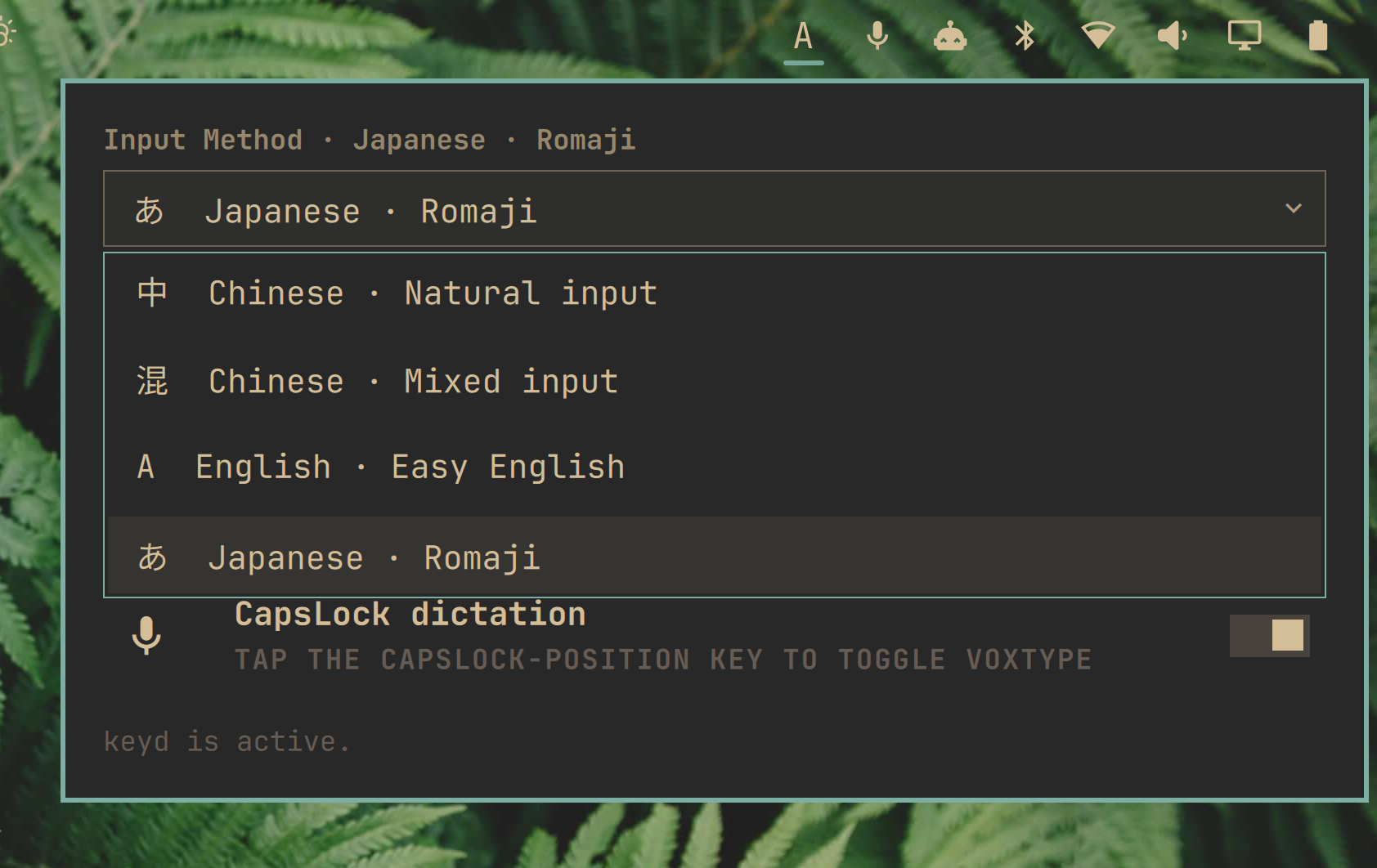
Expanded input-method selector.
How it works
keyd stays installed whenever the Ctrl swap or any dictation switch is on. The generated configuration depends on the four independent controls. Each enabled voice key emits the plugin-owned F24 signal. A standalone press toggles Voxtype on release; holding either Ctrl key with another key keeps normal Ctrl shortcuts working.
Swap only:
[ids]
*

[main]
capslock = layer(control)
leftcontrol = capslock
Dictation only (CapsLock is consumed, so it no longer toggles case):
[ids]
*

[main]
capslock = f24
leftcontrol = overload(control, f24)
Swap and dictation together (standalone press = Voxtype, combination = Ctrl):
[ids]
*

[main]
capslock = overload(control, f24)
leftcontrol = overload(control, f24)
The file is installed as /etc/keyd/hancore-ctrl-swap.conf after the user approves the pkexec prompt. The file carries a schema marker, and a config missing the marker is treated as drift and rebuilt. When the swap and all three dictation switches are off, the file is removed instead of leaving an identity mapping: keyd applies one wildcard config per device, so our file could otherwise override the user's own /etc/keyd/default.conf and discard unrelated mappings. keyd is restarted so the user's configuration can take over again. The swap intent is stored at:
~/.local/state/hancore.keyboard-center/enabled
The panel also lists the installed /etc/keyd/*.conf profiles with their device
IDs. Selecting a profile applies the plugin mapping to that profile while
preserving its existing mappings; the selection is stored in the same state
directory. This is useful when a keyboard has an explicit keyd profile that
would otherwise win over the plugin's wildcard profile.
Optional per-key dictation
The panel provides separate switches for CapsLock, Left Ctrl, and Right Ctrl. Each enabled key uses the plugin-owned F24 toggle trigger when pressed alone:
voxtype record toggle
keyd remaps enabled voice keys to the plugin-owned F24 signal. F24 toggles
Voxtype on release. F9 remains the user's original Voxtype toggle. Left and
Right Ctrl use overload(control, f24) so Ctrl shortcuts remain available.
Disabling one switch removes only that key's voice mapping. These options
require the voxtype command.
Boundary and compatibility notes
- Only Left Ctrl and CapsLock are swapped. Right Ctrl is never part of the swap, but it can independently be assigned to Voxtype.
- This plugin requires one-time administrator authentication when keyd is first installed, and authentication again when the system config is changed.
- It does not install a permissive Polkit rule; authentication is handled by the normal desktop Polkit agent.
Uninstallation
Disable or remove the plugin through Omarchy's plugin manager. Disabling all switches restores the original keyboard mapping by removing /etc/keyd/hancore-ctrl-swap.conf, handing the device back to the user's own keyd configuration. Removing the plugin files alone does not revert the system configuration — turn all switches off first. It does not remove unrelated Hyprland or keyboard configuration.
Validation
omarchy plugin validate .
qmllint -I /usr/share/omarchy/shell bar/widget.qml CtrlSwapPanel.qml
python3 -m py_compile scripts/ctrl_swap.py
python3 -m unittest discover -s tests
# live state walk; asks for polkit authentication once per transition
python3 tests/e2e_four_states.py
License
MIT. See LICENSE.