
Omahub
← All plugins
H

System stats

by harbefas

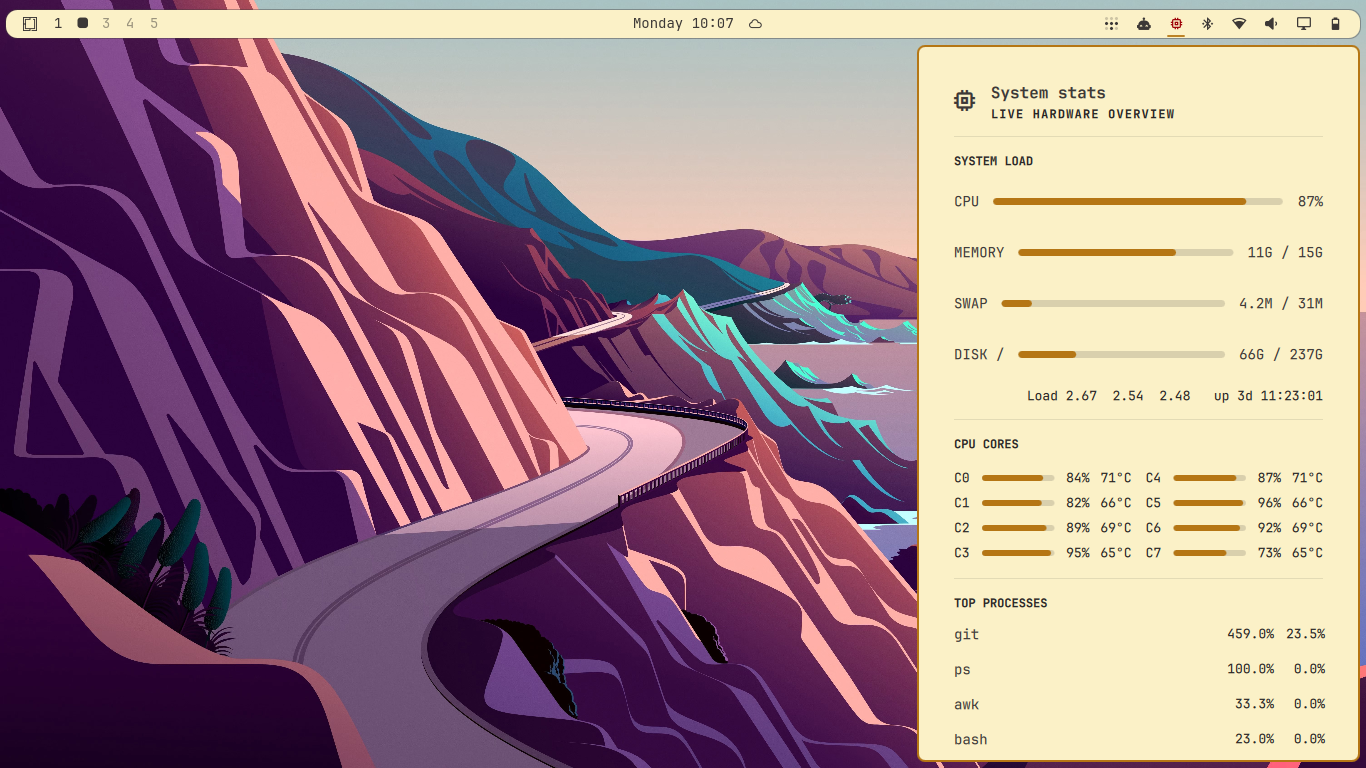
Compact CPU (per-core + temp), memory, disk, and process dashboard

Security review

No obvious issues detected

Deterministic scan — not a security guarantee

None
Risk level
None
Analyzed commit
706ccc8
Scanned
1 month ago

No potentially dangerous behavior detected in the analyzed commit.

Automated analysis only — not a security guarantee.

AI advisory review

No obvious issues detected

Language-model assessment · ~deepseek/deepseek-v4-flash-latest — advisory only

None
AI risk level
None
Recommendation
install
Model
~deepseek/deepseek-v4-flash-latest
Analyzed commit
706ccc8
Reviewed
1 month ago

The plugin is a straightforward system-monitoring bar widget that reads standard Linux /proc, df, hwmon, and ps data and renders it in QML. The bash helper performs no writes, no network access, no persistence, and no destructive operations, and its output is safely sanitized before being parsed. No malicious or dangerous behavior was found.

How this check works

This review combines the deterministic scan (the rule-based results above) with an independent look at the plugin's code by a language model. The model reads a trimmed sample of the repository's files, the manifest, and the README, then gives a plain-language risk level and a recommendation: install (no notable danger), review (look closer first), or avoid (clearly dangerous).

It runs on the same analyzed commit as the deterministic scan and is strictly advisory — it is not a security guarantee and never blocks a plugin by itself. A human moderator still reviews plugins before they are listed.

AI advisory only — automated analysis, not a security guarantee.

Install
$ omarchy plugin add https://github.com/harbefas/omarchy-system-stats --enable
System #bar #quickshell #system

Omarchy System Stats

Native Omarchy bar widget for a compact live dashboard of CPU (overall and per-core, with temperature), memory, swap, root-disk usage, load average, uptime, and the top five processes by CPU.

The widget reads Linux /proc, df, and hwmon data directly, so it does not need a terminal or a running btop process. It refreshes while open and adapts its popup height to the active monitor and scaling.

Install locally

omarchy plugin add /path/to/omarchy-system-stats --enable

Add harbefas.system-stats to the right section of ~/.config/omarchy/shell.json, then reload the shell:

omarchy restart shell

The plugin can also be installed from a Git repository with omarchy plugin add <git-url> --enable.

Requirements

Standard Linux userland only: bash, awk, nproc and df (coreutils), and ps (procps). No extra packages, daemons, or network access.

Per-core temperatures are read from the coretemp hwmon driver (Intel). On hardware exposing a different driver, such as AMD k10temp, every other metric still works and the temperature readout is omitted.

Remove

omarchy plugin remove harbefas.system-stats

Also remove harbefas.system-stats from the right section of ~/.config/omarchy/shell.json if it is still listed, then run omarchy restart shell. The plugin writes no files outside its own directory and leaves no other state behind.

License

MIT

Preview
System stats panel