
btop Activity for Omarchy Quattro
Live CPU, RAM, GPU, and temperature activity in the Omarchy bar, with btop one click away.
- brings btop back to the Omarchy bar with one-click launch and focus
- shows live CPU, RAM, GPU, and temperature activity at a glance
- switches between floating and tiled btop and applies settings live
- preserves Omarchy's btop theme without touching the normal user
btop.conf
Install
omarchy plugin add https://github.com/ilyaZar/btop-quattro-plugin --enable
Omarchy includes btop per default install. On AMD systems, btop's own GPU panel
also needs the distribution's ROCm SMI library (rocm-smi-lib on Arch).
Use
- left-click bar icon to start/focus btop in the selected window mode
- right-click bar icon to open the plugin settings
- choose Settings to change btop options (tray icon, keybindings ...)
- choose Help to open built-in help in the selected window mode
- hovering shows RAM use, CPU use and temperature, and GPU use and temperature
The plugin reads GPU telemetry from the kernel driver. If that driver does not
publish a temperature sensor, the hover shows a dimmed <missing driver>.
Demo
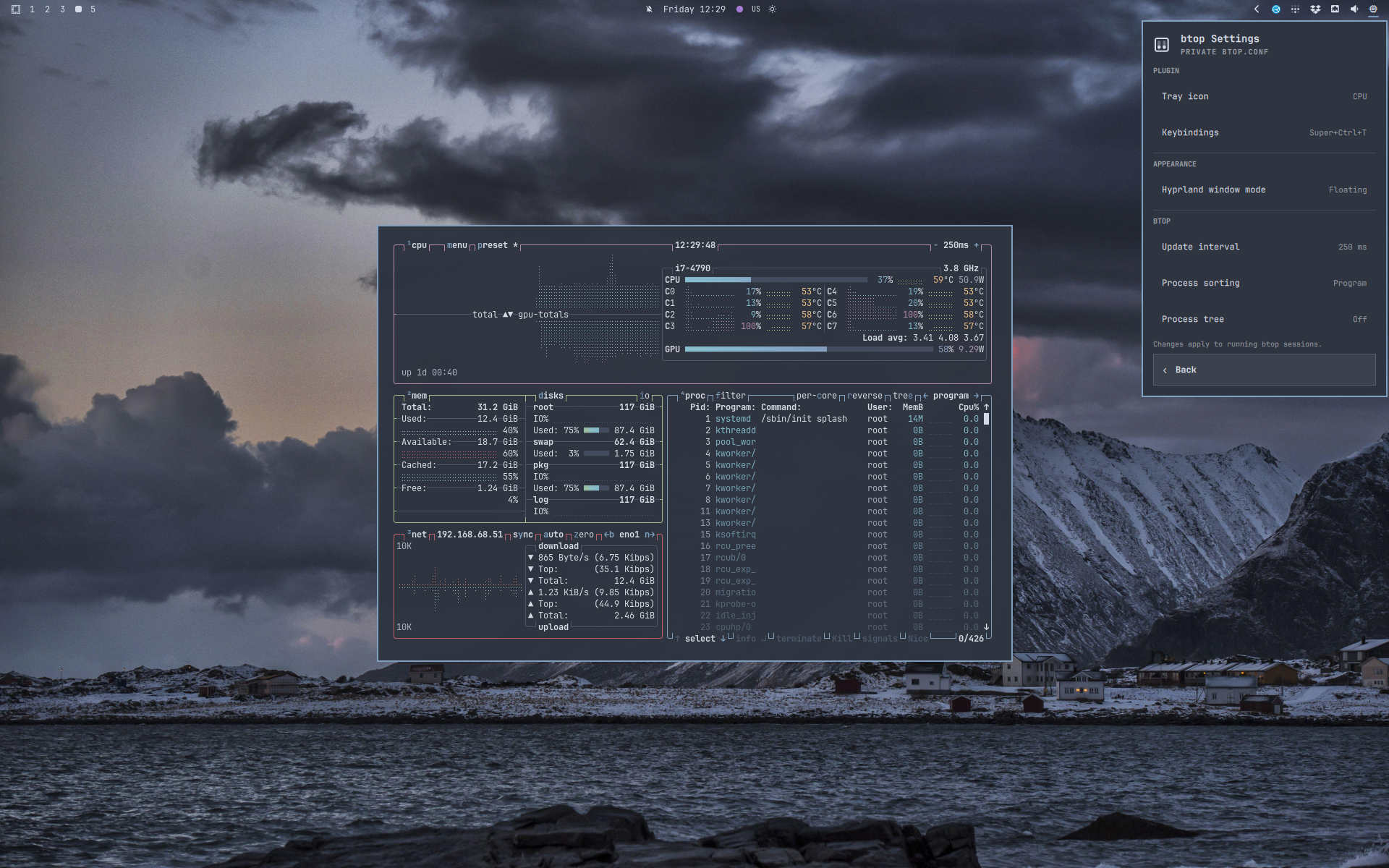
See btop launch from the bar, switch between floating and tiled layouts, apply a 250 ms refresh interval live, and update its keybinding.
https://github.com/user-attachments/assets/d8dde155-dd62-4afa-b586-2f4b95a61d4e
Settings
The plugin keeps the short list of controls that is useful before opening btop:
| Setting | Choices |
|---|---|
| Tray icon | Meters, CPU, Pulse, or a custom image |
| Keybindings | Opens the Omarchy user bindings file |
| Window mode | Floating or tiled |
| Update interval | 250, 500, 1000, 2000, or 5000 ms |
| Process sorting | Lazy CPU, direct CPU, memory, or program |
| Process tree | On or off |
Edit ~/.config/hypr/bindings.lua directly, or select Keybindings in the
plugin settings to open it. The button prefers Neovim, jumping to an existing
Activity override or to the end of the file; without Neovim, it uses Omarchy's
config editor.
Omarchy assigns Super+Ctrl+T to btop by default. To replace it, add:
hl.unbind("SUPER + CTRL + T")
o.bind("SUPER + CTRL + ALT + G", "Activity", { tui = "btop" })
After Hyprland reloads, the settings row shows the effective shortcut, or
Unbound when no Activity binding remains.
Cycle Tray icon through Meters, CPU, Pulse, and Custom. The default CPU icon follows the bar's normal foreground color. The custom path is stored separately, so switching between styles does not discard it. CPU is the default for new installations.
For Custom, enter an absolute path, a ~/path, or a file:// URL, then
press Enter or Save. SVG and PNG work well. The plugin renders the file
as-is and does not recolor it. An invalid path shows !.
Depending on the installed icon themes, useful paths include:
/usr/share/icons/hicolor/scalable/apps/btop.svg/usr/share/icons/HighContrast/scalable/apps/utilities-system-monitor.svg/usr/share/icons/Yaru/scalable/apps/system-monitor-app-symbolic.svg
Plugin choices are stored in Omarchy's shell.json and survive shell restarts.
Under Appearance, choose whether btop opens tiled or floating. The setting applies to both left-click and Help. Floating is the default and restores Omarchy's centered 875 x 600 window size when selected.
Config safety and troubleshooting
The plugin stores its choices in Omarchy's shell.json and generates a private
btop config under $XDG_RUNTIME_DIR. The normal user btop.conf is never read
or written.
The runtime file is created from Omarchy's packaged btop config and disappears with the user session. Quickshell writes it atomically, and a running btop receives its supported config-reload signal only after a successful change.
GPU temperature depends on driver support. If unavailable, the hover shows
<missing driver>. For AMD temperature monitoring in btop, install ROCm SMI:
sudo pacman -S rocm-smi-lib
Then restart btop. Can be an issue for GPUs ala Radeon RX 6400.
Remove
omarchy plugin remove ilyazar.btop
Removing the plugin removes its private btop settings. It does not remove btop or change btop's normal configuration.
Development
Link this repository into the local plugin folder and enable it:
ln -s "$PWD" ~/.config/omarchy/plugins/ilyazar.btop
omarchy-shell shell rescanPlugins
omarchy plugin enable ilyazar.btop --section right
Service.qml owns system sampling and the native Quickshell config bridge.
BarWidget.qml owns the bar icon, menu, and navigation.
License
MIT