
Omahub
← All plugins
A

On-Screen Keyboard

by abdxdev

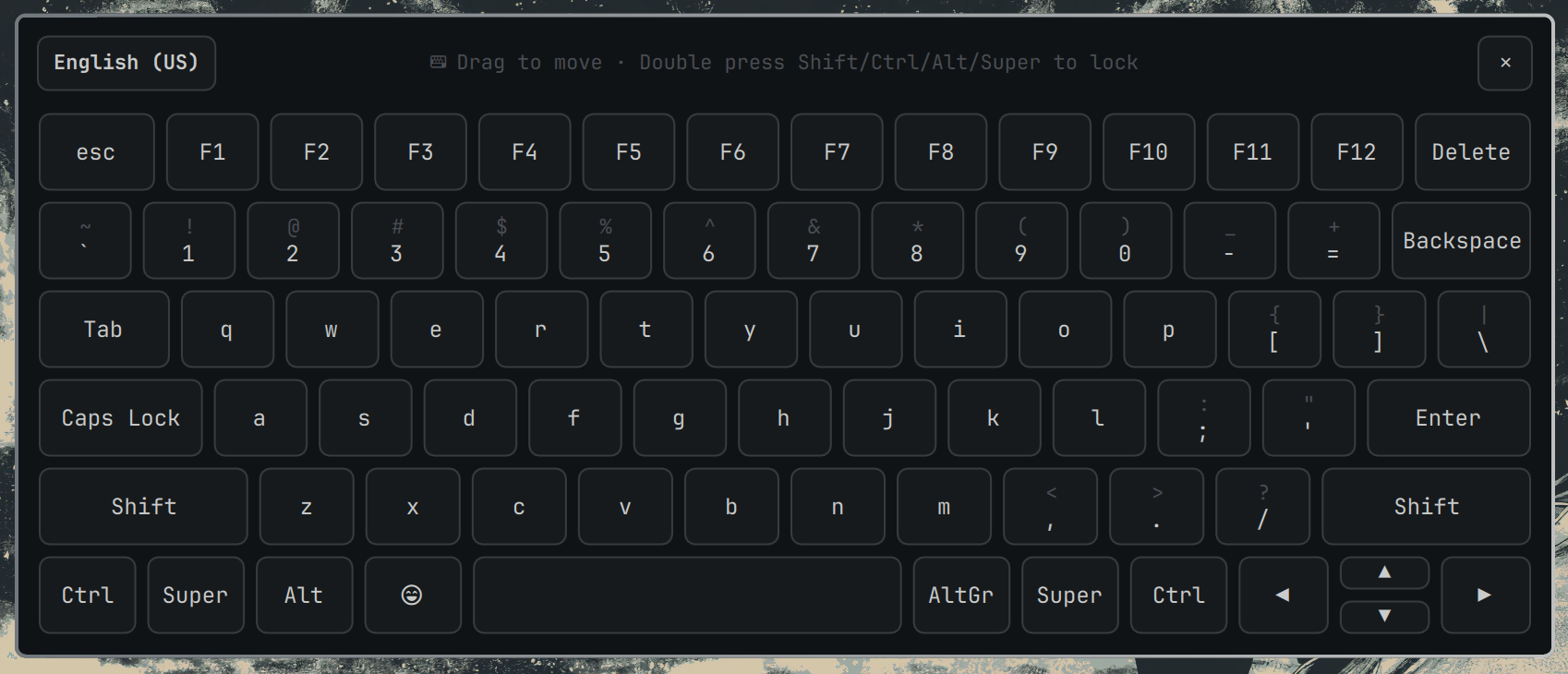
A clickable on-screen QWERTY keyboard that types into whatever window currently has focus. Toggle with the bar icon. Summon with: omarchy-shell shell toggle io.github.abdxdev.onscreen-keyboard

Security review

No obvious issues detected

Deterministic scan — not a security guarantee

None
Risk level
None
Analyzed commit
0d42cad
Scanned
1 month ago

No potentially dangerous behavior detected in the analyzed commit.

Automated analysis only — not a security guarantee.

AI advisory review

No obvious issues detected

Language-model assessment · ~deepseek/deepseek-v4-flash-latest — advisory only

None
AI risk level
None
Recommendation
install
Model
~deepseek/deepseek-v4-flash-latest
Analyzed commit
0d42cad
Reviewed
1 month ago

The plugin is a benign on-screen keyboard that uses standard system tools (wtype, hyprctl, xkbcli) for its intended functionality. All shell commands are static and pass user-controlled data as arguments, not concatenated into scripts, so there is no injection risk. The only package installation is user-initiated via a terminal prompt.

How this check works

This review combines the deterministic scan (the rule-based results above) with an independent look at the plugin's code by a language model. The model reads a trimmed sample of the repository's files, the manifest, and the README, then gives a plain-language risk level and a recommendation: install (no notable danger), review (look closer first), or avoid (clearly dangerous).

It runs on the same analyzed commit as the deterministic scan and is strictly advisory — it is not a security guarantee and never blocks a plugin by itself. A human moderator still reviews plugins before they are listed.

AI advisory only — automated analysis, not a security guarantee.

Install
$ omarchy plugin add https://github.com/abdxdev/omarchy-onscreen-keyboard --enable
Widgets #bar #system

On-Screen Keyboard

Preview

A clickable QWERTY keyboard panel for the Omarchy Quattro bar. Types directly into whatever window currently has focus, using wtype. Omarchy ships with wtype preinstalled; if it is missing, the keyboard shows an Install button for the required dependencies.

Declared as a standalone panel + bar-widget plugin (not a nested bar-popover) so it's fully independent of the bar's normal click-away-closes-popouts behavior — it only opens or closes when you click the bar icon or the panel's own close button.

Requirements

  • wtype is preinstalled on Omarchy. If it is missing, use the keyboard's Install button, or run omarchy pkg add wtype hyprland.
  • Hyprland + hyprctl — used to read and cycle the keyboard layout.
  • xkbcli (ships with libxkbcommon, already a Hyprland dependency) — used to compile the active layout so the key caps show the right symbols.

Install

omarchy plugin add https://github.com/abdxdev/omarchy-onscreen-keyboard.git --enable

Usage

Click the keyboard icon in the bar to open or close the keyboard. You can also drag the keyboard around your screen by clicking and holding the top bar.

  • Language Switching: The top bar features a language switcher button that detects your physical keyboard's active layout (e.g. English (US), Urdu (Pakistan)). Clicking it will cycle through your system's available layouts and instantly sync both your on-screen and physical keyboard (hyprctl switchxkblayout).
  • Shift applies to the next key only, then resets.
  • Caps toggles and stays on until pressed again.
  • Ctrl / Alt / Super / AltGr arm a one-shot modifier combo for the next key press. Double-press these modifiers to lock them.
  • Delete / Backspace: Includes both a standard Backspace and a dedicated Delete key.
  • Close the keyboard by clicking the ✕ in the top right, or clicking the bar icon again.

Configure

omarchy bar move io.github.abdxdev.onscreen-keyboard --section right

Remove

omarchy plugin remove io.github.abdxdev.onscreen-keyboard