
OmaNano
Your notes, one keystroke away.
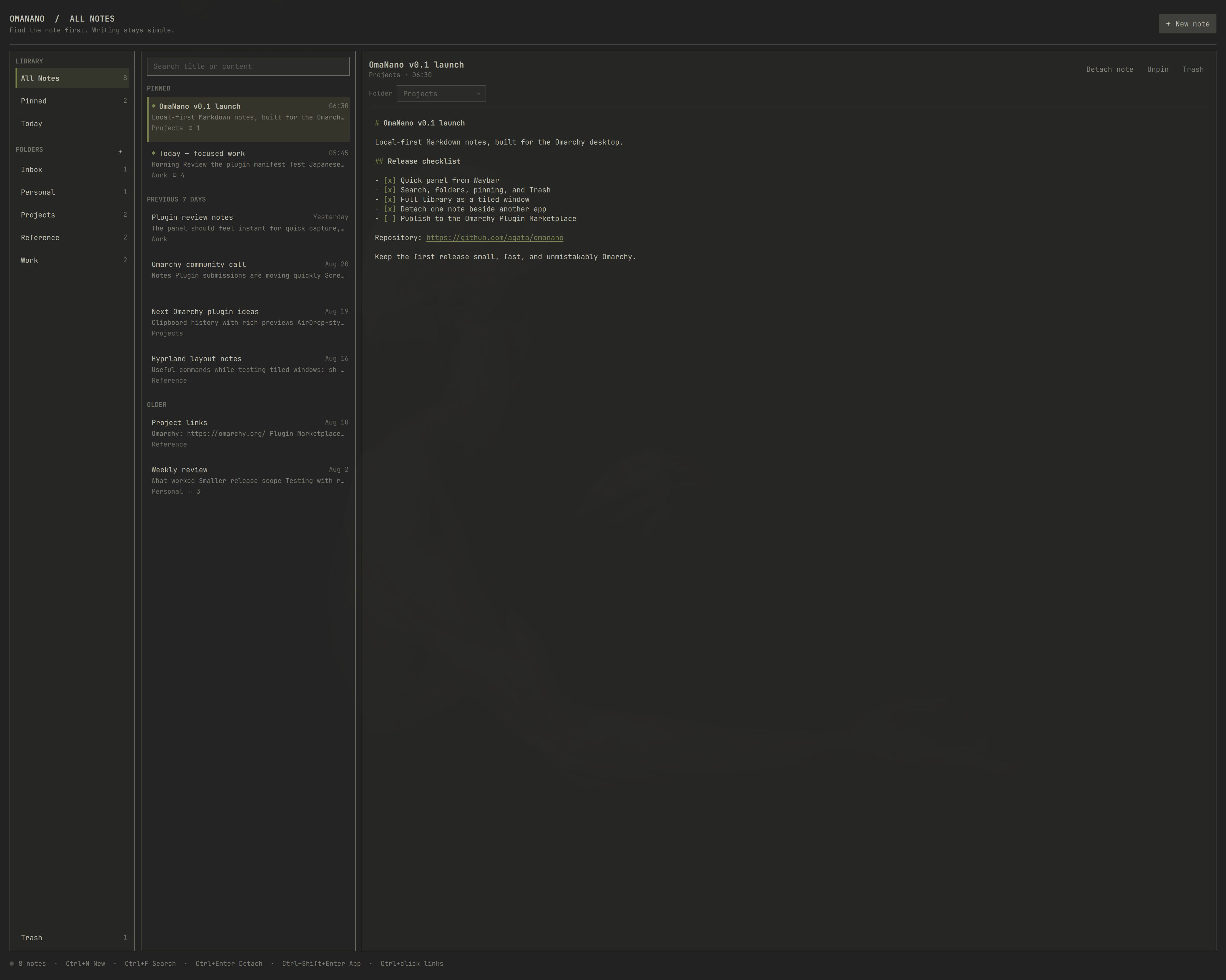
OmaNano is a local-first Markdown notes library designed for Omarchy. Capture a thought from Waybar, find it later in a calm three-pane library, or detach one note beside the work it belongs to.
Three ways to stay in flow
- Quick panel — open OmaNano from Waybar for fast capture without rearranging your workspace.
- Library window — move the complete app into the Hyprland tiling layout when you want to browse, organize, and write for longer.
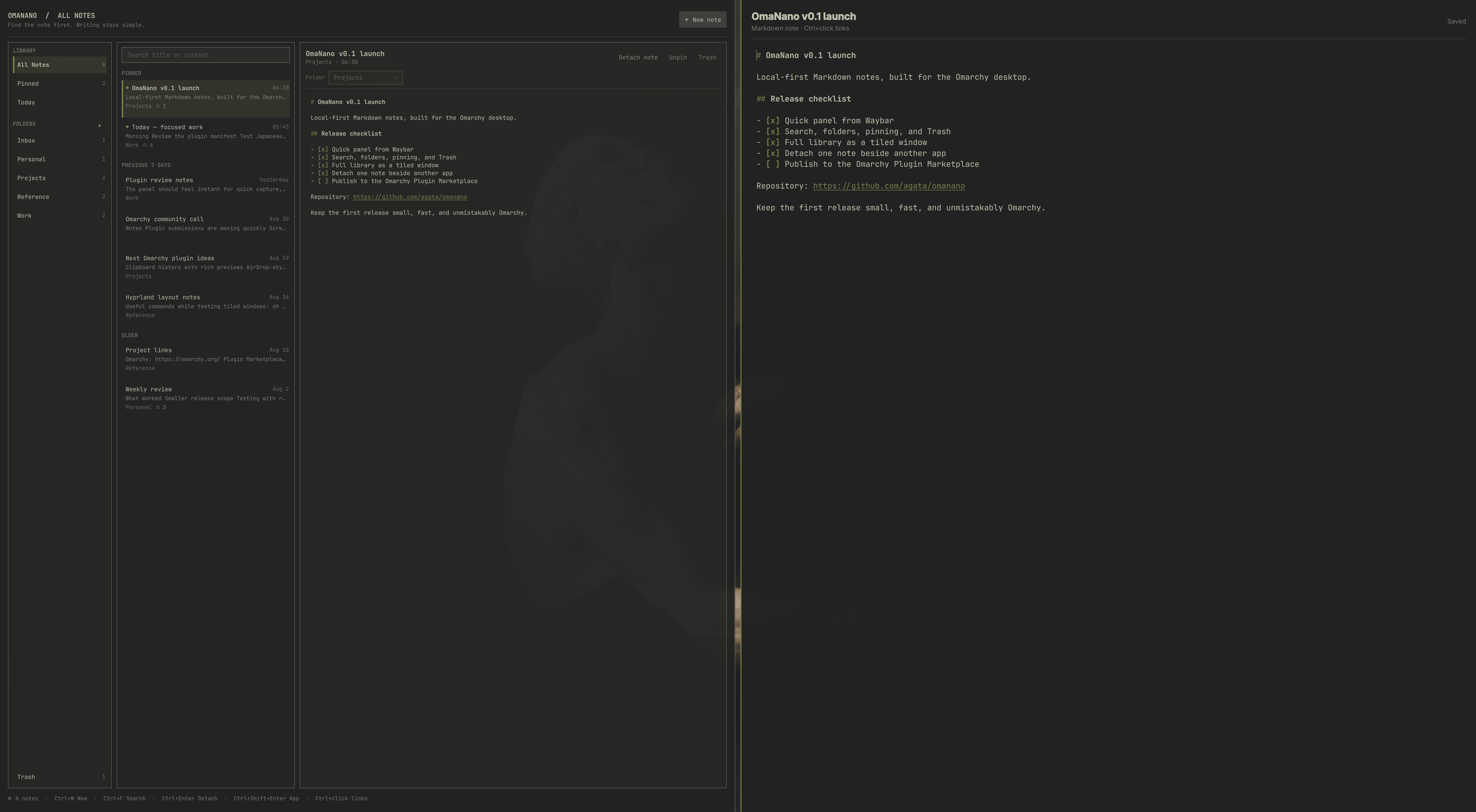
- Detached note — place one note beside a browser, terminal, editor, or call while the library remains available.
What it can do
- Browse notes by recency, folder, pinned state, or Trash
- Search titles, folders, and note previews instantly
- Edit plain Markdown with subtle highlighting for headings, lists, tasks, code, and URLs
- Open links with
Ctrl+click - Create folders, pin important notes, trash notes, and restore them later
- Autosave safely with debounced, atomic writes
- Navigate by keyboard or mouse
- Follow the active Omarchy theme and accent color
- Keep all notes as ordinary files under
~/.local/share/omanano/notes/
OmaNano makes no network requests and requires no account. Your notes stay on your machine in a format you can read with any text editor.
The library index contains metadata and short previews only. Note bodies are loaded on demand for the selected note, with a 1 MiB safety limit; larger files remain untouched and can still be opened with another editor. The visible library is capped at 2,000 notes and 2,000 folders to keep the long-lived Omarchy shell memory-bounded.
Install
Install from the Omarchy Plugin Marketplace, or directly from GitHub:
omarchy plugin add https://github.com/agata/omanano --enable
If the widget is not already visible in Waybar, add it to the right section:
omarchy bar put io.github.agata.omanano --section right
Remove
omarchy plugin remove io.github.agata.omanano
Removing or reinstalling the plugin preserves your notes in ~/.local/share/omanano/.
Keyboard
| Shortcut | Action |
|---|---|
Ctrl+N |
Create a note |
Ctrl+F or / |
Search notes |
Ctrl+P |
Pin or unpin the selected note |
Ctrl+S |
Save now |
Ctrl+Enter |
Detach the selected note into a tiled window |
Ctrl+Shift+Enter |
Open the complete library as a tiled window |
Ctrl+click |
Open the URL under the pointer |
Ctrl+Delete |
Move the selected note to Trash |
Up / Down |
Select the previous or next note while the list has focus |
Enter |
Focus the editor |
Escape |
Clear search, then close the panel |
Requirements
- Omarchy 4 with the Quattro shell
- Quickshell and Python 3, both included with Omarchy
No additional packages or online services are required.
Development
Use OMANANO_DATA_DIR to exercise the storage backend without touching your notes:
OMANANO_DATA_DIR=/tmp/omanano-test ./scripts/omanano-store list
Run the storage test suite with:
bash tests/store_test.sh
License
OmaNano is available under the MIT License.