
Unified Launcher for Omarchy
A fast, preloaded command palette for Omarchy Quattro. Unified Launcher brings apps, Omarchy actions, live Hyprland keybindings, clipboard history, emoji, and reminders into one searchable menu while leaving specialized fullscreen surfaces—such as Omarchy's image picker—as standalone overlays.
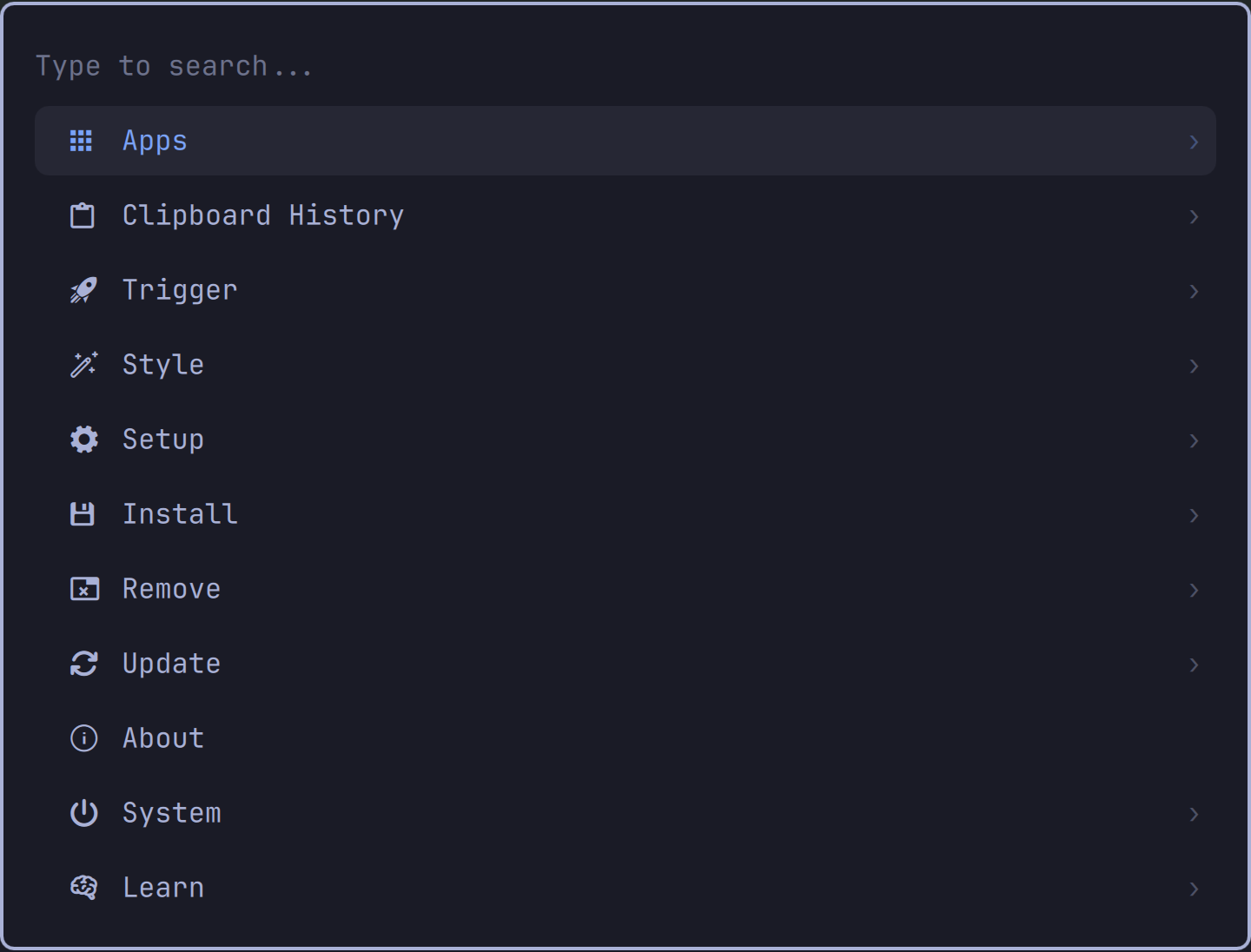
Features
- Search and launch desktop applications and Omarchy actions.
- Browse and execute live Hyprland keybindings with their shortcuts visible.
- Native clipboard history with text, file, and image previews.
- Native emoji grid backed by Omarchy's emoji catalog and insertion helper.
- Set and manage Omarchy reminders without replacing their systemd backend.
- Keyboard, mouse, arrow, Page Up/Down, Home/End, and
Ctrl+J/Knavigation. - Preserved submenu search, selection, and scroll state.
- Preloaded inside the existing
omarchy-shellprocess.
Clipboard contents, clipboard images, and reminder runtime state remain under Omarchy's normal runtime directories. Unified Launcher does not copy them into the plugin directory.
Requirements
- Omarchy Quattro with the current Quickshell plugin system.
- The standard Omarchy clipboard, emoji, reminder, menu, and Hyprland tools.
No extra daemon is installed and the plugin never starts a second Quickshell process.
Install
Review the repository first: Omarchy plugins execute unsandboxed with your user permissions. Then install and enable it:
omarchy plugin add https://github.com/alivault/omarchy-unified-launcher.git --enable
Unified Launcher intentionally declares that it replaces omarchy.menu while
enabled. This preserves existing omarchy-menu commands and Omarchy's menu
shortcuts. Removing the plugin restores the built-in menu.
Recommended shortcut
Add this user-owned override to ~/.config/hypr/bindings.lua:
hl.unbind("SUPER + SPACE")
o.bind(
  "SUPER + SPACE",
  "Unified Launcher",
  hl.dsp.global("io.github.alivault.omarchy-unified-launcher:toggle")
)
Reload and check Hyprland after editing:
hyprctl reload
hyprctl configerrors
The plugin also supplies a bar widget. Omarchy places it in the left section by default when there is no built-in menu widget to replace.
Usage
Open the root or a native subview through Omarchy's normal menu interface:
omarchy menu toggle root
omarchy menu summon clipboard
omarchy menu summon emoji
omarchy menu summon reminder-set
omarchy menu summon reminders
Useful keys:
| Key | Action |
|---|---|
Enter / Right |
Open or execute |
Left / Backspace |
Return to the previous view |
| Arrow keys | Navigate |
Ctrl+J / Ctrl+K |
Next / previous |
Page Up / Page Down |
Move by page |
Home / End |
First / last |
Delete |
Delete the selected clipboard entry or reminder |
Shift+Delete |
Clear clipboard history or all reminders, with confirmation |
Escape |
Clear search, go back, or close |
The fullscreen Theme and Background image pickers remain their own Omarchy overlays by design.
User menu overrides
Unified Launcher layers its additions between Omarchy's default menu and your existing user extension:
Omarchy defaults → plugin menu.jsonc → ~/.config/omarchy/extensions/omarchy-menu.jsonc
Reuse an item ID in your extension to change its label, icon, action, provider, position, or aliases.
Update and remove
omarchy plugin update io.github.alivault.omarchy-unified-launcher
omarchy plugin remove io.github.alivault.omarchy-unified-launcher
Development
omarchy plugin validate .
qmllint -I "$OMARCHY_PATH/shell" \
  Menu.qml BarWidget.qml ClipboardSubview.qml EmojiSubview.qml ReminderSubview.qml
When testing a changed checkout, restart the shell if QML's component cache does not pick up a hot reload:
omarchy restart shell
License
MIT. See LICENSE and NOTICE. Unified Launcher is based
on Omarchy's MIT-licensed first-party menu and helper modules.