
Omahub
← All plugins
A

Workspace Peek

by Anoop Lamba

Themed static workspace snapshots on hover while preserving immediate workspace switching.

Security review

No obvious issues detected

Deterministic scan — not a security guarantee

None
Risk level
None
Analyzed commit
f17b3da
Scanned
1 month ago

No potentially dangerous behavior detected in the analyzed commit.

Automated analysis only — not a security guarantee.

AI advisory review

No obvious issues detected

Language-model assessment · ~deepseek/deepseek-v4-flash-latest — advisory only

None
AI risk level
None
Recommendation
install
Model
~deepseek/deepseek-v4-flash-latest
Analyzed commit
f17b3da
Reviewed
1 month ago

The plugin is a standard QML bar widget that displays static workspace previews on hover. The code is straightforward UI logic using Quickshell/Hyprland APIs, with no obfuscation, no install scripts, no network calls, and no destructive operations. The screen-sharing detection and privacy override features are implemented transparently and match the documented behavior.

How this check works

This review combines the deterministic scan (the rule-based results above) with an independent look at the plugin's code by a language model. The model reads a trimmed sample of the repository's files, the manifest, and the README, then gives a plain-language risk level and a recommendation: install (no notable danger), review (look closer first), or avoid (clearly dangerous).

It runs on the same analyzed commit as the deterministic scan and is strictly advisory — it is not a security guarantee and never blocks a plugin by itself. A human moderator still reviews plugins before they are listed.

AI advisory only — automated analysis, not a security guarantee.

Install
$ omarchy plugin add https://github.com/AnoopLamba/omarchy-workspace-preview --enable
Widgets #Hyprland #bar #workspaces

Workspace Peek

Workspace Peek adds a themed, static preview to Omarchy's workspace indicators. Hover a workspace number to see a snapshot of its windows and wallpaper, while clicking the number or preview still switches immediately to that workspace.
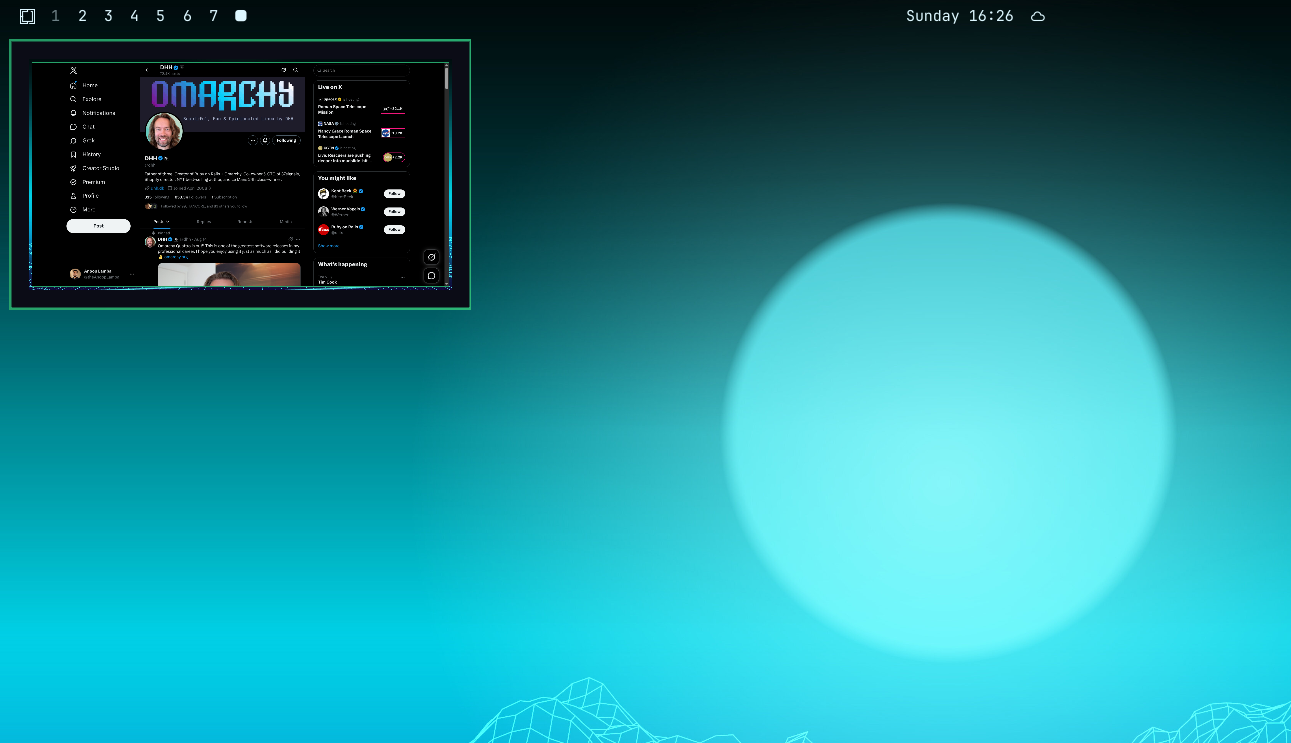
Workspace Peek preview

Features

  • 100 ms hover activation and 200 ms close delay
  • Static snapshots captured on each hover
  • Wallpaper-only previews for empty workspaces
  • Direction-aware transitions between workspace previews
  • Window icon and title fallbacks for unsupported or unavailable captures
  • Preview sizing that preserves the monitor aspect ratio and excludes the top bar
  • Multi-monitor-aware window placement
  • Screen-sharing privacy protection with a temporary opt-in override
  • Omarchy theme-aware styling

Install

omarchy plugin add https://github.com/AnoopLamba/omarchy-workspace-preview.git --enable

The plugin replaces Omarchy's built-in workspace widget. Restart the shell if the widget does not appear immediately:

omarchy restart shell

Usage

  • Hover a workspace number to open its preview.
  • Move between workspace numbers to transition between previews.
  • Click a workspace number or click inside the preview to focus that workspace.
  • Move the pointer away to close the preview.

Privacy

Previews are hidden when screen sharing is detected through PipeWire portal markers or gpu-screen-recorder. Detection is best effort. When sharing is detected, the preview offers a temporary opt-in override for the current session.

Requirements

  • Omarchy with the Quickshell bar
  • Hyprland
  • No additional services or packages

Removal

omarchy plugin remove io.github.anooplamba.workspace-preview

License

MIT. See LICENSE.