
Unified Desks
Two monitors, one desktop.
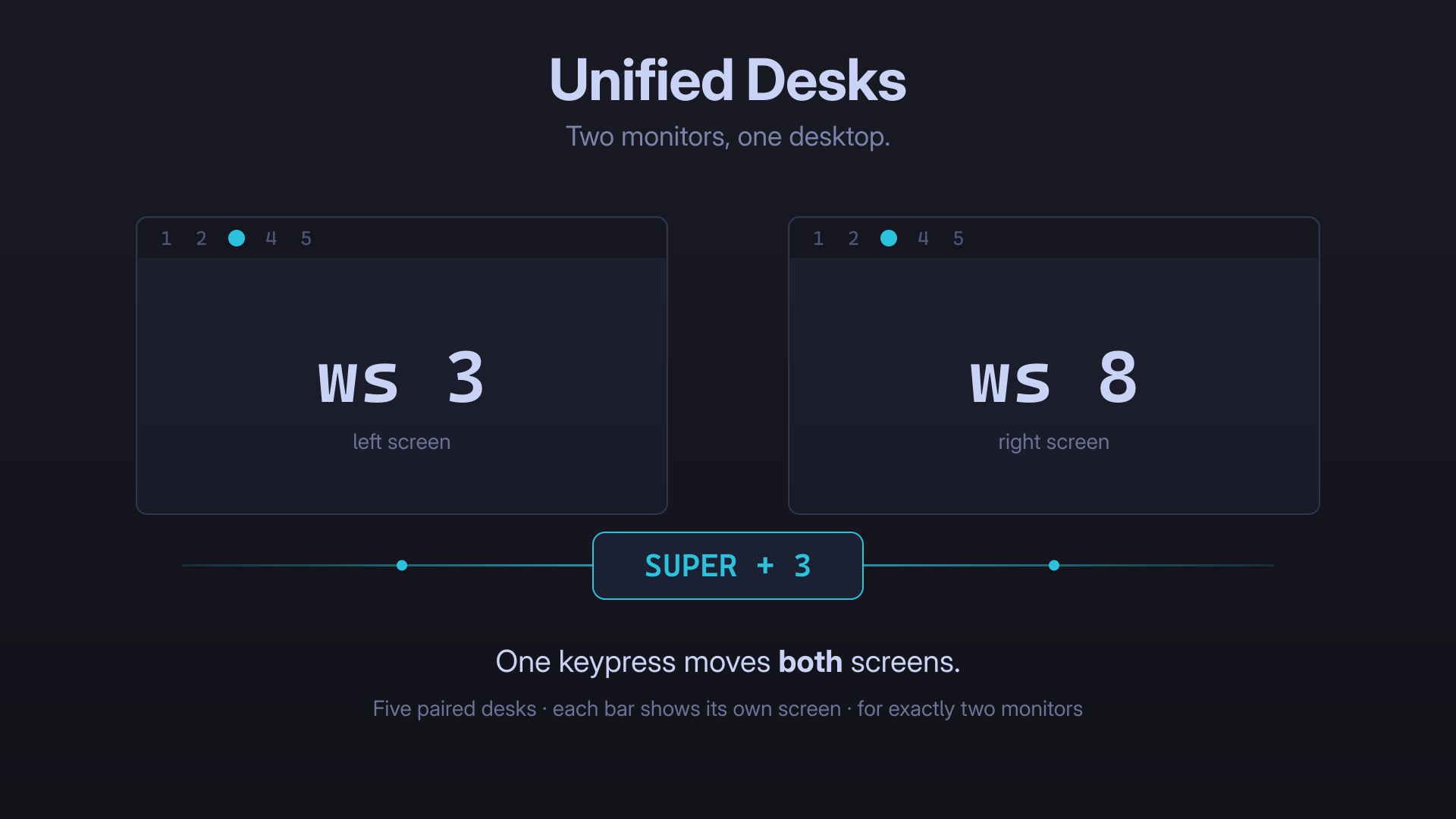
Every other multi-monitor workspace plugin for Omarchy splits your screens apart — each monitor gets its own independent workspaces. This one joins them.
SUPER+1 … SUPER+5 move both monitors at once. A desk is a pair of
workspaces: the left screen gets workspace N, the right gets N+5. Switch a desk
and your whole two-screen scene changes together, instead of one half of it.
SUPER+1  ->  left: ws 1    right: ws 6
SUPER+2  ->  left: ws 2    right: ws 7
SUPER+3  ->  left: ws 3    right: ws 8
SUPER+4  ->  left: ws 4    right: ws 9
SUPER+5  ->  left: ws 5    right: ws 10
⚠ For exactly two monitors
This plugin is built for a two-monitor setup — it was written for a pair of
side-by-side ultrawides. With any other number of displays the desk model
switches itself off: no workspace rules are written, and every workspace key
falls straight through to plain, stock Hyprland behaviour, so SUPER+3 simply
goes to workspace 3. The bar widget shows a dimmed 2✕ badge so you know why.
The monitor count is re-checked on every keypress, not just at startup, so unplugging a display stands the desks down instantly and plugging one back in brings them straight back — no reload, and never a moment without working workspace keys.
Why not just make one workspace span both screens?
You cannot, and it is worth knowing why before you install this.
Hyprland binds every workspace to exactly one monitor — that is structural, not
a setting. The only way to get a genuinely spanning workspace is to have the GPU
present both panels as a single output (NVIDIA Surround), which does not work on
Linux. Even hyprland-virtual-desktops, built for this exact wish, states that
windows cannot span monitors.
So a truly unified workspace is off the table. What is achievable is moving both monitors as one unit, which is what this does. Individual windows still cannot straddle the bezel while tiled.
What it changes
Nothing, until you ask. Installing the plugin only adds its bar widget. The widget shows a Set up desks button; until you click it, nothing outside the plugin's own directory is touched — a shell start writes no files at all.
Clicking it performs the one-time setup:
| File | Change |
|---|---|
~/.config/hypr/unified-desks.lua |
Installed from the plugin payload |
~/.config/hypr/hyprland.lua |
One fenced require() block, appended |
| Bar | Adds the Unified Desks widget |
Originals are copied to ~/.local/state/io.github.azcoov.unified-desks/originals/ before
anything is touched.
Every path this plugin writes is predictable, which makes it a target for a planted symlink. None of them are written with a plain shell redirect:
- Files the plugin owns (
unified-desks.lua, the backups,restore.sh) go through a helper that refuses a symlink or non-regular destination and publishes by atomic rename from a temporary file inside the destination directory, so a symlink swapped in mid-write cannot redirect it either. hyprland.luais opened once withO_NOFOLLOW, which makes the kernel refuse a symlink in the same syscall as the open. Testing the path first and then redirecting would be a time-of-check/time-of-use race; this has no such window. The "is the fence already there?" check runs on that same descriptor.
Setup is also content-addressed: if nothing differs, nothing is written.
If you keep hyprland.lua in a dotfiles repo as a symlink, setup will refuse
to touch it and tell you so. Add the line yourself to the real file:
require("hypr.unified-desks")
Keybindings
| Key | Action |
|---|---|
SUPER + 1..5 |
Switch both monitors to desks 1–5 |
SUPER + 6..0 |
Switch to the desk that workspace belongs to (6→desk 1 … 0→desk 5) |
SUPER + SHIFT + N |
Move window to that desk, on the screen it is already on |
SUPER + SHIFT + ALT + N |
Same, without following it |
Any workspace key takes you to the desk containing that workspace, so
SUPER+7 and SUPER+2 both land on desk 2. Workspaces 6–10 are the right-hand
halves of a desk, and reaching one on its own would desynchronise the pair —
which is exactly the confusion this plugin removes.
SUPER + SHIFT + N is rebound for a reason: the stock binding always targets
workspace N, so pressing it on the right monitor would fling the window to the
left screen. Here it targets whichever half of the desk you are already on.
Choosing how many desks
Five is the default, using workspaces 1–10. If you want three, or eight, write a
single number to ~/.config/omarchy/unified-desks.conf:
echo 3 > ~/.config/omarchy/unified-desks.conf
hyprctl reload
Desk N is always workspace N on the left screen and workspace N + count on the right. So the layout follows from the number you pick:
| Desks | Left screen | Right screen | Keys used |
|---|---|---|---|
| 3 | ws 1–3 | ws 4–6 | SUPER+1–6 |
| 5 (default) | ws 1–5 | ws 6–10 | SUPER+1–0 |
| 8 | ws 1–8 | ws 9–16 | SUPER+1–0 |
Valid values are 1 to 10. Anything missing, unparseable, or out of range falls back to five rather than leaving you with a broken keymap.
Both the keybindings and the bar widget read this same file, so they cannot disagree, and the widget picks up a change without a restart.
Fewer than five desks leaves the spare number keys alone — at three desks,
SUPER+7…SUPER+0 keep Omarchy's stock behaviour and switch to plain
workspaces 7–10.
More than five desks needs more workspaces than the number row has keys. At
eight desks the right-hand halves are workspaces 9–16, and only the desk keys
SUPER+1–8 matter; SUPER+9 and SUPER+0 land on desks 1 and 2, because a
workspace key always takes you to the desk that contains it. Every desk stays
reachable from the number row.
Changing the count later: Hyprland assigns a workspace to a monitor when that workspace is created, so workspaces that already exist keep whichever screen they are on. Switch from five desks to eight and workspace 7 — which used to be a right-hand half — is still sitting on the right monitor even though it is now a left-hand one. Empty workspaces sort themselves out as soon as they are destroyed and recreated; for ones holding windows, move the windows off, or just log out and back in. Easiest is to pick your count before you fill the desks up.
Losing a monitor
All ten keys stay bound whatever the monitor count. If a display is unplugged, the desk model switches off and every key falls back to plain, stock workspace behaviour — so you are never left without working workspace keys. Plug the second monitor back in and desks resume.
The bar widget
Shows 5 desks, not 10 workspaces. Clicking one switches both monitors, the same as the keybinding.
It also fixes a real bug in the stock widget. Omarchy's omarchy.workspaces
highlights Hyprland.focusedWorkspace, a global value, so on two monitors both
bars draw the same cell and one of them is lying. This widget resolves each bar's
own monitor and derives the desk from that monitor's active workspace — so the
two bars agree when desks are in sync, and honestly differ when they are not.
A desk lights up as occupied if either half holds windows.
Install
omarchy plugin add https://github.com/azcoov/omarchy-unified-desks.git --enable
Then put the widget in your bar — it defaults to the left section, replacing the
stock workspace indicator — and click Set up desks on it once. That click is
the only thing that writes to ~/.config/hypr.
After updating the plugin, click it again (or run desks-ctl install) to refresh
the Hyprland side; it is idempotent and reports already up to date when there is
nothing to do.
Uninstall
~/.config/omarchy/plugins/io.github.azcoov.unified-desks/scripts/desks-ctl restore
omarchy plugin remove io.github.azcoov.unified-desks
restore strips the fenced block from hyprland.lua, removes
unified-desks.lua, and reloads Hyprland. Your originals remain in
~/.local/state/io.github.azcoov.unified-desks/originals/.
Conflicts
This plugin owns workspace bindings and workspace-to-monitor rules. Do not run it alongside plugins that claim the same ground:
im0001gt.screenswith workspace spreading enabled. Turn spreading off (manageWorkspaces) — with it on, Screens writes its ownworkspace_ruleentries intomonitors.luaand the two plugins fight over the same rules. Unified Desks loads last so its rules win, but you are left with duplicates. Screens also replaces the bar's workspace widget on install, so re-select Unified Desks inshell.jsonafterwards.chagel.workspace-tagswith per-monitor tags enabledmmsbrggr.per-monitor-workspaces,shameel.workspaces,ragnacron.workspaces-per-monitor,ziryt.split-workspaces, and similar per-monitor workspace plugins — they implement the opposite philosophy
Troubleshooting
~/.config/omarchy/plugins/io.github.azcoov.unified-desks/scripts/desks-ctl status
Reports monitor count, whether the Lua file and hook are installed, and how many workspace rules are active.
If the bar reverts to showing ten workspaces, another plugin reclaimed the
widget slot — set the left widget id back to io.github.azcoov.unified-desks in
~/.config/omarchy/shell.json.
Requirements
- Omarchy with the shell plugin CLI
- Hyprland 0.55+ with Lua config
jq,python3- Exactly two monitors
License
MIT