
PortalPrompt
An Omarchy Quattro bar widget that shows when NetworkManager reports a captive portal or limited connectivity, then opens a browser sign-in page.
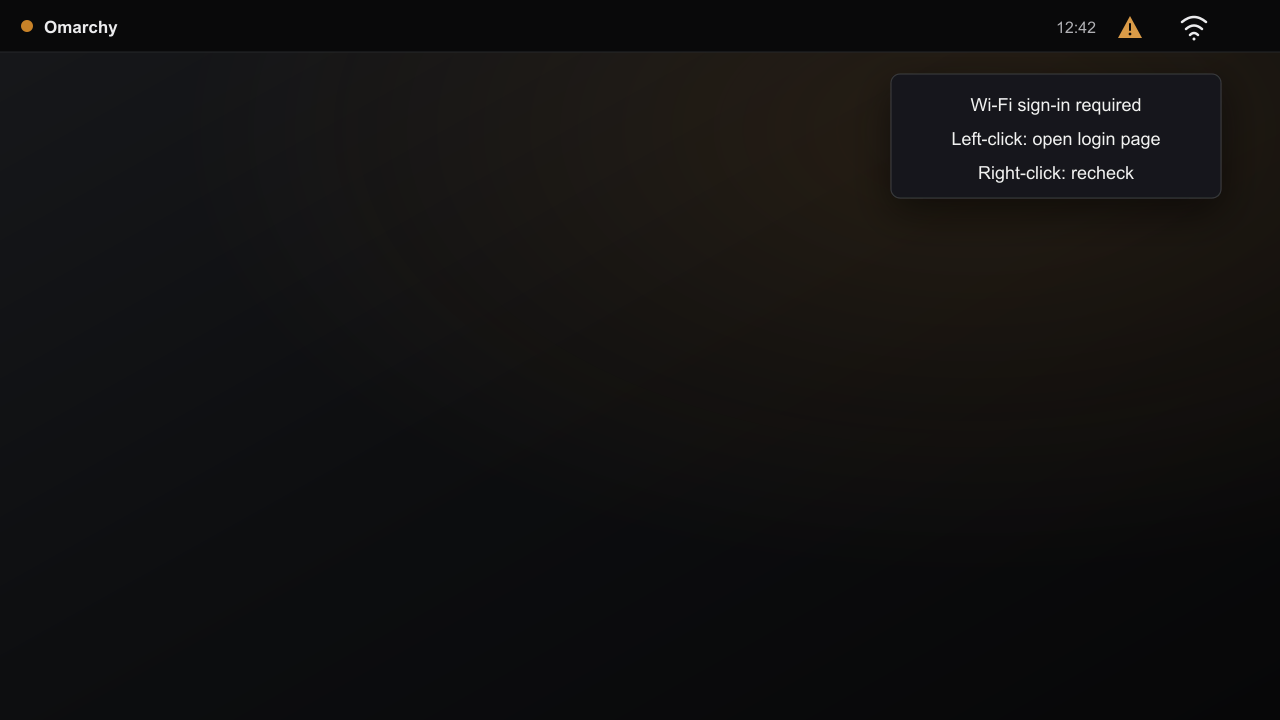
PortalPrompt stays hidden while connectivity is normal. When NetworkManager reports portal or limited:
- Left-click opens the sign-in page.
- Right-click rechecks connectivity.
Install
omarchy plugin add https://github.com/blackscaletech/portalprompt.git --enable
The widget is added to the right side of the bar. Its optional loginUrl setting defaults to http://example.com/; plain HTTP allows the network to redirect the browser to its portal.
Remove
omarchy plugin remove io.github.blackscaletech.portalprompt
Requirements
- Omarchy Quattro with NetworkManager
nmcliandxdg-open, both included by Omarchy
Security and privacy
PortalPrompt runs nmcli for connectivity status and opens one validated HTTP URL with xdg-open. It requests no privileges and reads no credentials. It stores no data and includes no telemetry or downloaded dependencies.