
Doom — an Omarchy bar plugin
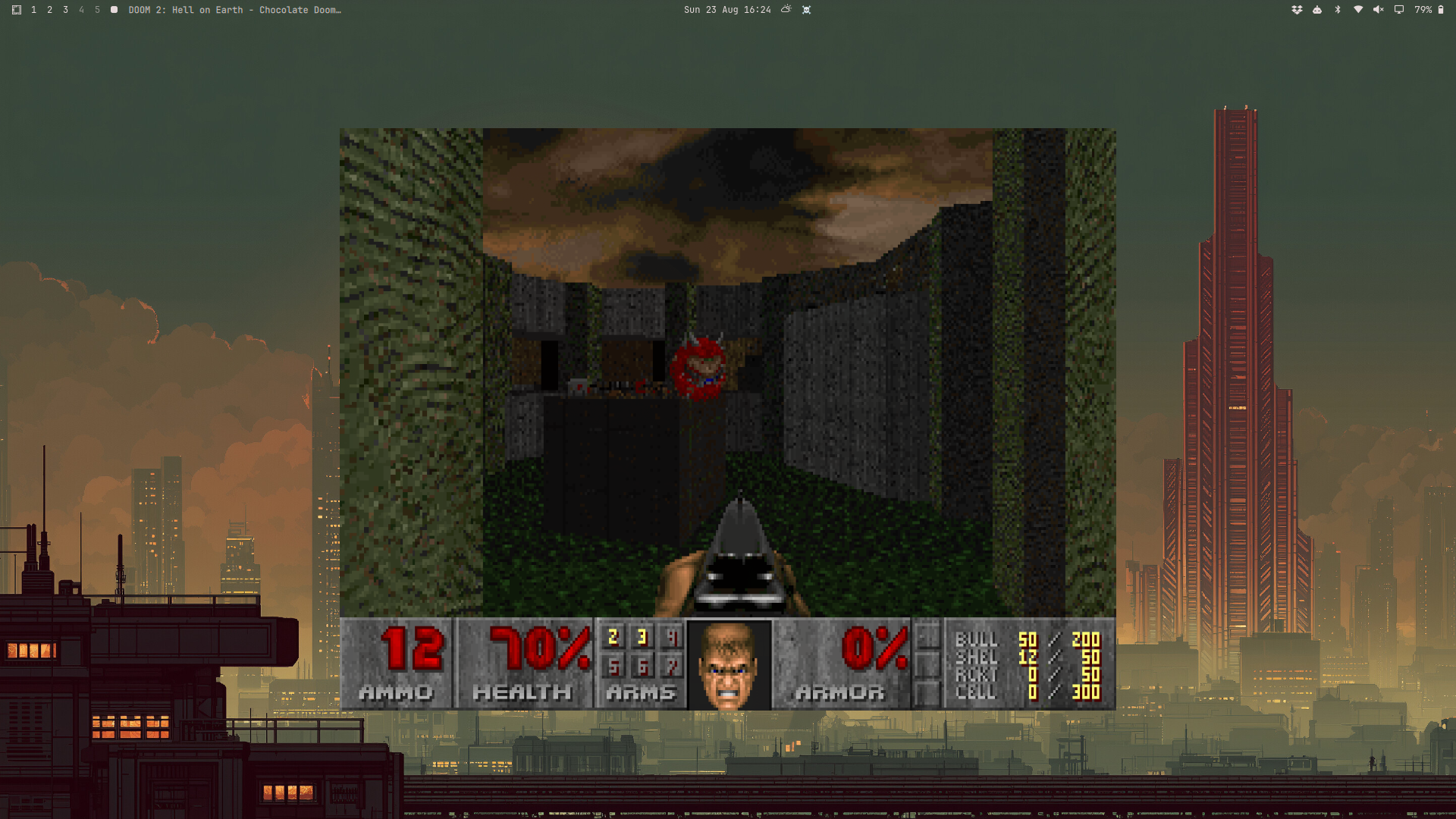
Play Doom straight from the Omarchy bar: click the skull icon, pick a WAD, and go. There's no bundled WAD (id Software's IWADs are commercial — bring your own), so the panel always asks for one first.
What it does
- Adds a bar-widget icon (
☠,⏸while a game is paused/hidden — see below) that left-click opens as a small floating panel while no game is running. - The panel walks through: is
chocolate-doominstalled → do you have a WAD selected → pick a resolution (800x600to1920x1080) → play. - Play launches
chocolate-doomas a plain, independent, floating window (not fullscreen, not tiled — see Design notes below) and closes the panel so the game gets real keyboard focus. - Once a game is running, left-clicking the bar icon again pauses it and
hides its window (parked on a hidden Hyprland special workspace, and
the icon switches to
⏸); clicking once more resumes and reveals it exactly where it was. This is a plain click-to-toggle, not automatic pause-on-focus-loss (see Design notes for why that didn't work out). - Right-click the bar icon any time to reach the panel itself (e.g. to Quit the running game or Change WAD) — left click is claimed by the pause/hide toggle once a game is running.
Requirements
chocolate-doom— AUR-only on Arch (yay -S chocolate-doom/paru -S chocolate-doom). The panel detects if it's missing and offers a one-click terminal with that command pre-filled; it never runs an installer on your behalf silently. (doomretro, in the officialextrarepo, was tried first since it needs no AUR helper, but it doesn't reliably exit onSIGTERMonce its window is mapped and needs its own config file patched to avoid launching fullscreen — chocolate-doom does neither: a plain-windowflag forces windowed mode and it quits cleanly onSIGTERM, both confirmed in testing.)zenityfor the WAD file picker (ships by default on most Omarchy installs).- A WAD file you legally own — shareware
doom1.wad, a retailDOOM.WAD/DOOM2.WAD, or any PWAD you want to load as the IWAD.
Installing
omarchy plugin add https://github.com/bogard1/omarchy-doom-plugin.git --enable
Or by hand:
git clone https://github.com/bogard1/omarchy-doom-plugin.git \
  ~/.config/omarchy/plugins/io.github.bogard1.doom
omarchy-shell shell rescanPlugins
omarchy plugin enable io.github.bogard1.doom
Uninstalling
omarchy plugin remove io.github.bogard1.doom
This removes the plugin directory and disables the bar icon. It doesn't
touch anything else — no window rules or config files are added anywhere
outside the plugin's own directory, so there's nothing else to clean up.
chocolate-doom itself, and any WAD files you picked, are untouched;
remove those yourself through your package manager and file manager if
you don't want them either.
Design notes
This intentionally does the minimum: launch the game and get out of its way, rather than managing its window. Two earlier, more ambitious designs were tried and dropped during testing:
Pixel-aligning the game into the panel's box. Wayland/Hyprland don't
support compositing a live texture of another process's window into a
QML item while also forwarding mouse/keyboard input to it — the capture
protocols (wlr-screencopy, hyprland-toplevel-export-v1) are read-only,
and Wayland's virtual-input protocols always target whatever surface
currently holds compositor focus. The fallback — running the game as a
real window and using Hyprland's windowrulev2 + movewindowpixel /
resizewindowpixel / focuswindow dispatchers to snap it onto the
panel's box — is the standard approach and works on most current
Hyprland installs, but not on this project's dev machine: it runs
Hyprland 0.56's Lua-config branch, which replaced the classic
string-based dispatcher protocol with a structured Lua API
(hl.dsp.window.*). Neither hyprctl dispatch <request> nor Quickshell's
Hyprland.dispatch() QML binding (which sends that same legacy string)
work against it — confirmed by writing directly to Hyprland's IPC socket
and getting back hl.dispatch: expected a dispatcher.
Exact panel-box alignment was dropped (there's no arbitrary-pixel-position
dispatcher in this API, only workspace moves, resize, and center — see
below), but this branch's own dispatch API turned out to cover floating,
sizing, and centering just fine, all driven from bin/*.sh
via hyprctl eval "hl.dispatch(hl.dsp.window.<action>(...))"
(hl.dispatch(...) actually calls a dispatcher; hl.dsp.window.x(...)
alone just constructs one to bind to a key, the only form any example
in Omarchy's own bindings uses, which cost some time to untangle):
hl.dsp.window.float({ action = "toggle" })— the equivalent ofhyprctl dispatch setfloating.hl.dsp.window.resize({ x = W, y = H })— absolute width/height, keyed confusingly asx/y. Addrelative = true(the only form shown in Omarchy's bindings) and they become deltas instead.hl.dsp.window.center()— the equivalent ofhyprctl dispatch centerwindow, no arguments.hl.dsp.window.move({ workspace = "special:doom" })+hl.dsp.workspace.toggle_special("doom")— parks the window on a hidden scratchpad-style workspace and reveals/hides it on demand; this is what drives the bar icon's pause/hide-resume/show toggle (bin/ toggle-doom.sh; see the "What it does" section above).
bin/float-doom.sh (float + resize + center, run once right after
launch) gets away with operating on whatever window currently has
focus, confirmed beforehand by polling hyprctl activewindow — right
after launch, that's reliably the game. bin/toggle-doom.sh's hide step
can't make that assumption: it runs whenever the bar icon is clicked,
which could be long after launch, and by then whatever the player looked
at last (a terminal, a browser) is the focused window, not the game — an
early version of this script hid that instead, moving the wrong window
into the special workspace. The fix, and proof that this API does
support address-targeting despite no example anywhere showing it:
hl.get_windows({ class = "chocolate-doom" }) returns matching window
objects regardless of focus, and passing one as the window field on a
dispatcher's argument table (e.g. hl.dsp.window.move({ workspace = ..., window = w[1] })) targets that window specifically. Confirmed by
hiding the game with an unrelated app focused in a different workspace
and checking nothing else moved. toggle-doom.sh logs every hyprctl eval call and its output to $XDG_STATE_HOME/io.github.bogard1.doom/ toggle.log, timestamped, for diagnosing anything similar.
On classic (non-Lua) Hyprland all of the hyprctl eval calls above just
fail harmlessly and the window stays wherever it would otherwise have
ended up — no worse off than not having these scripts at all.
Auto-pausing the game when the panel loses focus. Tried via SIGSTOP
on blur / SIGCONT on refocus, using Hyprland's toplevel-tracking API to
tell "focus moved to the game we launched" (fine) apart from "focus moved
to something else" (pause). In testing this fought with the game window
for keyboard focus — chocolate-doom accepted no keyboard input at all
while the popup stayed open beside it, and once it did take focus (e.g.
via a mouse click into it), the popup's own click-outside dismissal or a
race in the focus-tracking logic would immediately SIGSTOP the game
that had just started, or leave it receiving no input at all. None of the
fixes attempted (suppressing the popup's dismissal while a game is
running, gating the focus watcher on a confirmed window match) resolved
it reliably enough to ship. What shipped instead is a plain click, not an
automatic one: left-clicking the bar icon while a game is running pauses
and hides it (via the special-workspace trick above); clicking again
resumes and reveals it. No focus-tracking, no race — it only ever runs
from an explicit click.
If you want to pick the pixel-alignment idea back up — e.g. once
Quickshell grows Lua-dispatch support for Hyprland 0.56+, or once this
API turns up an arbitrary-pixel-position dispatcher (address-targeting a
window for the operations that already exist, at least, is solved — see
the hl.get_windows note above) — the approach above is the place to
start from.
Files
| File | Purpose |
|---|---|
manifest.json |
Plugin manifest (bar-widget kind) |
BarWidget.qml |
Bar icon, opens/closes the panel |
Panel.qml |
State machine: install check → pick WAD → play |
bin/pick-wad.sh |
zenity --file-selection wrapper for choosing a WAD |
bin/float-doom.sh |
Floats, resizes, and centers the game window post-launch |
bin/toggle-doom.sh |
Hides/reveals the running game via a Hyprland special workspace |
License
MIT — see LICENSE.