
ai quick clean
<p align="center"> <a href="https://www.ko-fi.com/brmcl"><img src="https://ko-fi.com/img/githubbutton_sm.svg" alt="Support me on Ko-fi" /></a> </p>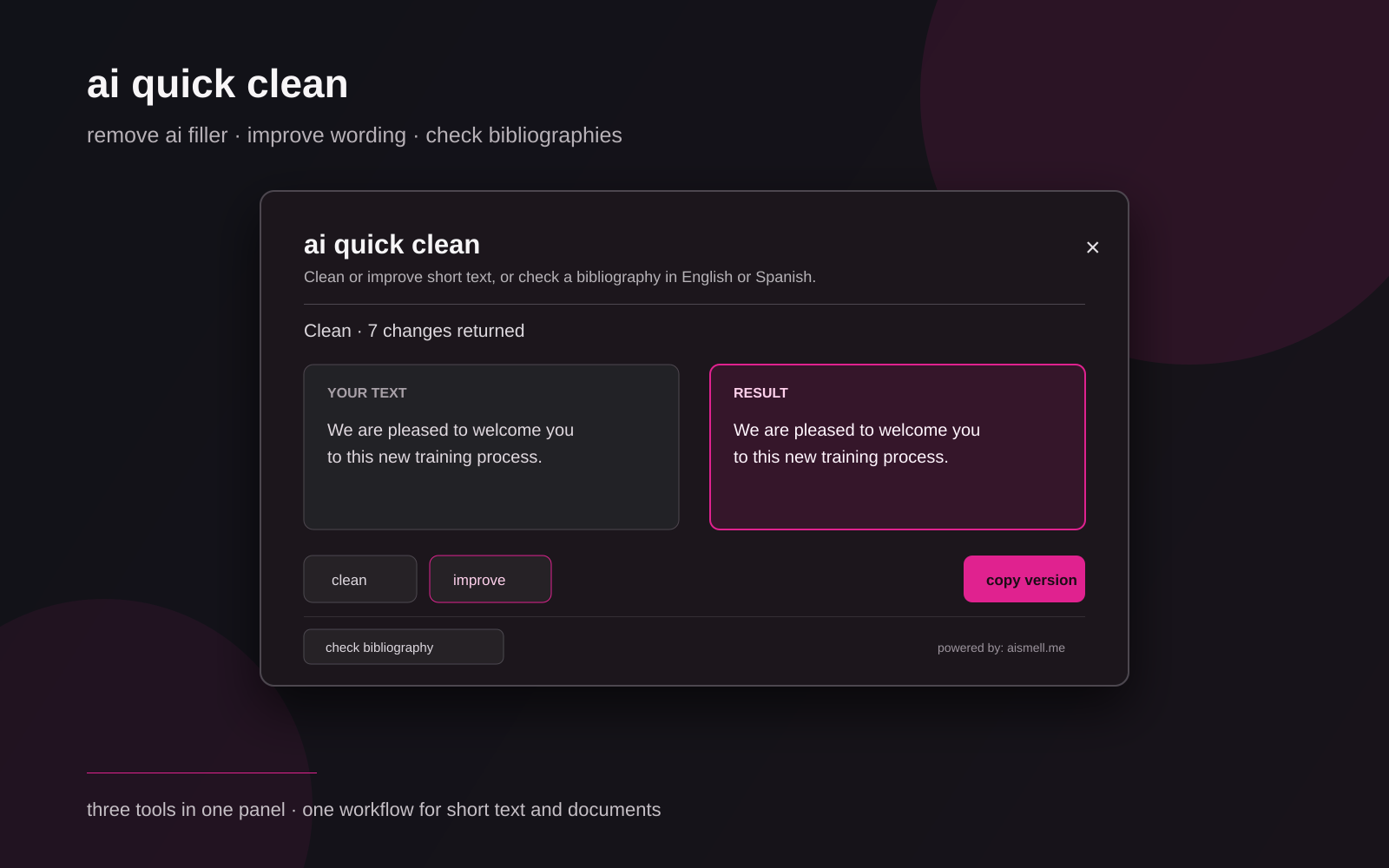
A bilingual Omarchy / Quickshell panel for cleaning ai-drafted text, improving wording, and checking bibliographies. It keeps the original editable, shows the proposed version beside it, reports the edits, and lets you copy only when you approve them.
It is deliberately not an ai detector bypass and it does not promise that a rewrite will evade any detector. It is a writing editor.
What it does
- Works with English and Spanish messages, emails, and short paragraphs up to 3,000 characters (12,000 for bibliographies).
- Reads the Wayland primary selection first, then the regular clipboard, to prefill the editor. A 📋 paste button is also available to pull a fresh clipboard into the editor.
- Three modes:
- limpiar — removes high-confidence filler and improves wording in one pass.
- mejorar — more visible edit: cuts ceremonial openings, institutional boilerplate, repetition, abstract phrasing, and inflated adjectives while preserving facts and intent.
- bibliografía — checks a pasted bibliography against Crossref and OpenAlex: finds exact DOI matches, title/author/year lookups, detects duplicates and structural issues, and scores the list.
- Shows the original and proposed text side by side for clean/improve; single editor + results for bibliography.
- Shows an indeterminate progress bar while the online service is working.
- Reports how many edits were returned and lists the first three explanations.
- Uses the latest aismell evidence index to guide improve mode: uniform rhythm, distant narration, stacked absolutes, and other structural signals become editing guidance instead of a generic rewrite request. The index is an editorial cue, not an authorship verdict.
- Never replaces the focused application's text automatically. You must press
copy. Ctrl + Enterruns the current mode without reaching for the mouse.- After copying, the
copybutton briefly shows✓ copiado/✓ copiedas feedback. - A live character counter (
N/3000) warns when the text approaches the limit. - Identical rewrites are cached for 60 seconds so re-running the same text is instant.
Install
omarchy plugin add https://github.com/brm-src/ai-quick-clean.git --enable --yes
No administrator privileges are required. The plugin needs Omarchy/Hyprland, Quickshell, Python 3, curl, wl-paste, and wl-copy.
The optional Super + Shift + S shortcut is configured separately:
bash ~/.config/omarchy/plugins/io.github.brm-src.ai-quick-clean/configure-shortcut.sh
Remove only that shortcut with:
bash ~/.config/omarchy/plugins/io.github.brm-src.ai-quick-clean/configure-shortcut.sh --remove
Remove the plugin with:
omarchy plugin remove io.github.brm-src.ai-quick-clean --yes
Use
- Copy or select a short draft, then open ai quick clean from the bar. The editor is prefilled from the clipboard; press 📋 if you need to re-paste.
- Choose the mode at the bottom of the card: limpiar, mejorar, or revisar bibliografía.
- Edit the text if needed. The counter warns when you near 3,000 characters.
- Press the action button for the chosen mode, or press
Ctrl + Enterto run it directly. - Wait for the progress bar to finish and read the change explanations or bibliography report.
- For clean/improve: compare both columns and press
copyonly if you want the proposed version in the clipboard. The button briefly confirms✓ copiado.
Press Escape, Super + W, or click outside the card to close it. The powered by: aismell.me footer opens the project site.
Privacy and data flow
See PRIVACY.md for the full data-flow notes.
- Opening the panel only reads the primary selection or clipboard to prefill the editor.
- The plugin does not write source text, rewritten text, or clipboard contents to disk.
- Text is sent over HTTPS to the public aismell rewrite Worker only after you press an action button.
- The Worker runs the aismell analyzer and Cloudflare Workers AI. It has no application database, KV namespace, R2 bucket, Durable Object, or submitted-text store.
- Responses are sent with
Cache-Control: no-store. - Cloudflare still processes the request as an infrastructure provider. Do not send passwords, private keys, confidential client material, or anything that must remain offline.
- The plugin asks for no API key, does not install packages, does not request elevated privileges, and does not run downloaded code.
How it works
Clean / Improve
quick_clean.pyreads the selected text locally and enforces the 3,000-character limit.- The Worker sends the text to the aismell analyzer for language, evidence index, score components, statistical profile, and high-confidence findings.
- The Worker chooses the conservative
cleanprompt or the strongerimproveprompt; improve receives the structural guidance when it exists. - Workers AI returns one proposed text and short change explanations as JSON, together with the in-memory guidance summary.
- The panel keeps the response in memory and never copies it until you press
copy.
Bibliography
quick_clean.pyreads the pasted text locally and enforces the 12,000-character limit.- The Worker parses entries, then queries Crossref REST and OpenAlex Works (by exact DOI or title+author+year).
- A local OpenAlex fallback runs if the Worker cannot reach the external APIs.
- Results include a 0-100 score, entry count, findings, per-entry match status, and Google Scholar links.
- The panel shows the report; you can click an entry's Scholar link to open the search.
Limitations
- The service requires an internet connection.
- A conservative clean may correctly return no changes.
improveis a proposal, not an authority. Read it before copying.- Bibliography lookup depends on external APIs (Crossref, OpenAlex); network issues may reduce coverage.
- The service accepts English and Spanish only.
- Text is sent to an online service; this is not an offline or confidential editor.
Development checks
Run these from the repository root:
python3 -m pytest tests -q
python3 -m py_compile quick_clean.py
bash -n configure-shortcut.sh
qmllint -I /usr/share/omarchy/shell BarButton.qml QuickClean.qml
omarchy plugin validate .
git diff --check
License
MIT. See LICENSE.