
Calendar Agenda for Omarchy
A quiet calendar widget for the Omarchy bar. It reads private iCalendar (.ics) feeds directly from your machine and gives you day, week, and month views without opening a calendar app or using a vendor API.
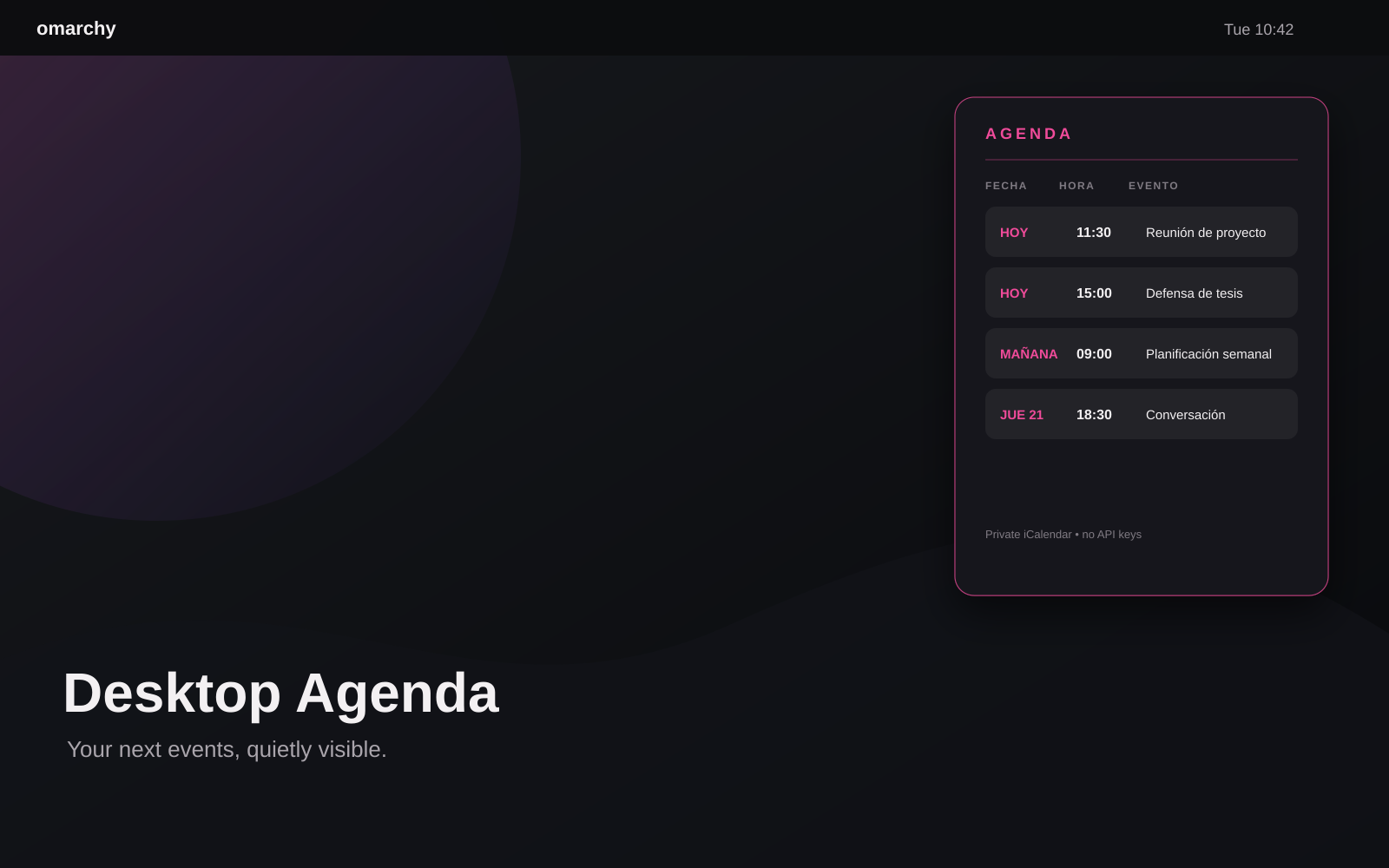
Works with Google Calendar, Nextcloud, Fastmail, institutional calendars, and any service that publishes an iCalendar feed.
What changed in 1.3
- Lives in the Omarchy bar instead of occupying the desktop.
- Day, week, and month views with Today and previous/next navigation.
- Events grouped by day, with calendar and location metadata when available.
- Multi-day and all-day events expanded across every affected date.
- Compact, theme-aware panel using Omarchy's native UI primitives.
- Keyboard shortcuts:
D,W,M,T,[,], andR. - Middle-click the bar icon to refresh.
- Keeps support for one or more private HTTPS feeds and event links.
OAuth and a new sync service are intentionally not included. The existing iCalendar flow is vendor-neutral, smaller, and does not store account credentials.
Install
Requires Omarchy Quattro, Quickshell, and Python 3.10+.
omarchy plugin add https://github.com/brm-src/omarchy-calendar-agenda.git --enable --yes
bash ~/.config/omarchy/plugins/io.github.brm-src.calendar-agenda/configure-calendar.sh
The helper asks for one or more private iCalendar URLs and an optional name for each calendar. Press Enter on an empty URL when you are done. It requires HTTPS, verifies the feed, stores the configuration with mode 600, and restarts the shell.
To inspect the source before enabling it:
omarchy plugin add https://github.com/brm-src/omarchy-calendar-agenda.git --yes
Then add Calendar Agenda to the right side of the bar from the Omarchy plugin controls.
Configure it
For Google Calendar:
- Open Google Calendar settings.
- Select the calendar.
- Open Integrate calendar.
- Copy Secret address in iCal format.
- Paste it when
configure-calendar.shasks for a URL.
Do not paste the Google Calendar page URL. A private iCalendar URL is a bearer secret.
Run the helper again to replace the configured feeds:
bash ~/.config/omarchy/plugins/io.github.brm-src.calendar-agenda/configure-calendar.sh
Configuration is stored at ~/.config/omarchy/calendar-widget/config.json:
{
  "calendars": [
    {"name": "Work", "icalUrl": "https://example/work.ics"},
    {"name": "Personal", "icalUrl": "https://example/personal.ics"}
  ]
}
The legacy single-calendar icalUrl format is still accepted.
Interface
Click the calendar icon in the bar to open the panel.
- DAY, WEEK, MONTH: change the visible range.
- Today: return to the current week.
- ‹ / ›: move through the selected range.
- ↻: refresh all feeds.
- Event row: open its detected Zoom, Google Meet, or other event link.
- D / W / M: switch views.
- T: return to today.
- [ / ]: move backward or forward.
- R: refresh.
- Esc: close the panel.
The feed is fetched when the panel opens and refreshed every five minutes while it is open. Events are read for the next 30 days and capped at 64 entries to keep the shell responsive.
Privacy and security
The plugin uses no vendor API, OAuth, client secret, or shared credential. Your machine fetches the feeds directly.
- Use only
https://URLs. - Never publish a private feed URL in issues, screenshots, or repositories.
- Regenerate the URL at the provider if it leaks.
- Keep the local configuration at mode
600. - The plugin rejects redirects from HTTPS to HTTP.
Check the permissions:
stat -c '%a %n' ~/.config/omarchy/calendar-widget/config.json
Expected output: 600.
Troubleshooting
Inspect the feed response directly:
python3 ~/.config/omarchy/plugins/io.github.brm-src.calendar-agenda/calendar_events.py
If the output asks for configuration, run the helper again. Events beyond the next 30 days are intentionally not shown.
If the widget is missing from the bar, add Calendar Agenda to the bar layout and restart the shell:
omarchy restart shell
Uninstall
bash ~/.config/omarchy/plugins/io.github.brm-src.calendar-agenda/configure-calendar.sh --remove
omarchy plugin remove io.github.brm-src.calendar-agenda --yes
This does not delete remote events or change your calendar account.
Development and validation
python3 -m unittest discover -s tests -v
python3 -m py_compile calendar_events.py
qmllint -I /usr/share/omarchy/shell CalendarAgenda.qml
omarchy plugin validate .
bash -n configure-calendar.sh
git diff --check
License
MIT. See LICENSE.