
YouTube Player for Omarchy
A bar-native YouTube player for Omarchy: search public videos, keep audio in the background, and reveal PiP on demand.
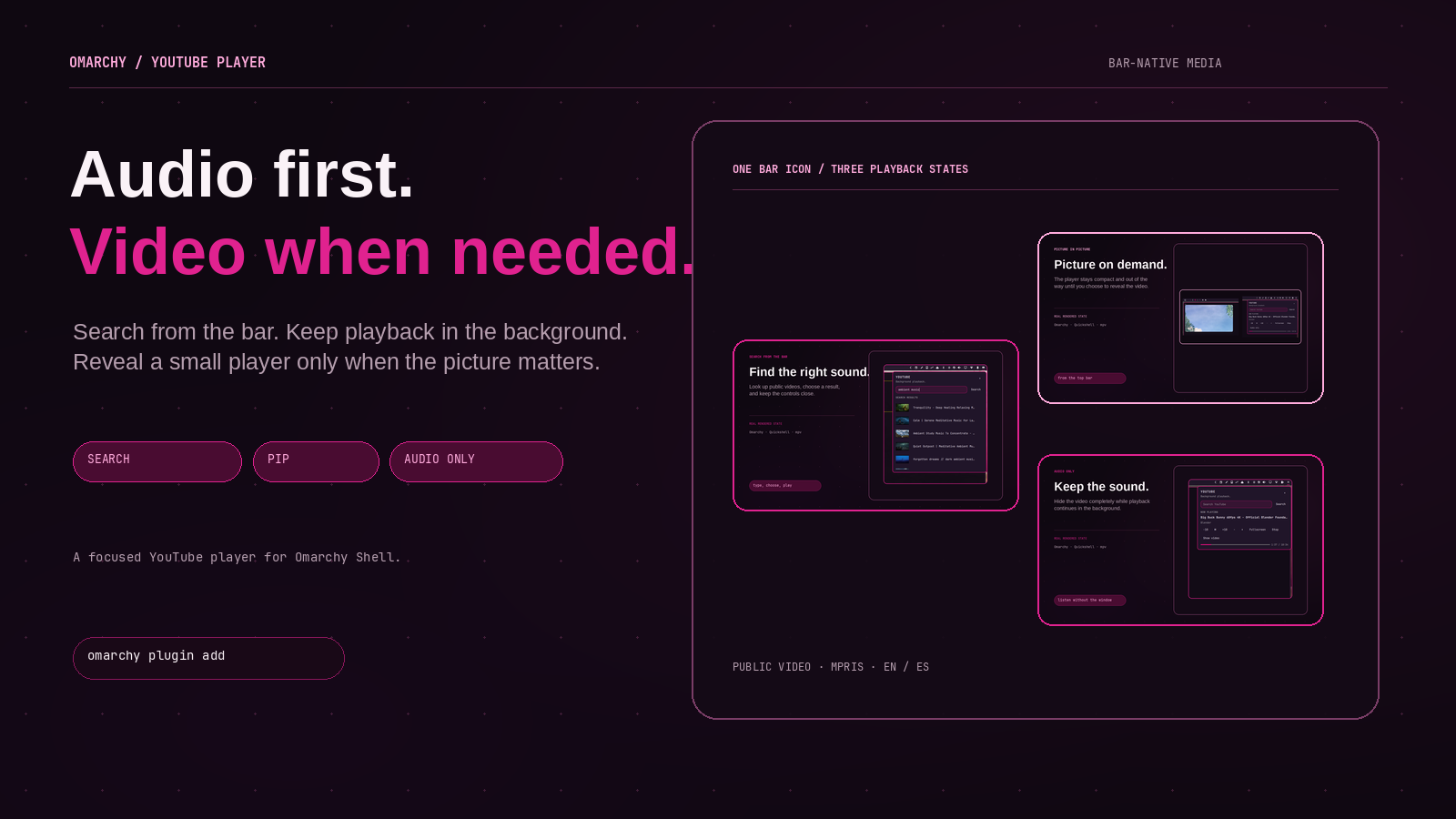
Screenshots
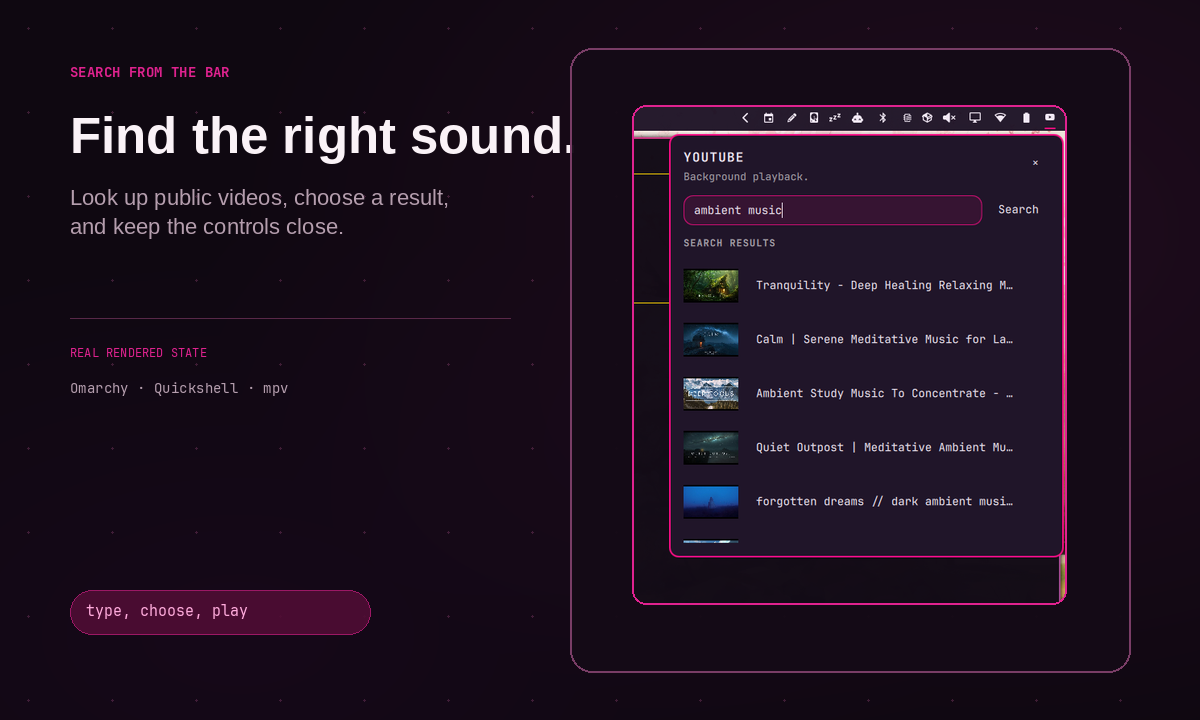
What it does
YouTube Player keeps public YouTube playback close to the desktop without turning the bar into a media dashboard:
- search YouTube from a compact Omarchy popup;
- play a public video in
mpvwhile other applications stay usable; - keep playback running when the popup closes;
- expose title and playback state through the native MPRIS ecosystem;
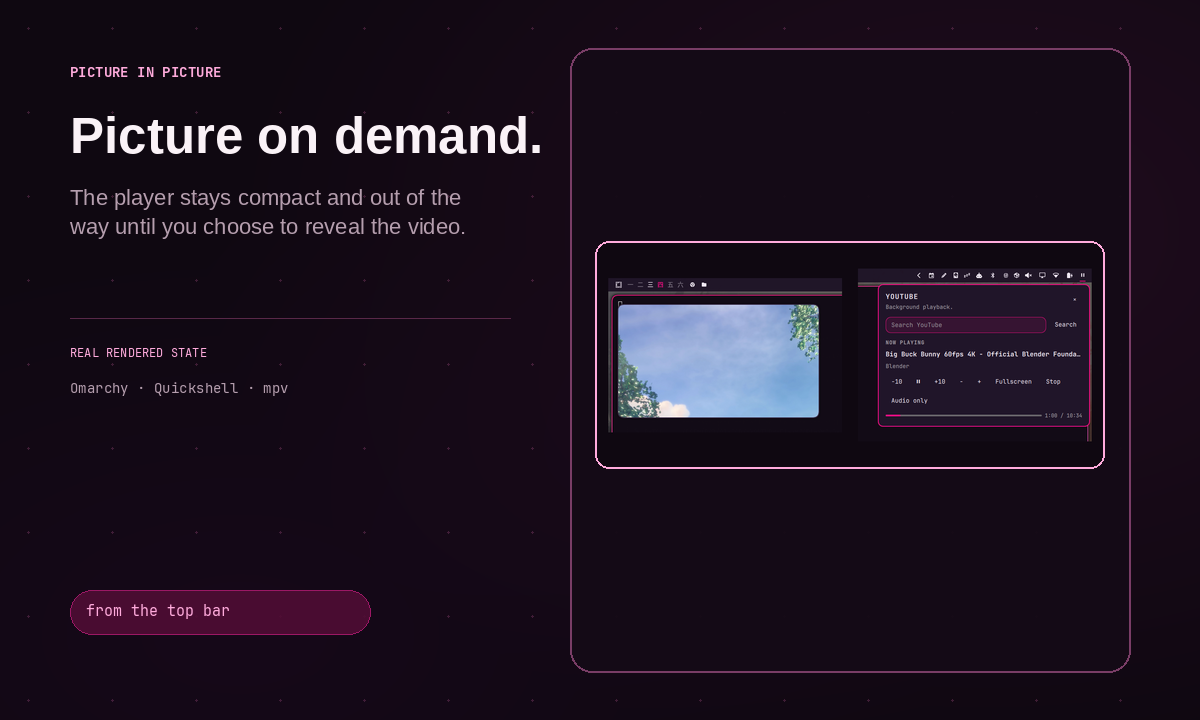
- open a deliberate 480x270 always-on-top PiP window without stealing focus;
- toggle fullscreen from the popup when a larger view is wanted;
- use the system language for user-facing copy: English or Spanish.
The current release is intentionally URL-first and unauthenticated. It saves only the last public video metadata locally. State files are owner-checked, private, size-limited, and atomically replaced. Process and IPC responses are incrementally bounded before they reach the shell UI. It does not read browser cookies, request Google OAuth, download videos, proxy YouTube, or ship an ad blocker.
Direct stream resolution is not a guarantee of ad-free playback. YouTube playback, availability, authentication, and advertising behavior remain controlled by YouTube. When direct playback fails, open the canonical URL in a normal browser.
Requirements
- Omarchy with Quickshell plugins
mpvyt-dlpffmpegmpv-mprisis recommended for MPRIS metadata and controls
No sudo or pkexec is required.
Install
omarchy plugin add https://github.com/brm-src/omarchy-youtube-player.git --enable --yes
omarchy restart shell
The plugin manager installs the repository and enables the bar widget. It does not install system packages. Install the requirements with your distribution package manager if they are missing.
To add the widget to a bar section:
omarchy bar put io.github.brm-src.omarchy-youtube-player --section right
omarchy restart shell
For deterministic English screenshots and QA, regardless of the machine locale:
hyprctl eval 'hl.env("OMARCHY_YOUTUBE_PLAYER_LANG", "en")'
omarchy restart shell
Omit that environment variable to use the system language.
Use
- Click the bar icon in the top-right bar to open the anchored player popup.
- Search for a video, then select a result.
- Playback continues in the background in a small PiP window without capturing the mouse or keyboard focus.
- Press
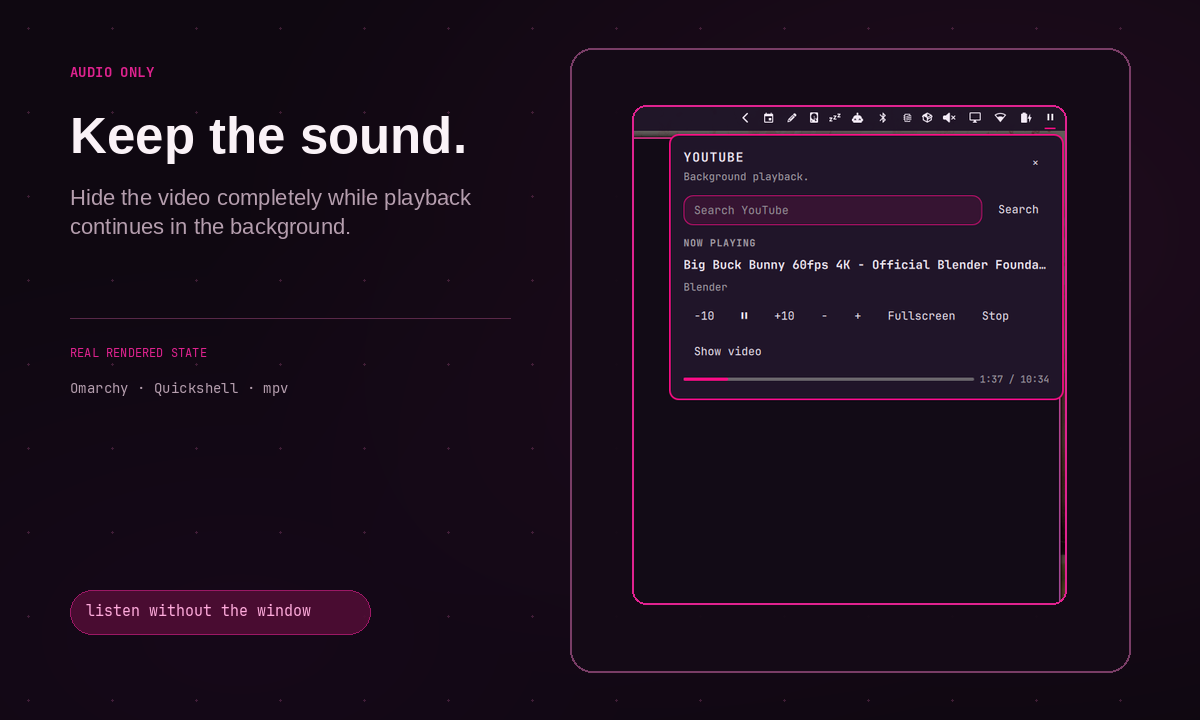
Escapeor click outside the popup to close it. - Use the popup controls for pause, seek, volume, fullscreen, and
Audio only. Audio onlydisables the video track and minimizes the PiP window while audio continues.- Use
Show videoto restore the PiP window, orStopto end playback.
The direct IPC target is:
omarchy-shell io.github.brm-src.omarchy-youtube-player open
omarchy-shell io.github.brm-src.omarchy-youtube-player close
omarchy-shell io.github.brm-src.omarchy-youtube-player toggle
Remove
python3 ~/.config/omarchy/plugins/io.github.brm-src.omarchy-youtube-player/player.py action quit --lang en
omarchy plugin remove io.github.brm-src.omarchy-youtube-player --yes
omarchy restart shell
The command disables the plugin, removes it from the Omarchy plugin registry, and deletes the installed plugin files. Playback state is stored separately under $XDG_STATE_HOME/omarchy-youtube-player; remove that directory only if you also want to delete the local last-video metadata.
Privacy and scope
Search and metadata requests go directly to YouTube through yt-dlp. The plugin does not send data to a third-party backend. Search terms and URLs are visible to YouTube and the network providers involved in the request.
This plugin is not affiliated with YouTube, Google, or Omarchy. Respect YouTube's Terms of Service, copyright, and the rights of creators.
Development checks
python3 -m unittest discover -s tests -q
python3 -m py_compile player.py
qmllint -I /usr/share/omarchy/shell Widget.qml
omarchy plugin validate .
git diff --check
License
MIT. See LICENSE.